INTRODUCING PORTWARE
All of the company's work in one system
From quotation to collection, from manufacturing to maintenance, every process in the same database. Built on the world's most widely used open-source business-management core, backed by CapitalG, the growth fund of Google's parent Alphabet — and taken far beyond it with manufacturing, engineering, AI and office layers.
- One record, one truthQuotation, shipment and invoice are the continuation of the same record — no two figures in two places.
- Far beyond the corePORTWARE Office documents, the SOTION knowledge base, SODRAW diagrams and Cowork AI on every screen.
- Works in Türkiyee-Invoice, e-Archive, GİB integration and the uniform chart of accounts out of the box.
One page, thirty minutes. No technical knowledge needed.
BUILT TO GROW
Companies slow down from disorder, not from work
The biggest obstacles to growth are the same in most companies. PORTWARE builds the order and the system that solve them, and much more.
HANDBOOK
Text to sit down and read. Every part also works on its own.
Read it end to end
The whole system in 33 chapters: what it is, how it is used and the daily flow of every process.
- Reading paths by role
- Real use cases
- Screen-by-screen explanation
- Full-text search with Ctrl+K
Where to start
Separate reading orders for new users, process owners, project managers and system administrators.
Glossary
The terms used on the screens and in this book, in one sentence each.
PROCESSES
Screen-by-screen use of the applications.
Accounting
 Accounting
Financial accounting, invoicing, payments and reporting
Sales & CRM
 Sales
SalesCustomer relations, opportunity management and sales processes
Inventory & Warehouse
 Inventory
Inventory management, shipping and the supply chain
Manufacturing
 Manufacturing
Manufacturing orders, bills of materials and work centres
Purchase
 Purchase
Vendor management, purchase orders and goods receipt
Human Resources
 Employees
Employee management, payroll, time off and recruitment
Projects & Services
 Project
Project management, timesheets and field service
Website
 Website
Corporate site, catalogue and document centre
Productivity
 Productivity
Documents, knowledge base, calendar, chat and AI
Point of Sale
 Point of Sale
POS sessions, receipt design and cash management
Maintenance
 Maintenance
Equipment, preventive maintenance and breakdown requests
Fleet
 Fleet
FleetVehicle management, contracts and cost tracking
PORTWARE CUSTOM MODULES
The layer written for this system, not found in the open-source core.
COWORK AI
The AI assistant that works with the system's data: it searches records, reads inside PDFs, produces reports and updates records with your approval.
- Eight providers, four tiers
- Model chosen by measurement
- Document reading and OCR
- Reversible write operations
AI providers
Anthropic, OpenAI, Google Gemini, DeepSeek, Z.ai GLM, ElevenLabs and local AI behind one interface; web research never opens the company up.
- The model fits the job, a backup in an outage
- A local model on your own server
- One-way, safe web research
- Every call on the spend ledger
PORTWARE from Claude, ChatGPT and Cursor
Every MCP client connects at one address, with the rights of the person who connected it; writes are undoable, critical work waits for PORTWARE.
- One address, two ways to sign in
- With your own rights
- Every change can be undone
- Invoices and payments approved in PORTWARE
Meeting assistant
On request it transcribes the meeting by speaker, writes the note an expert would, and turns actions into tasks in one click.
- Recording on request, announced
- Turkish transcription
- An expert's note and decisions
- A task or activity in one click
Digital team
Cowork Assistants that take tasks: they research, draft, watch and reconcile; they prepare the work and leave the decision to a person.
- An assistant with an owner and a budget
- Written skills
- Automation first, the model second
- Fields it may never touch, as rules
Dashboards
The company's pulse on one screen: live dashboards that respect permissions, compare with last year and open every figure's records.
- One true number
- Insights and “why did it change”
- Excel and presentation mode
- Cowork builds one from a sentence
PORTWARE Office
Word, Excel and presentation files open in the browser, are written together, and every save leaves a version.
- Office files on the record
- Simultaneous editing
- Native version history
- Colour semantic diff panel
SOTION
A Notion-style knowledge base: nested pages, {{variable}} and [[property]] system.
- Hierarchical page structure
- Variable system
- Colourful status tags
- Real-time collaboration
SODRAW
A draw.io diagram editor inside rich text; the drawing carries its own source and stays editable.
- The /sodraw command
- Flow and architecture diagrams
- Stored as SVG
- Vector quality in PDF
CAD Viewer
STEP, DXF, DWG and STL files open in the browser without downloading.
- 2D and 3D viewing
- Measuring and sections
- Layer management
- Touch on mobile
HTML Documents
The system's own document format: it lives in the chatter, its page is designed, drawn on and versioned.
- Page background and ink
- Free drawing layer
- Status tracking component
- Identical in PDF and download
Interface Layer
Tab strip, side panel, application memory, global search and the mobile shell.
- Several screens at once
- Remembers with its filters
- A side panel that pushes
- PWA and notifications
Dealer Channel
A dealer sees the catalogue everyone sees with their own prices; the basket becomes a request, the request an order.
- Tier-based pricing
- Request–order life cycle
- Signing in the portal
- A single timeline
CRM Plus
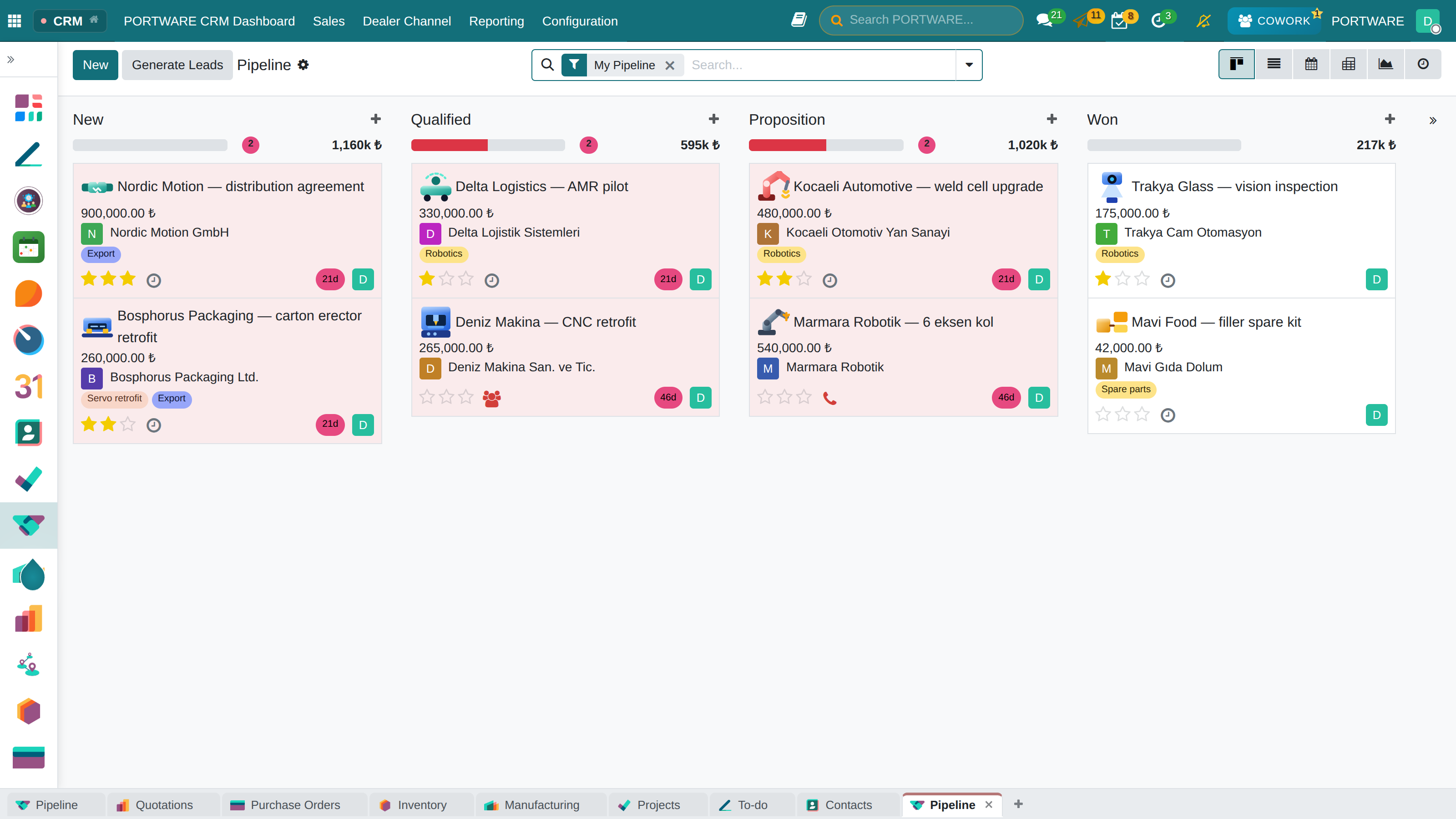
A win probability that states each factor's share in points, opportunity back to lead and a required lost reason.
- A probability that means something
- Live sales signals
- Opportunity back to lead
- A warning for rotting deals
Contracts and installed base
The commercial chain from quote to online signature, change request to renewal, installation to maintenance; the product price list.
- Signed on the portal
- Versions and change requests
- Renewals at 90-60-30 days
- Installation and version history
Ready from day one
A new company opens with the configuration an industrial SME expects, an exemplary project template and a company formation system.
- Base setup
- Exemplary project template
- Company formation
- Shared knowledge layer
ALL APPLICATIONS AND MODULES
Every guide and module page in this documentation, by group. Ctrl+F finds an application by its name. 125
Finance & Accounting
Sales & CRM
Inventory & Supply Chain
Manufacturing & PLM
Human Resources
Website & E-Commerce
Marketing
Productivity
PORTWARE Custom Modules
Add-on Packages
- Open HRMS Suite
- Dashboard Suite
- PLM Training
- Lesson 0 · What PLM is, and why
- Lesson 1 · A tour of the screens
- Lesson 2 · Part and engineering code
- Lesson 3 · The life cycle of a part
- Lesson 4 · Documents, CAD and check-in/out
- Lesson 5 · Bills of materials
- Lesson 6 · Change management (ECR → ECO)
- Lesson 7 · Permissions
- Lesson 8 · PLM with Cowork
- Lesson 9 · Good practice and checklist
- Lesson 10 · Glossary and final check
- GitHub and Requirements Training
- Lesson 0 · Why GitHub inside PORTWARE?
- Lesson 1 · Setting up the connection
- Lesson 2 · Adding and synchronising a repository
- Lesson 3 · Project and automation
- Lesson 4 · Working with code on a task
- Lesson 5 · Product, release and SBOM
- Lesson 6 · Requirements and traceability
- Lesson 7 · Follow-up, figures and Cowork
- Lesson 8 · Troubleshooting, checklist, test
- Lesson 9 · PORTWARE Git Studio
- Lesson 10 · Workbench and customer versions
- Lesson 11 · Verification, build and deploy
- Turkey Localization
More guides
- PORTWARE AI COWORK
- Field Service (FSM)
- PORTWARE for Associations, Foundations and NGOs
- Lesson 0 · Why one system?
- Lesson 1 · People: members, donors, volunteers
- Lesson 2 · Membership and dues
- Lesson 3 · Donations and donor relations
- Lesson 4 · Events
- Lesson 5 · Projects, grants and funder reports
- Lesson 6 · Volunteers and tasks
- Lesson 7 · Communication and campaigns
- Lesson 8 · The board, decisions, documents
- Lesson 9 · NGO work with Cowork
- Lesson 10 · Roll-out, checklist and final check
- Events
- Finance and Accounting
- Fleet Management
- Maintenance Management
- Point of Sale (POS)
- Purchase
PORTWARE module pages
- Activities and agenda
- Administration and infrastructure modules
- AI providers and safe web research
- Attachments, folders and versions
- CAD viewer
- Corporate website and dealer channel
- COWORK AI
- CRM Plus — a win probability that says why
- Dashboards
- GitHub and requirements traceability — code, work and requirements in one place
- HTML documents and editor components
- Meetings, mail and notifications
- PORTWARE from Claude, ChatGPT and Cursor (MCP)
- PORTWARE Office — office documents
- Ready from day one — base setup, project template, company formation
- Sales and document add-ons
- SODRAW and exTable
- SOTION — knowledge base
- The commercial back office — from contract to installed base
- The digital team — Cowork Assistants
- The interface layer