Lesson 10 · Workbench and customer versions
Browsing code, comparing two versions file by file, pinning versions for customers, PLM and Cowork.
Goal of this lessonTo read any version of the software, compare two versions file by file and manage which customer runs which version.
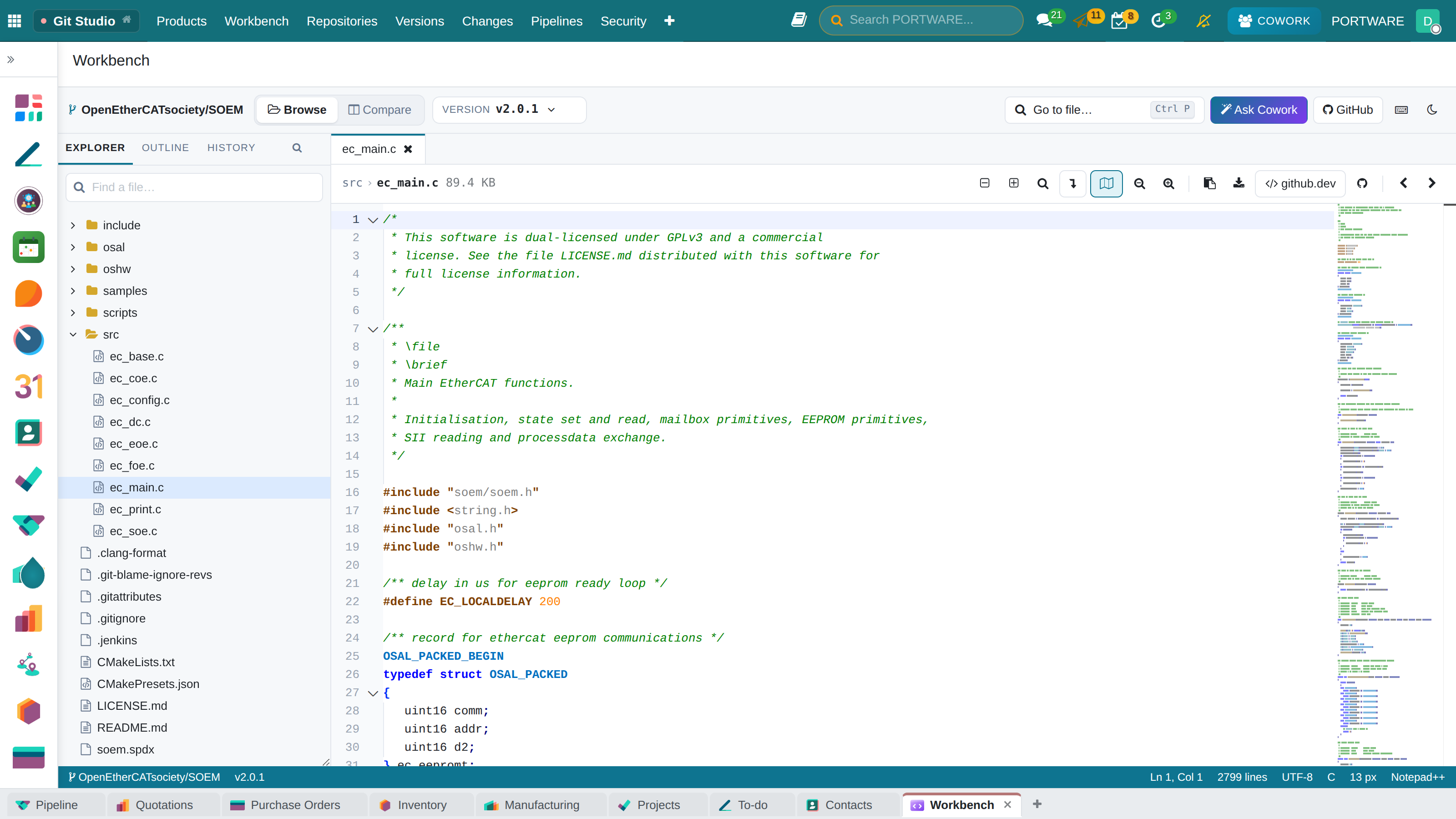
The Workbench is a light development environment: an explorer on the left, editor tabs in the middle, a status bar below. The editor is VS Code's (Monaco): Notepad++ colours, blocks fold, brackets are coloured, and the function you are in stays visible as you scroll. Code is read-only; changes are made on GitHub.
Step by step
Browse a version
Git Studio › Workbench or the product's Browse Code button. Pick a tag, branch or baseline in the version picker and open a file from the explorer. Images, PDFs and binary files open in their own viewers.
 12345
12345- Browse or Compare.
- Version picker: tag, branch, baseline or commit.
- Explorer: folder tree and search.
- Fold/unfold, find, wrap, copy, download, open in github.dev.
- Status bar: line, column, language, encoding.
Compare two versions
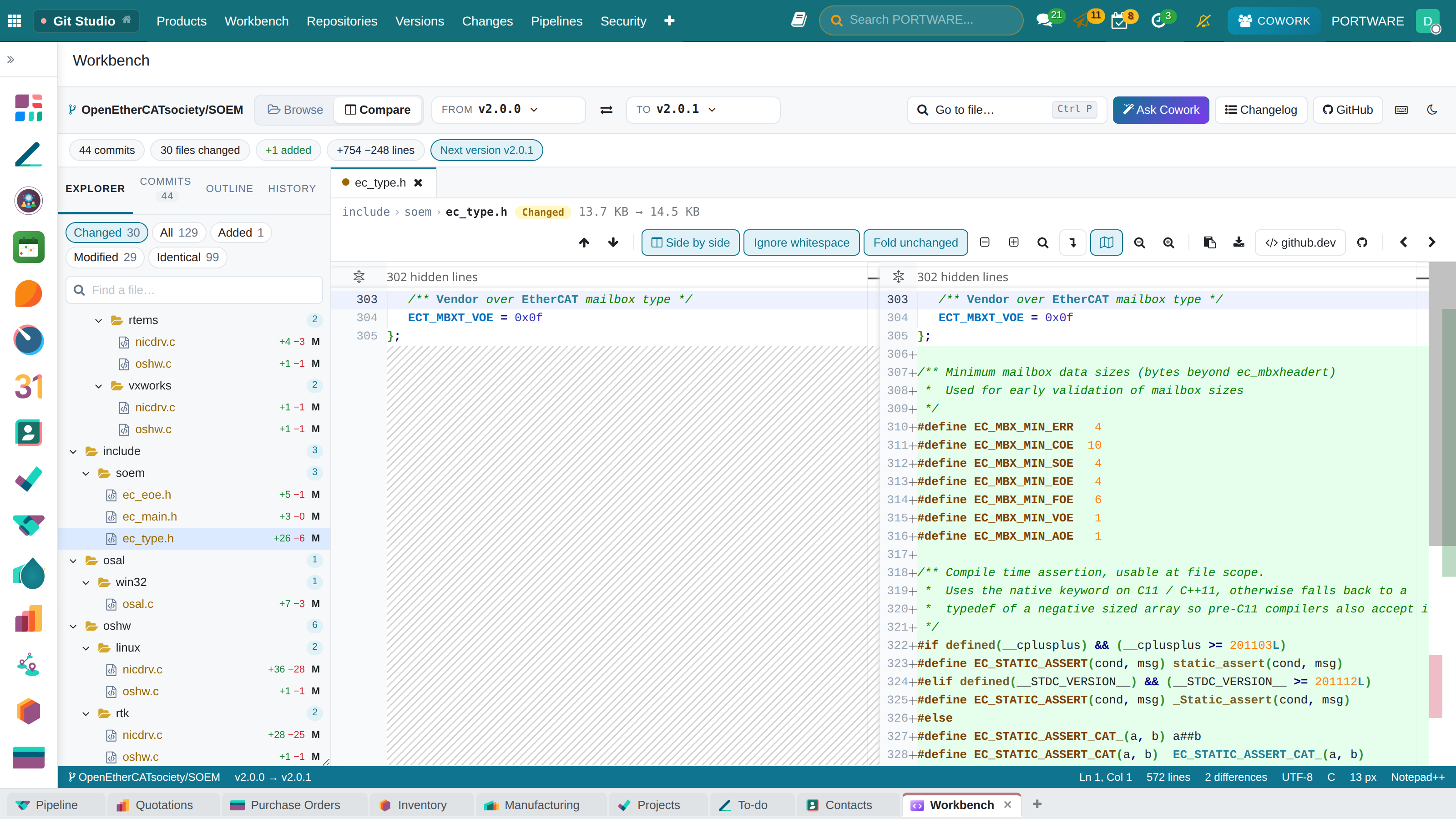
Switch to Compare and pick the From and To versions. The explorer shows the whole tree: changed (M), added (A), removed (D), renamed (R) and identical files. Clicking a file opens both versions side by side; unchanged parts fold and the arrows jump to the next difference.
 12345
12345- From and To; ⇄ swaps them.
- Commits, files and lines in the range.
- Filters: changed, added, removed, identical.
- Side by side / inline, ignore whitespace, fold unchanged.
- Diff editor: added green, removed red.
Pin a version for a customer
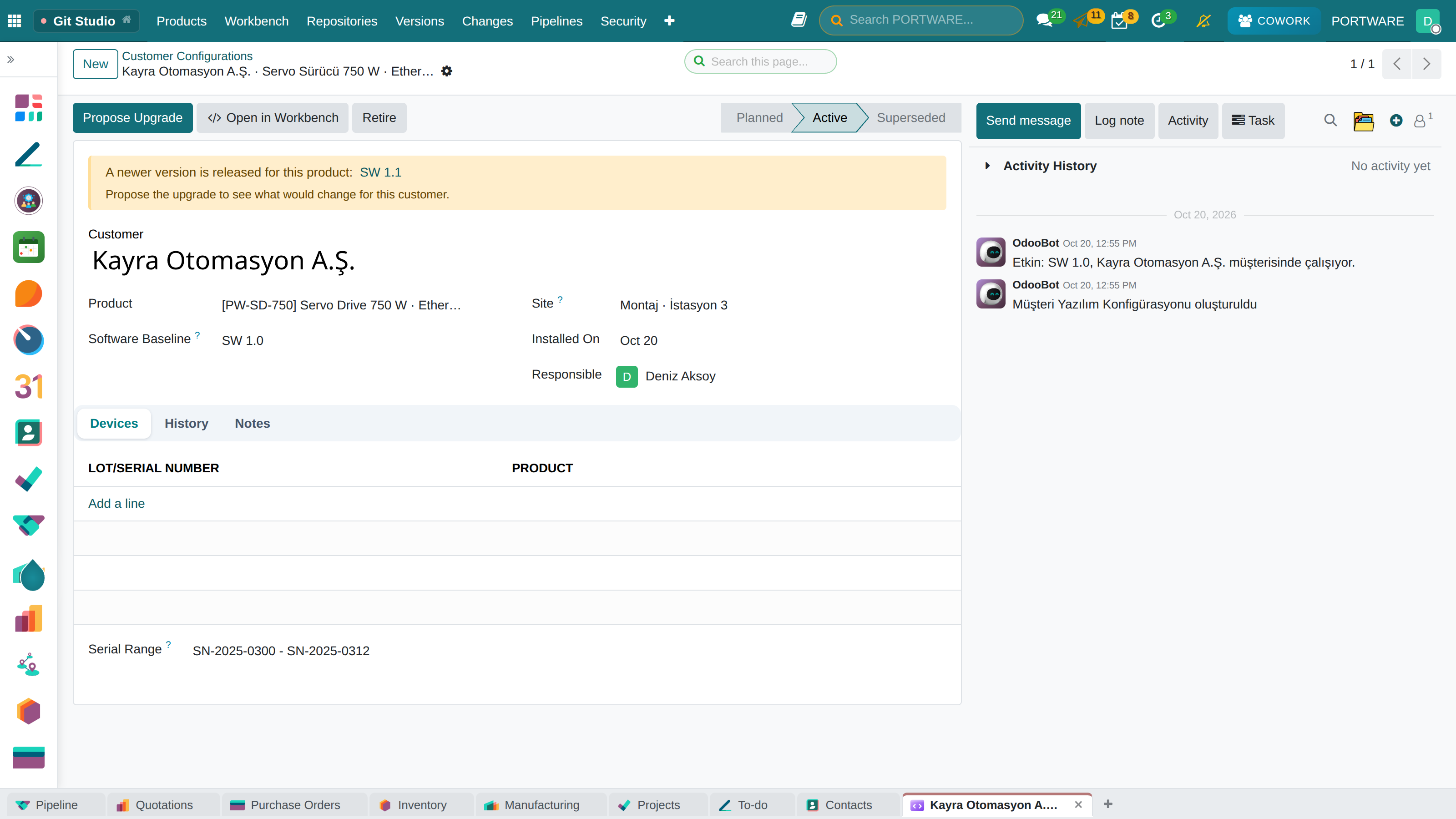
Versions › Customer Configurations: customer, product, released baseline, serial numbers and site. Mark as Installed makes it active; a device runs one software at a time. When the product releases a newer baseline the record turns yellow and Propose Upgrade reports what would change.
 12345
12345- Planned → Active → Superseded.
- A newer version is released.
- Propose Upgrade: the new version and the change report.
- The baseline this customer runs.
- A serial range for untracked devices.
See who runs what
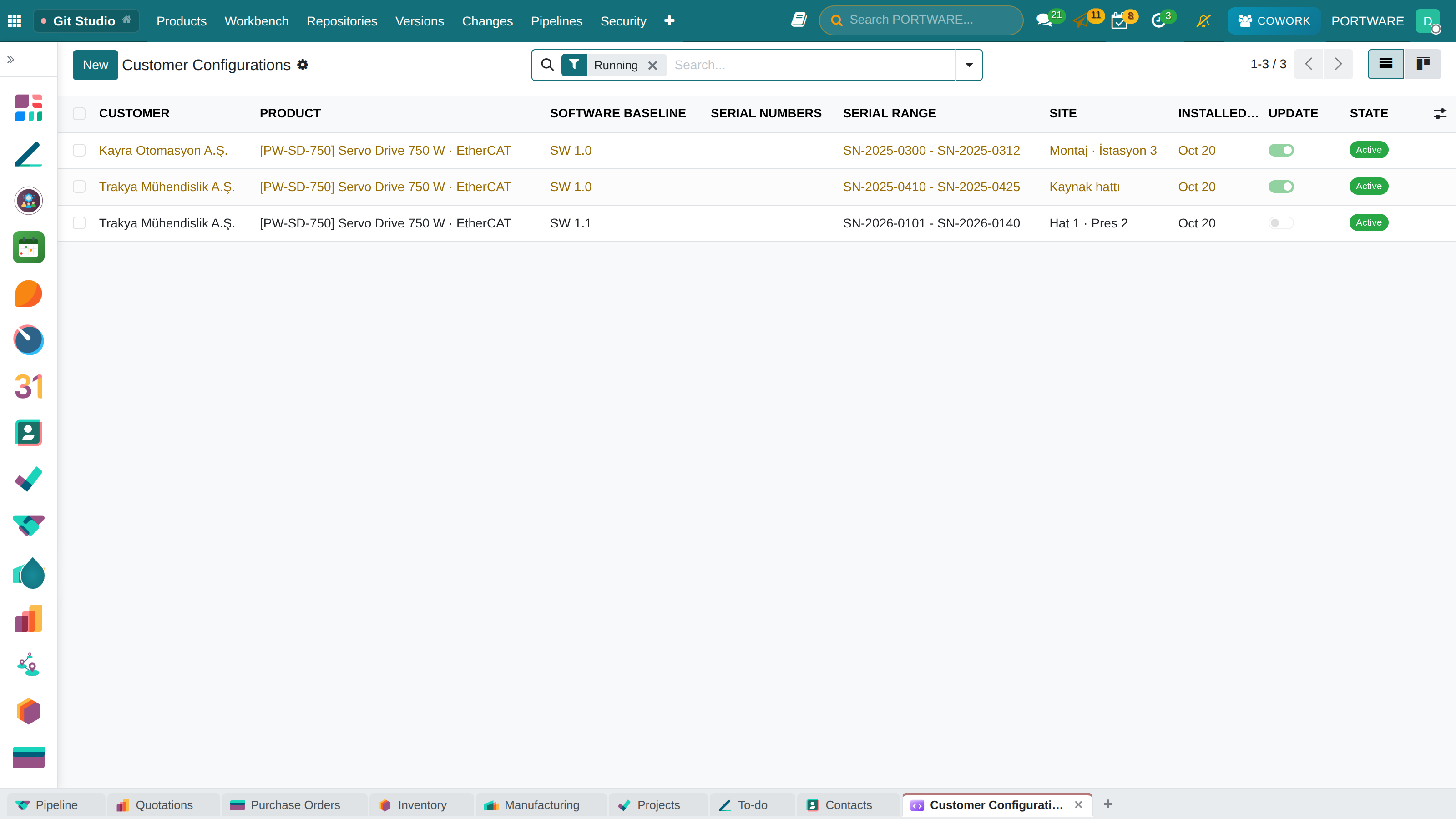
The list groups by baseline; yellow rows are customers with an update available. A serial number's form shows that device's software. Customer-specific software is a customer variant baseline: it starts from the standard line and is pinned on its own.
 1234
1234- Customer.
- The software baseline running.
- Site.
- A customer with an update available.