Lesson 7 · Follow-up, figures and Cowork
The pull request list, delivery figures and GitHub questions for Cowork.
Goal of this lessonTo follow pull requests and delivery figures, and to ask Cowork about GitHub.
Step by step
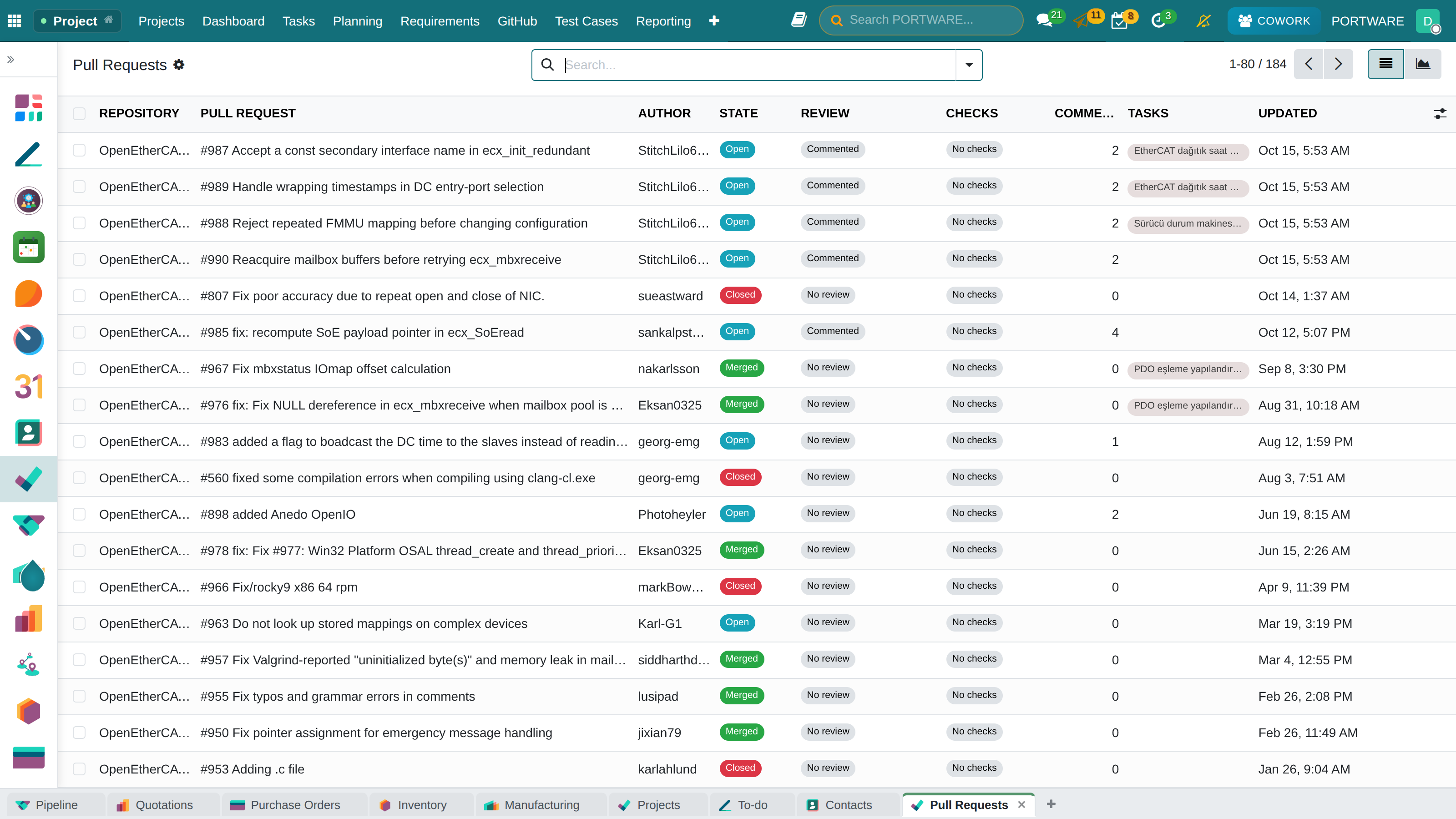
Filter the pull request list
GitHub › Pull Requests: Open, Merged, Checks Failing and Not Linked to a Task are the filters used most. The graph view shows merges per week.
 1234
1234- State: draft, open, merged, closed.
- Review: approved, changes requested, commented.
- Checks: passed, failed, running.
- Linked tasks.
Read the delivery figures
The Delivery row on the repository overview: releases in 90 days, median days from merge to release (DORA lead time) and median days from open to merge.
Ask Cowork
| Question | Where the answer comes from |
|---|---|
| "What is the code status of T163?" | The task's branches, PRs (review, checks), commits. |
| "The servo drive's latest software release and notes?" | The product's repositories and latest release. |
| "Any gaps in the Servo Drive Software project's requirements?" | The traceability matrix. |
| "What happened in the repository this week?" | Commits, merged PRs, releases and failing builds. |
| "Link pull request #212 to T163" | Writes, with an approval card. |
No GitHub request is spent
Cowork answers from the records in PORTWARE; GitHub's budget and speed are untouched. The assistant describes only the records you may see.
Check yourself
How do you find PRs with failing checks?
The 'Checks Failing' filter on the Pull Requests list.
Does Cowork link a PR to a task on its own?
No; it links when you approve its card.