Lesson 9 · PORTWARE Git Studio
The product's software studio: versions, changelog, comparison, baselines and review.
Goal of this lessonTo run a software product from one screen: versions, changes, review, configuration and security.
The GitHub button on the product form opens the product's Git Studio; going to GitHub is an option there. A product can have several repositories: firmware, application, library, hardware design. Each shows with its role.
Step by step
Open the studio
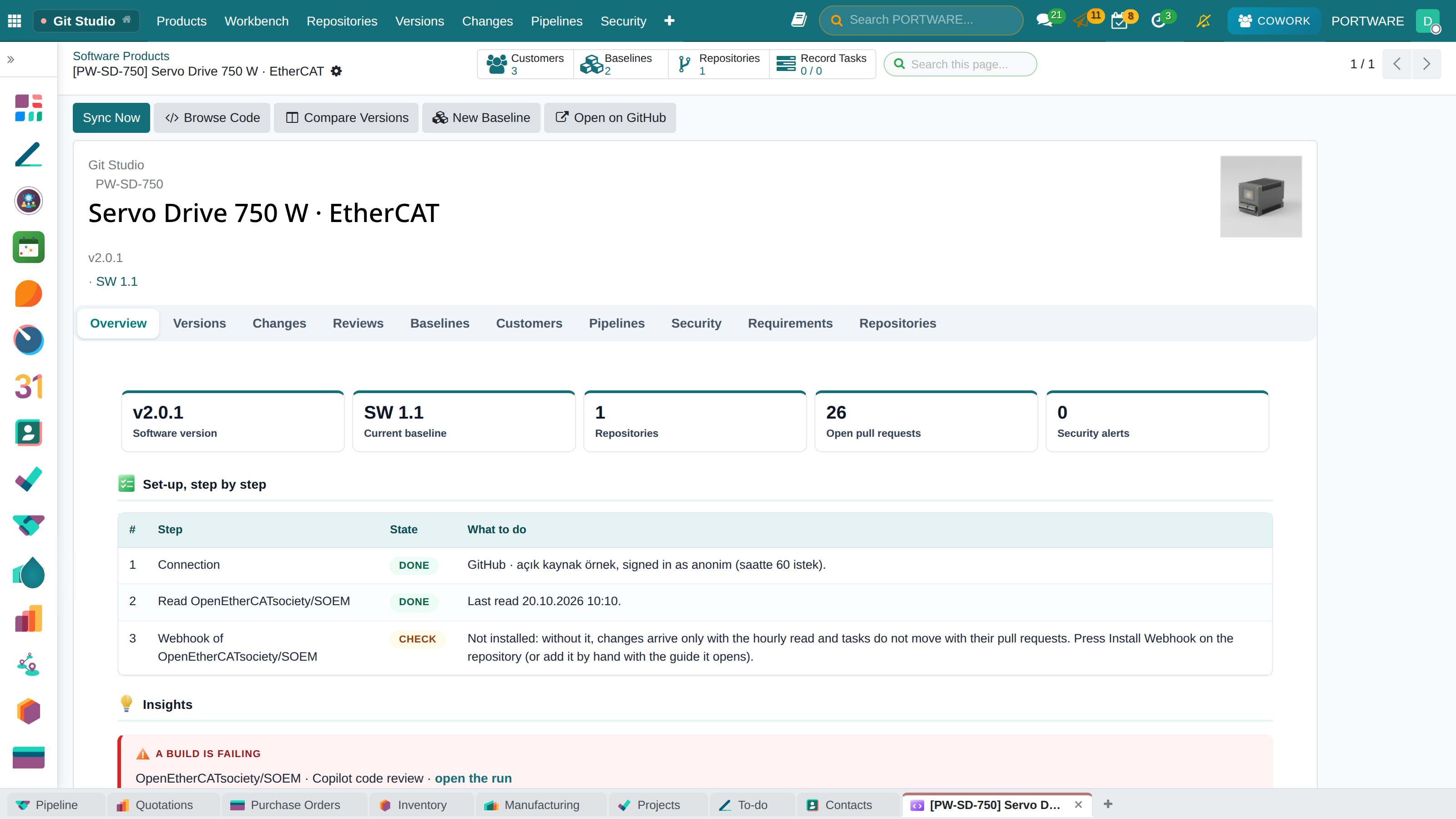
Click the product's Git Studio button or its card on the Git Studio › Products board. The overview shows the software version, the current baseline, the configuration items and the work under review.
 12345
12345- Sync Now: reads the repositories now.
- Compare Versions: what changed between two versions.
- New Baseline: a new software baseline of the product.
- Open on GitHub: going to GitHub is an option.
- Tabs: versions, changes, reviews, configuration, pipelines, security, requirements.
Read a change line by line
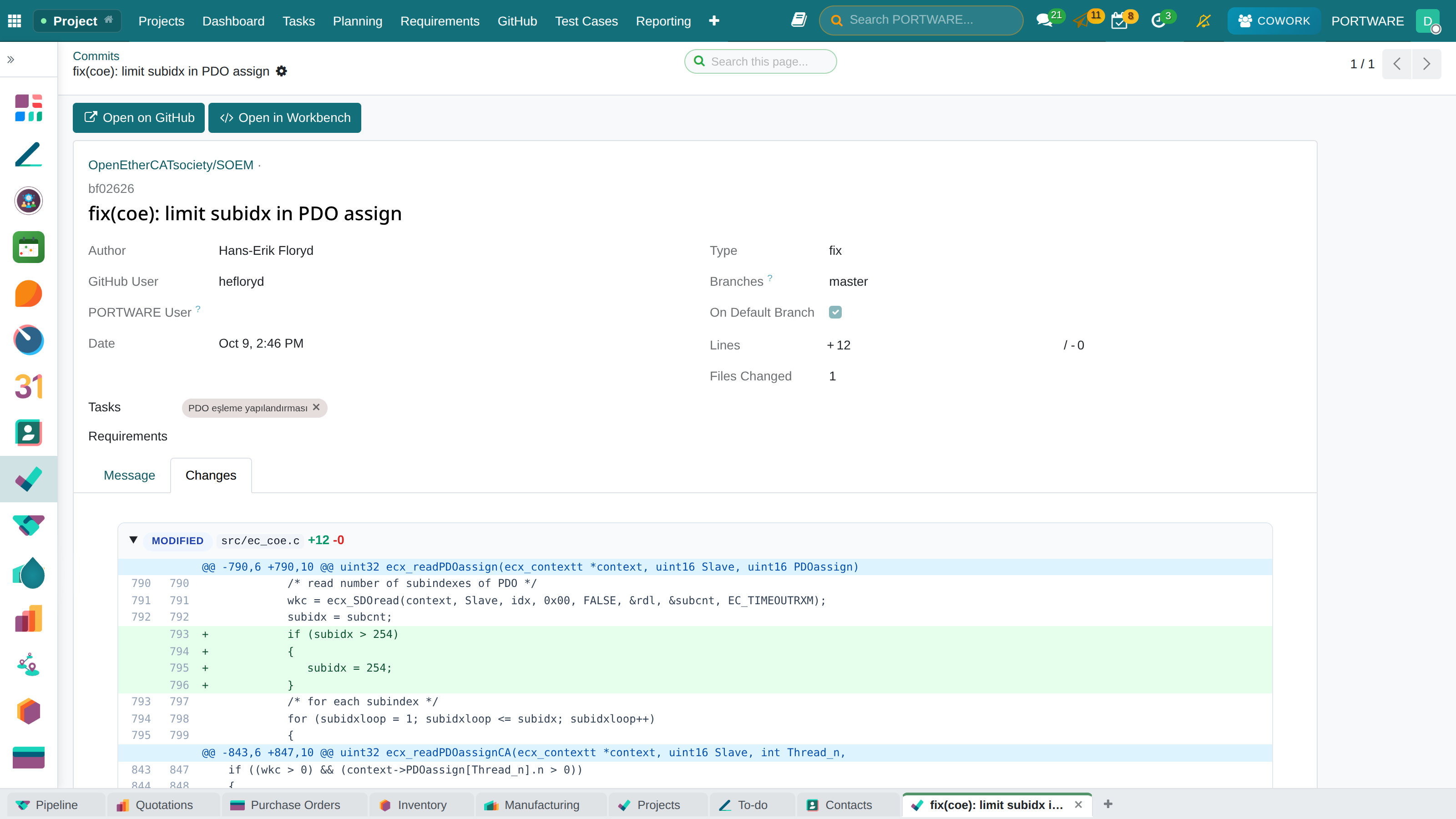
Click a commit on the Changes tab: files fold, added lines are green, removed ones red. The commit type (feat, fix, docs) is read from the message.
 123
123- The commit type.
- Lines added and removed.
- File header: status, name and lines; a click folds it.
Write the changelog
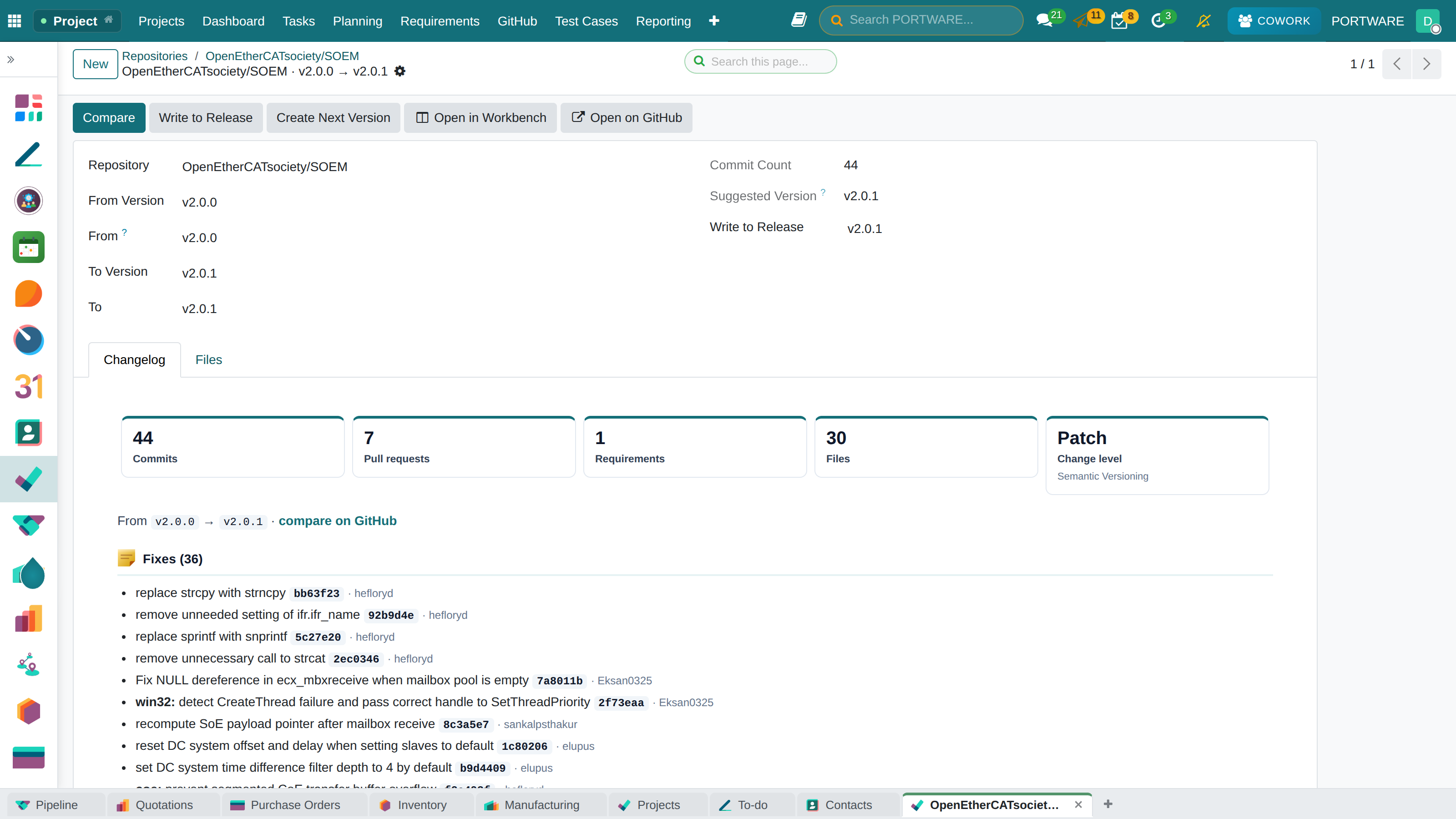
Changelog in the Workbench: commits are grouped by type, the pull requests and requirements in the range are listed and the Semantic Versioning level is suggested. The result can be written to a release's changelog, or the next version created on GitHub. File-by-file comparison is in Lesson 10.
 123
123- From and to version.
- Commit count and suggested version.
- Changelog: commits grouped by type.
Release a software baseline
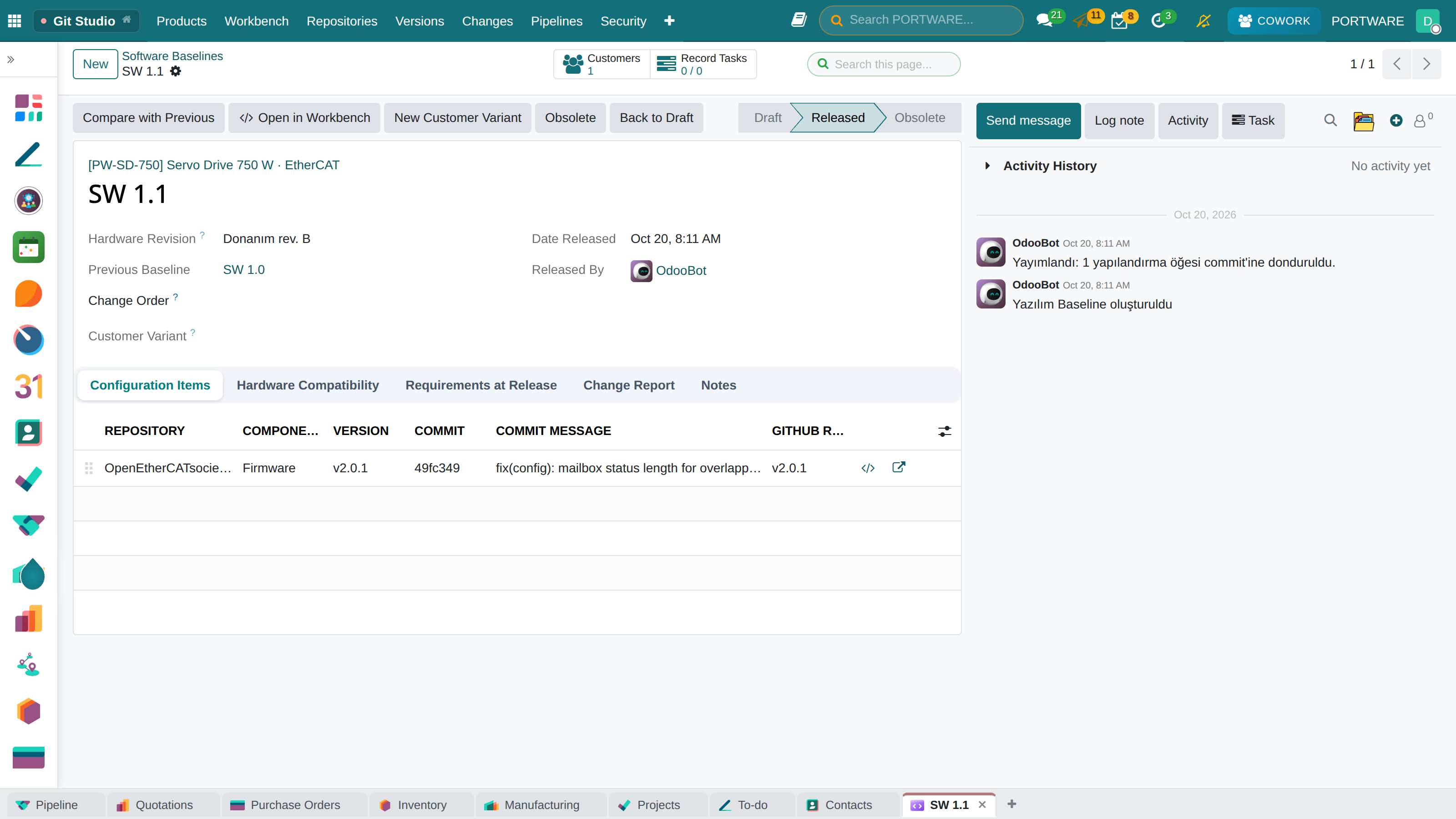
New Baseline adds the product's repositories at their latest version. Enter the hardware revision and press Release Baseline: every line freezes to its exact commit and the requirements are recorded as they stand that day.
 1234
1234- State: Draft → Released → Obsolete.
- The hardware revision it is valid for.
- Configuration items: each repository pinned to a version and a commit.
- Compare with Previous: the change report between two product versions.