Lesson 5 · Product, release and SBOM
The Contains Software flag, the GitHub button, release notes and the software bill of materials.
Goal of this lessonTo read a software product's version, release notes and dependencies on the product itself.
Step by step
Mark the product 'Contains Software'
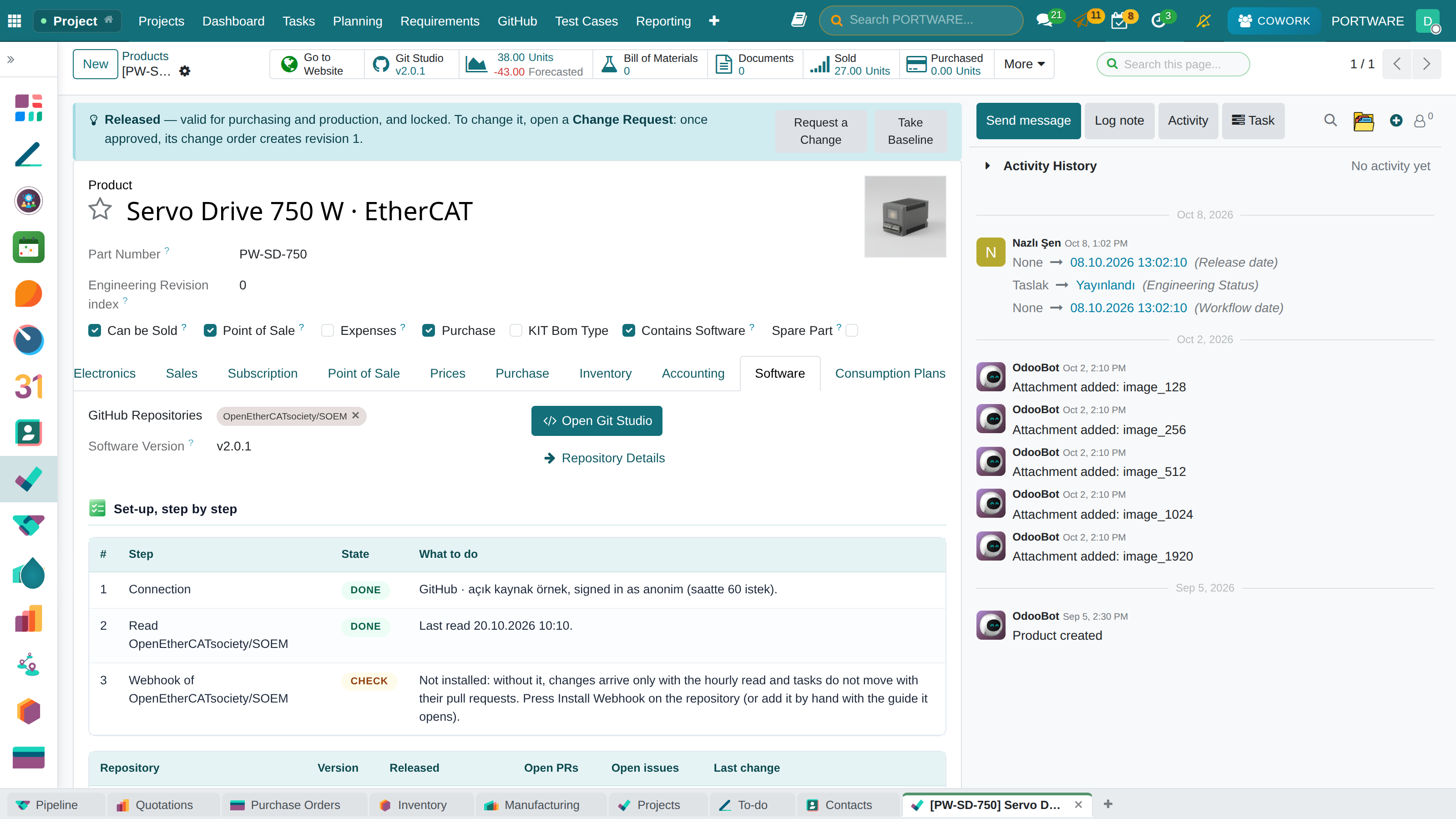
Contains Software at the top of the product form is a product type and behaves the same everywhere. On such a product the GitHub button and the Software tab appear.
 1234
1234- The Contains Software flag.
- GitHub button: the latest release's tag; a click opens the repository.
- The product's GitHub repositories.
- Repository, version, release date, open work and the last change.
Read the release notes
When a release is published a note lands on the product's chatter. The full notes are in GitHub › Releases; with the project tracker installed they link to the PORTWARE release of the same name (1.4 ↔ v1.4) by themselves.
Get the software bill of materials
Read SBOM on the repository brings the packages from GitHub's dependency graph with versions and licences; unknown licences are one filter away.
Why an SBOM
The EU Cyber Resilience Act asks makers of digital products for the list of their software components. With the list beside the product, a customer question or an audit takes minutes.
Check yourself
On which products does the GitHub button show?
On products marked Contains Software with at least one repository.
Does the first sync post notes for old releases?
No; only a release by webhook or published since the last sync is announced.