

BEYOND SOFTWARE
software · firmware · hardware → port → PORTWARE
A Complete Introduction
One platform for your entire business.
Productive Business Management System
PORTWARE
































Introduction
MEASUREMENT
Not a claim — a count
These are not marketing figures: they are counted by the documentation tooling as it scans the installed system, and they are recomputed every time the docs are built.
What you gain: The figures are not marketing promises; they are counted from the system itself.
Introduction
WHAT WE REPLACE
What PORTWARE replaces
Our rival is not only other software: it is Excel, and the paper-and-memory way of working too.
| Today’s way | Where it stops | With PORTWARE |
|---|---|---|
 Excel and shared files Excel and shared files | Version chaos, formula errors; nobody knows who changed what | One database; office files on the record, differences cell by cell |
| Paper, WhatsApp and memory | Work depends on people; when they leave, the knowledge leaves | Every job is recorded and traced; owner and date in the system |
| Bare open-source ERPs | No office suite, AI, PLM or dashboards | The world's most widely used open-source core with 119 modules of its own; Turkish, installed |
| Commercial ERPs | A yearly licence per user, a fee per module | Paid once, every application included; data on your server |
| Separate SaaS tools | Each its own users, bill and data; integrations in between | One login, one permission model; no bridges between data |
PORTWARE puts one order in place of all of these.
Introduction
THE ANSWER
Each one has an answer in the system
| Today | What it costs | In PORTWARE |
|---|---|---|
| Scattered spreadsheet versions | Wrong prices, wrong stock | One record, one number for everyone; a spreadsheet, when needed, opens on the record |
| Threads in personal inboxes | Customers wait, knowledge is lost | Every record has its own thread, notes, file folders and tasks |
 Separate stock and shipping lists Separate stock and shipping lists | Count differences, late deliveries | Confirming an order creates the delivery itself; it is scanned by barcode |
| Approvals in email | Cannot be found at audit time | The approval, who gave it and when, stays in the record's history |
| Typing the same data three times | Wasted effort and inconsistency | Quote → order → delivery → invoice from the same data, one click each |
| Reports stitched by hand | Late, disputed decisions | Dashboards and a scorecard always current; every number has a written definition |
Introduction
WITHOUT PORTWARE
Today, a separate product for every job
The best-known product of each field, and each is good. But each has its own users, bill and data; people build the bridges between them.
- Separate users and permissions in each
- A separate licence and bill for each
- Data between them moves by hand or by integration
- Separate training for each
CRM and sales
 Salesforce
 HubSpot
 Pipedrive
 Zoho CRM
Messaging and meetings
 WhatsApp
 Microsoft Teams
 Slack
Slack Zoom
Zoom
Email and marketing
 Outlook
 Gmail
Gmail Mailchimp
 SurveyMonkey
Website and eCommerce
 WordPress
 Shopify
 Wix
Wix Intercom
Meeting notes
 Otter.ai
 Fireflies
 Fathom
Accounting and bookkeeping
 Logo
Logo MikroNetsis
 Paraşüt
 Luca
Luca QuickBooks
ERP: purchasing, stock, production
 SAP Business One
 Microsoft Dynamics 365
 Oracle NetSuite
HR and payroll
 Kolay İK
 BambooHR
 WorkdayExcel
Expenses
 SAP Concur
 ExpensifyExcel
Budgets, reports and dashboards
Excel Power BI
 Tableau
 Google Sheets
PLM and CAD data
 Siemens Teamcenter
 PTC Windchill
 SOLIDWORKS PDM
 Autodesk Vault
Quality and maintenance
 ETQ
ETQ MasterControl
 IBM Maximo
 Fiix
Fiix
Projects and tasks
 Jira
Jira Asana
Asana Trello
 Monday.com
 MS Project
Knowledge base and wiki
 Notion
 Confluence
 SharePoint
Office and diagrams
 Microsoft 365
 Google Workspace
 Visio
Visio Lucidchart
 Miro
Miro
AI assistant
 ChatGPT
 Microsoft Copilot
 Gemini
Product names are examples and their owners' trademarks. The next three pages pair each job with its answer in PORTWARE.
Introduction
WITHOUT PORTWARE · 1/3
Customers, communication and sales
Customer data sits in the CRM, the conversation in WhatsApp, the quote in email; nobody sees the whole picture.
CRM and sales
SalesforceHubSpotPipedriveZoho CRM
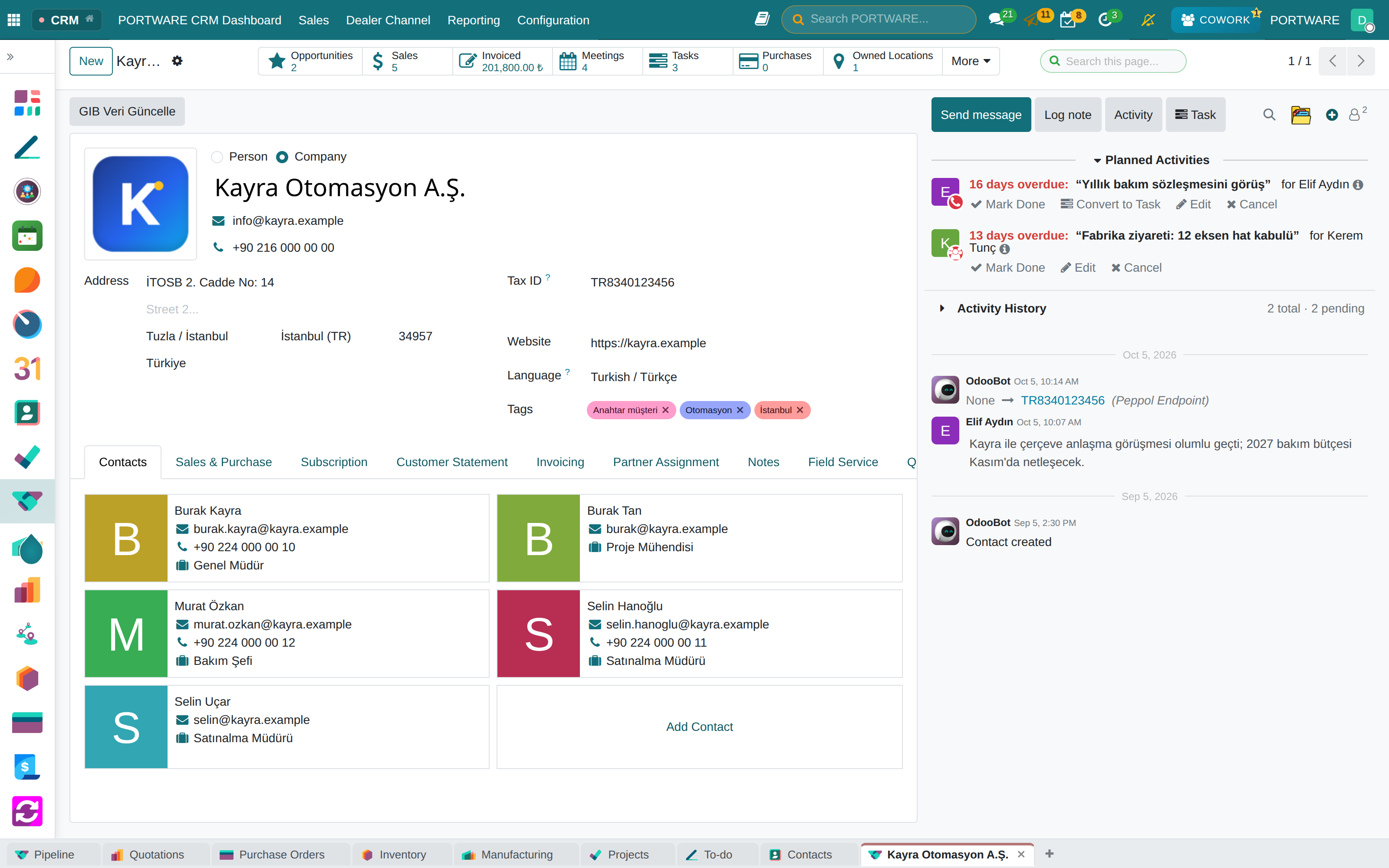
CRM and Sales on the same customer record: opportunity → quote → order → invoice, nothing to transfer
Messaging and meetings
WhatsAppMicrosoft TeamsSlackZoom
Discuss: channels, direct messages and video calls; every record has its own thread, a WhatsApp message one click from the record
Email and marketing
OutlookGmailMailchimpSurveyMonkey
A reply to an email sent from a record comes back to that record; email marketing, surveys and events inside
Website and eCommerce
WordPressShopifyWixIntercom
Website, eCommerce and live chat read stock and prices from the same data; the site is ready for AI assistants
Meeting notes
Otter.aiFirefliesFathom
Meeting assistant: tells speakers apart, writes the summary and tasks onto the meeting's record
Introduction
WITHOUT PORTWARE · 2/3
Accounting, ERP and people
When accounting is a separate program, invoices are typed twice and month-end is merged by hand in Excel.
Accounting and bookkeeping
LogoMikroNetsisParaşütLucaQuickBooks
Double-entry accounting, Turkish e-invoice and e-archive; invoices come from sales and purchasing by themselves
ERP: purchasing, stock, production
SAP Business OneMicrosoft Dynamics 365Oracle NetSuite
Purchasing, stock, barcode, MRP and work orders on one database; what commercial suites charge for is installed
HR and payroll
Kolay İKBambooHRWorkdayExcel
Employees, recruitment, time off, attendance, payroll and appraisals on one record; leave reaches the calendar and team workload by itself
Expenses
SAP ConcurExpensifyExcel
Expenses: receipt, approval and the accounting entry in one flow
Budgets, reports and dashboards
ExcelPower BITableauGoogle Sheets
Scorecard, versioned budgets and OKRs always current; every number has a written definition
Introduction
WITHOUT PORTWARE · 3/3
Engineering, projects, knowledge and office
The drawing is in PLM, the task in Jira, the procedure in Notion; nobody sees in one place what a revision affects.
PLM and CAD data
Siemens TeamcenterPTC WindchillSOLIDWORKS PDMAutodesk Vault
PLM: parts, revisions, change orders, BOMs and CAD files; drawings open in 3D in the browser
Quality and maintenance
ETQMasterControlIBM MaximoFiix
Quality: nonconformities, 8D, AQL, calibration; Maintenance: equipment, requests and repairs
Projects and tasks
JiraAsanaTrelloMonday.comMS Project
Projects: boards, sprints, timeline and team workload; a task opens from any record, hours go to the invoice
Knowledge base and wiki
NotionConfluenceSharePoint
SOTION knowledge base and HTML documents tied to records, with their versions
Office and diagrams
Microsoft 365Google WorkspaceVisioLucidchartMiro
PORTWARE Office: Word, Excel and slides on the record; diagrams with SODRAW
AI assistant
ChatGPTMicrosoft CopilotGemini
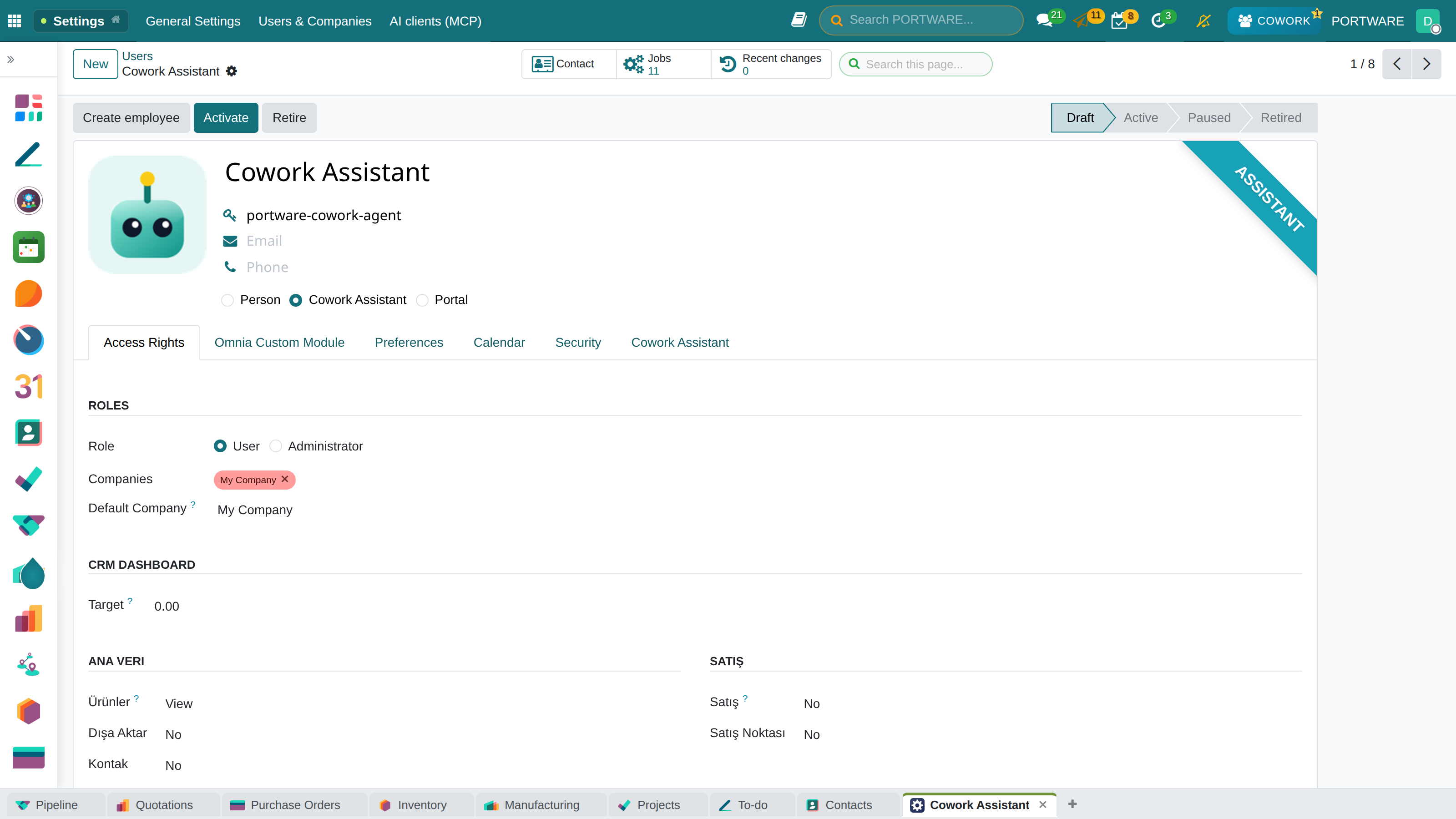
Cowork sees the company's own data, respects your permissions and writes only with your approval
SECTION 1
The application map
Every application a company needs, on one database. Click an application to open its guide.
Sales and CRM
Manufacturing and supply chain
 ManufacturingBOMs, work orders and multi-level MRP
 PLMCAD files, revisions and engineering BOMs
 QualityIncoming, in-process and final inspection
 InventoryWarehouses, lots, serials and transfers
 PurchaseRequests for quotation, vendor prices, receipts
 MaintenanceEquipment and preventive maintenance
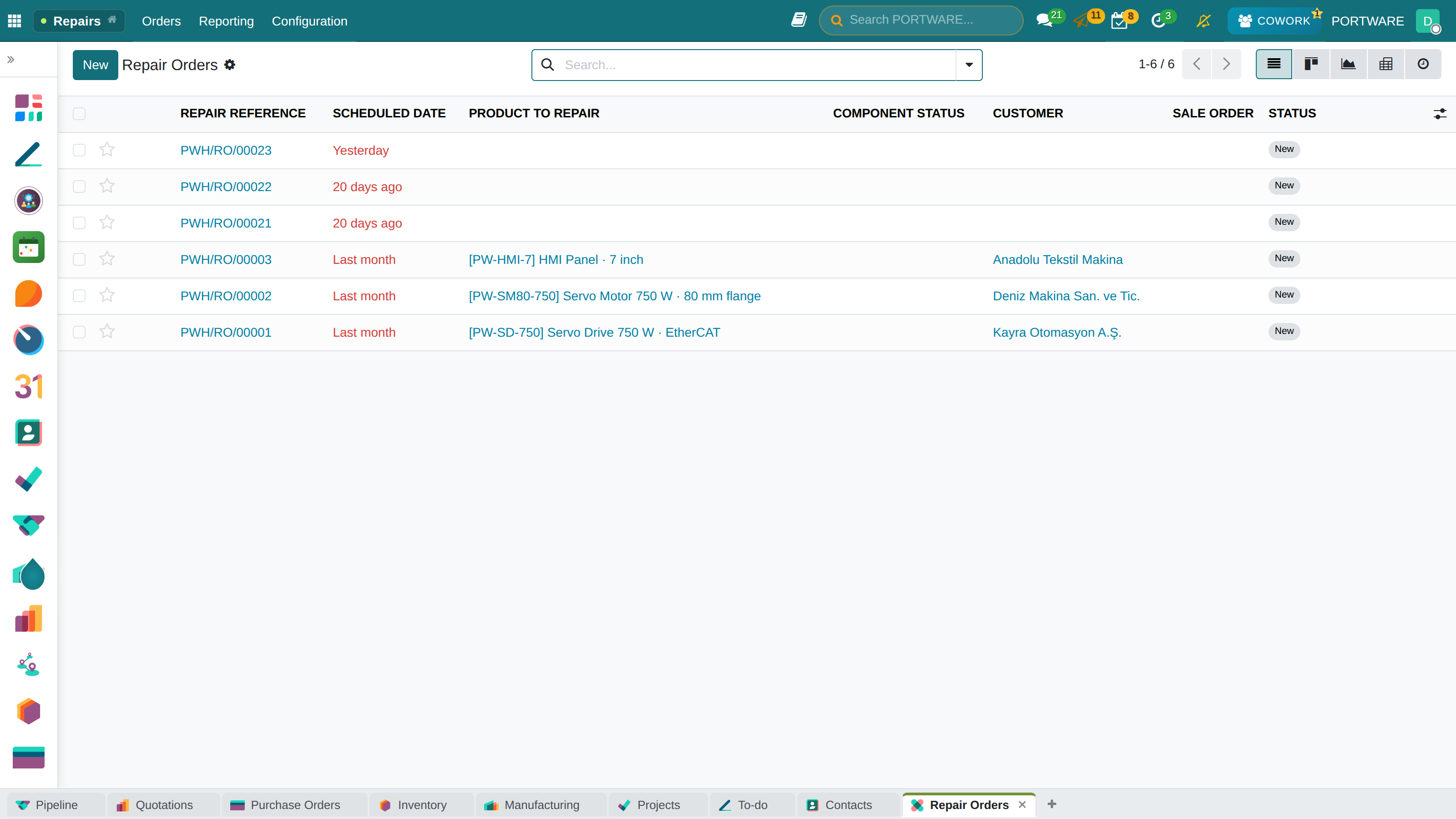
 RepairsRepair orders, parts and warranty
 FleetVehicles, contracts and running costs
Projects and services
Finance
Human resources
Website and marketing
Productivity
The PORTWARE layer
 Cowork AIAn AI assistant that acts with your approval
 PORTWARE OfficeWord, Excel and PowerPoint in the browser
 SOTIONCompany wiki with nested pages
 SODRAWdraw.io diagrams inside any text
 CAD ViewerSTEP, DXF, DWG and STL in the browser
 HTML DocumentsDesigned, drawn-on, versioned documents
 Meeting NotesRecorded calls turned into decisions
 Tabs and SessionsMany screens open, each where you left it
 User MonitoringWho did what, and for how long
The application map
ONE SYSTEM
The whole company in one database
“Sales in one program, stock in another, accounting somewhere else.”
No files carried between separate programs: quotation, order, shipment, production and invoice are links of one chain.
What you gain: Every record is entered once, from sales to accounting; what changes on one screen is right on every other screen at the same moment.
- CRM and salesPipeline, quotations, orders, subscriptions.
- Purchasing and inventoryRequests, orders, receipts, deliveries, counts.
- Manufacturing and maintenanceBills of materials, work orders, equipment, repairs.
The difference
- Versus spreadsheetsNo copy-paste between files; every number has one owner.
- Versus other systemsAdding a module is not an integration project; it is one more app on the same database.
- The PORTWARE wayOn your own server, without licence renewals; the data is yours.
The application map
USER INTERFACE
The anatomy of a screen
What you gain: Learn one screen and you know them all: buttons and information sit in the same place in every app.
 12345
12345The same data opens in six views: list, kanban, calendar, Gantt, pivot and graph.
The application map
CRM FUNDAMENTALS
From a lead to a loyal customer
“Who last spoke to this customer, and about what?”
What you gain: You can tell apart someone you have just met, business you could win, and your regular customers.
- LeadA person or company you have just met and not assessed yet.
- OpportunityBusiness you have discussed and believe you can win.
- CustomerA party you now do business with.
The difference
- Versus spreadsheetsThe pipeline lives on no one's desktop; stages and amounts are the same for all.
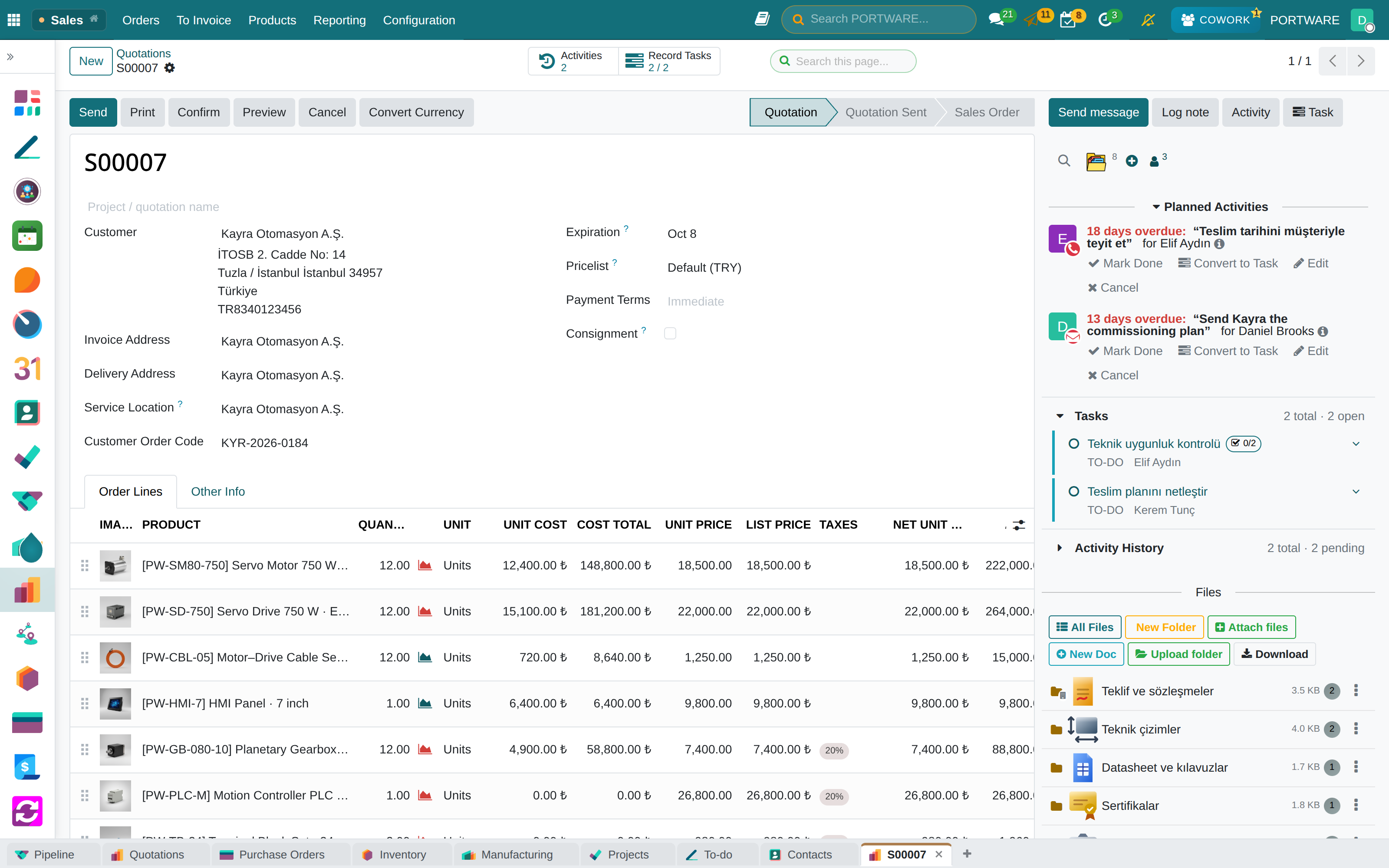
- The PORTWARE wayAn icon on every card says its topic: the right one among a hundred at a glance.
- The PORTWARE wayThe morning briefing names a neglected customer before you ask.
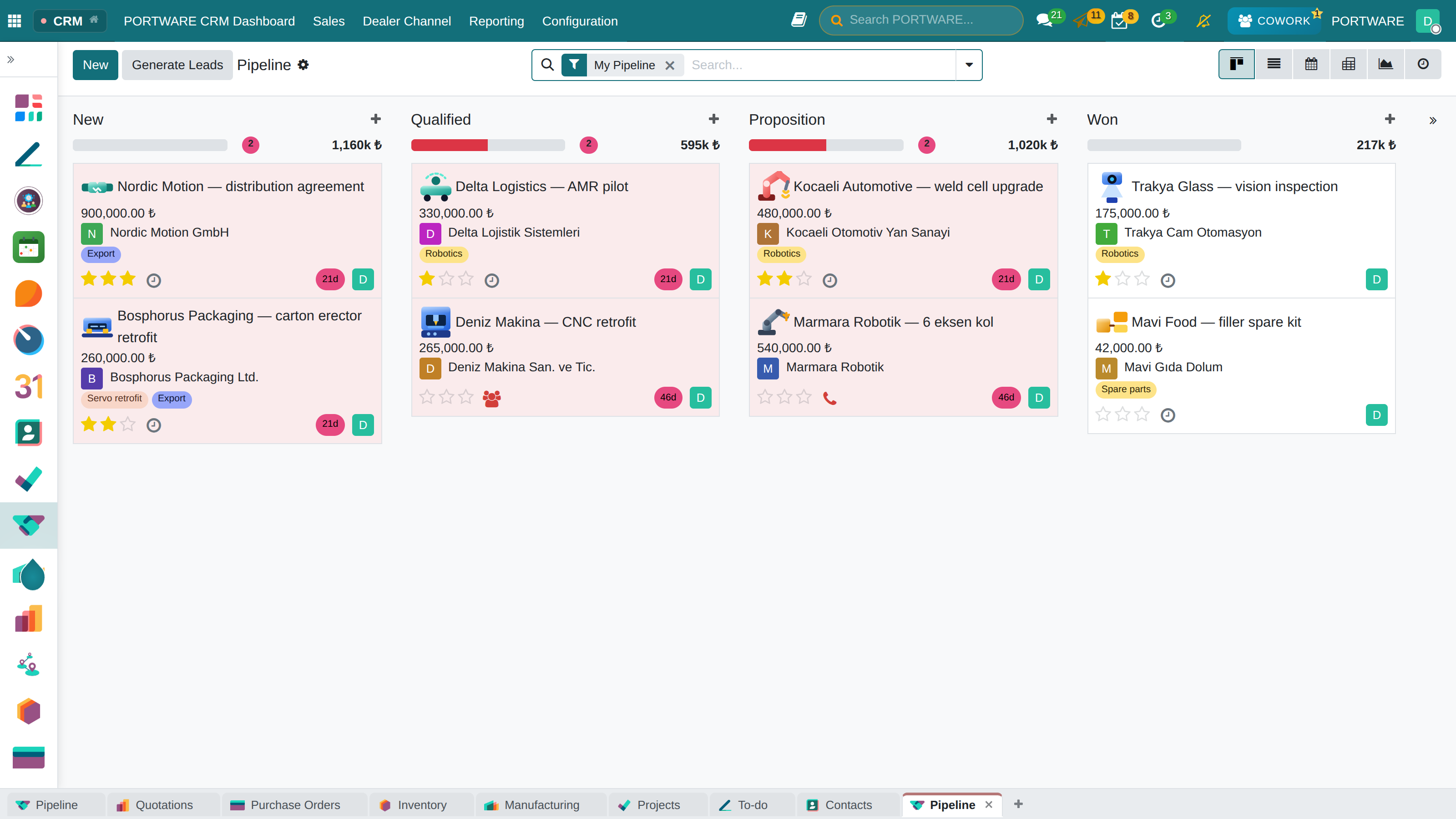 1Stage totals2Topic icon3Board, list, calendar, chart
The process runs from lead to opportunity to customer: it starts with a wide list and continues with the right people.
The application map
SALES PIPELINE
How an opportunity moves
“Did the quote go out, did they answer, where is the file?”
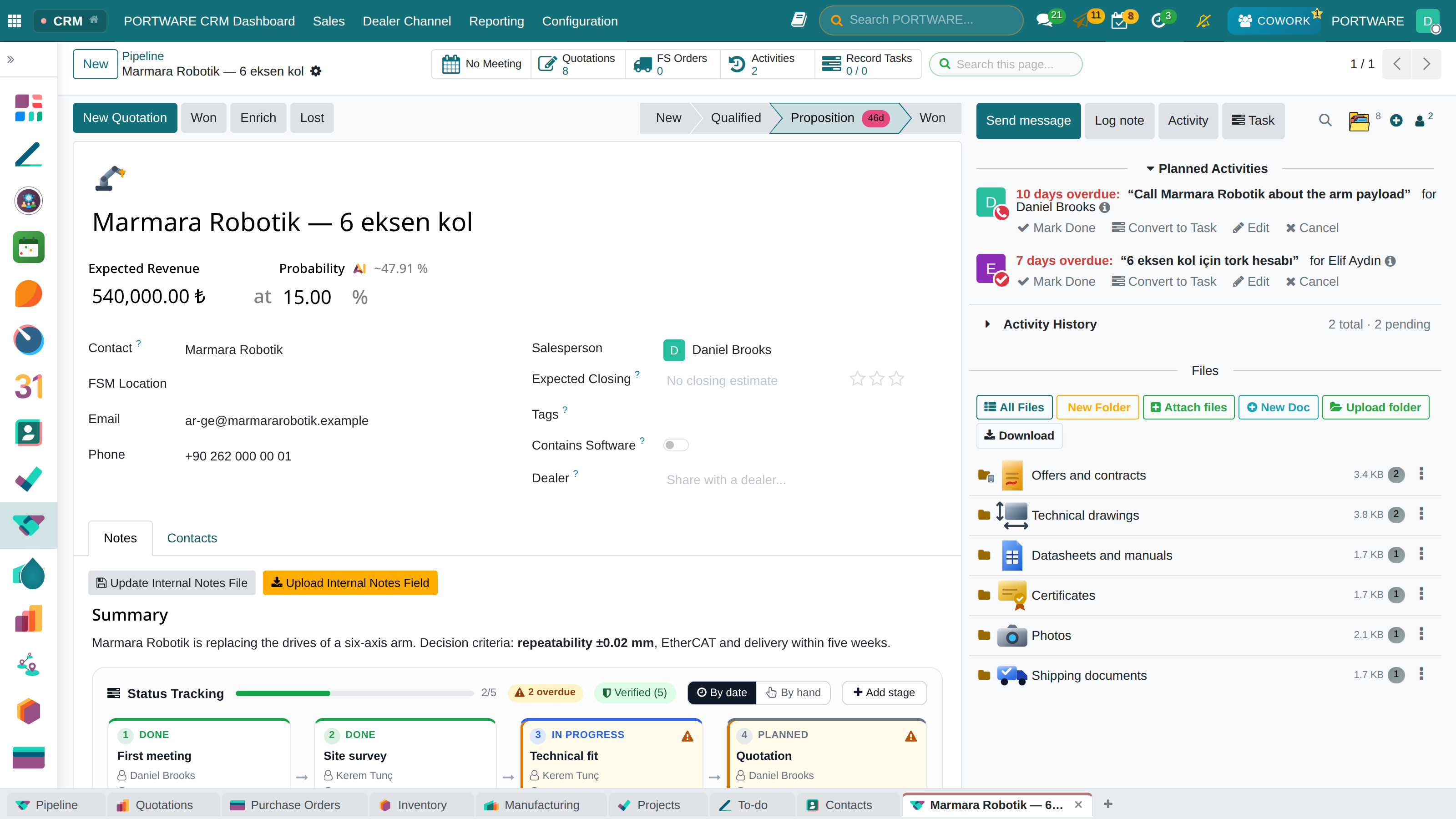
What you gain: Everyone sees on one screen which step each sale is at and what it is waiting for.
- New leadFirst contact, source tracking, automatic assignment rules.
- QualificationEstablishing the need, the budget and the authority to buy.
- QuotationPricing, presentation, negotiation.
The difference
- The PORTWARE wayQuotes, drawings and contracts in the opportunity's own folders, with icons.
- The PORTWARE wayAn activity becomes a task in one click; who holds it shows on the record.
- Versus other systemsThe thread updates live on the record; you see who is looking and typing.
The application map
SALES
From quotation to order
“Are we selling at a loss at this price?”
What you gain: Quotation, order, delivery and invoice are stages of one document; nothing is typed twice.
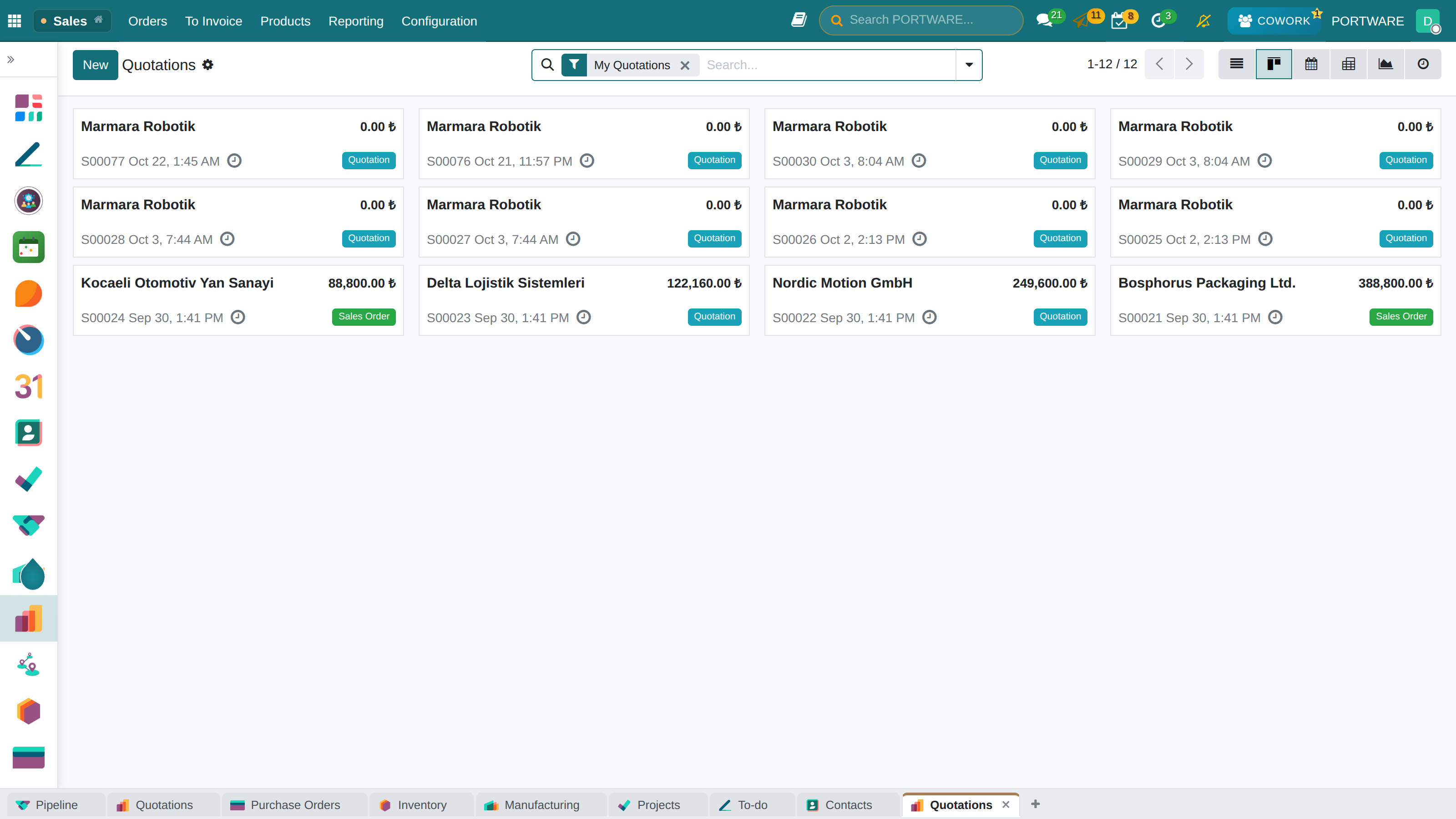
- QuotationsProduct lines, pricelists, discounts and templates; the PDF in one click.
- Customer approvalThe customer opens the quotation from a link, signs it or pays.
- Order to deliveryA confirmed quotation becomes the order, the delivery and the invoice.
The difference
- The PORTWARE wayCost and net price on each line; a line below cost warns you.
- The PORTWARE wayThe customer's own order code travels from quote to delivery note and invoice.
- Versus spreadsheetsProduct image on each line and a PDF in one click; no copying Word templates.
The application map
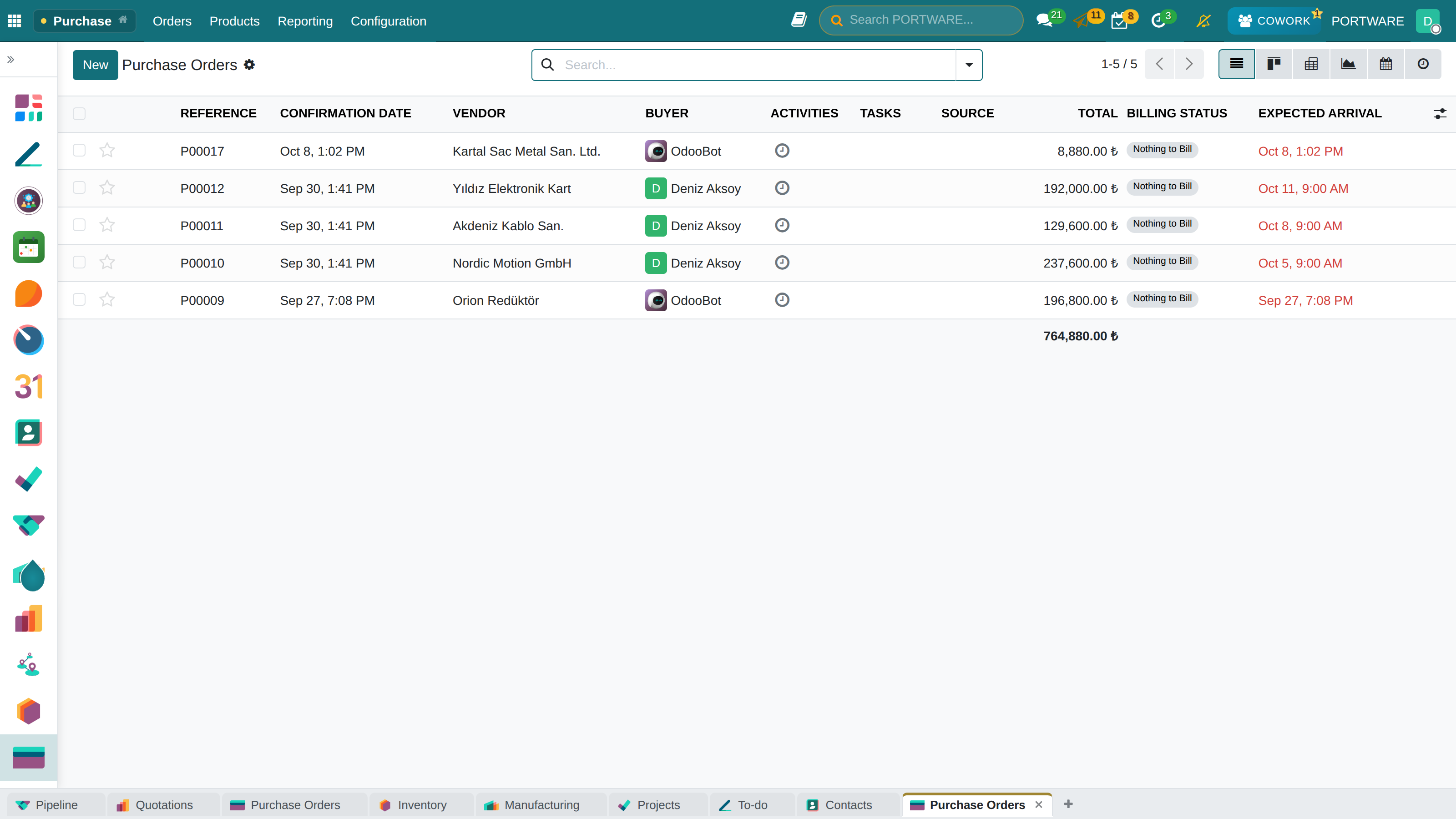
PURCHASING
From request to invoice
“We retype the vendor's proforma into the system, line by line.”
What you gain: Purchasing is not guesswork: stock rules, the production plan and the sales order all feed the same requirement.
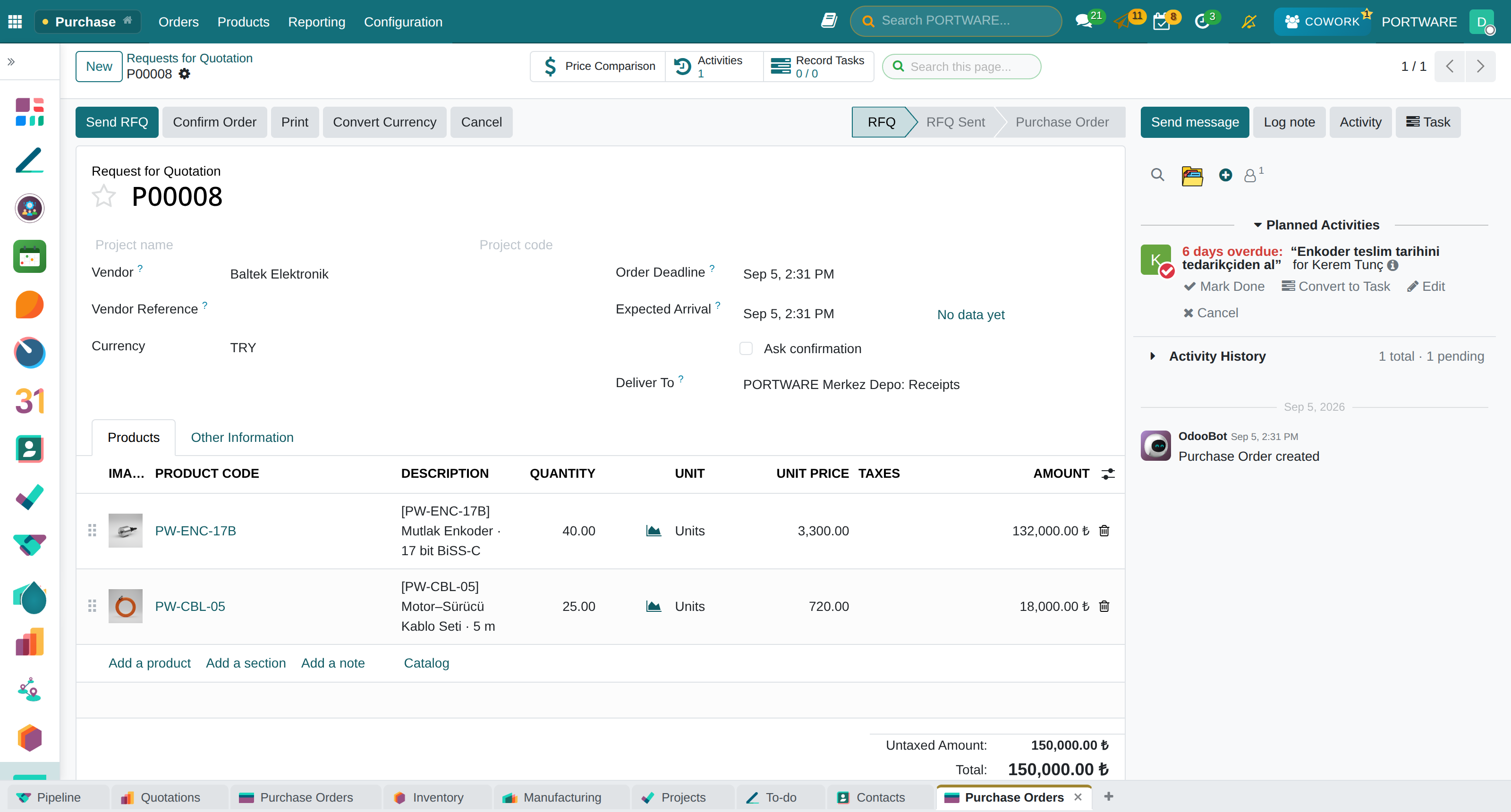
- 1Request for quotationAsk several suppliers for prices and compare them side by side.
- 2ApprovalApproval tiers by amount, with multiple approvers.
- 3Purchase orderThe order itself: delivery dates and terms.
- 4ReceiptPartial deliveries, delay warnings, quality checks.
- 5Vendor billOrder, goods received and bill are checked against each other — no overpaying.
The difference
- The PORTWARE wayGive the proforma PDF to Cowork; the purchase order is prepared in one step and waits for approval.
- Versus spreadsheetsOrder, receipt and bill are matched automatically; no overpaying.
- The PORTWARE wayAn RFQ converts to another currency at the rate you type.
The application map
PURCHASING
Managing the supply chain
“We learn which order is late only when the customer asks.”
What you gain: What was ordered, when it arrives and what is late — at a glance.
- Request for quotationSeveral suppliers, compared side by side.
- Approval flowTiers by amount, with email notifications.
- Delivery trackingExpected dates, delay warnings, partial receipts.
The difference
- Versus spreadsheetsExpected dates and delays in the list; no tracking sheet to maintain.
- The PORTWARE wayThe purchase form and PDF carry the same care and look as the quotation.
- The PORTWARE wayThe budget answers purchase orders and bills: overspending shows up front.
The application map
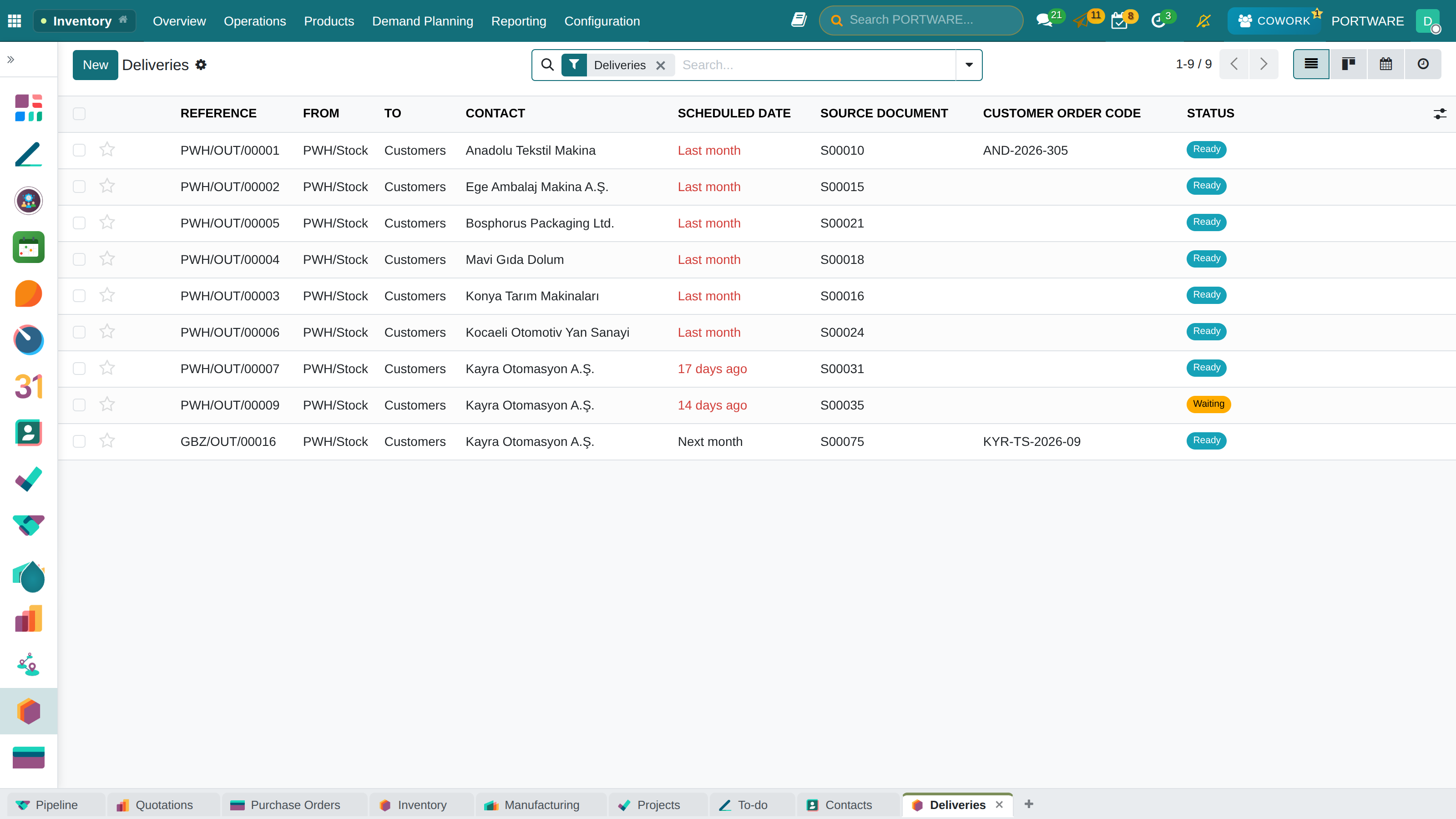
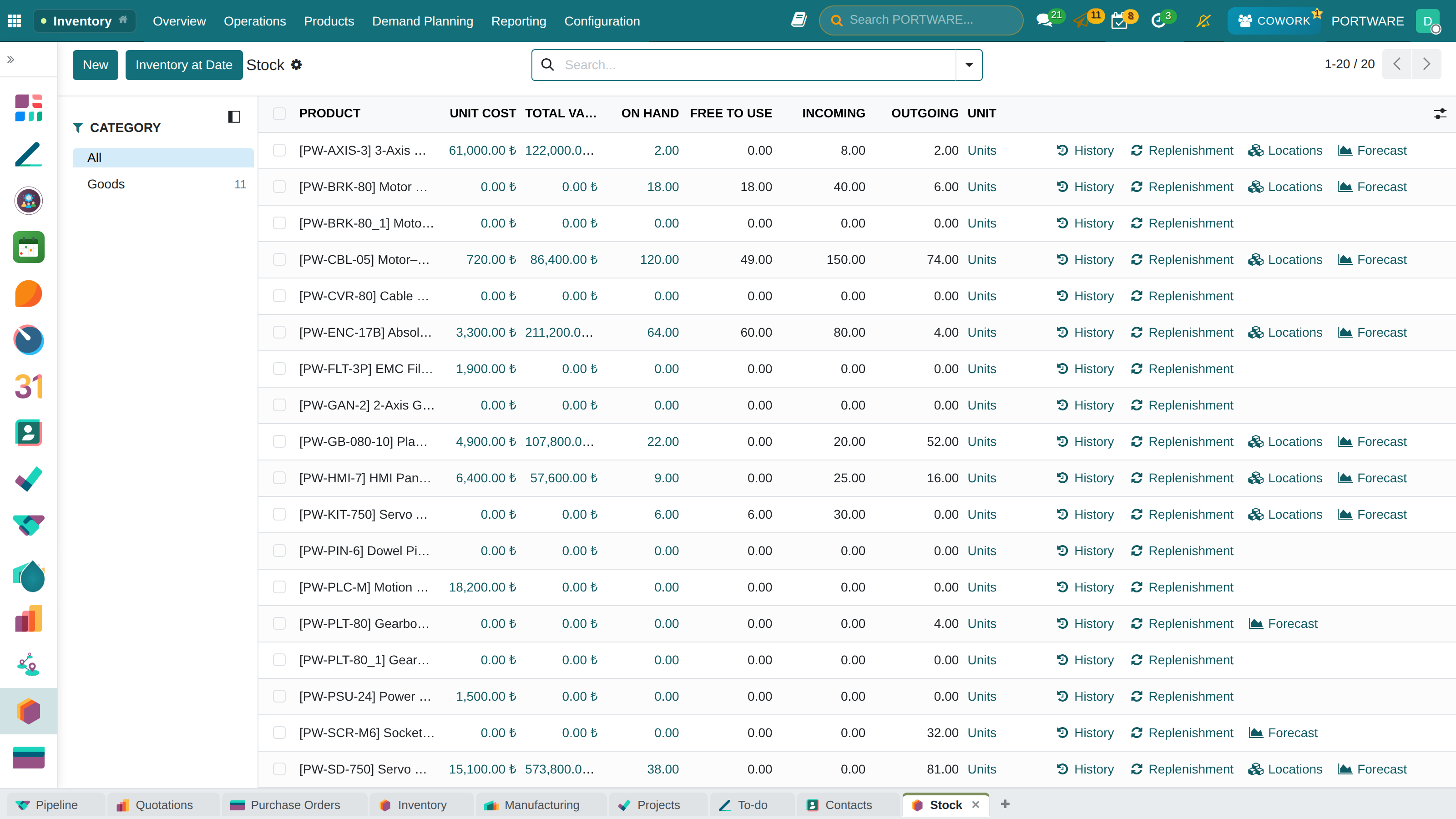
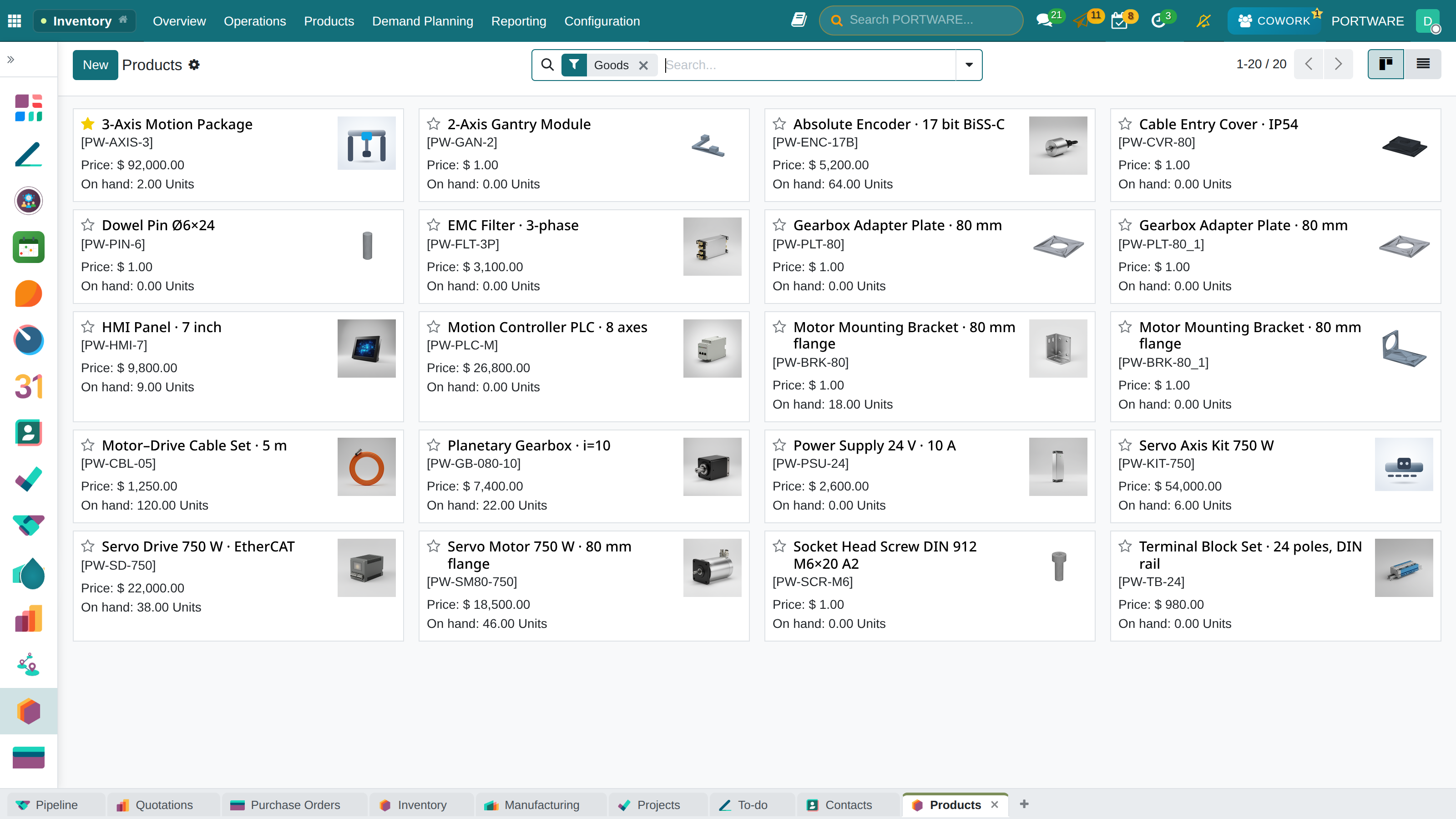
INVENTORY
The right item in the right place
“In the system, not on the shelf.”
The right item · in the right quantity · at the right time · in the right place.
What you gain: Stock is the single truth behind every movement from sales to production — no two numbers in two places, and no surprises on counting day.
The difference
- Versus spreadsheetsEvery move is a document: who, when, from where to where.
- Versus other systemsReceive and ship by scanning barcodes; no typing.
- The PORTWARE wayThe delivery note carries what Turkish and European shipping practice expects.
The application map
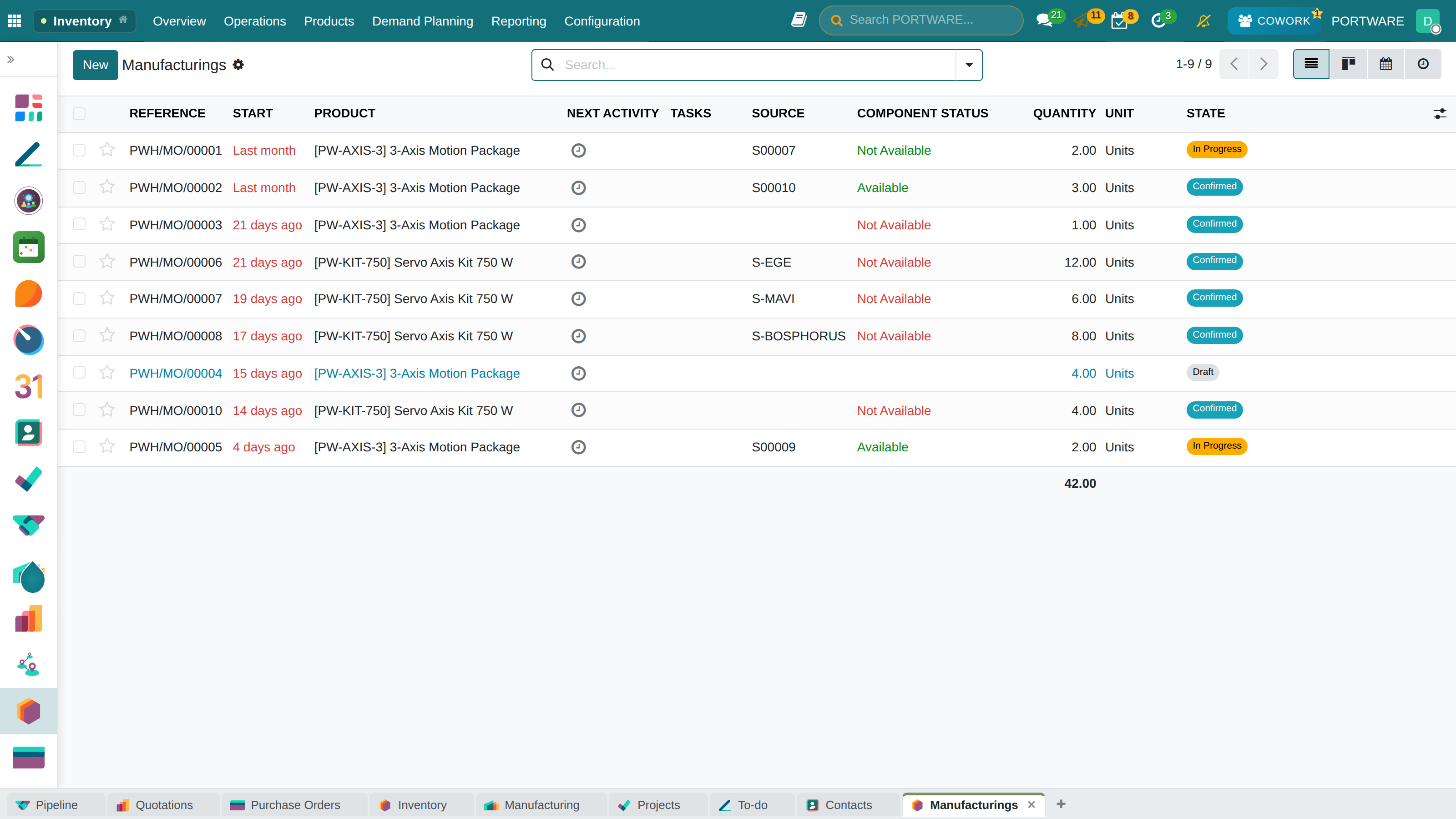
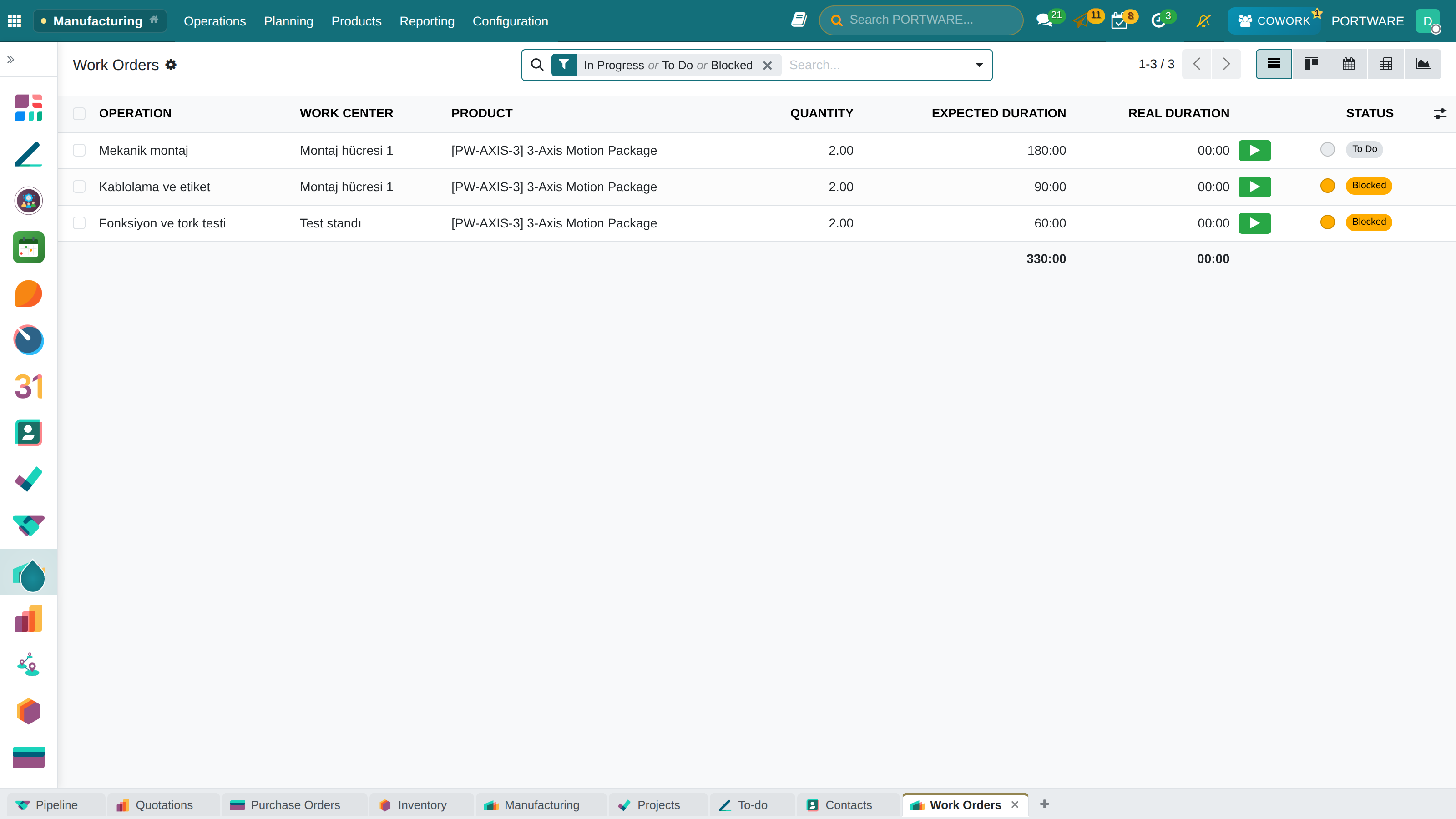
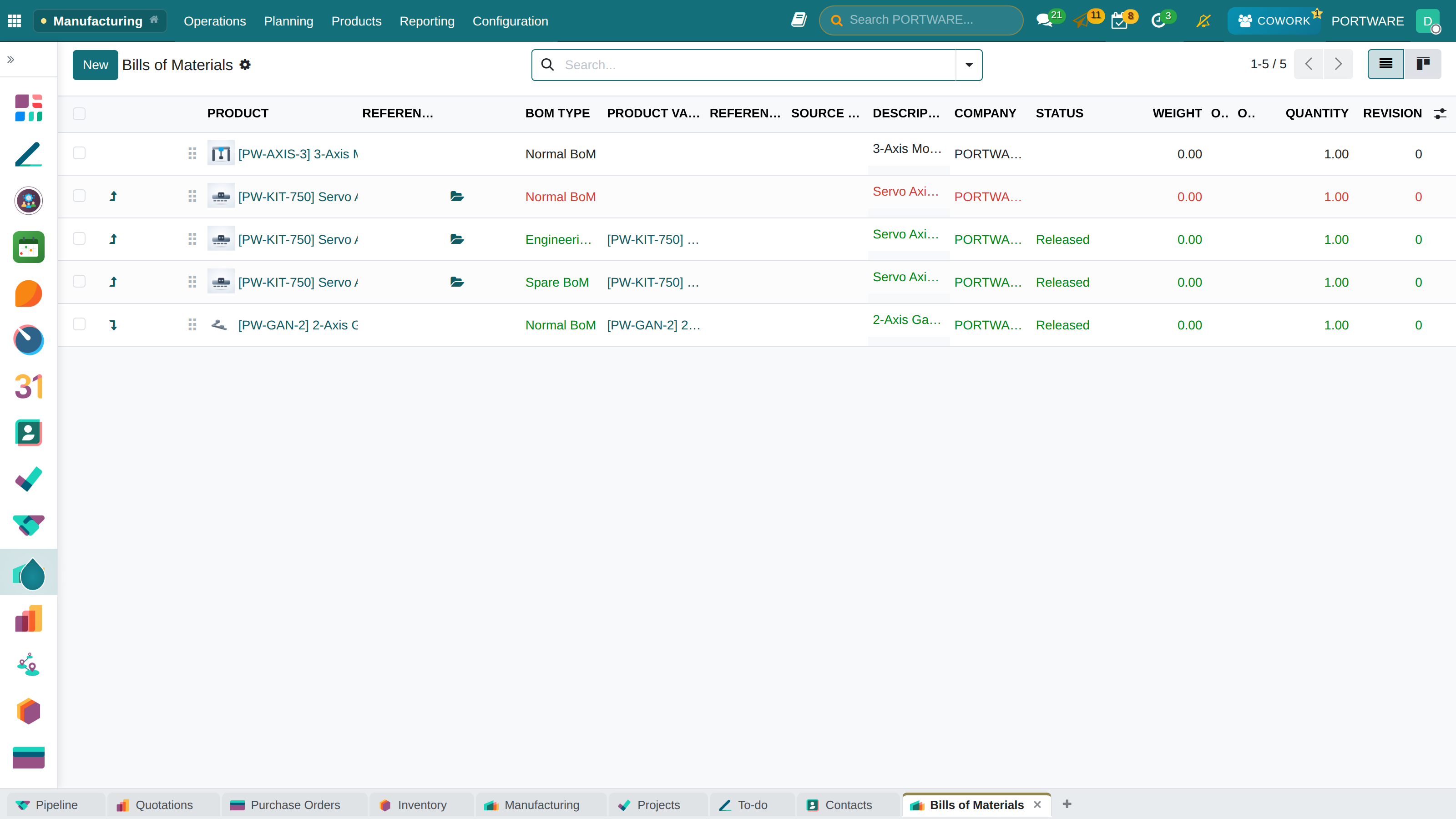
MANUFACTURING
From the plan to the work order
“Production learns what to build from sales, by phone.”
What you gain: You see which job is on which machine and where it stands without asking anyone.
The difference
- Versus spreadsheetsA sales order works out material needs from the bill of materials itself.
- The PORTWARE wayDrawings open in the browser without a CAD program; the shop floor sees the right revision.
The application map
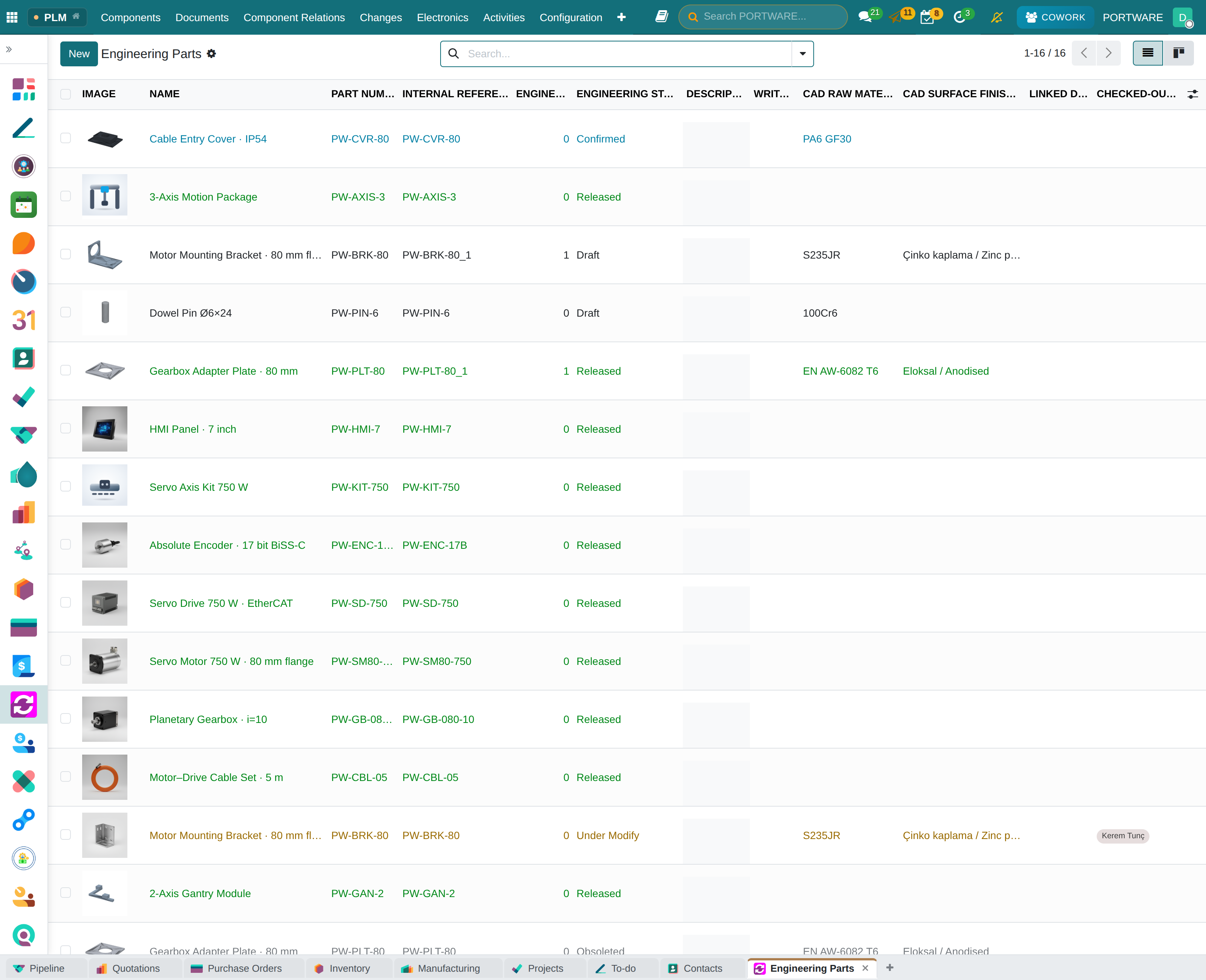
PRODUCT LIFECYCLE
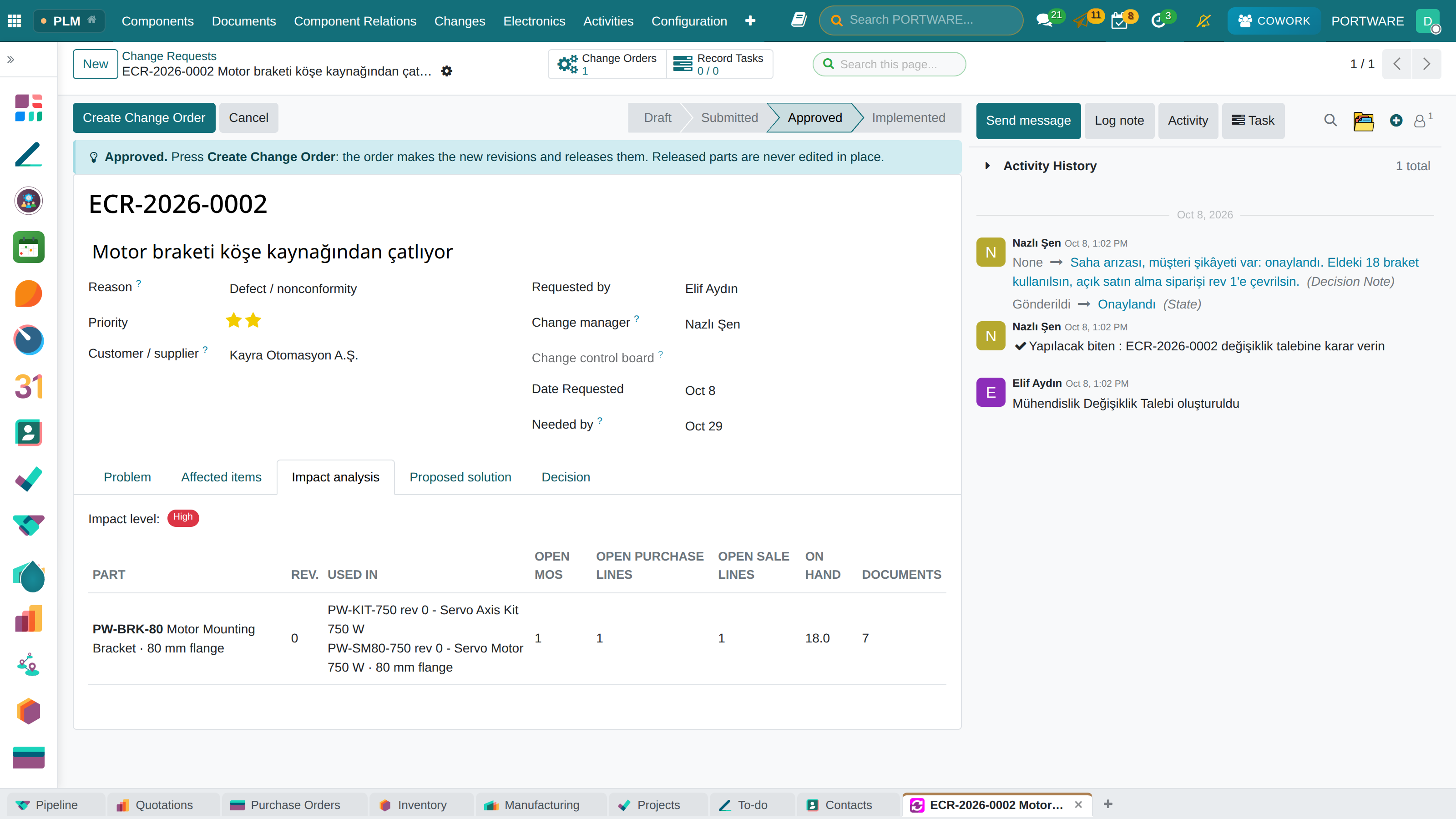
Products and product lifecycle management (PLM)
What you gain: A product's drawing, revision, price and stock sit on one card; production always uses the released version.
The application map
THE PORTWARE LAYER
CAD
The drawing, without a CAD licence
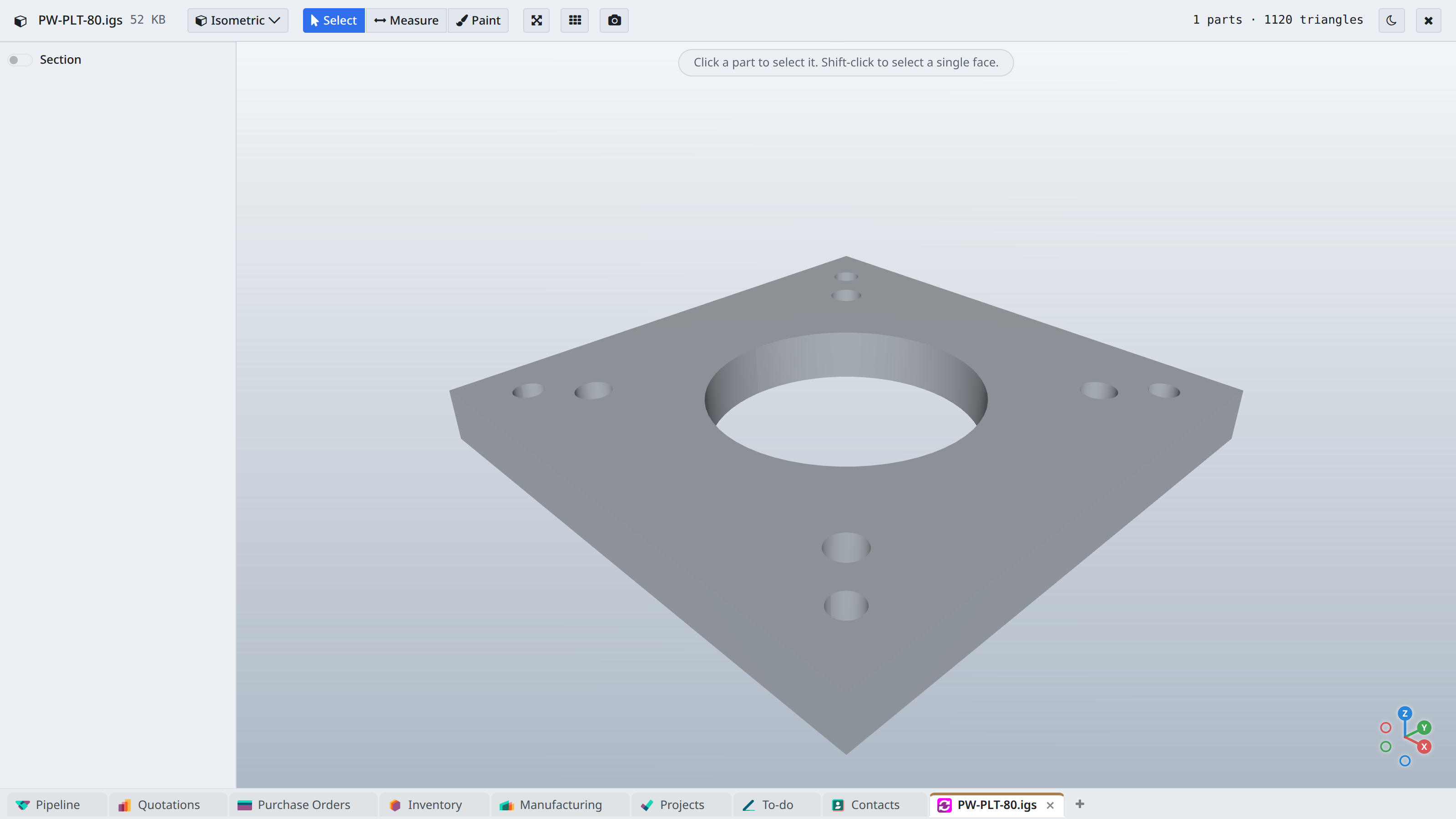
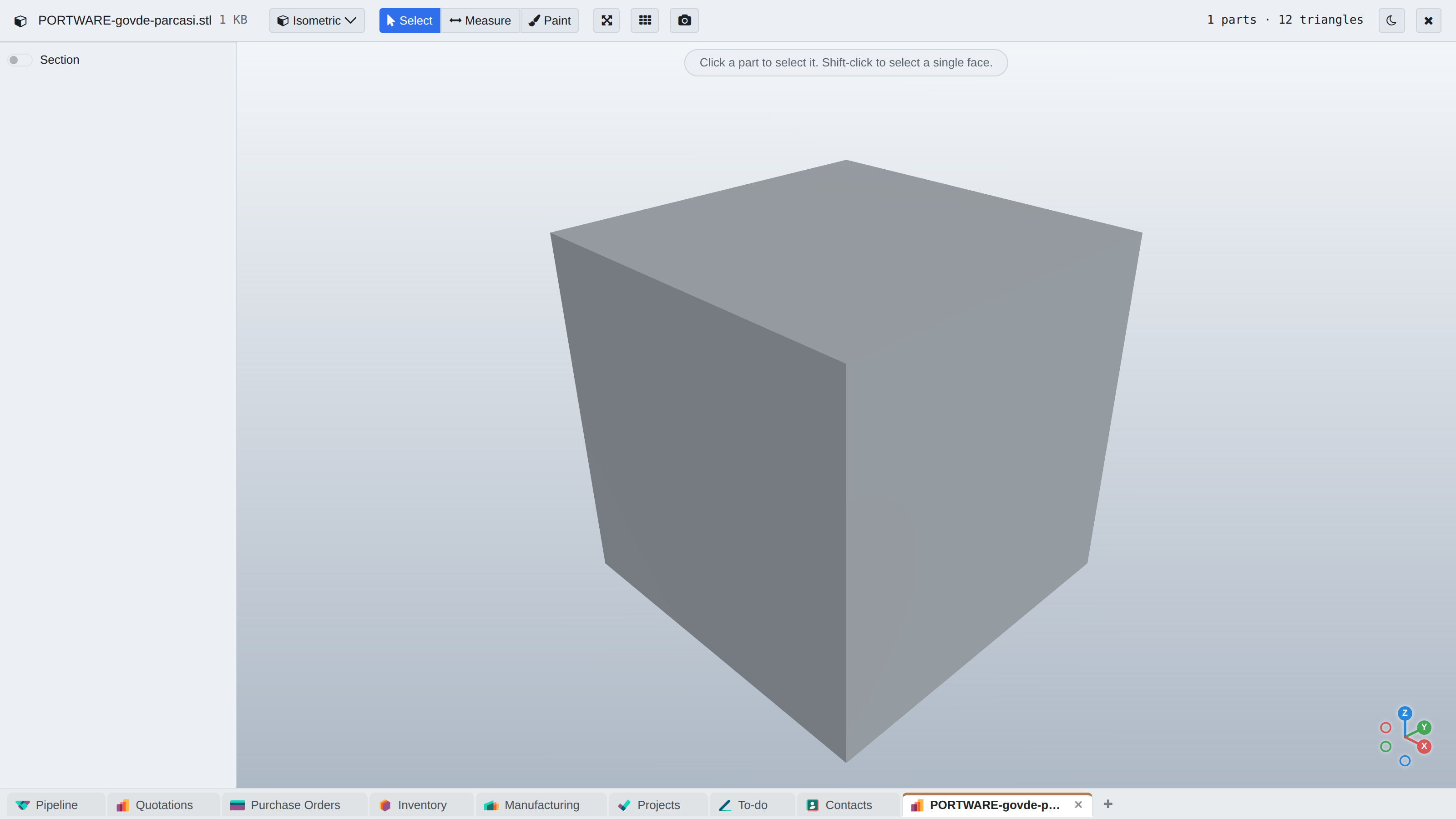
STEP, DXF, DWG and STL files open from the record straight in the browser. Sales, purchasing and production look at the same model.
What you gain: No expensive CAD program is needed to look at a drawing; sales and the warehouse see the same model.
- STEP
- DXF
- DWG
- STL
The application map
QUALITY
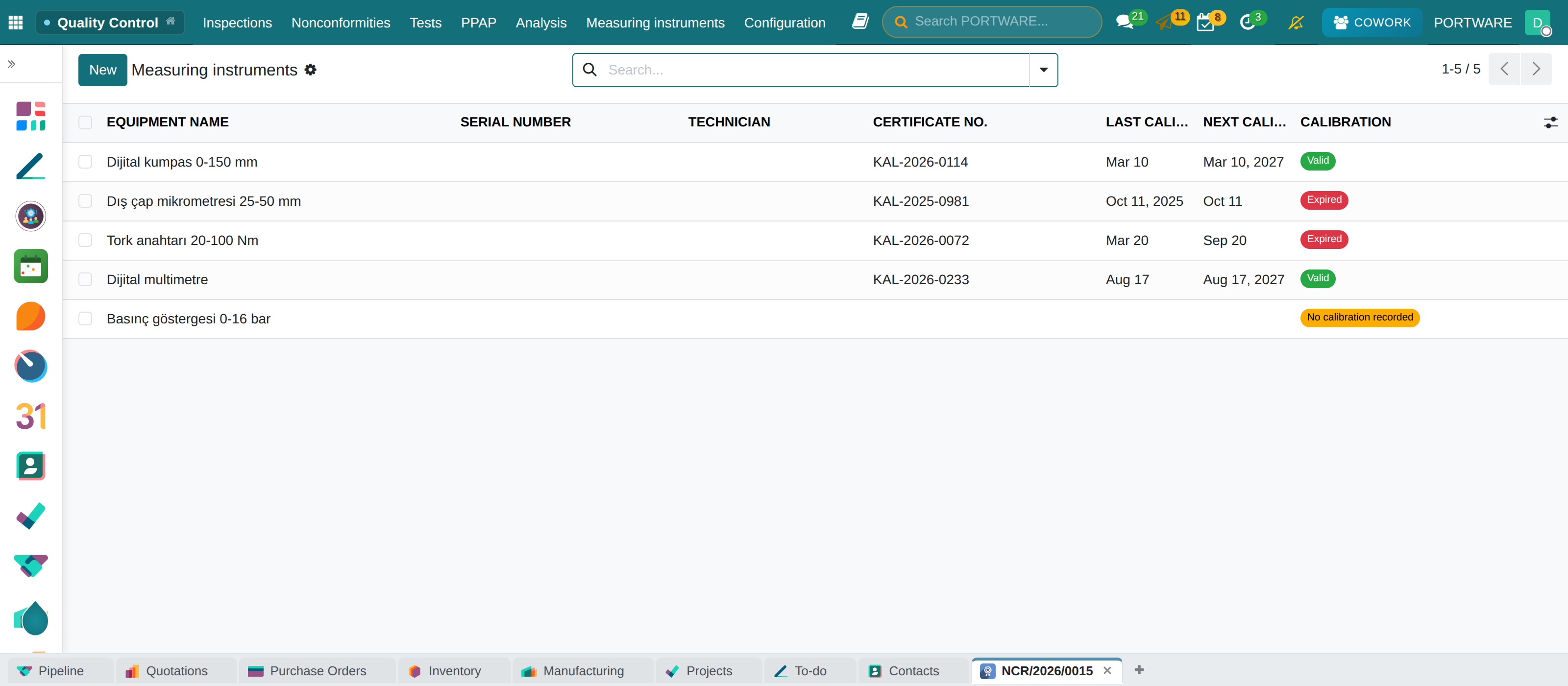
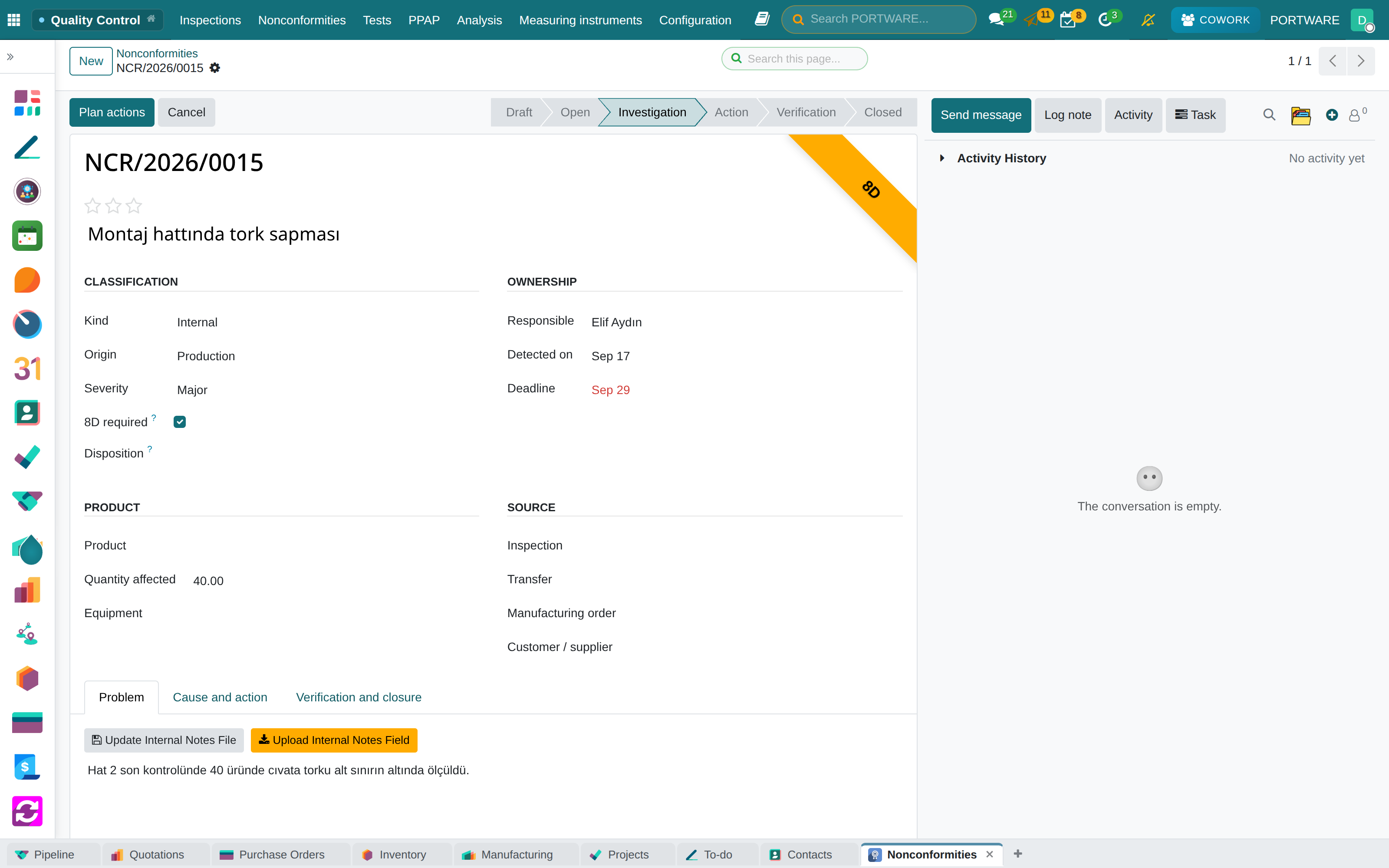
Inspection, nonconformity, 8D, calibration
“The auditor is here — where are the calibration records?”
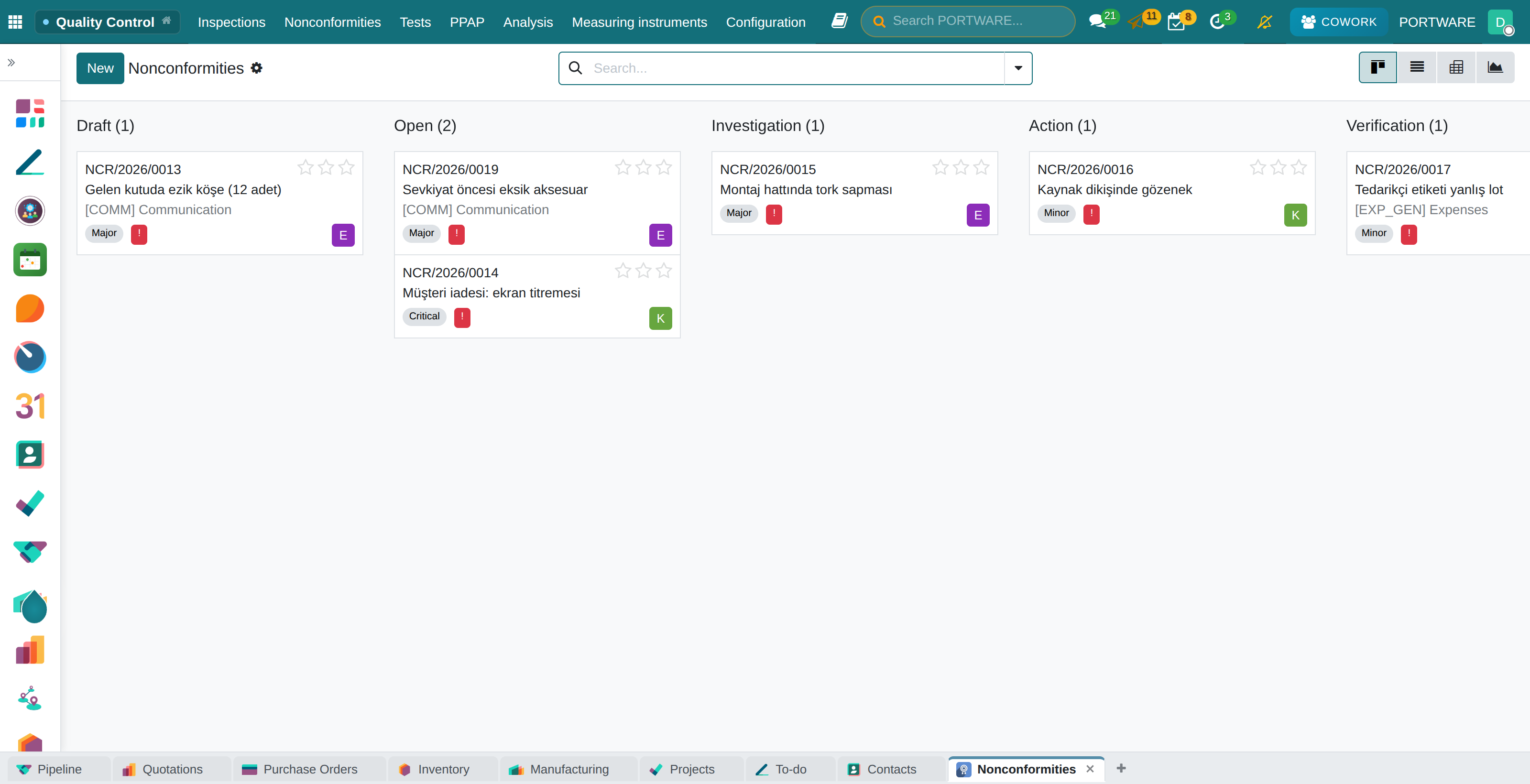
The moment a defect is found it becomes a record with an owner, a cause and proof of closure.
What you gain: A failed inspection opens its own nonconformity, and closing needs a signed effectiveness check — quality is closed in the system, not on paper.
The difference
- Versus spreadsheetsNonconformities, 8D and calibration dates in one place, with reminders.
- The PORTWARE wayThe control plan runs as data; supplier scorecards build themselves.
The application map
MAINTENANCE
Equipment and field service
“Why did this machine stop last time?”
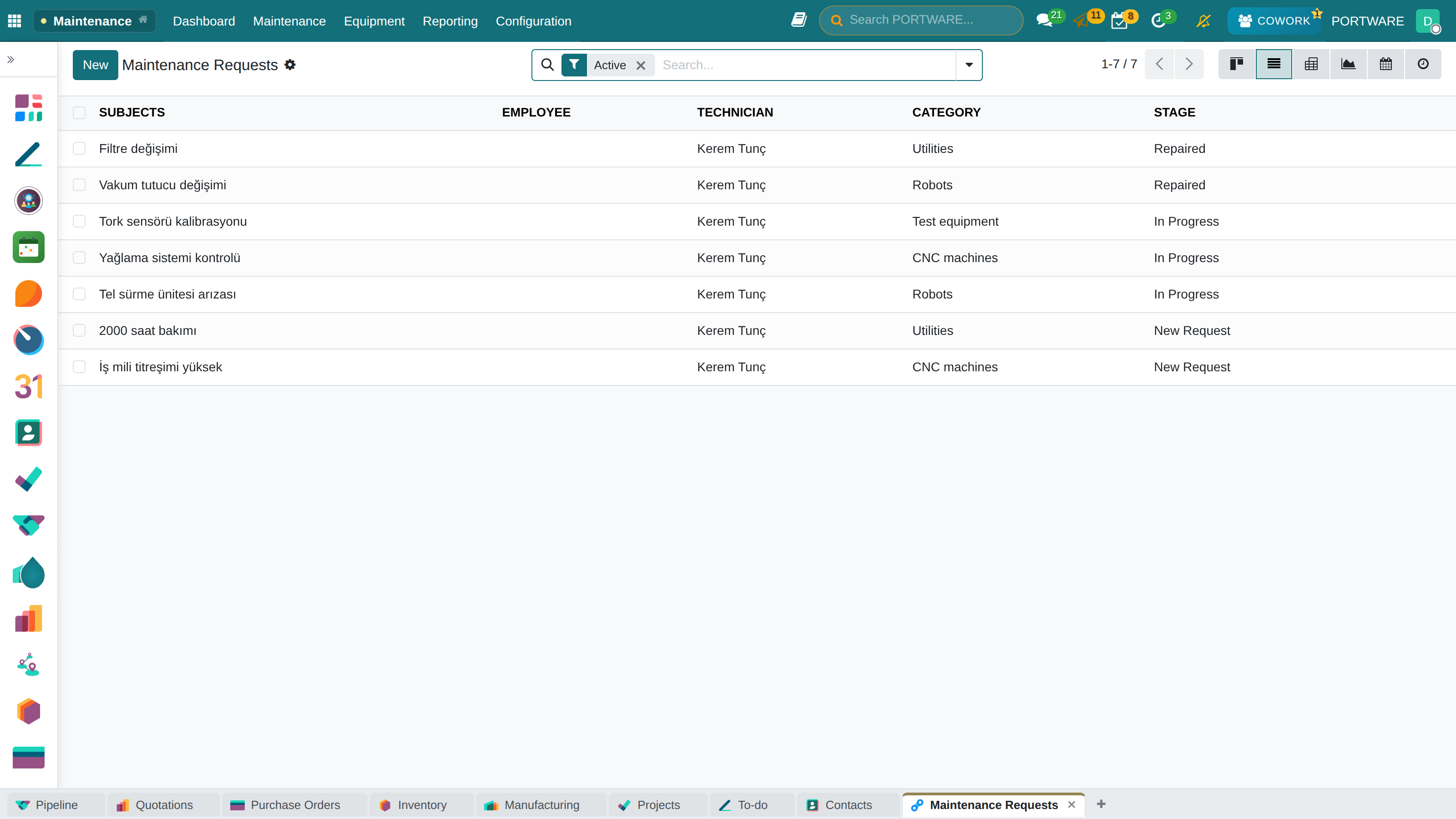
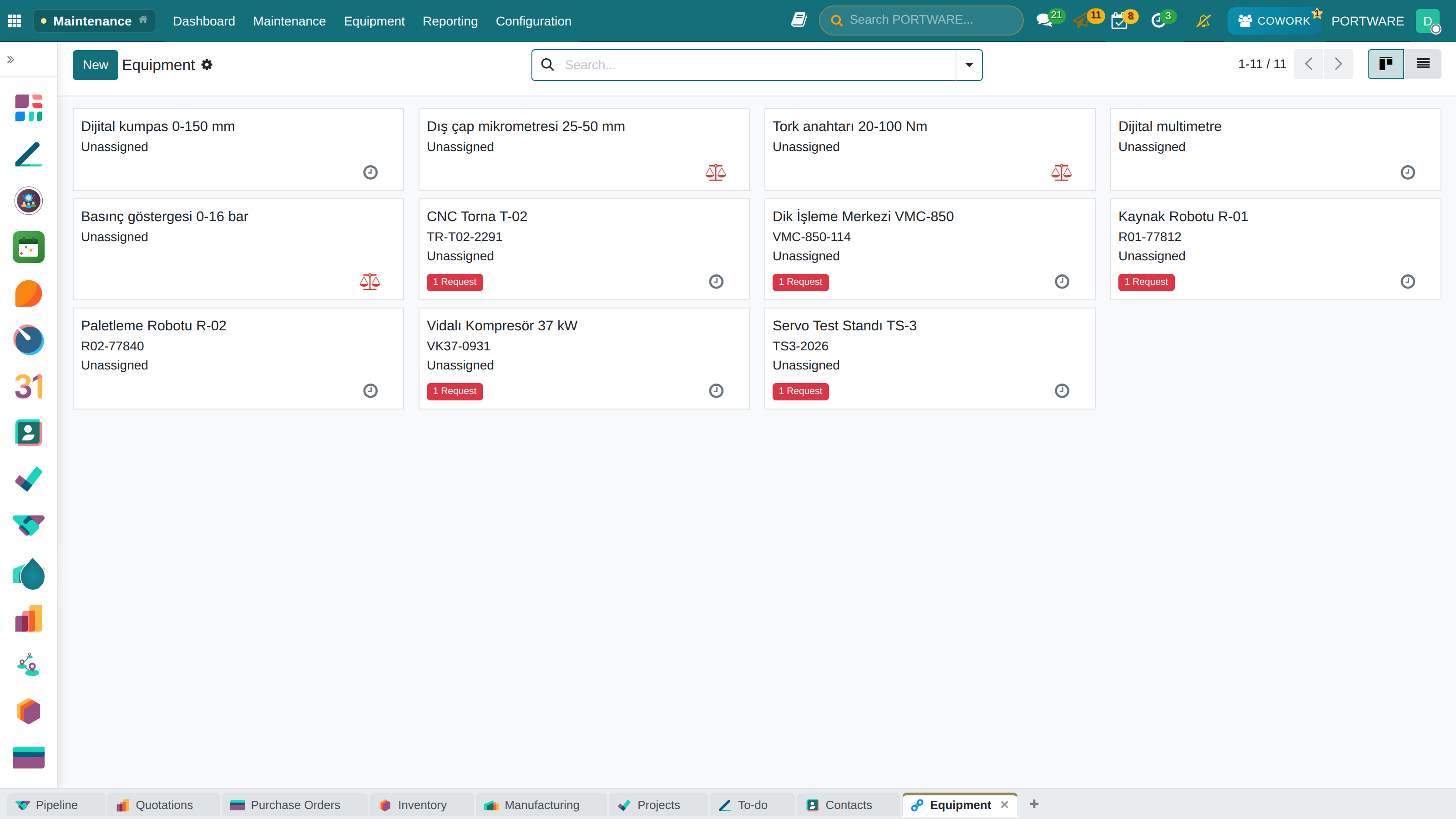
Three kinds of maintenance in one ledger: preventive, corrective and predictive.
What you gain: Maintenance accumulates on the equipment’s own history: faults, spare parts and cost all on the same asset record.
The difference
- Versus spreadsheetsFaults, maintenance and cost accumulate on the machine's own history.
- Versus other systemsPreventive maintenance on the calendar; stages moved by drag and drop.
The application map
ACCOUNTING
Double-entry accounting
“We issue the invoice and accounting re-enters it at month-end.”
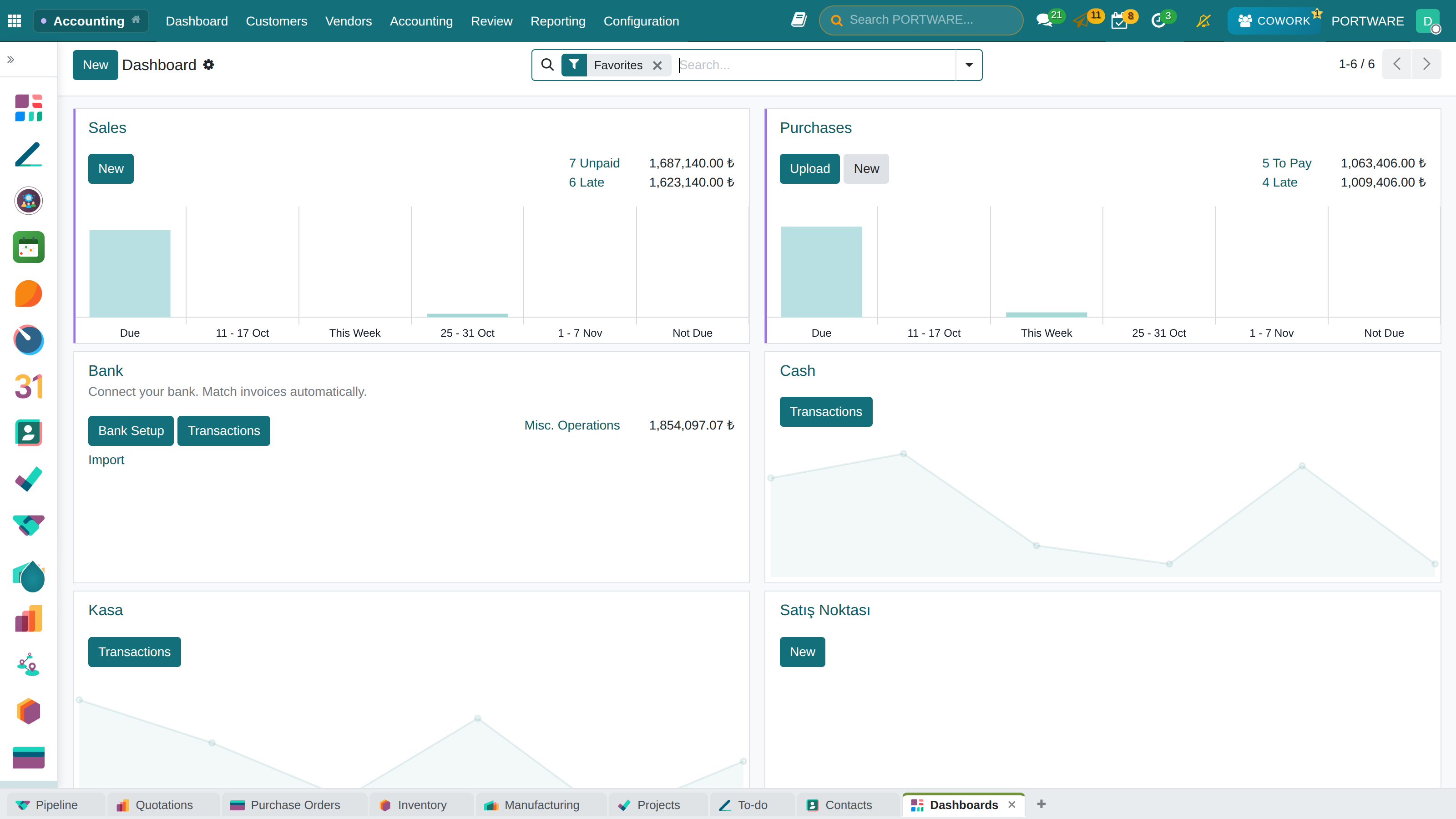
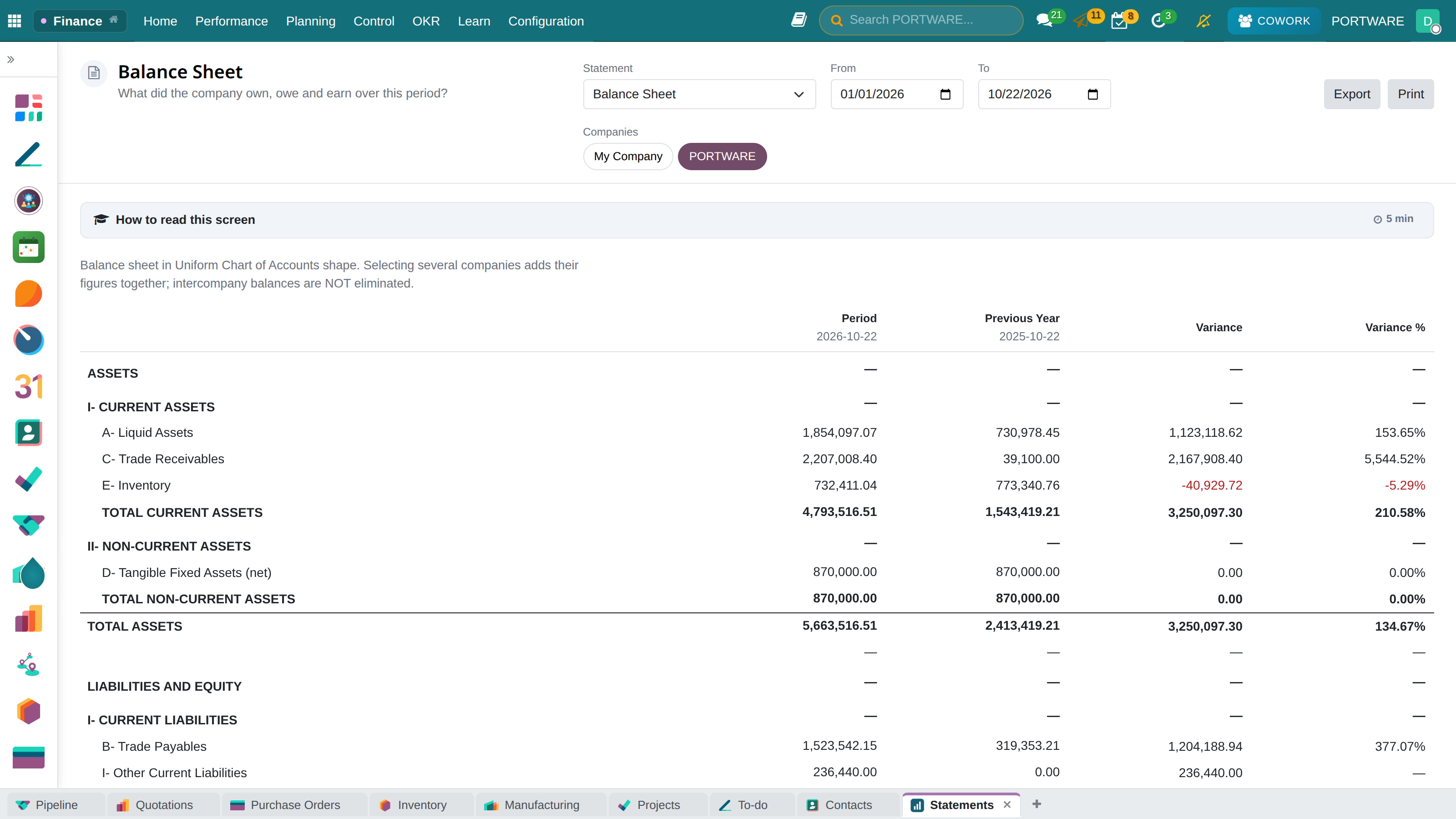
What you gain: Accounting is not a ledger typed up afterwards but the output of the work itself: the delivery produces the invoice and the invoice produces the entry.
The difference
- Versus spreadsheetsSales and purchase documents write the journal entries themselves; no re-entry.
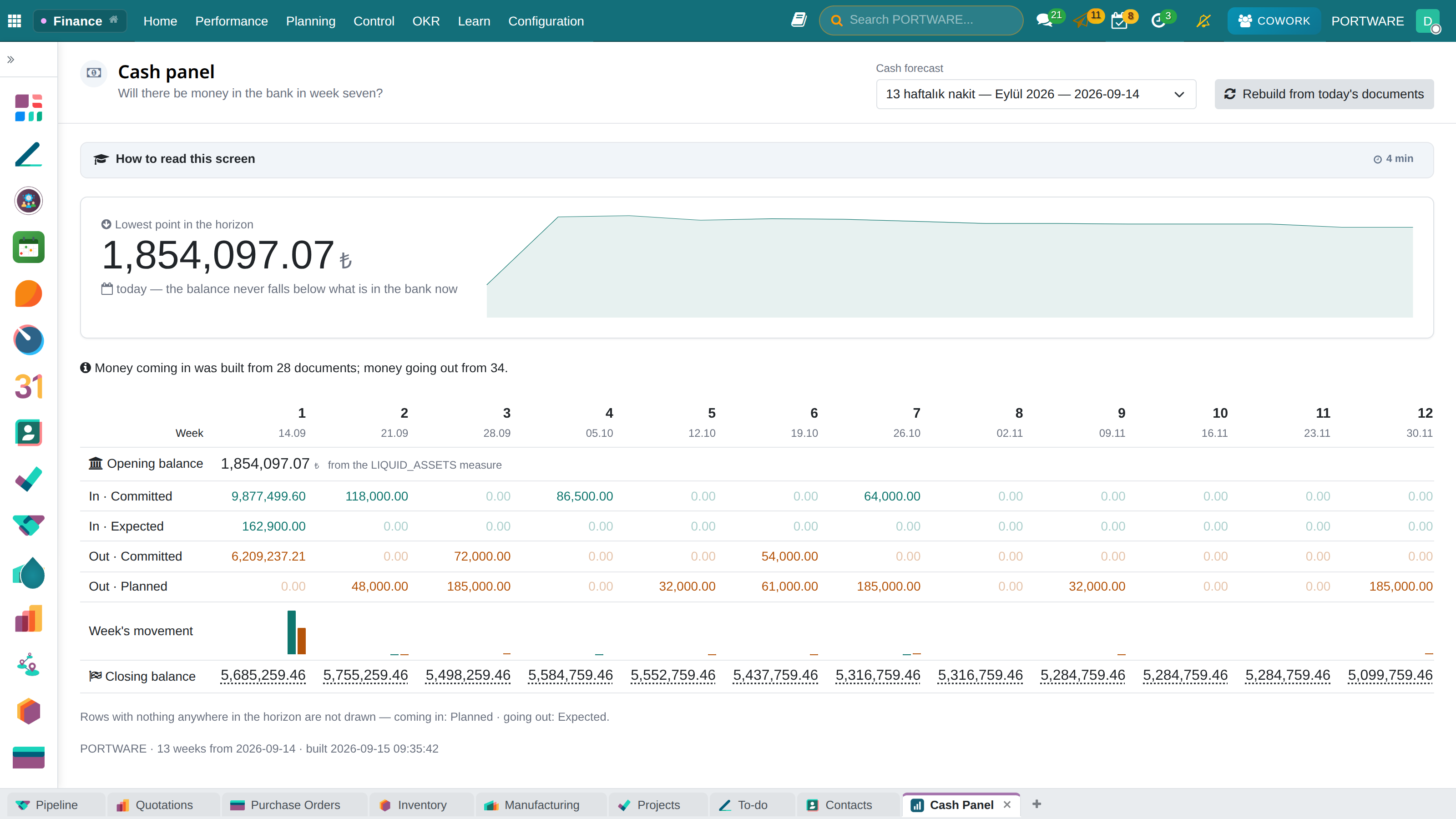
- The PORTWARE wayA thirteen-week cash view is built from dated documents on its own.
The application map
TÜRKİYE e-INVOICING
Turkish localisation
“We call a developer every time the invoice layout changes.”
The real cost of running a foreign ERP in Türkiye is usually not the licence — it is the missing localisation.
What you gain: e-Invoicing is not an add-on bolted on later: it lives where the invoice is born, and goes to the tax authority from there.
- e-InvoiceApproved sending and receiving, scenario handling, integrator connectivity.
- e-ArchiveConsumer invoices, digital archiving, PDF generation.
- e-WaybillElectronic dispatch notes and chained deliveries.
The difference
- The PORTWARE wayInvoice and document templates are edited on screen.
- Versus other systemsTurkish interface, Turkish documents, the local chart of accounts.
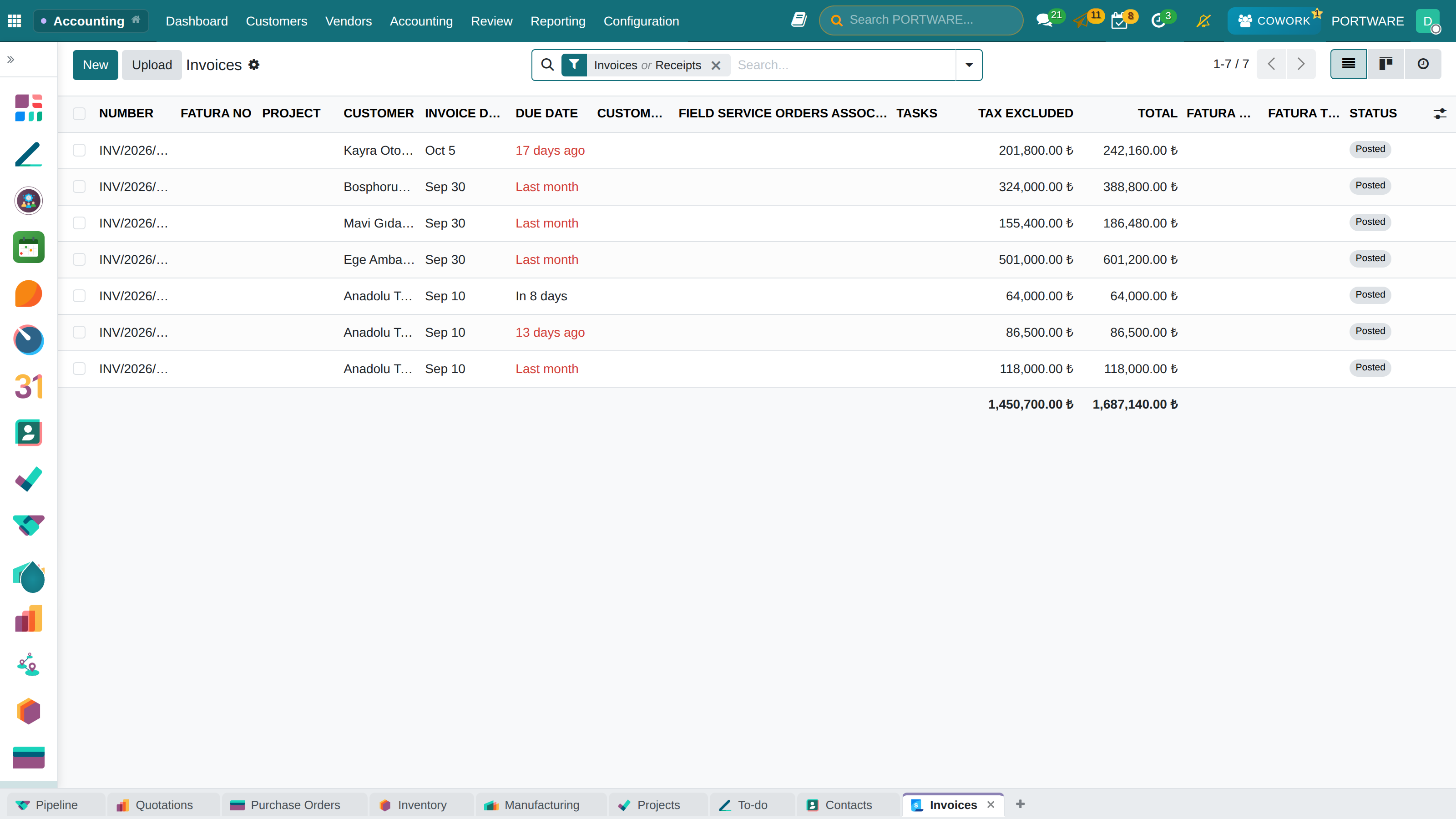
The uniform chart of accounts, tax offices, Turkish banks and withholding rules come with the installation.
The application map
HUMAN RESOURCES
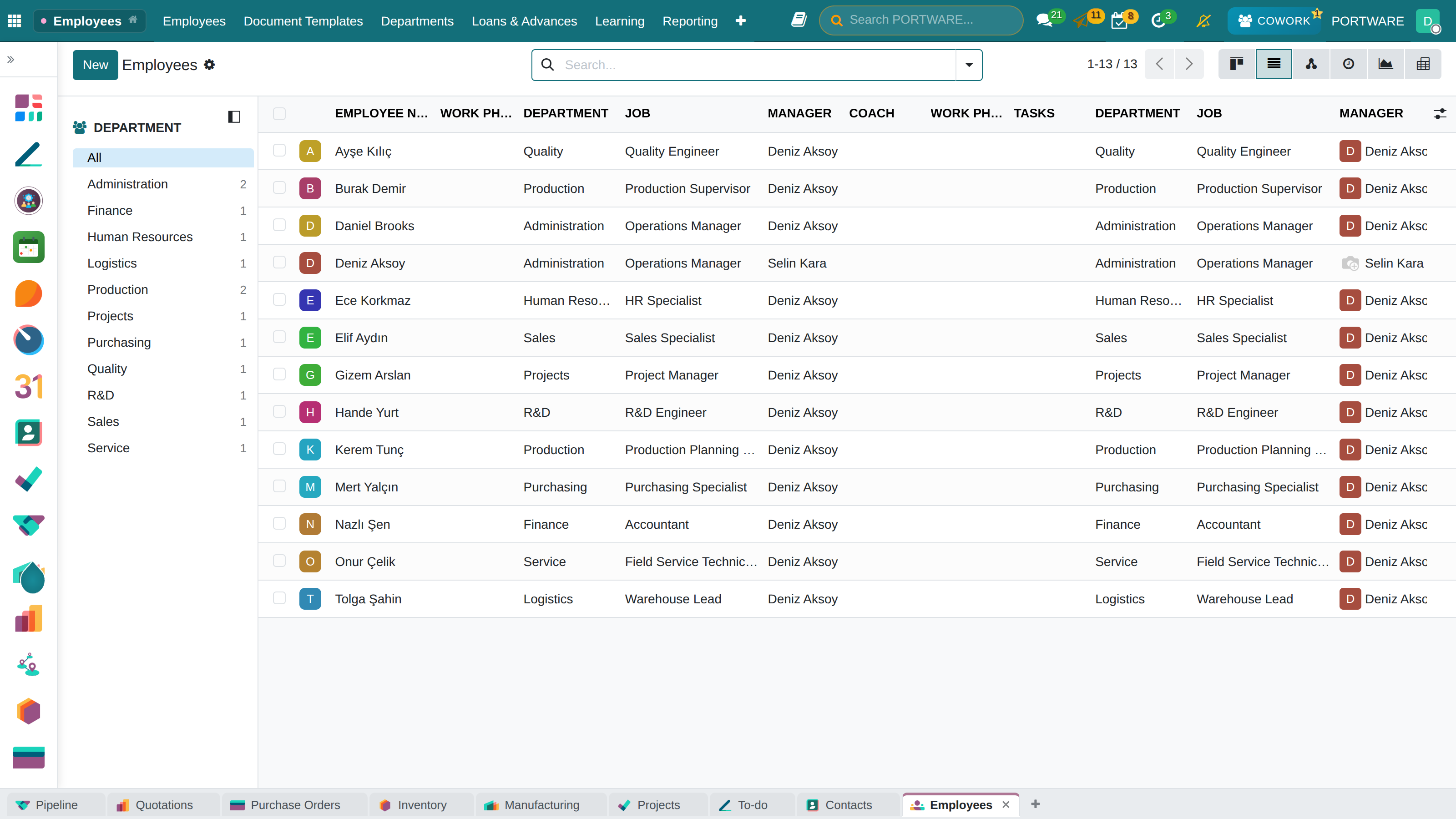
The employee lifecycle
“Nobody is quite sure who is on leave and who is on what.”
What you gain: One employee record from hiring to payroll: leave, hours and cost all accumulate on the same person.
- RecruitmentJob posts, candidate tracking, interview scheduling, offers.
- Employee recordsPersonal details, contracts, the organisation chart.
- Time offAnnual leave, personal and sick leave, all self-service.
The difference
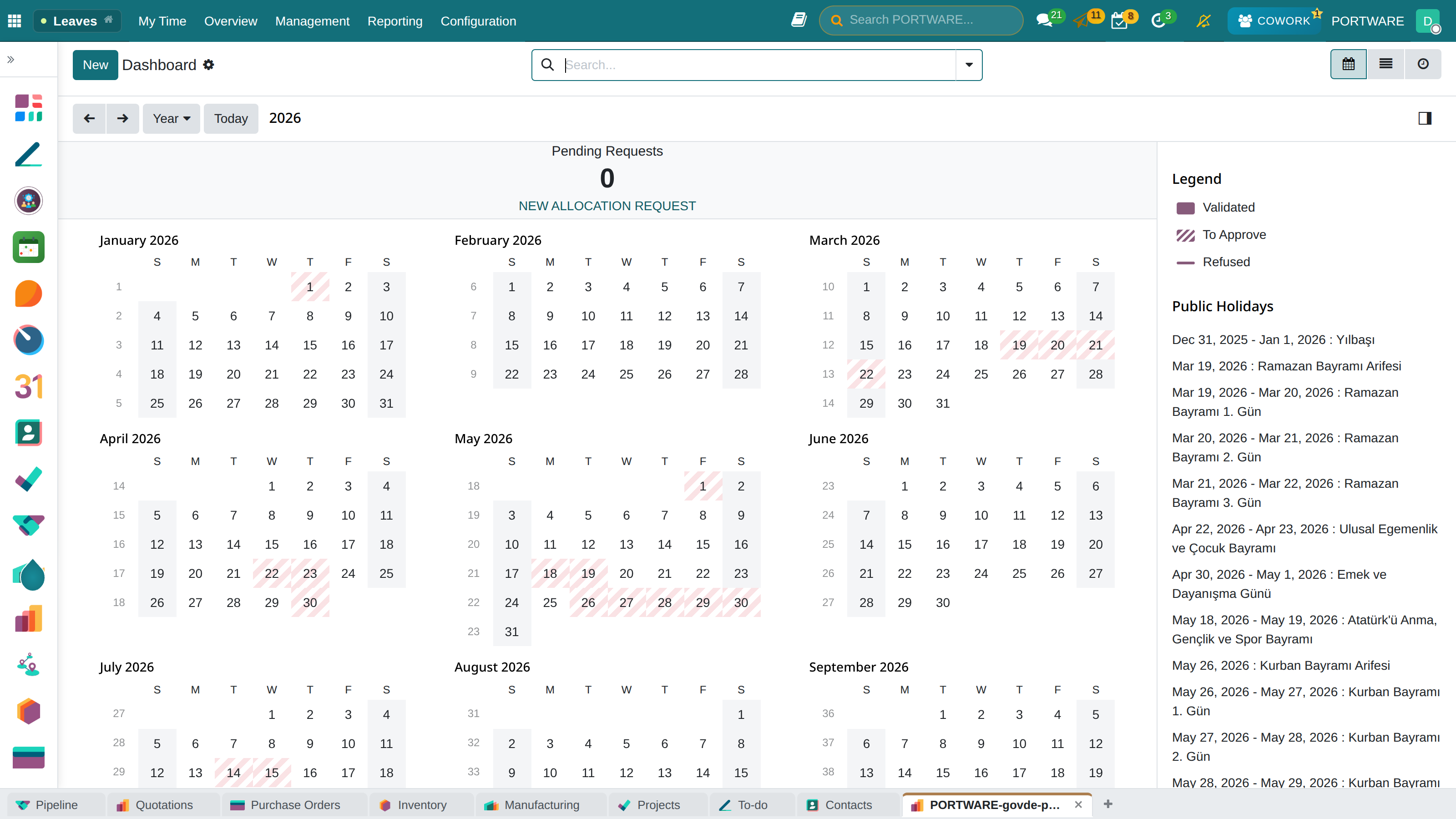
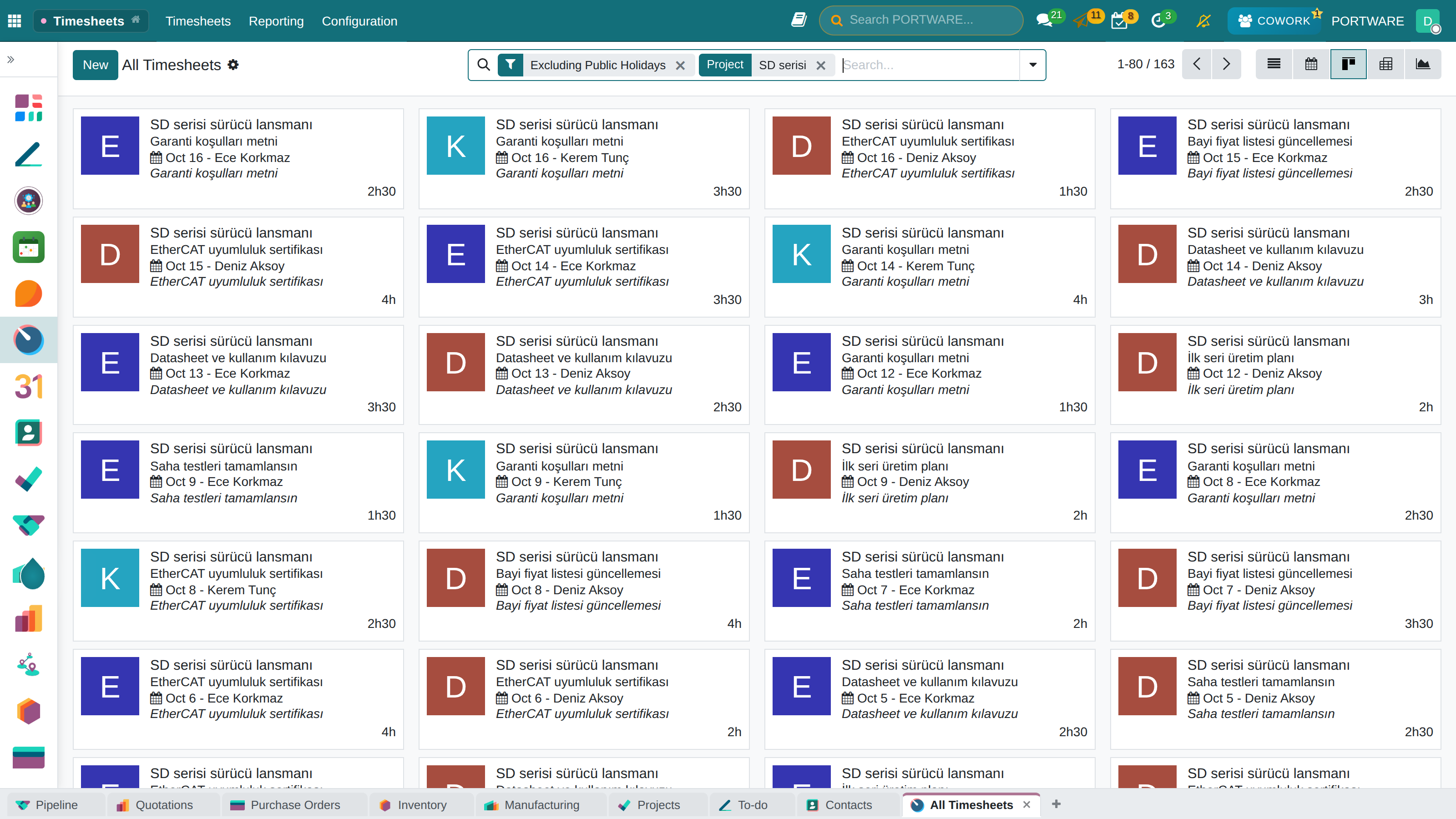
- Versus spreadsheetsLeave, holidays and timesheets on one calendar; no separate sheet.
- The PORTWARE wayLeave hours are booked on their day; public holidays show in every calendar.
The application map
HUMAN RESOURCES
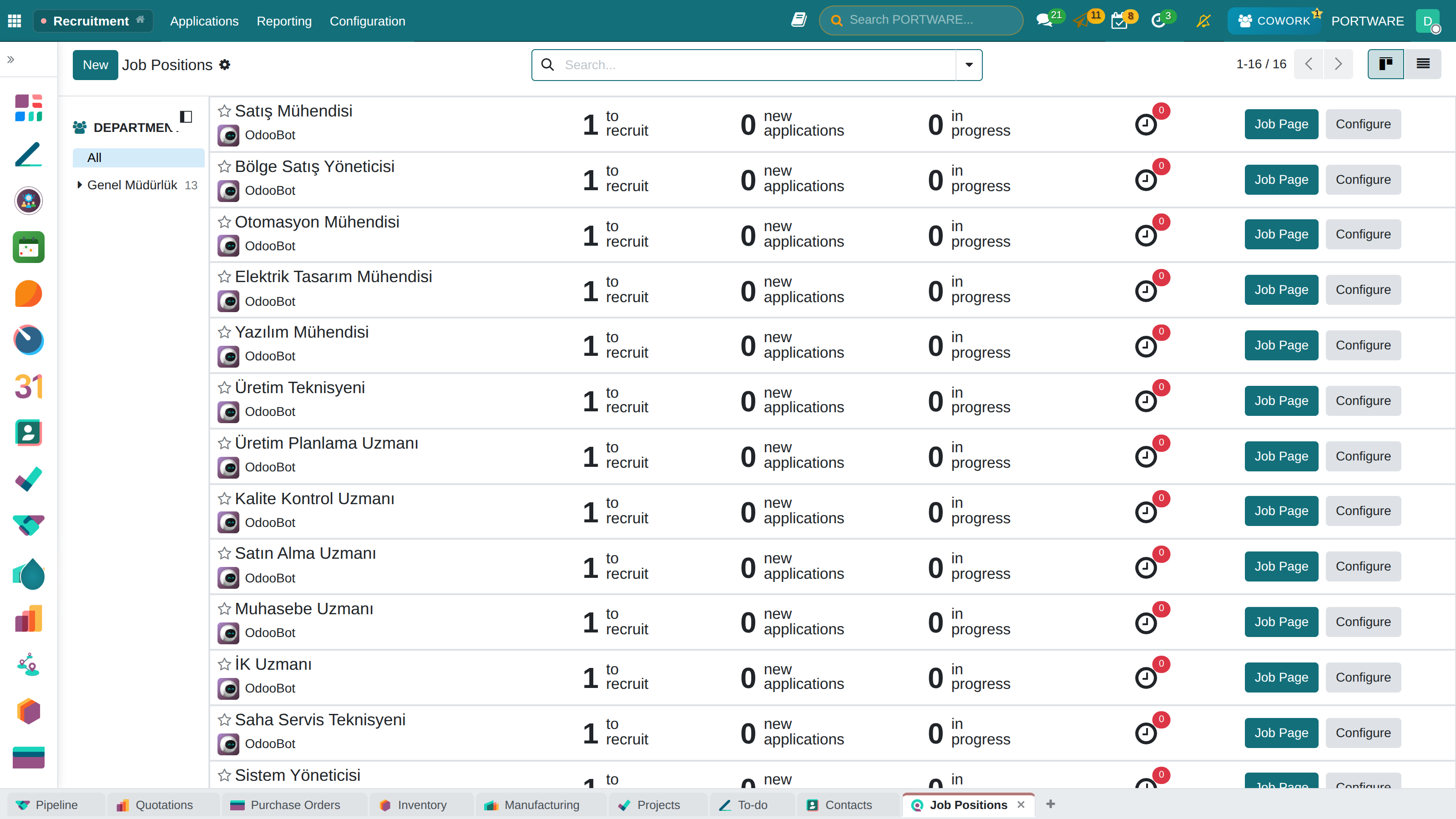
Recruitment, time off and timesheets
“Candidates' CVs are scattered across inboxes.”
What you gain: From candidate to employee, from a leave request to payroll input, every people step sits on the same person's record.
The difference
- Versus spreadsheetsEach position has its own applicant pipeline; interviews and notes on the applicant.
- The PORTWARE wayEach person has a distinguishable colour on the timesheet calendar.
The application map
PROJECT MANAGEMENT
The four phases of a project
“Where the project stands becomes clear only after a meeting of questions.”
What you gain: Where a project stands is known from its tasks in the system, not from guesses.
- PlanningDefining the project, assigning resources, setting the schedule.
- ExecutionAssigning tasks, tracking progress, working together.
- MonitoringGantt views, time tracking, reporting.
The difference
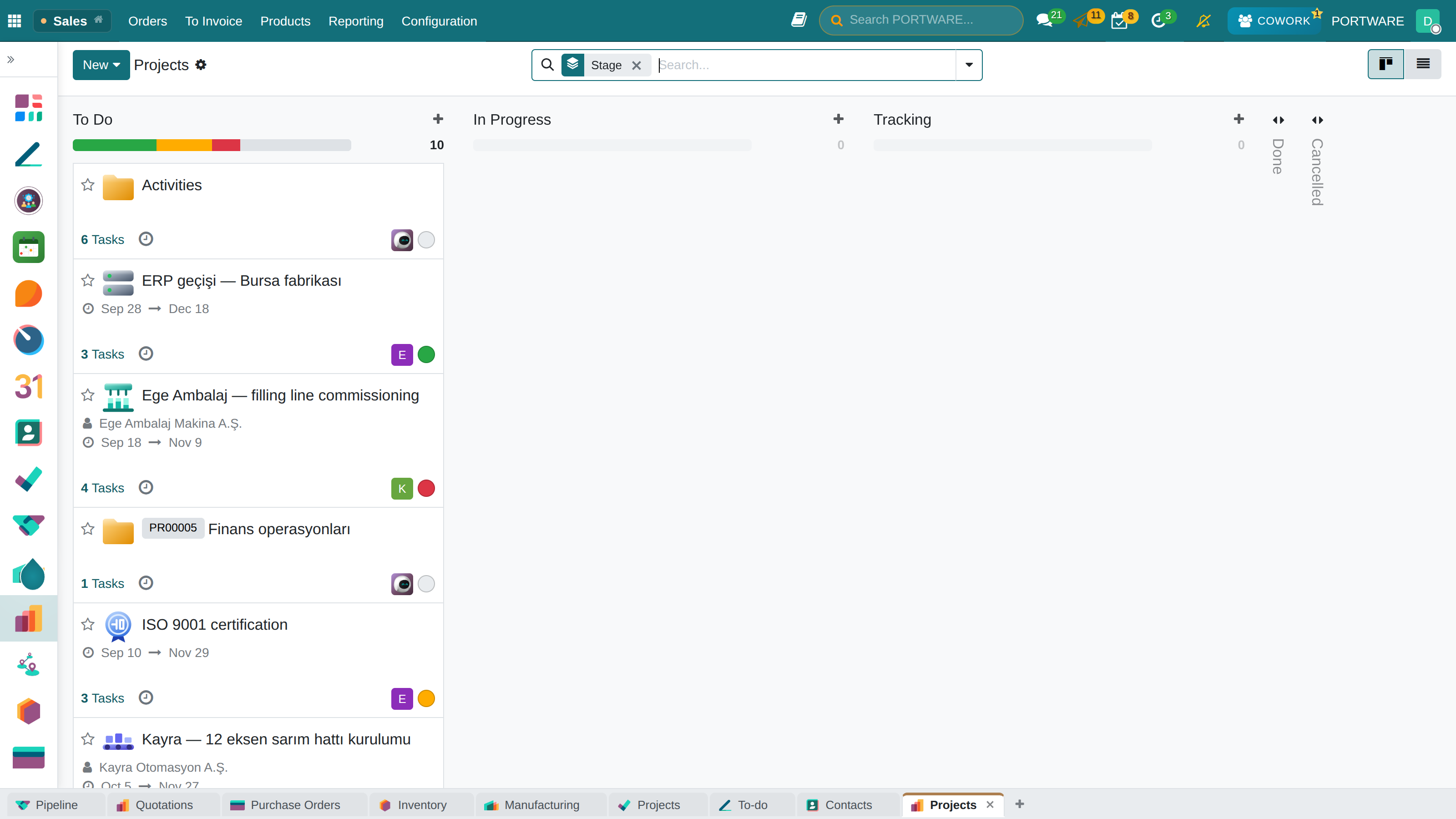
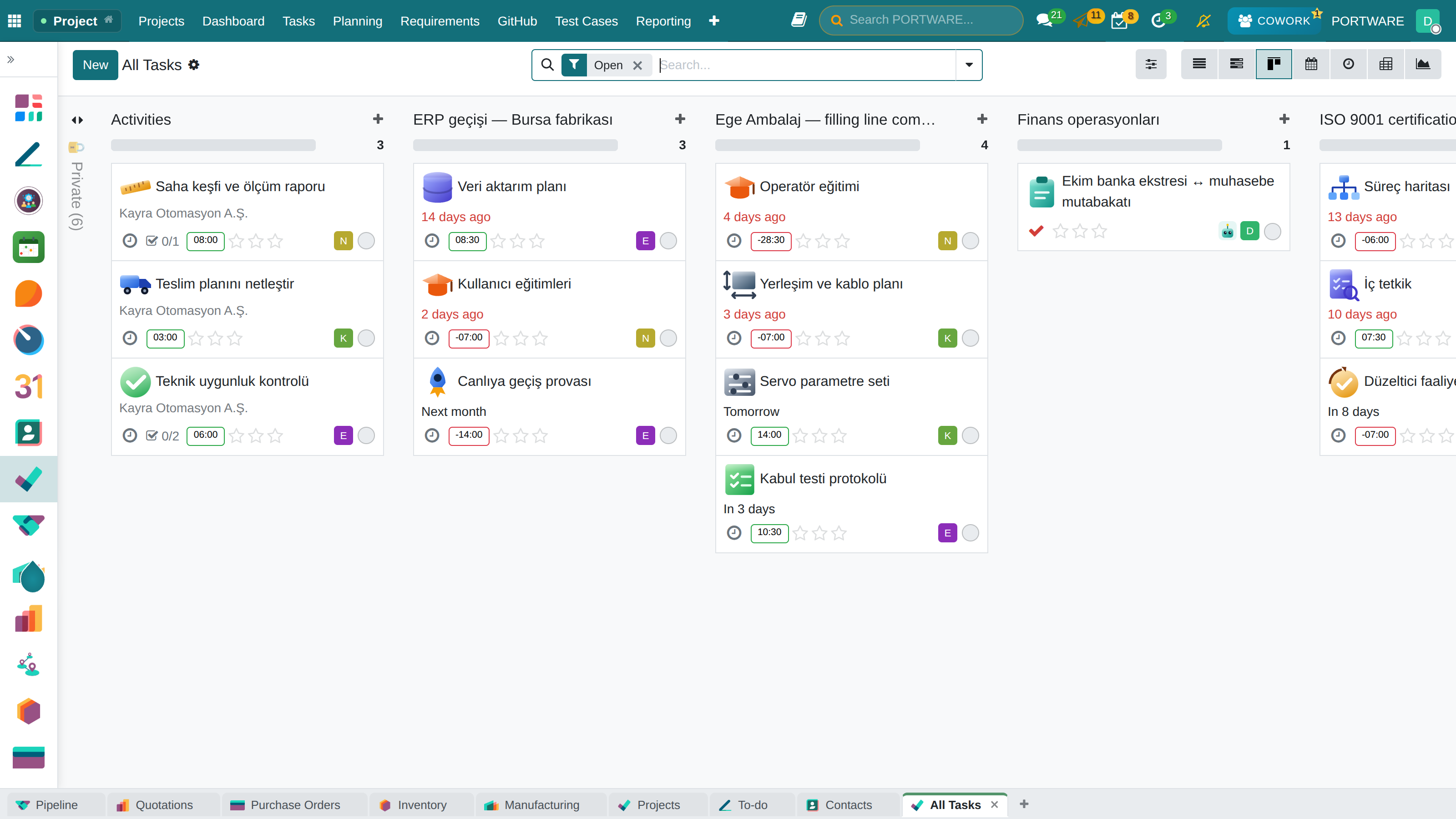
- Versus spreadsheetsDates, owner and task count on the card; no status report to write.
- The PORTWARE wayEvery project shows its topic as an icon; the portfolio reads at a glance.
The application map
PROJECTS
From a task to an invoice
“Hours spent never reach the invoice.”
What you gain: Project hours walk into the invoice by themselves; no spreadsheet is carried by hand between effort spent and money billed.
- Task managementKanban, list and calendar; sub-tasks and dependencies.
- Time trackingTimesheets, billable hours, cost.
- Resource planningTeam assignments, load balancing, conflict checks.
The difference
- Versus spreadsheetsHours on a task come from timesheets; billable time is not lost.
- The PORTWARE wayA workload warning: the system tells you before you overload someone.
The application map
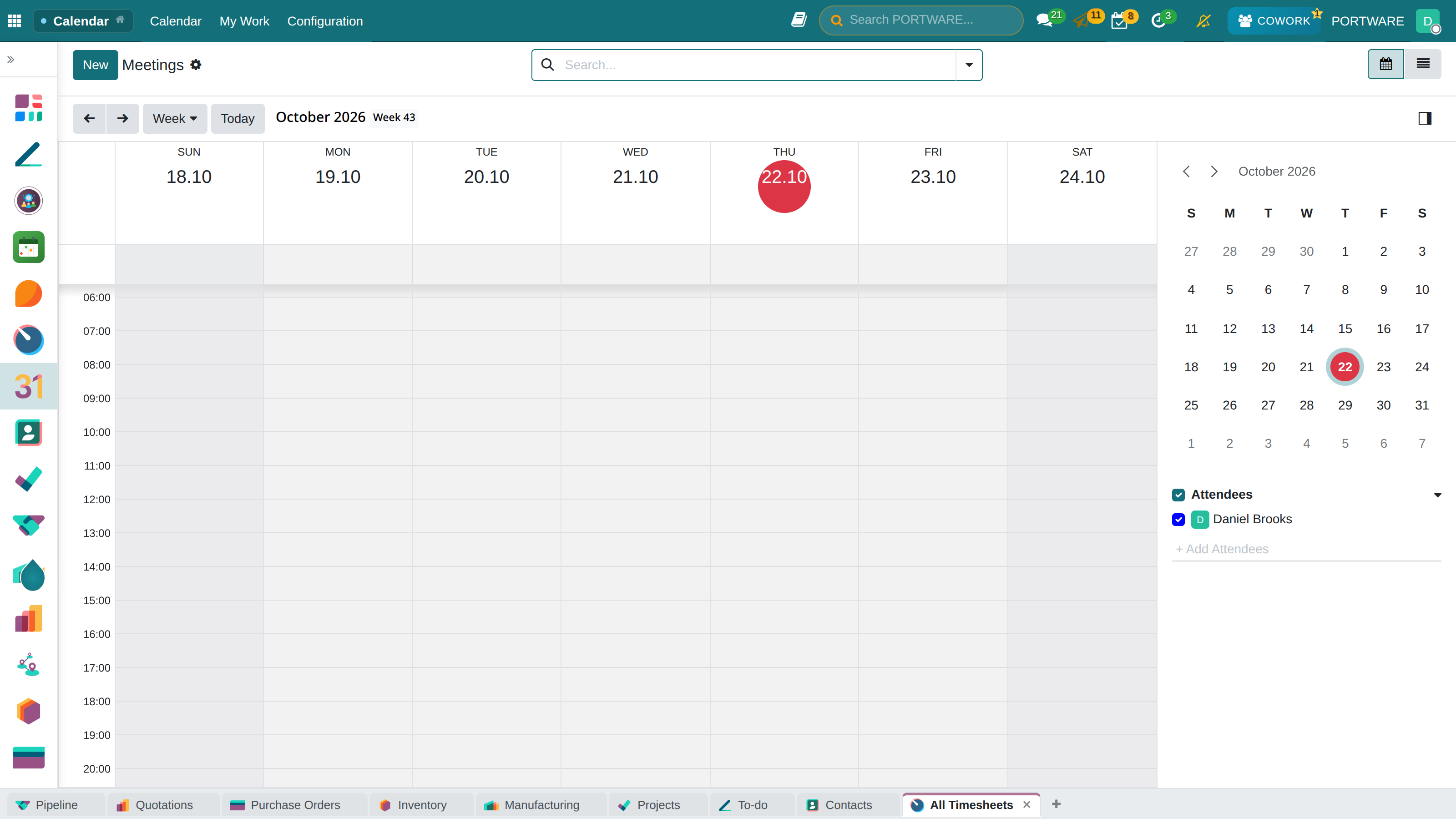
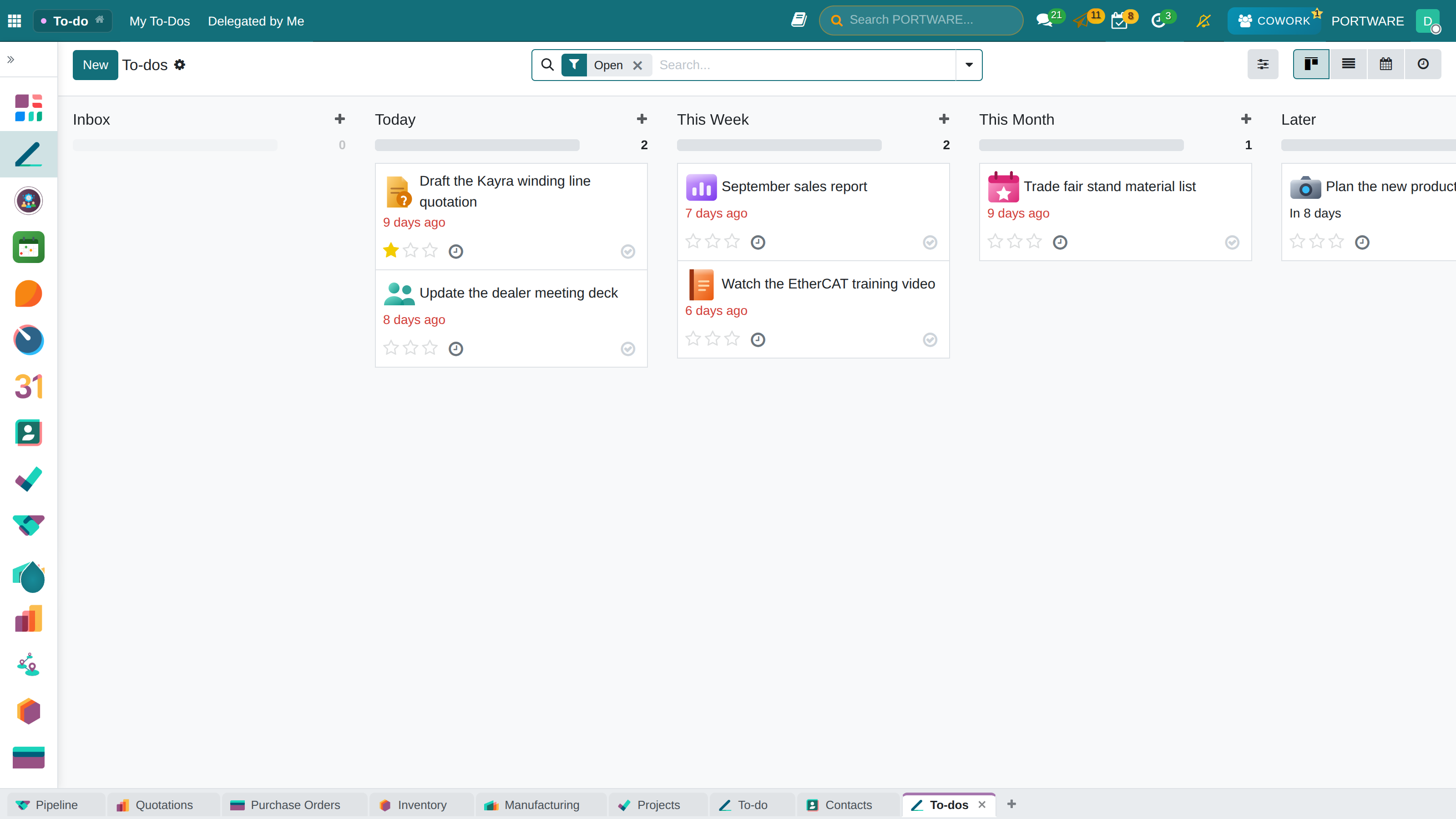
EVERYDAY WORK
The tools of everyday work
“I missed the meeting; the reminder was on my phone.”
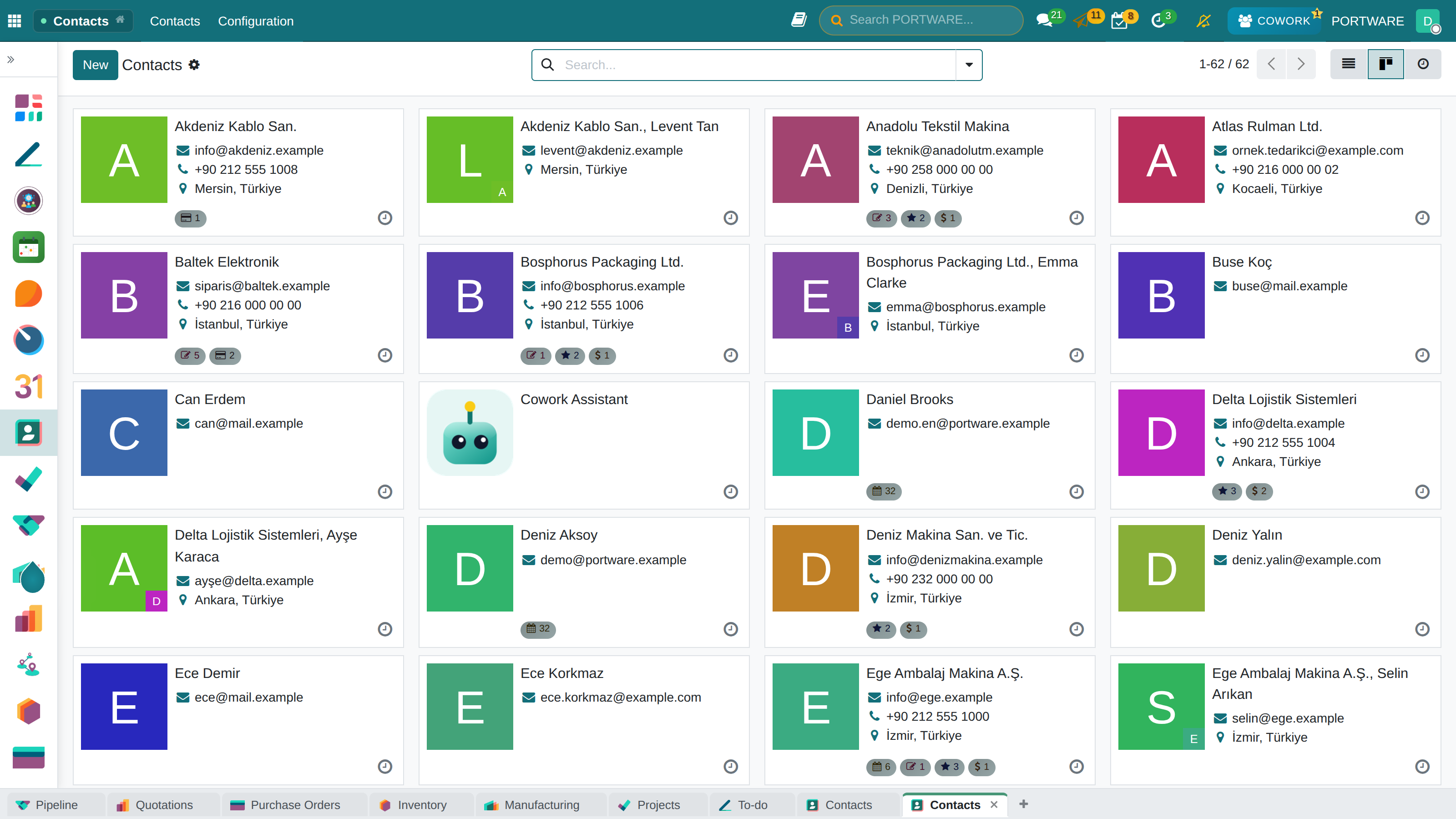
What you gain: Contacts, calendar and to-dos are not separate apps: they all link to the same customer, order and project.
The difference
- The PORTWARE wayThe agenda is always in the top bar; no reminder to set up.
- The PORTWARE wayEvery notification is kept; yesterday's dismissed alert is found today.
The application map
WEB & E-COMMERCE
Your digital storefront
“The website's prices and stock are stale again.”
A drag-and-drop site builder and an online shop — the catalogue is fed by the ERP, with no second copy of the data.
What you gain: The site is fed by the ERP itself: stock, price and product information change in one place and appear in the storefront at once.
The difference
- Versus spreadsheetsProducts, prices and stock come from the system; the site needs no separate update.
- The PORTWARE wayWhen a page changes, search and AI answer engines are told at once.
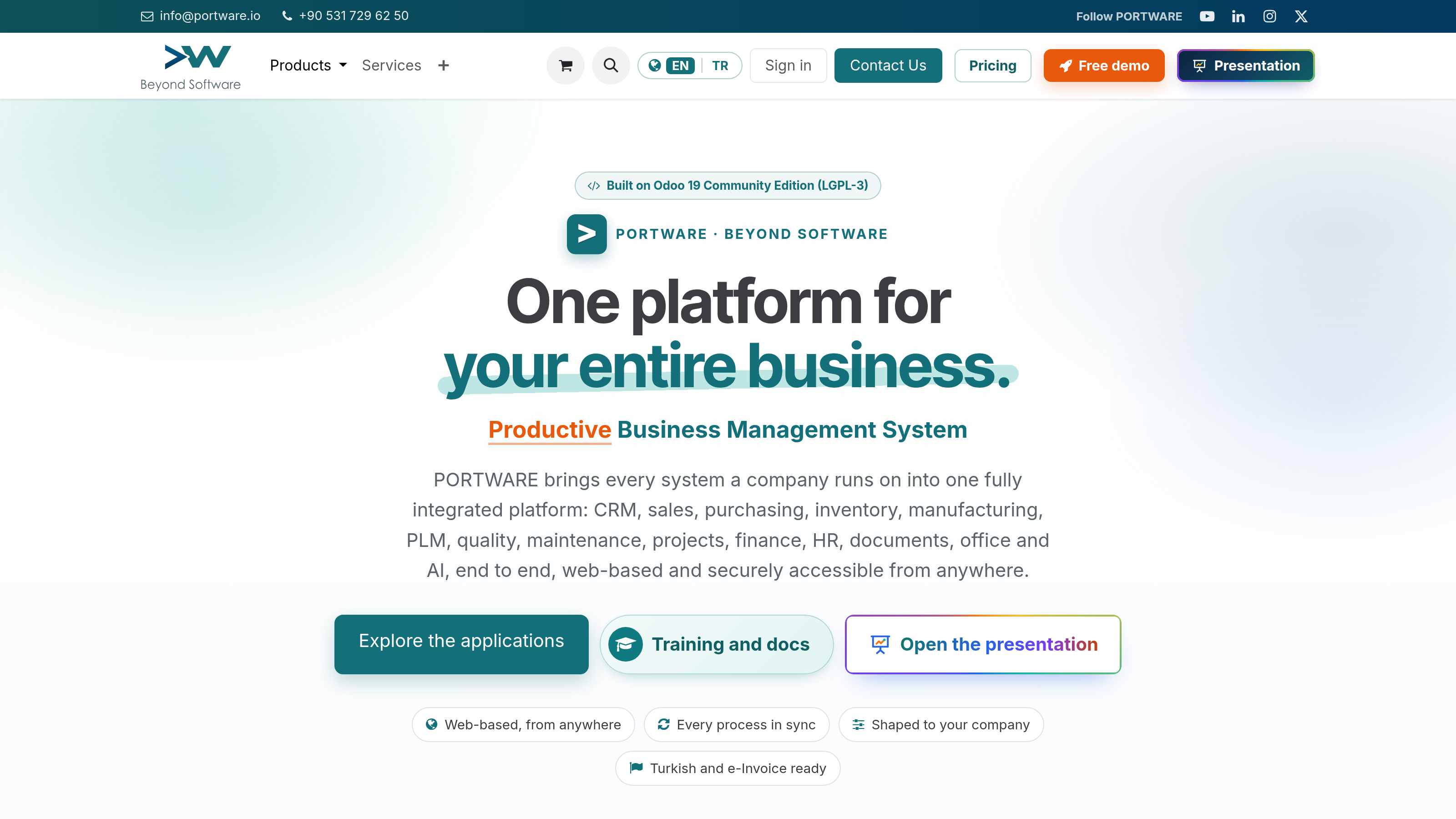
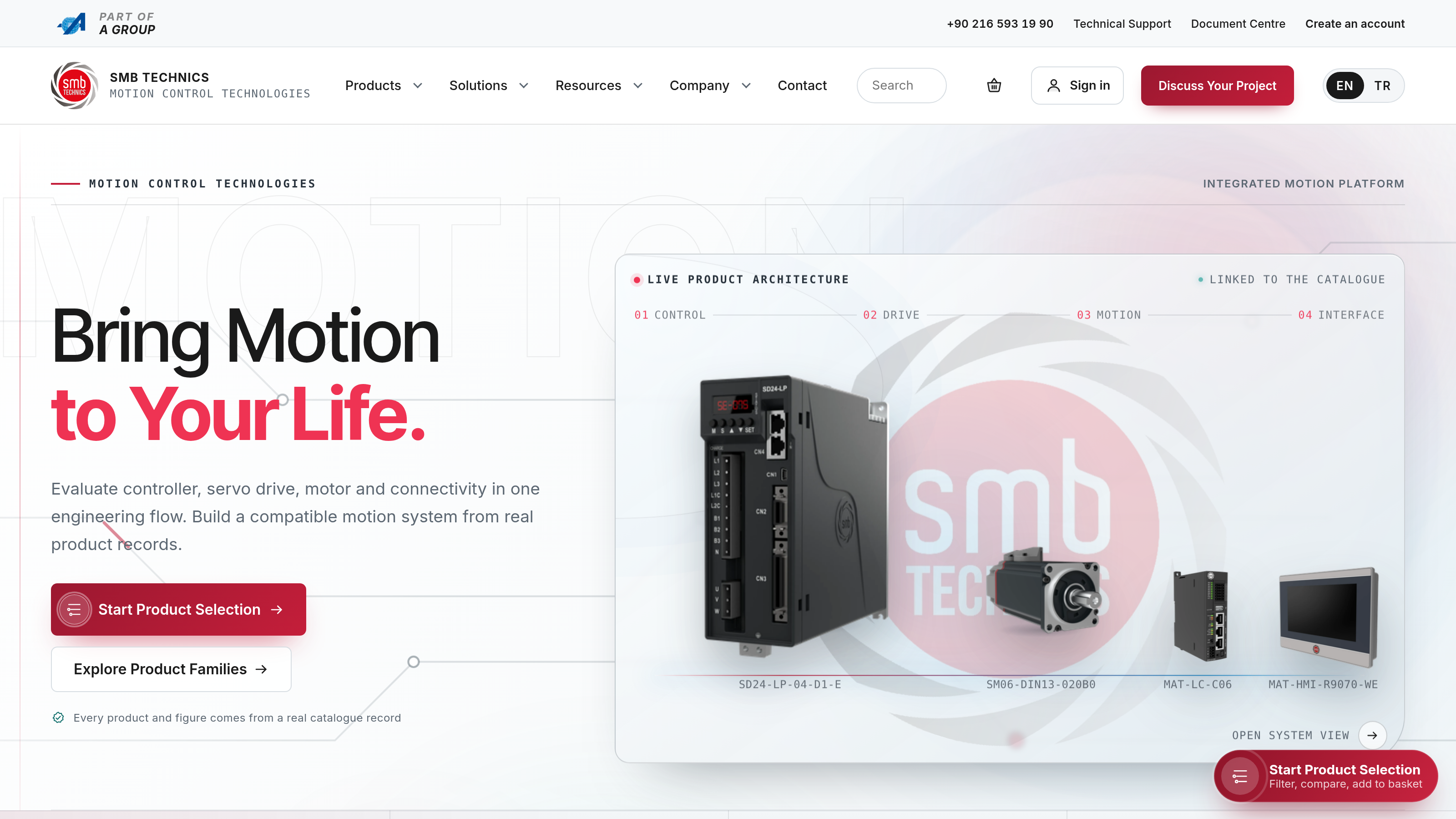
The two sites shown, portware.io and smb-hkt.com, are built with PORTWARE and run on PORTWARE.
The application map
MARKETING
Campaigns and automation
“Nobody knows how many sales a campaign brought.”
What you gain: Marketing runs from the CRM’s own database: a person the campaign brings in drops straight into the sales pipeline.
- Email marketingBulk sending, templates, A/B tests, open rates.
- SMSBulk SMS, message templates, campaign analysis.
- Social mediaPost scheduling across platforms, with analytics.
The difference
- Versus spreadsheetsPeople a campaign brings land directly in the sales pipeline.
- Versus other systemsEvent registrations, seat counts and attendee lists in one place.
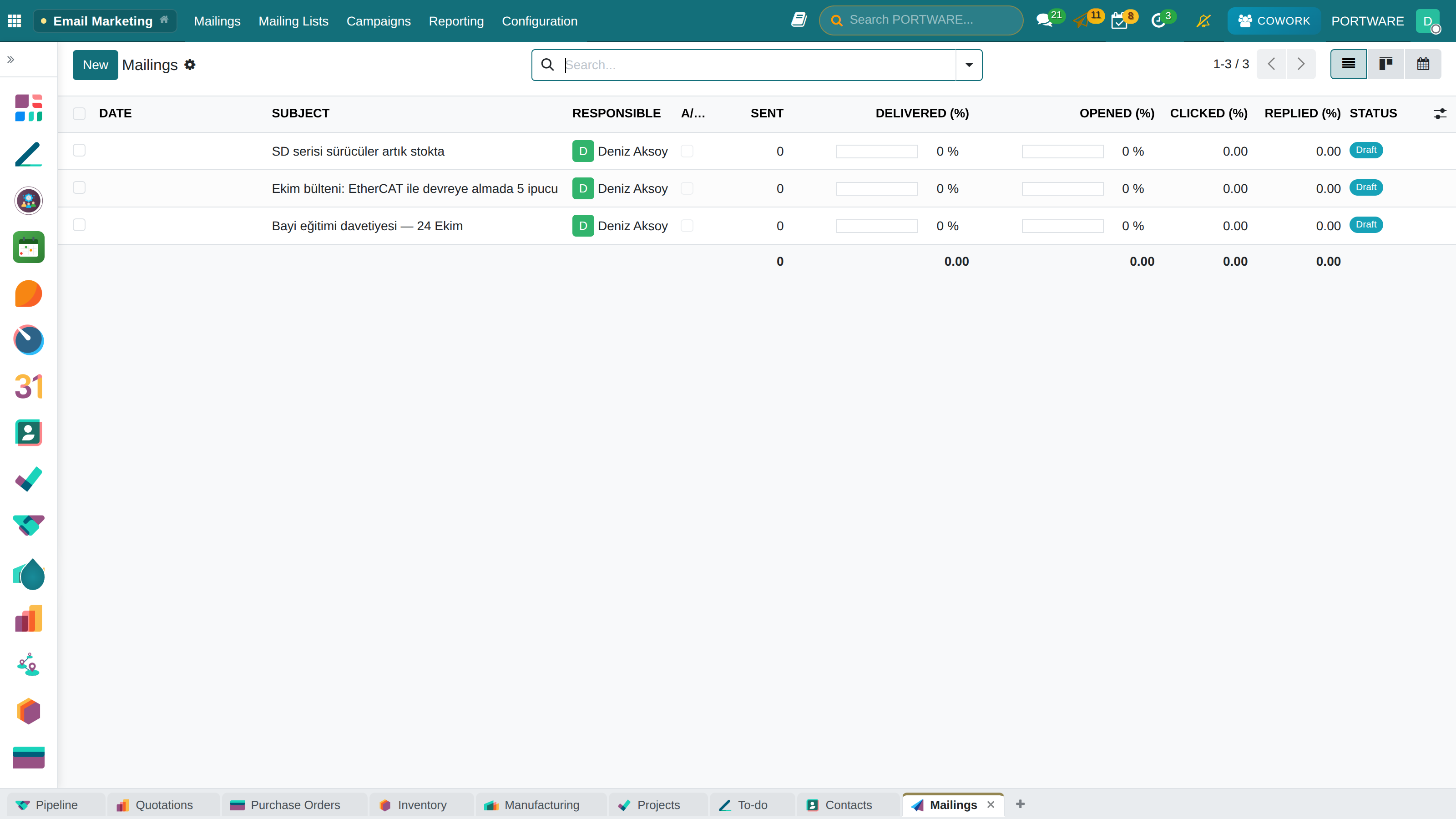
The PORTWARE difference
COMPARISON
What we add on top of the core
What you gain: Capabilities that cost extra elsewhere, or do not exist at all, come installed here.
| Capability | The world's most widely used open-source core | PORTWARE |
|---|---|---|
 Office documents Office documents | None | PORTWARE Office — Word, Excel, slides; in the browser, versioned, differences cell by cell |
 Knowledge management Knowledge management | Limited | SOTION — hierarchical wiki with a variable system |
| Diagrams | None | SODRAW — Draw.io inside the record, still editable |
| Status tracking | None | A sealed stage timeline in any note — who, when, in what state |
 Artificial intelligence Artificial intelligence | None | COWORK AI — on every screen, about that record |
 PLM PLM | None | Installed — with CAD files and revision history |
 HR dashboards HR dashboards | None | Installed |
| e-Invoicing (Türkiye) | Incomplete | e-Invoice, e-Archive, e-Waybill, tax-authority integration |
 Budgets and KPIs Budgets and KPIs | None | Versioned, approved budgets, blocking control, scorecard and OKR |
| Gantt and capacity | None | Timeline, sprints, methodologies and team workload |
The PORTWARE difference
LICENSING
What commercial suites charge for, installed here
Commercial business suites often license the applications below separately. In PORTWARE they are installed and maintained — the counts come from the installed-module inventory.
What you gain: Apps that cost extra licence fees elsewhere are installed here and ready to use.
| Application | In a commercial suite | In PORTWARE |
|---|---|---|
| PLM | Paid | Installed — 40 modules, with CAD integration and revisions |
 Field Service Field Service | Paid | Installed — 23 modules, mobile work orders and routing included |
 Quality Quality | Paid | Installed — control points, non-conformities, audits |
| Payroll | Paid | Installed — calculation and accounting integration |
 Documents and Sign Documents and Sign | Paid | PORTWARE Office + attachment folders — co-edited in the browser, versioned, differences cell by cell |
| Barcode | Paid | Installed in sales and purchasing; can be enabled in inventory |
| IoT · Shop Floor · Studio | Paid | No open-source equivalent — and not promised |
The PORTWARE difference
THE PORTWARE LAYER
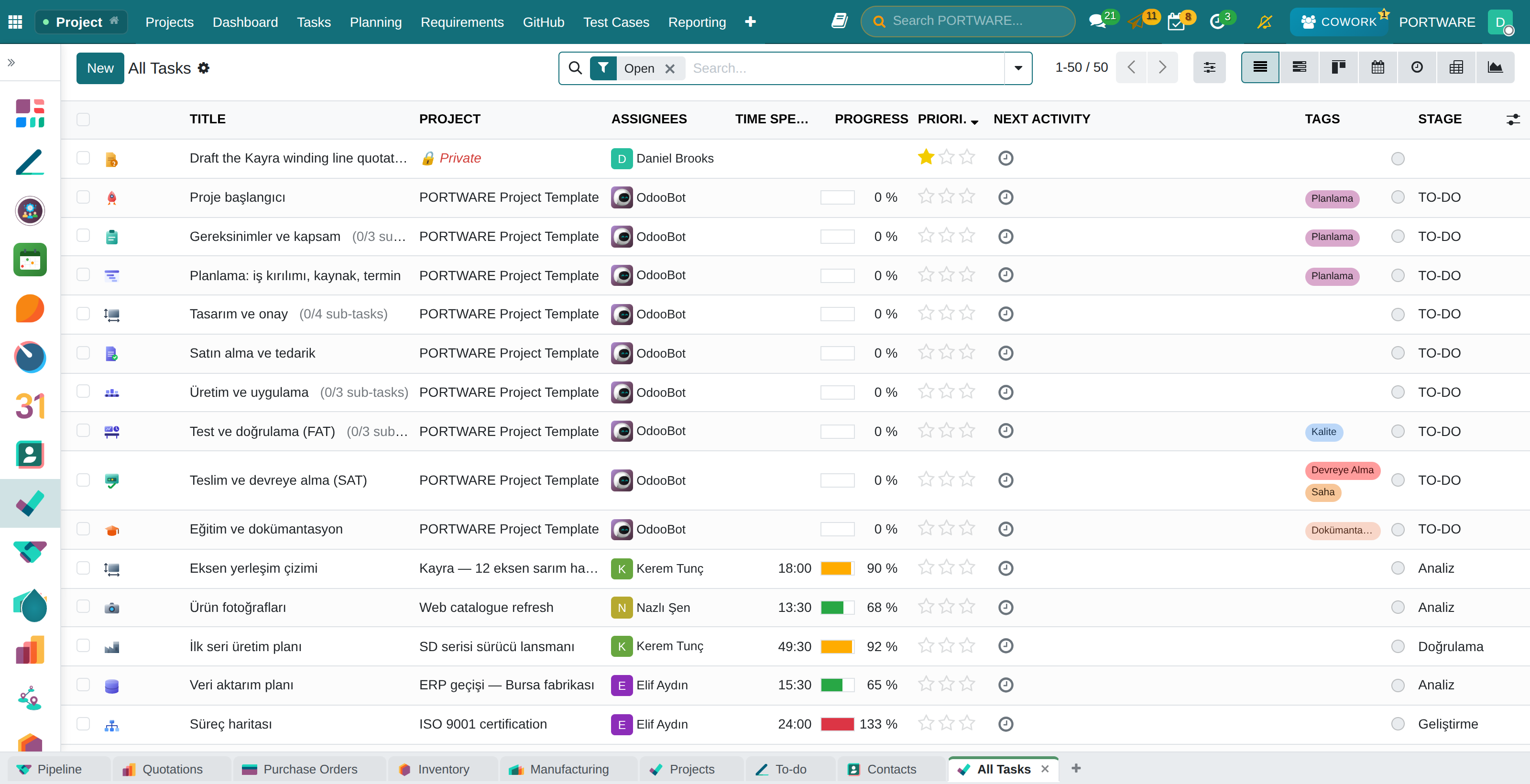
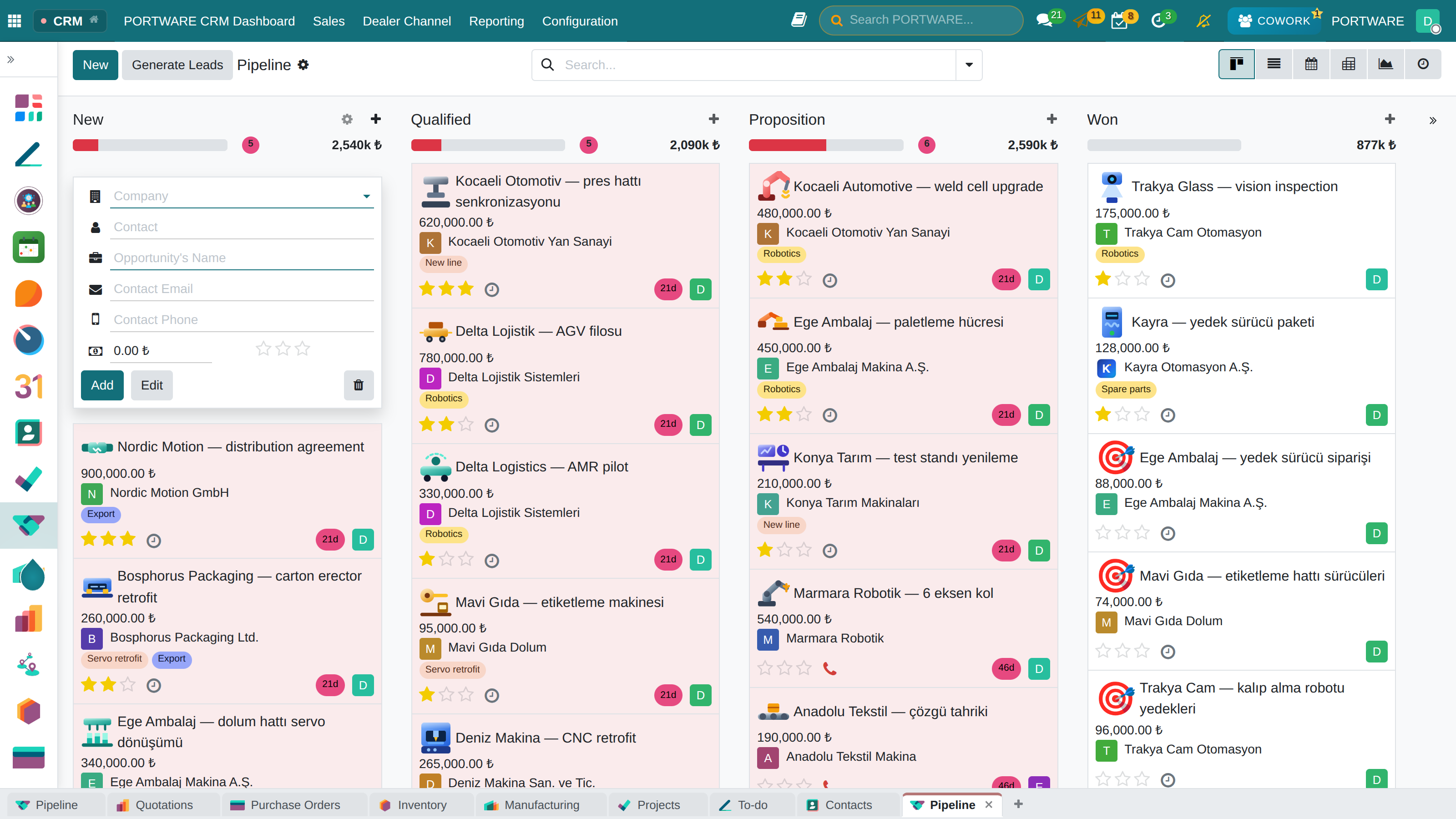
ICON LIBRARY
Every card with its own icon
What you gain: Among hundreds of cards you find yours without reading: opportunities, projects, tasks and folders say their topic with an icon.
The PORTWARE difference
THE PORTWARE LAYER
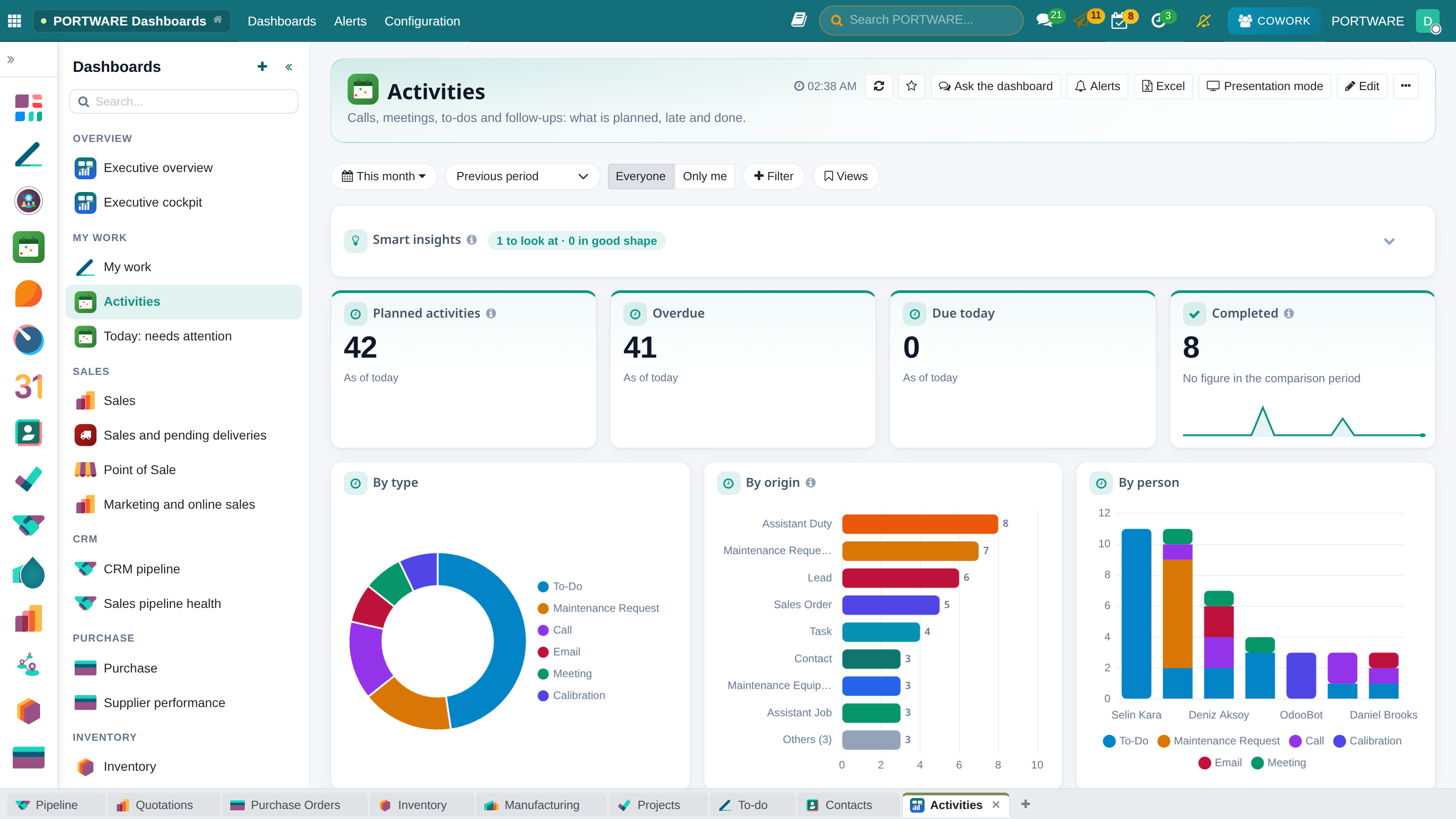
DATA CULTURE
Data you enter pays you back
What you gain: People enter data when they see it return: every record you enter comes back to you as reminders, reports and saved time.
- The morning briefingEvery morning it names neglected customers, forgotten follow-ups and missing data.
- Nobody is forgottenWhen an activity is done, moved or handed on, the person who set it is told.
- The agenda is always in viewMeetings, activities, tasks and to-dos in one place, with reminders out of the box.
- “Anything missing?” in one clickReviews the open record; shows empty fields, contradictions and the next step.
- Reports build themselvesWhat is entered reaches dashboards and the scorecard at once; no month-end wait.
AI inside the work
THE PORTWARE LAYER
COWORK AI
An assistant that knows the screen you are on
It opens on every screen and talks about the record in front of you. It asks for confirmation before it changes anything.
What you gain: You no longer need to know the ERP to use the ERP: you say what you want, and the system knows which field on which screen that is.
- Multiple providersOpenAI, Gemini, Claude and others — behind one interface.
- In-screen conversationAsk about the record on the page, immediately.
- Data analysisProject summaries, customer reports, table interpretation.
- Updating recordsChanges in plain language — behind a confirmation step.
- Finding what is missingIt finds empty fields across records and ranks them.
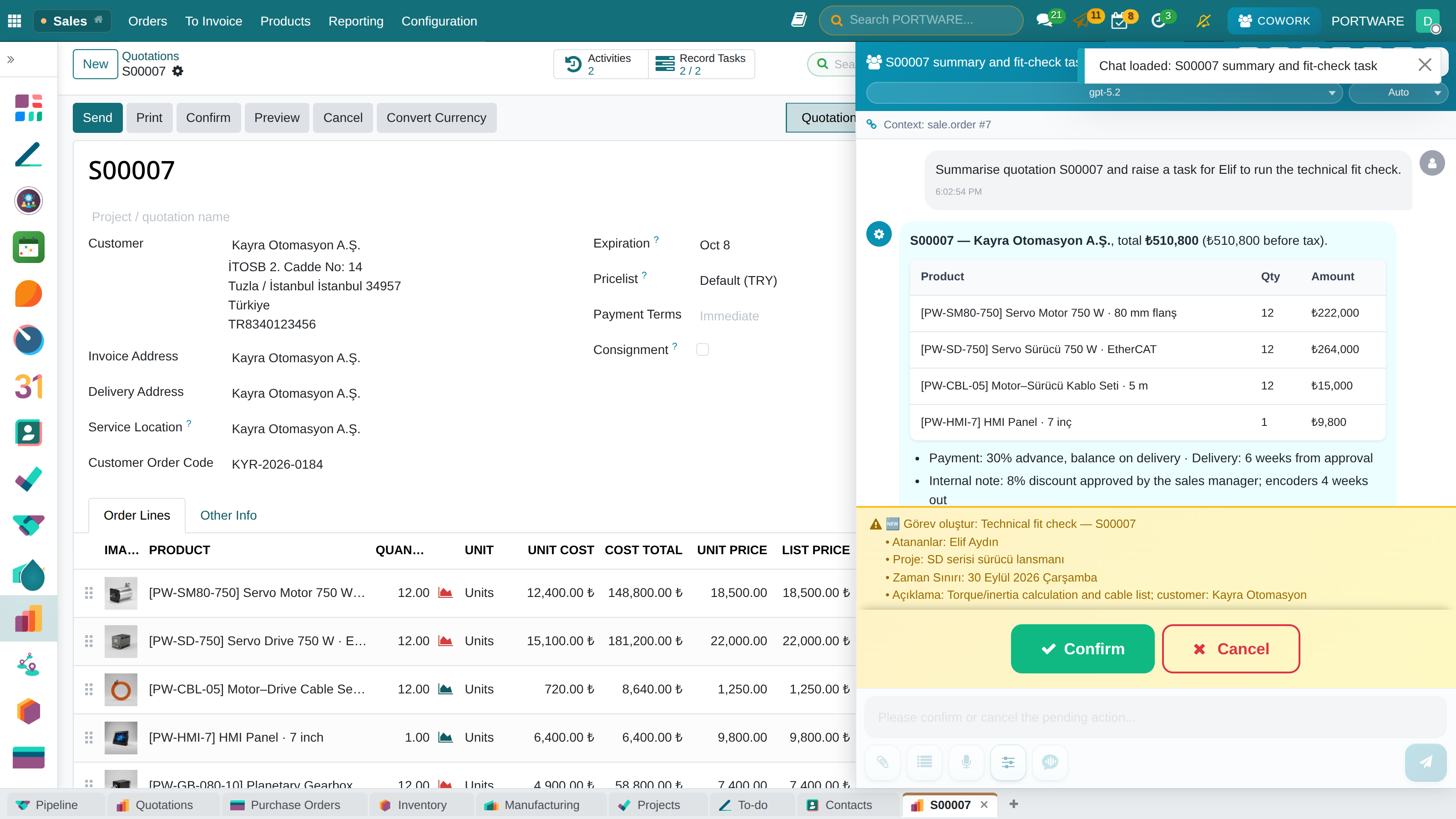 1Knows the open record2Answers from the record3Writes only on approval
AI inside the work
THE PORTWARE LAYER
ACTION
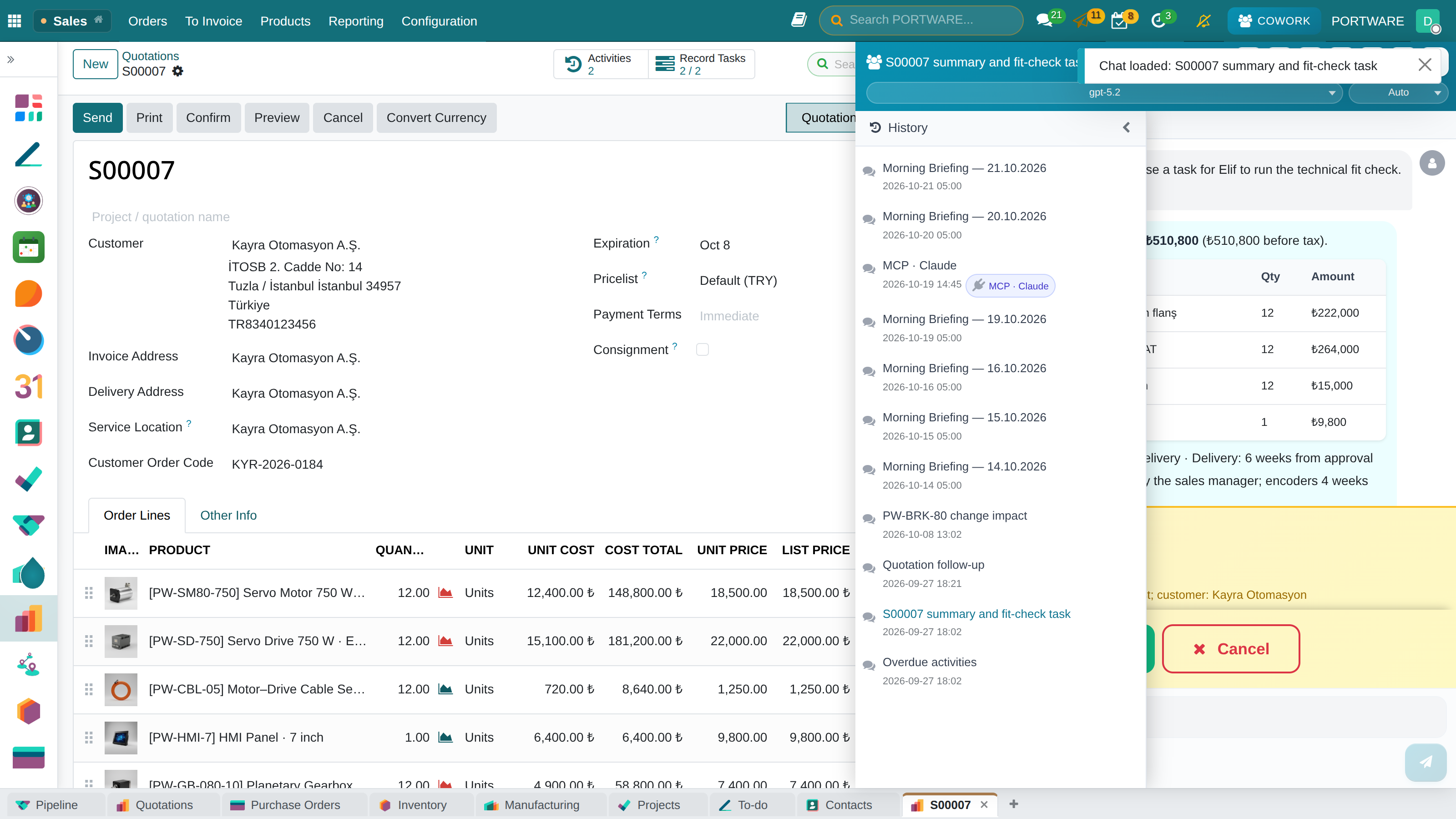
231 tools, one confirmation gate
The assistant does not only write text; it calls the system’s own operations. A tool that reads runs directly; a tool that WRITES waits for your approval.
What you gain: Authority stays with you: the AI says what it will change, you approve it, and if you dislike the result it is undone.
- In every moduleCRM, sales, purchasing, inventory, manufacturing, PLM, quality, accounting, HR, projects, field service and e-invoicing.
- Approval before writingThe proposed change sits on screen; no record changes until you approve it.
- UndoChanges the assistant made are kept for the session and can be rolled back.
- Background workLong jobs are queued; the panel tells you itself when they finish — no page refresh needed.
- Memory across sessionsWhat it learns is stored; you do not explain it again in every conversation.
AI inside the work
THE PORTWARE LAYER
REACH
Where the work happens
Cowork AI is not a chat website: the same assistant lives in the ERP screen, the editor, the office document and the attachment.
What you gain: Copy-paste ends: the assistant already sees the data.
- In the ERP screenIt knows the open record; it does not ask which customer.
- In the editorIn every HTML field it writes, corrects and translates.
- In a PORTWARE Office documentOn the Word, Excel and slide file — asking first.
- On images and scansIt reads photographs, drawings and scanned PDFs.
- By voiceIt transcribes dictation and separates speakers.
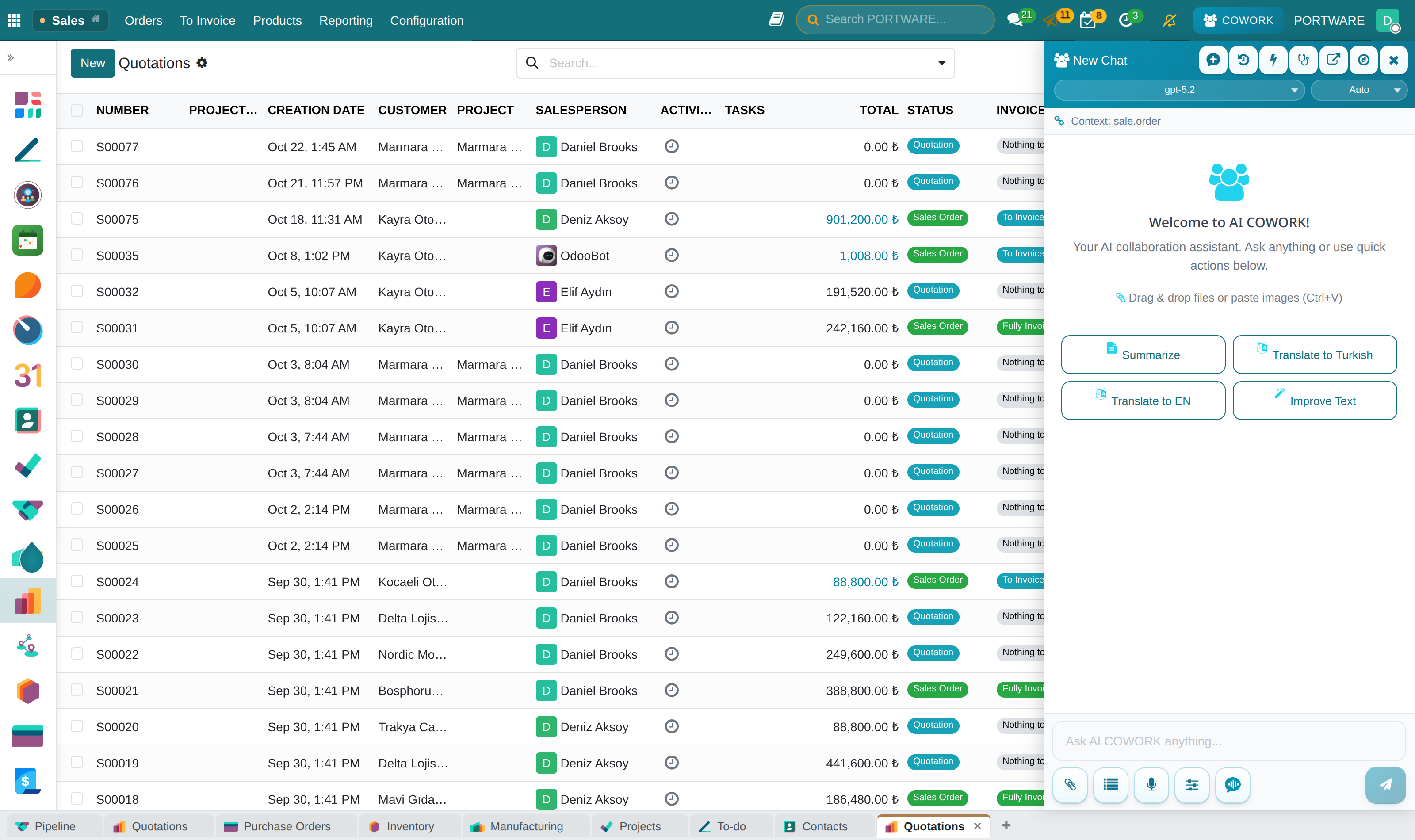
The same assistant, permissions and confirmation gate.
Documents and knowledge
THE PORTWARE LAYER
PORTWARE Office
PORTWARE Office — Powered by ONLYOFFICE
Documents are edited by the open-source ONLYOFFICE Docs. PORTWARE brings it inside the ERP and adds a layer around it that works on the document itself.
What you gain: Quotes, contracts and specifications never leave the system: the file on the record lives beside the record’s data, versioned, its differences shown cell by cell, and discussed in place.
- Live co-editingSeveral people edit the same document at the same time, with live cursors and comments; no file goes round by e-mail.
- Differences, cell by cellEvery save is a version. In Excel each changed cell is shown, formula or value; in Word text and formatting changes are coloured.
- Editable draw.io diagramsA drawing is kept as an editable object, not a picture; years later it opens and changes again, a lasting company asset.
- Cowork AI on the documentIt reads the open document, summarises it, drafts sections and fills tables — and asks before it writes.
- Attachment foldersDocuments are foldered and archived on the record, in the same place as the conversation.
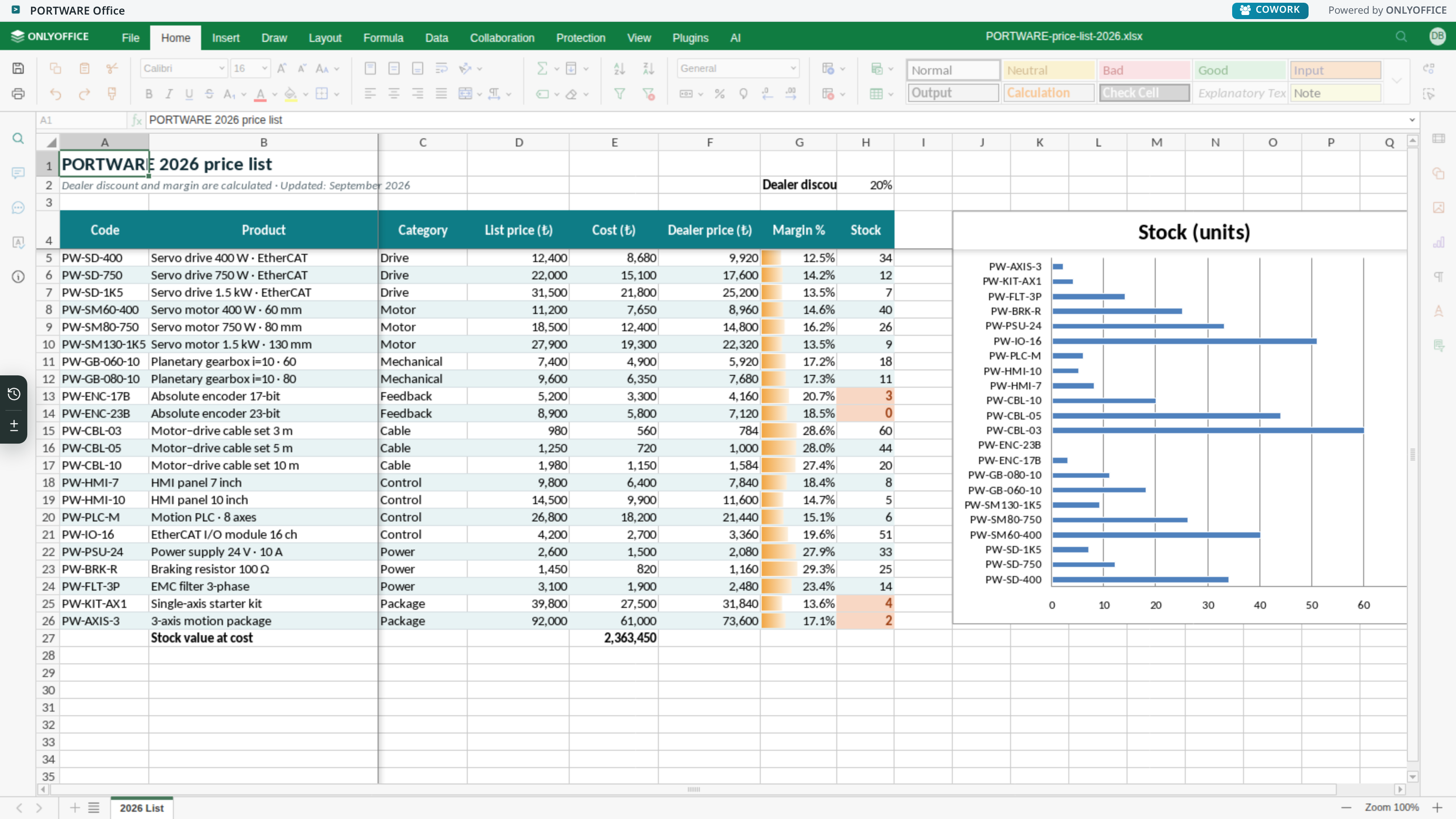
Word, Excel and presentation files are edited and PDFs viewed; documents are generated from templates and can be downloaded.
Documents and knowledge
THE PORTWARE LAYER
PORTWARE Office
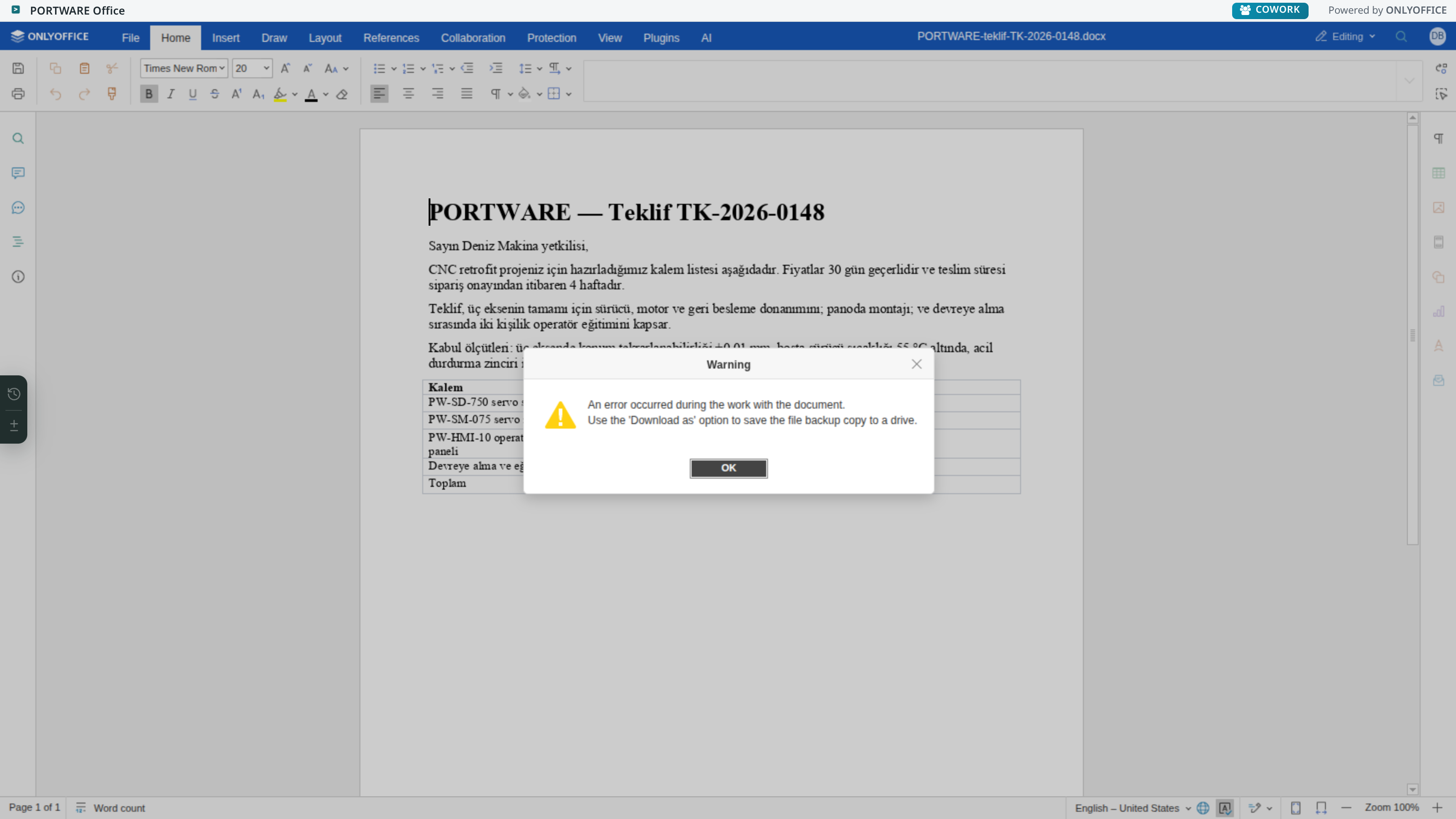
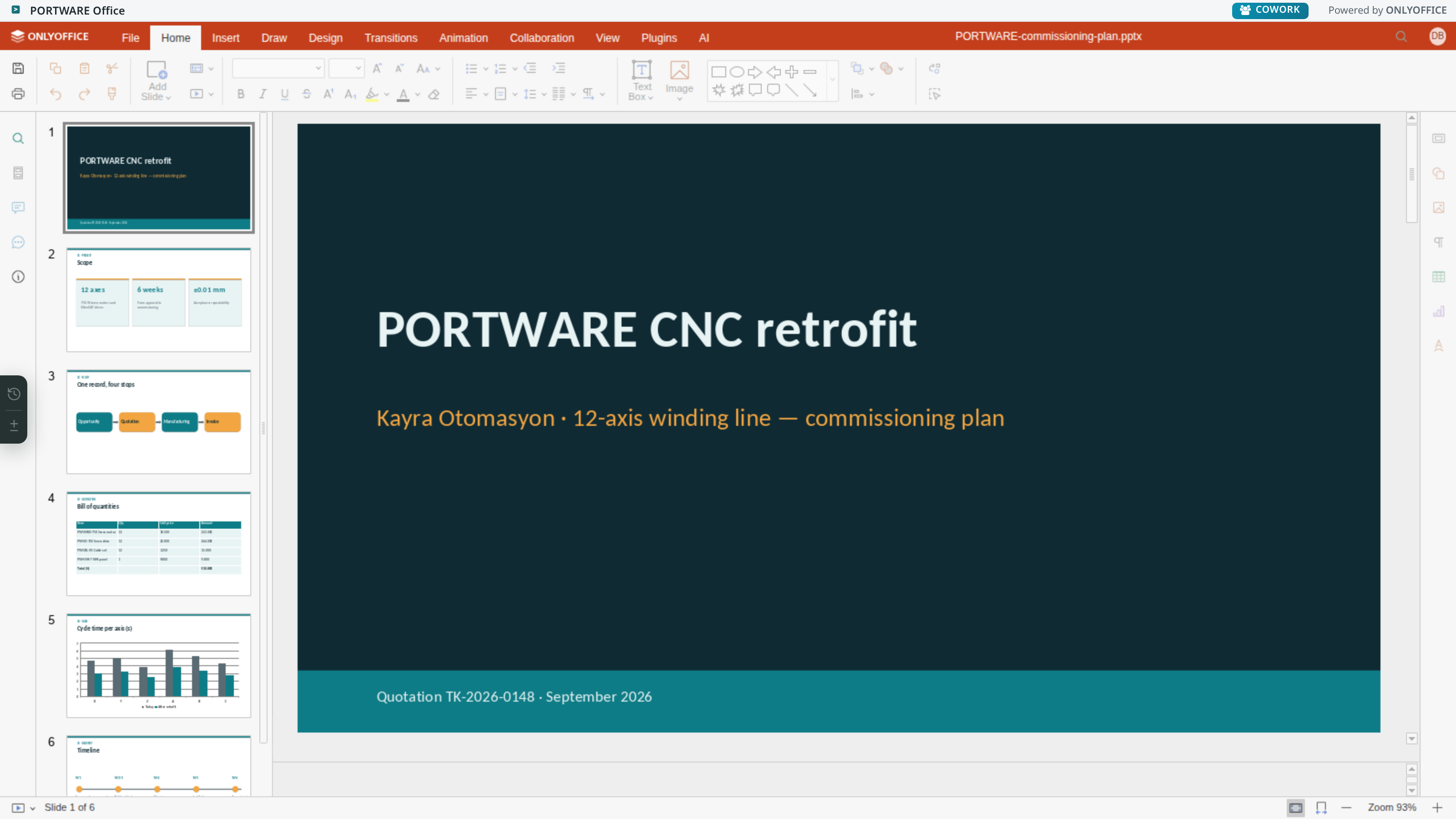
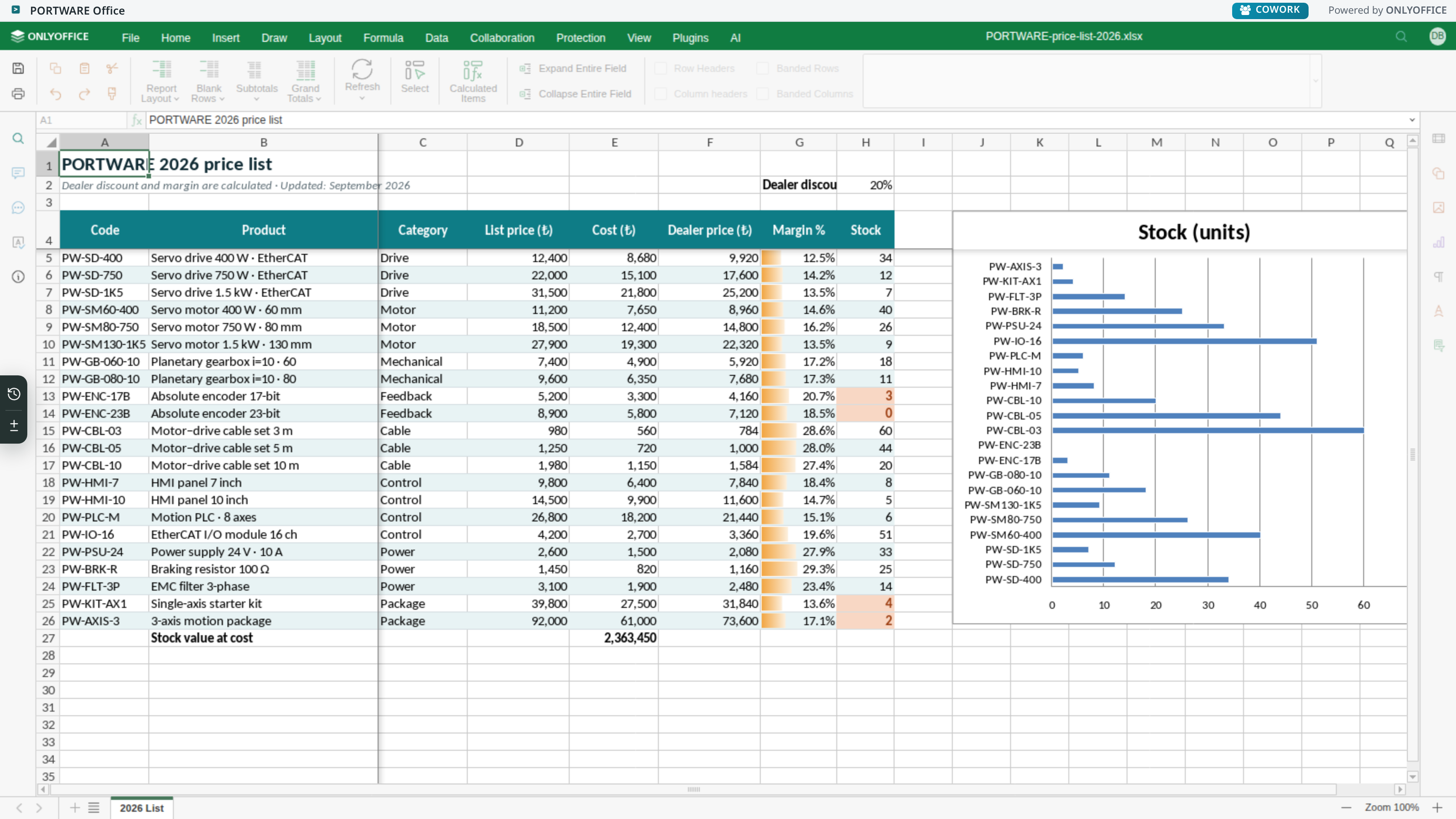
A full office suite — on the record
This is not a preview: formulas, pivot tables, protection, co-editing and plugins sit on the same ribbon as a desktop suite.
What you gain: No separate office program to install and no download needed to edit a document.
Documents and knowledge
THE PORTWARE LAYER
PORTWARE Office · AI
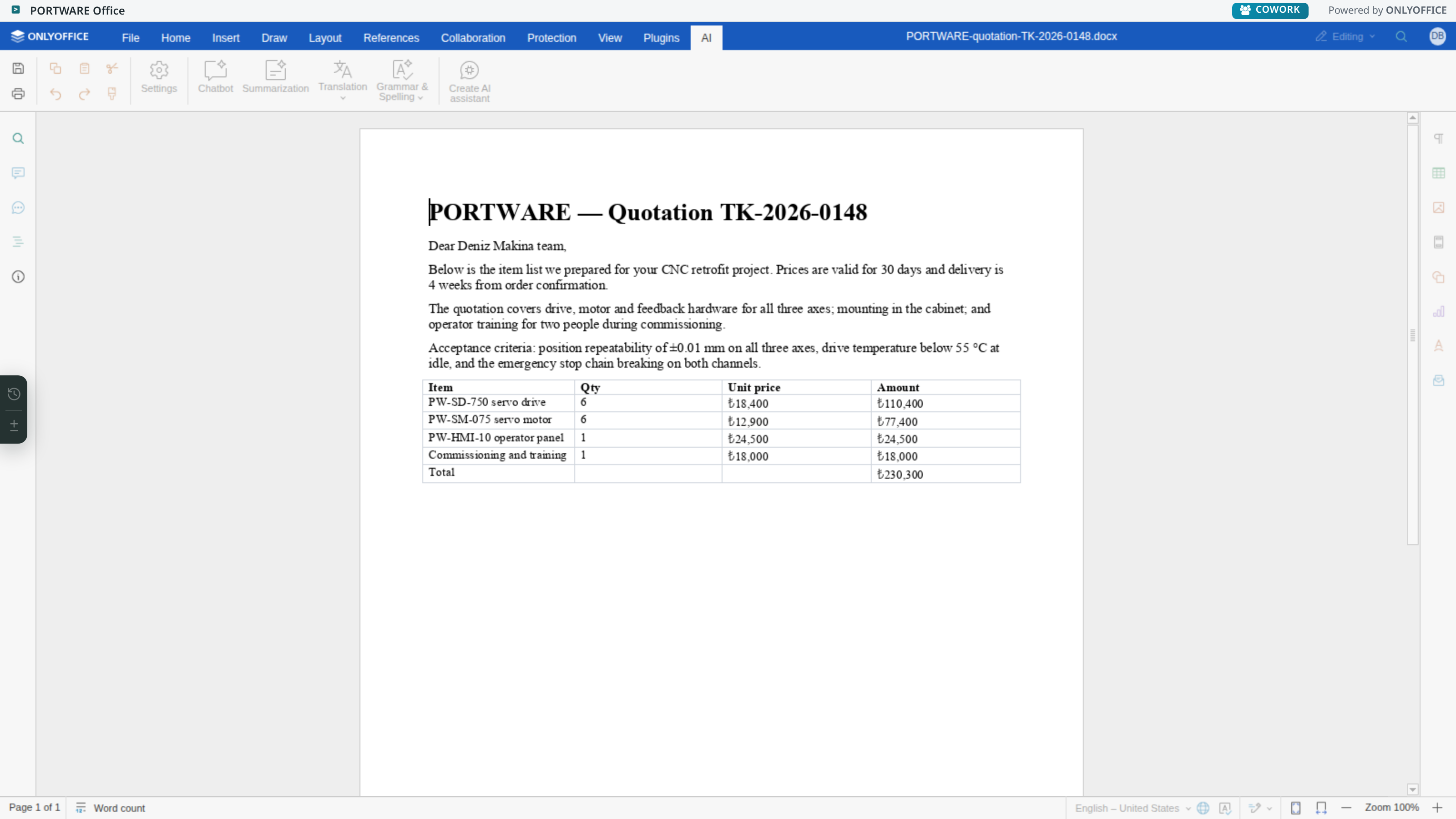
The assistant inside the document
What you gain: Copying a document into a chat website ends: the assistant reads the open file and asks before it writes.
Documents and knowledge
THE PORTWARE LAYER
HTML DOCUMENT
A document that lives beside the record
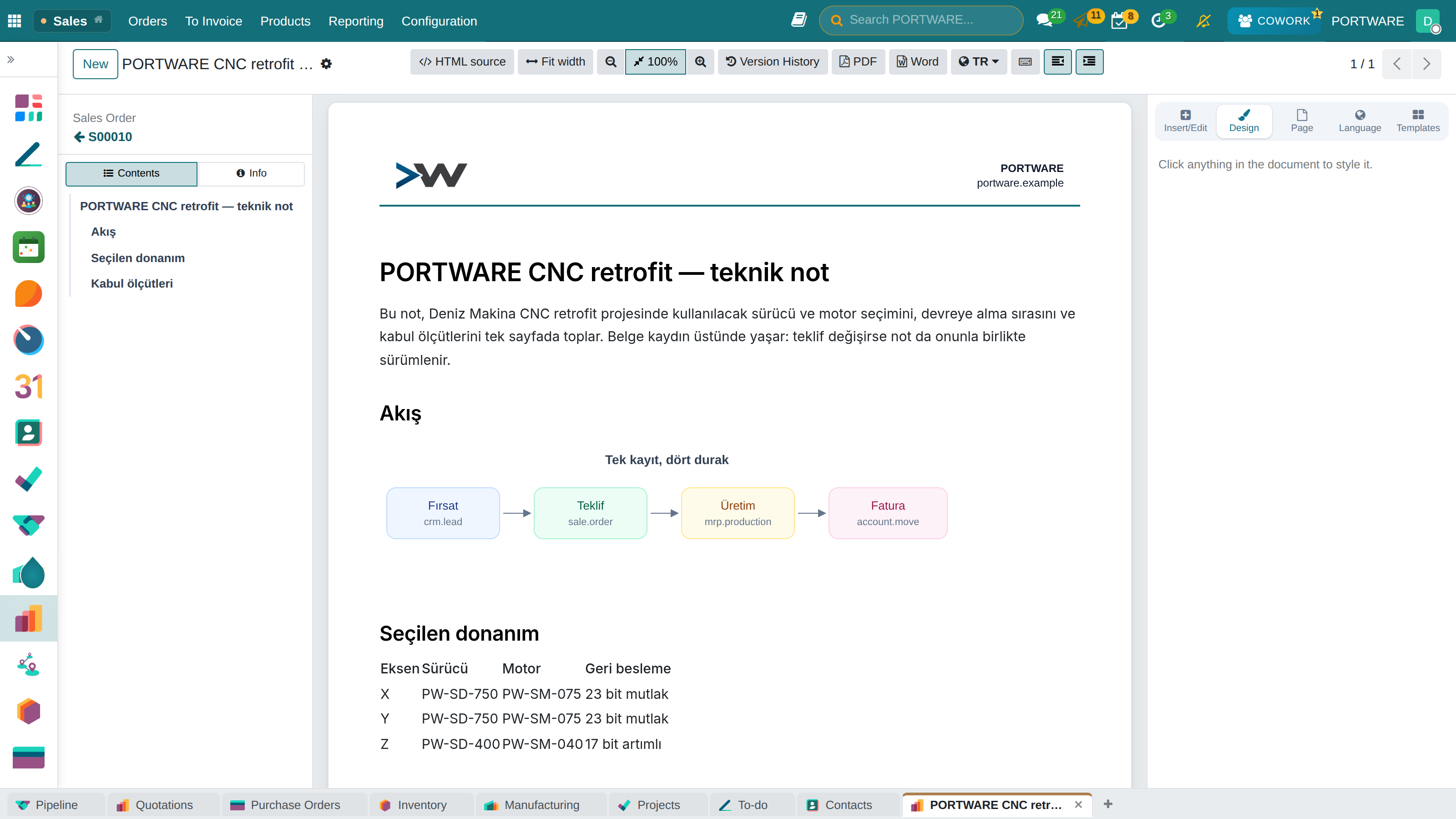
Contents on the left, the page in the middle, design on the right; version history and PDF above. Diagrams and tables stay editable.
What you gain: A technical note or report sits right next to its quote or project — no searching.
Documents and knowledge
THE PORTWARE LAYER
WRITING DOCUMENTS
A rich-text field versus a PORTWARE document
A standard HTML field is a notepad. A PORTWARE document is a document: it has a page, a design, versions and a downloadable form.
What you gain: You write proper, designed, downloadable documents inside the system — no need to go out to Word.
| Standard rich text | PORTWARE document | |
|---|---|---|
| Page design | None | Background, margins, ink — stored as a field, so it survives a rewritten body |
| Diagrams | None | SODRAW — inside the document and still editable |
| Spreadsheet | A plain table | exTable — multi-cell selection, Excel-like editing |
| Freehand drawing | None | The page’s own drawing layer — a shape gallery, arrows, freehand, text and pictures; movable and resizable |
| Version history | None | Every save is a revision, and restorable |
| Status tracking | None | A sealed stage timeline — person, date, status; an edit made outside the editor shows on the element |
| Artificial intelligence | None | Cowork AI works on the document itself — and asks before it writes |
| Ready-made templates | None | 161 templates — 14 palettes, 14 layouts; you can save your own too |
| Export | None | Downloadable HTML and PDF, design included |
Documents and knowledge
THE PORTWARE LAYER
STATUS TRACKING
A sealed stage timeline in any note
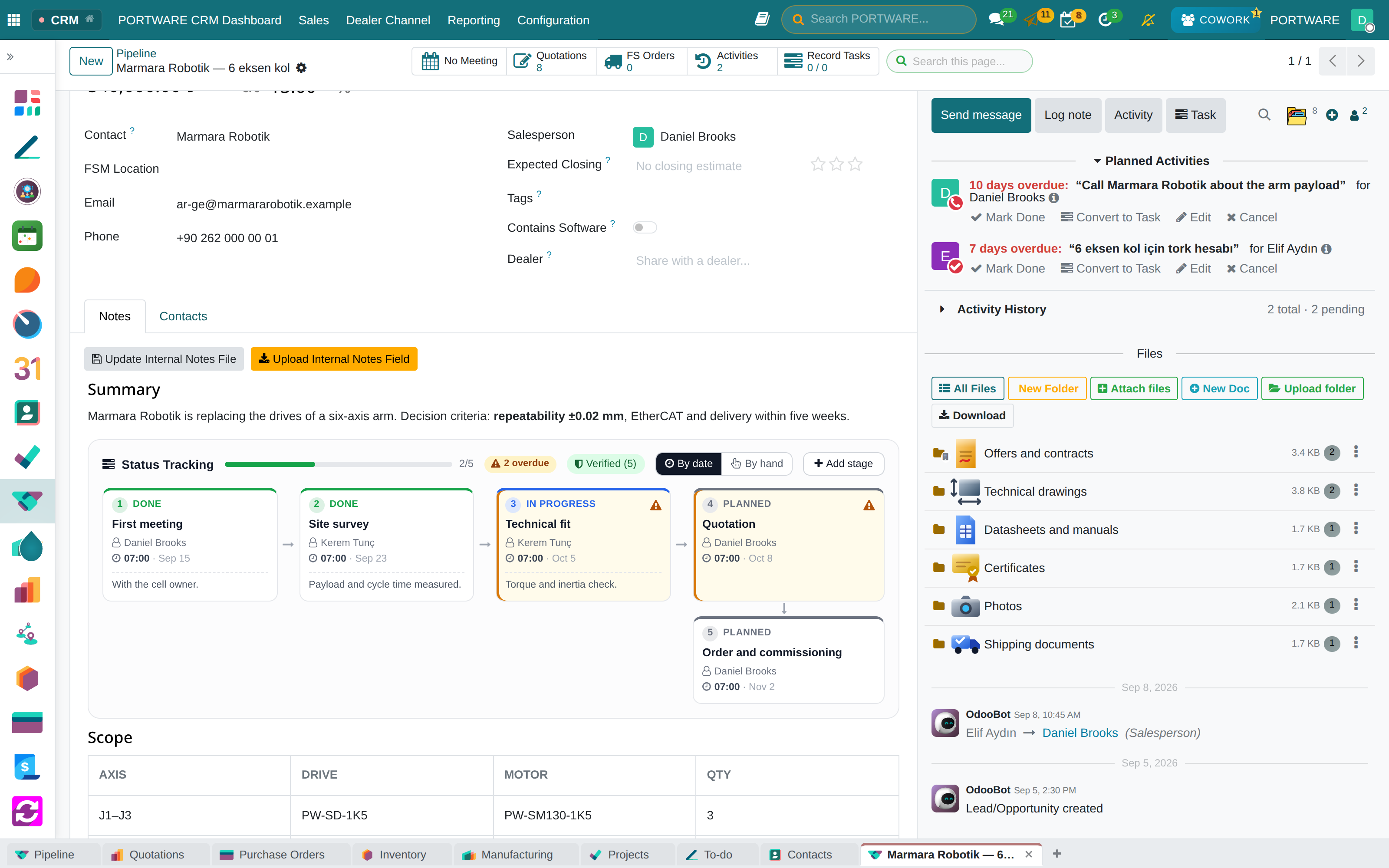
PORTWARE’s own layer. Type “/status”: stages are added to the note of an opportunity, a task or a document; each has a person, a date, a status and a description.
What you gain: Which stage the work is in, who holds it and when it finished show inside the note, at a glance.
- Who, when, in what stateDone, in progress, waiting, planned — the colours mean the same on every record.
- A sealed ledgerEvery change is chained and sealed; an edit made outside the editor shows on the element.
- With the note’s own historyStages live inside the field; old revisions show the timeline as it was.
Documents and knowledge
THE PORTWARE LAYER
SOTION
Everything the company knows, in one place
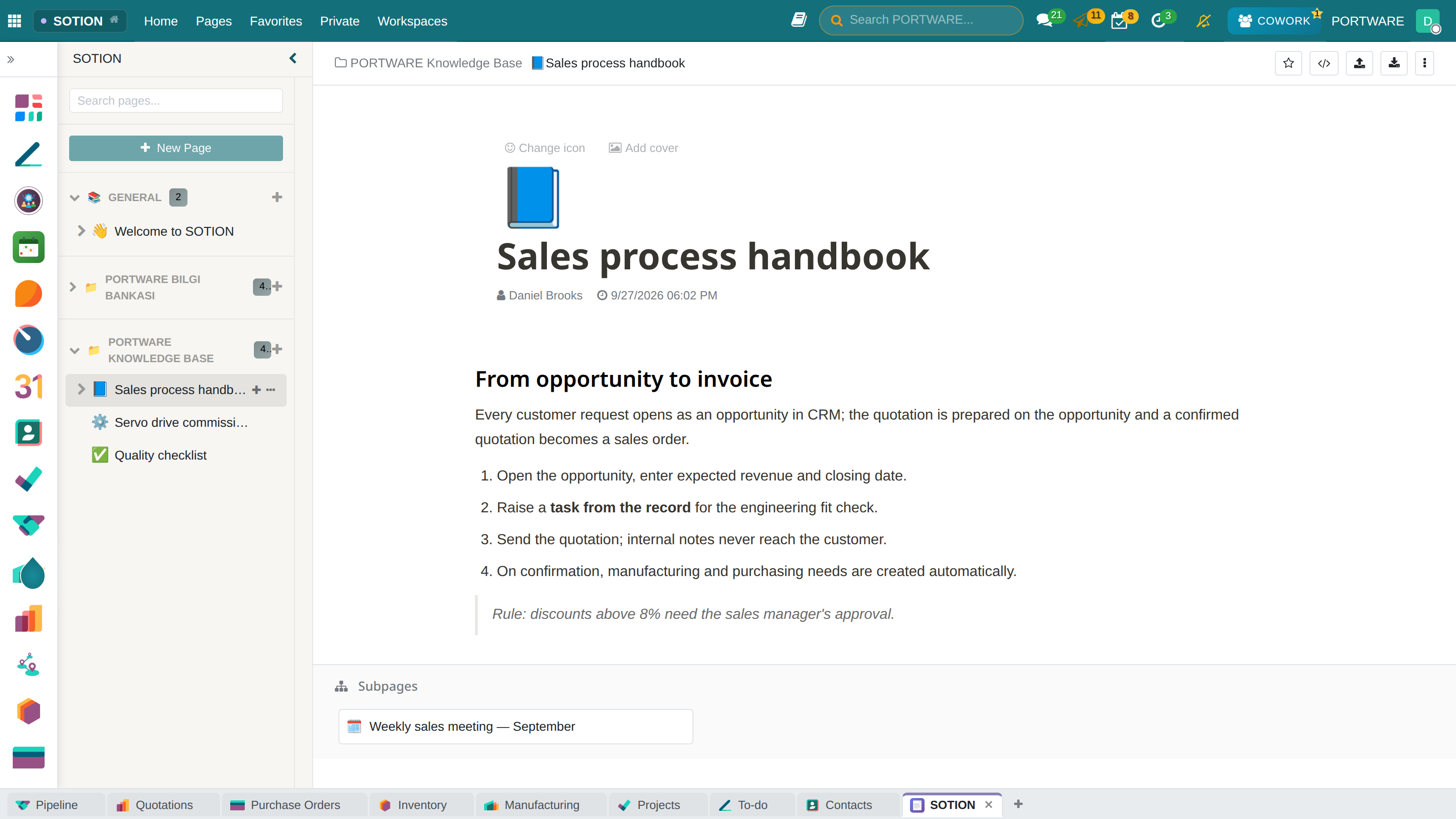
A Notion-style knowledge base: nested pages, a variable system and status labels. Change a fact once and it changes on every page that uses it.
What you gain: Company know-how lives in one place anyone can find, not in people’s heads — change a fact once and every page updates.
Documents and knowledge
THE PORTWARE LAYER
SODRAW
The shortest way to explain a process
Draw.io is built into every document, HTML notes and office files alike. A drawing is kept as an editable object, not a picture: it opens and changes years later and becomes a real company asset.
What you gain: Explain a process with a diagram instead of a long text — and fix the diagram later if things change.
- FlowchartsWorkflows and decision diagrams (BPMN 2.0).
- Organisation chartsHierarchy, departments, reporting lines.
- Software diagrams (UML)Class, sequence and use-case drawings.
- Mind mapsBrainstorming and idea mapping.
- Network diagramsIT infrastructure with Cisco/AWS/Azure icons.
Drawings export as SVG (vector), PNG, PDF and still-editable XML.
Documents and knowledge
THE PORTWARE LAYER
RECORD FOLDERS
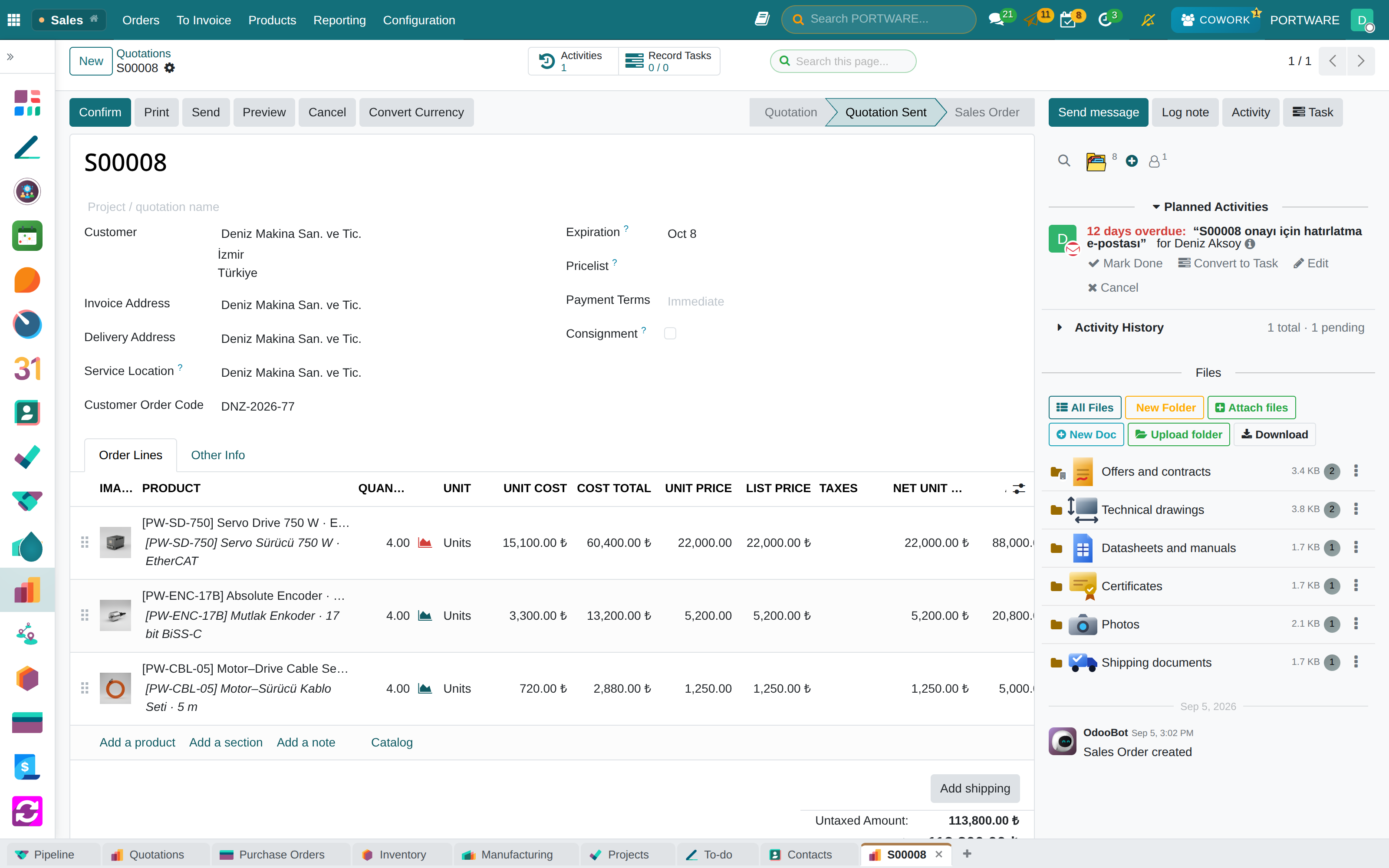
Files on the record, in folders
What you gain: An order's offer, drawings, certificates and shipping papers each in its own folder; who may open what is set on the folder.
- Sub-foldersEach record has its own tree; files move by drag and drop.
- An icon that fits the nameContracts, drawings, certificates, photos — at a glance.
- Visibility per folderOpen, internal, restricted or private; the badge sits on the folder.
- Trash and restoreA deleted file can be restored; who moved what is logged.
- New documents from hereA Word, Excel, presentation or HTML document, one click from the chatter.
Documents and knowledge
CHATTER
Every record carries its own conversation
Who did what and when — on the record itself, not in a separate archive.
What you gain: Everything said about a customer or order sits on the record — nobody has to ask for an email to be forwarded.
- Outbound communicationEmail, customer correspondence, CC/BCC.
- Internal notesNotes only the team can see.
- File sharingDocuments, images and video, with previews.
- Activity planningTasks, meetings and calls, synchronised with the calendar.
- NotificationsEmail, mobile push and browser notifications.
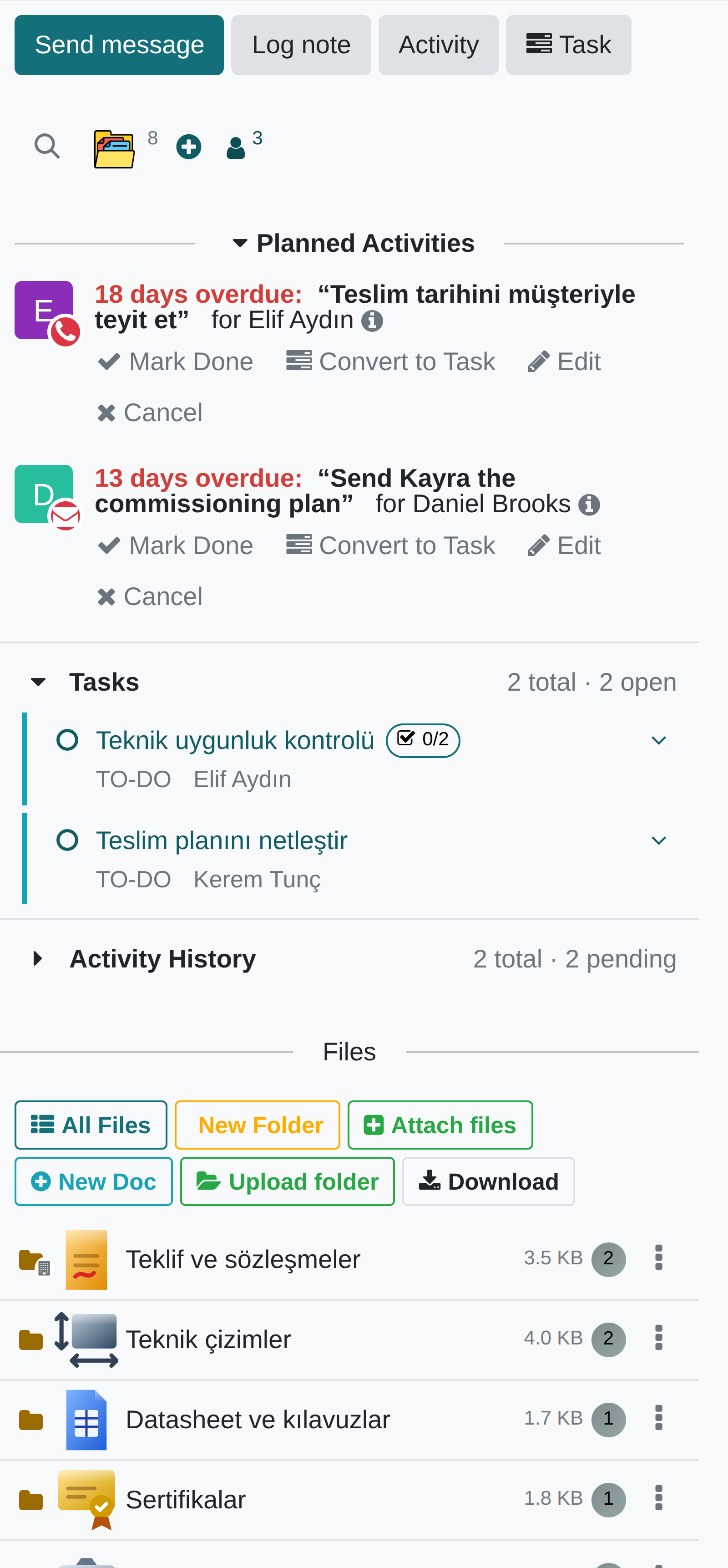
The conversation is open on every record: people are mentioned with @, changes are logged by themselves and emails land on the record.
Documents and knowledge
THE PORTWARE LAYER
SALES · PURCHASE · INVOICE
Terms and Internal Notes
Terms are printed on the document; Internal Notes are never printed or shown on the portal — on quotations, orders, purchases and invoices.
What you gain: Internal remarks no longer go into the box the customer reads: two boxes, two frames.
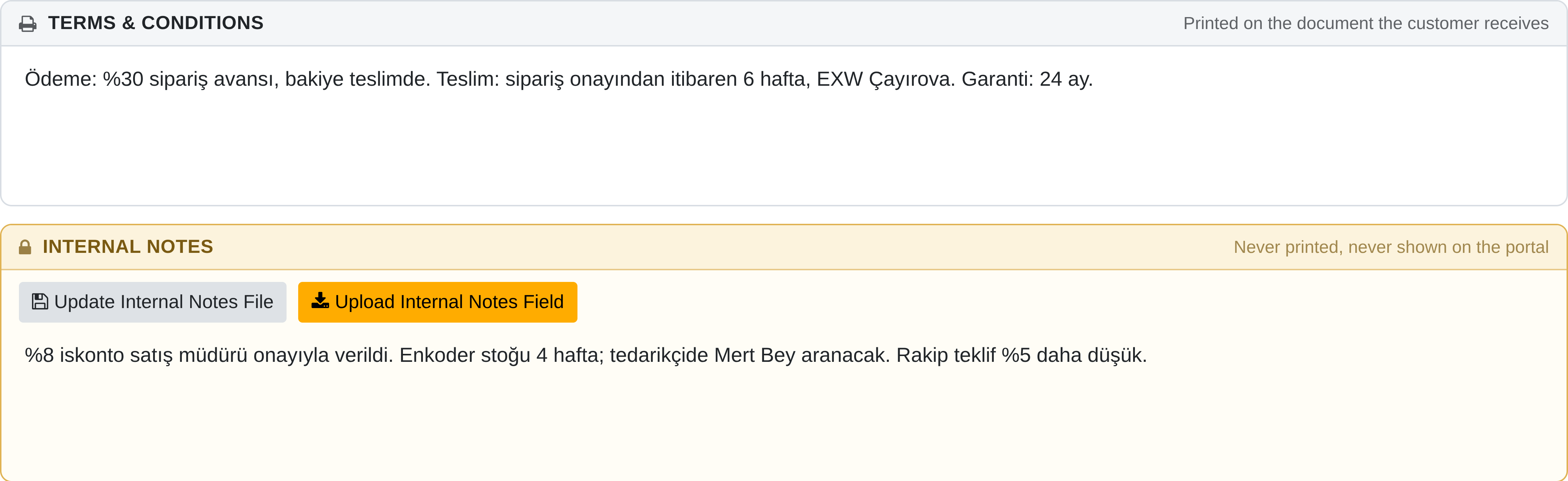
Tasks and planning
THE PORTWARE LAYER
ACTIVITY MANAGEMENT
The work to be done sits on the record
In the standard core a completed activity is deleted and only a message remains. PORTWARE writes it into a ledger.
What you gain: Who did what, when, and how long it took can still be read off the record months later.
- A permanent ledgerA completed activity is not erased; the planned and the actual date are kept together.
- Time spentThe time an activity took is captured — no separate timesheet to fill in.
- The agendaOne always-visible surface, with reminders that need no setup.
- The team viewWhat has piled up on whom, on one screen — the place to look when balancing load.
- Alongside the calendarTasks, meetings and calls on one timeline, with no copy between them.
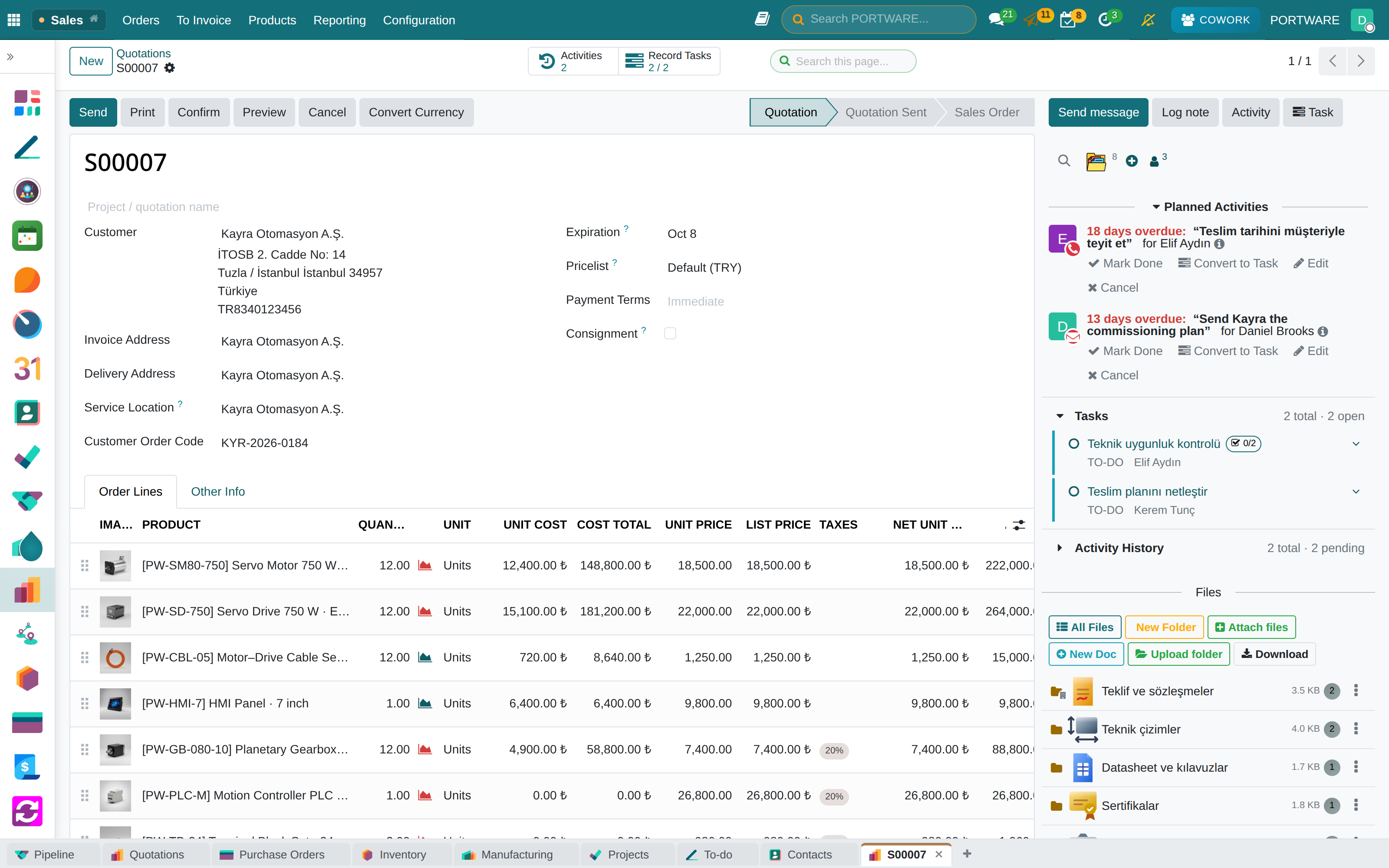
Tasks and planning
THE PORTWARE LAYER
TASK · PLAN
Plan on the calendar
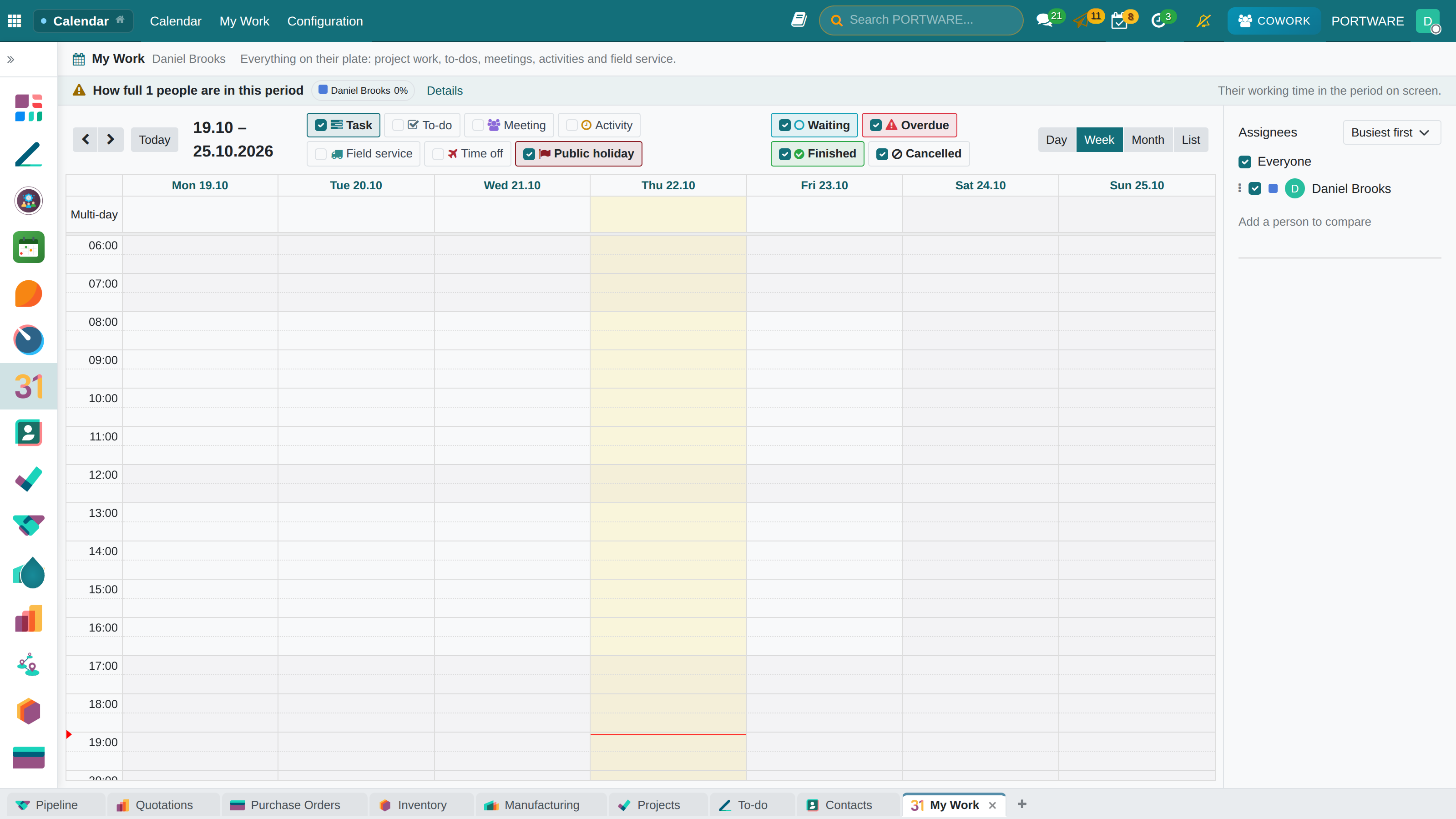
Plan the task on the calendar: set the workload percentage, split it across days if needed; the allocated time covers the sub-tasks. Everyone sees the same plan in Calendar › My Work.
What you gain: The assignees' other work is in view while dates are picked; a conflict turns orange or red, the decision is yours.
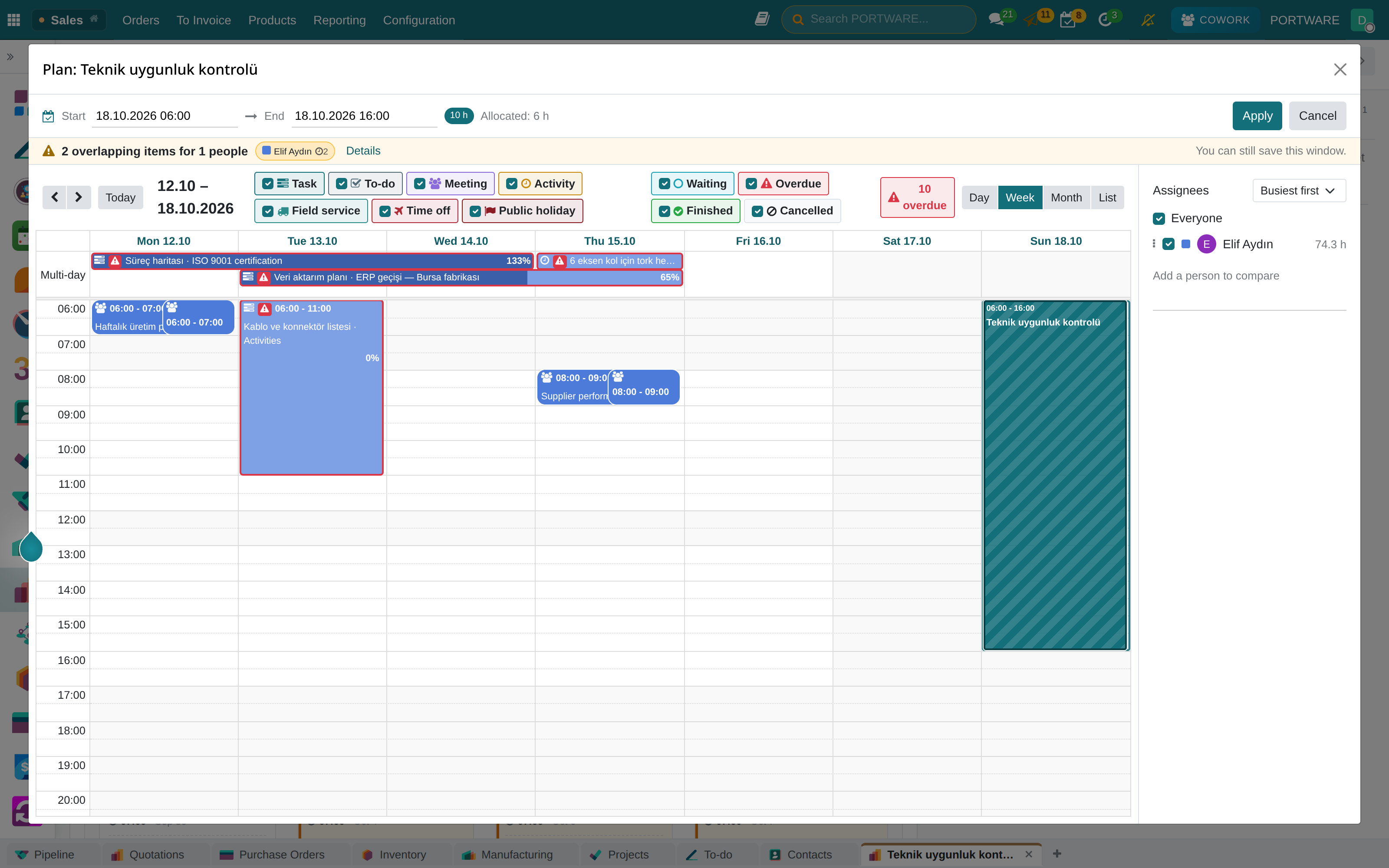
Tasks and planning
THE PORTWARE LAYER
PROJECTS · THE PLANNED WINDOW
When work is done is not the same as when it is due
In the standard core a task has a deadline but no window: there is no answer to “when is this being worked on”. Workload is the work spread over that window; without a window there is nothing to compute.
What you gain: The timeline, the team workload and the sprint capacity all read this one field; without it the other three would be guesses.
- On the person's own calendarAn eight-hour task starting Friday afternoon ends Monday, not Saturday.
- It refuses to guessWith no working calendar there is no window; a fabricated one would silently break every workload figure.
- Portable dataThe planning fields follow the common naming, so the data keeps its meaning if it ever moves.
- Uncounted work is not hiddenA task with no window or no hours is shown apart as “not counted”.
- Three loads, kept apartWork, approved leave and meetings are read separately: 100% from leave is not 100% from work.
Tasks and planning
THE PORTWARE LAYER
PROJECTS · PLANNING
Timeline and team workload
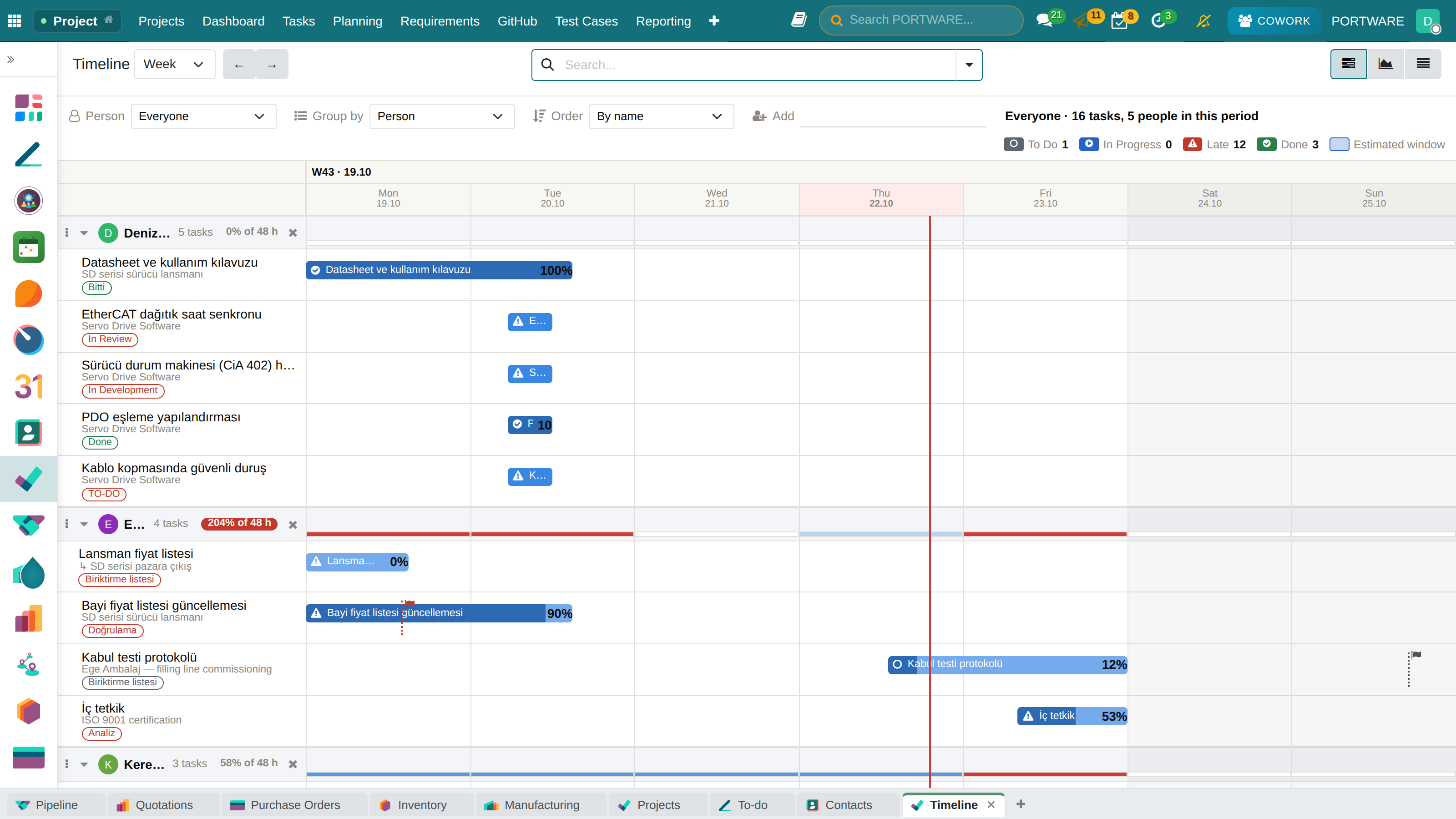
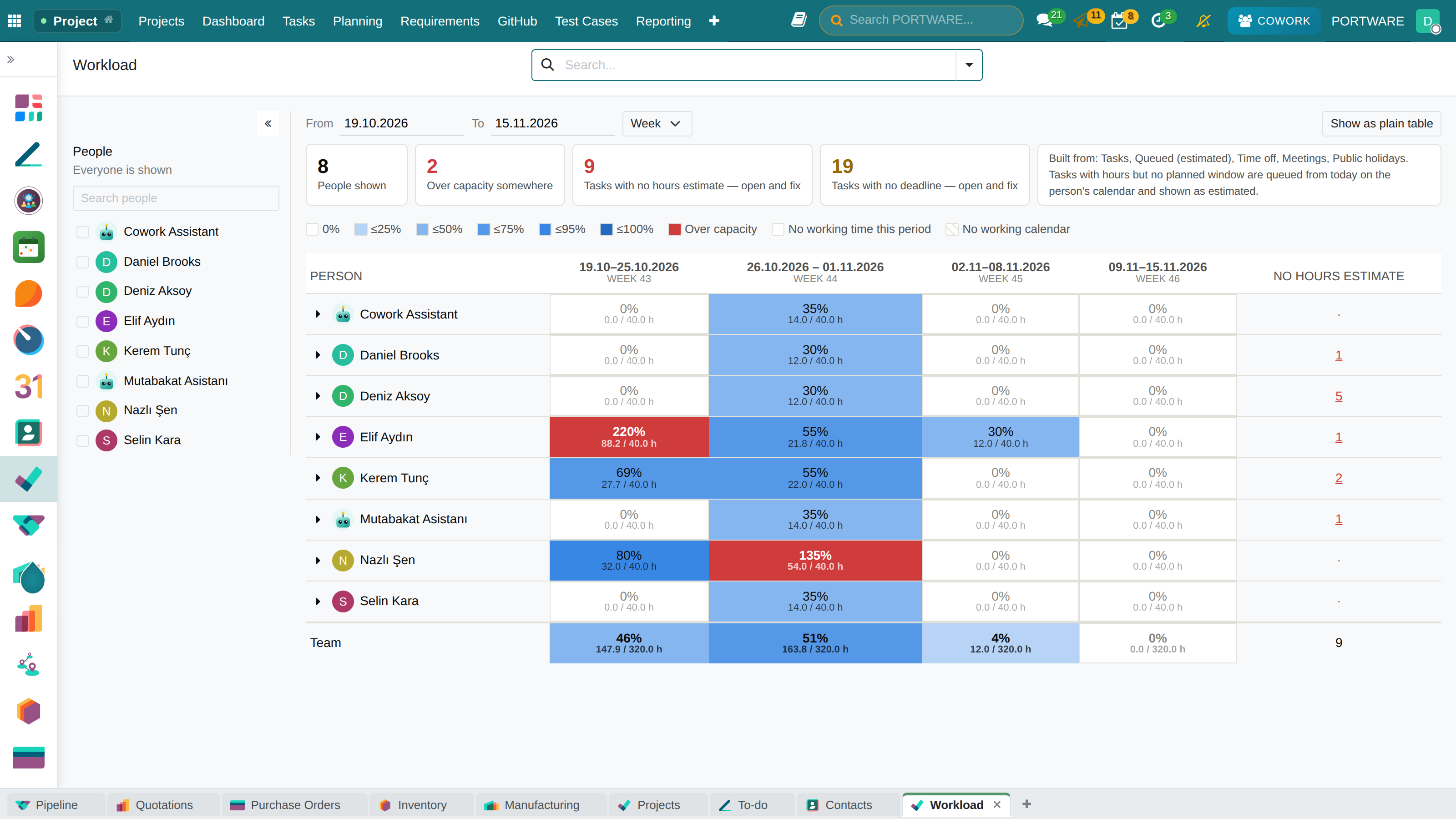
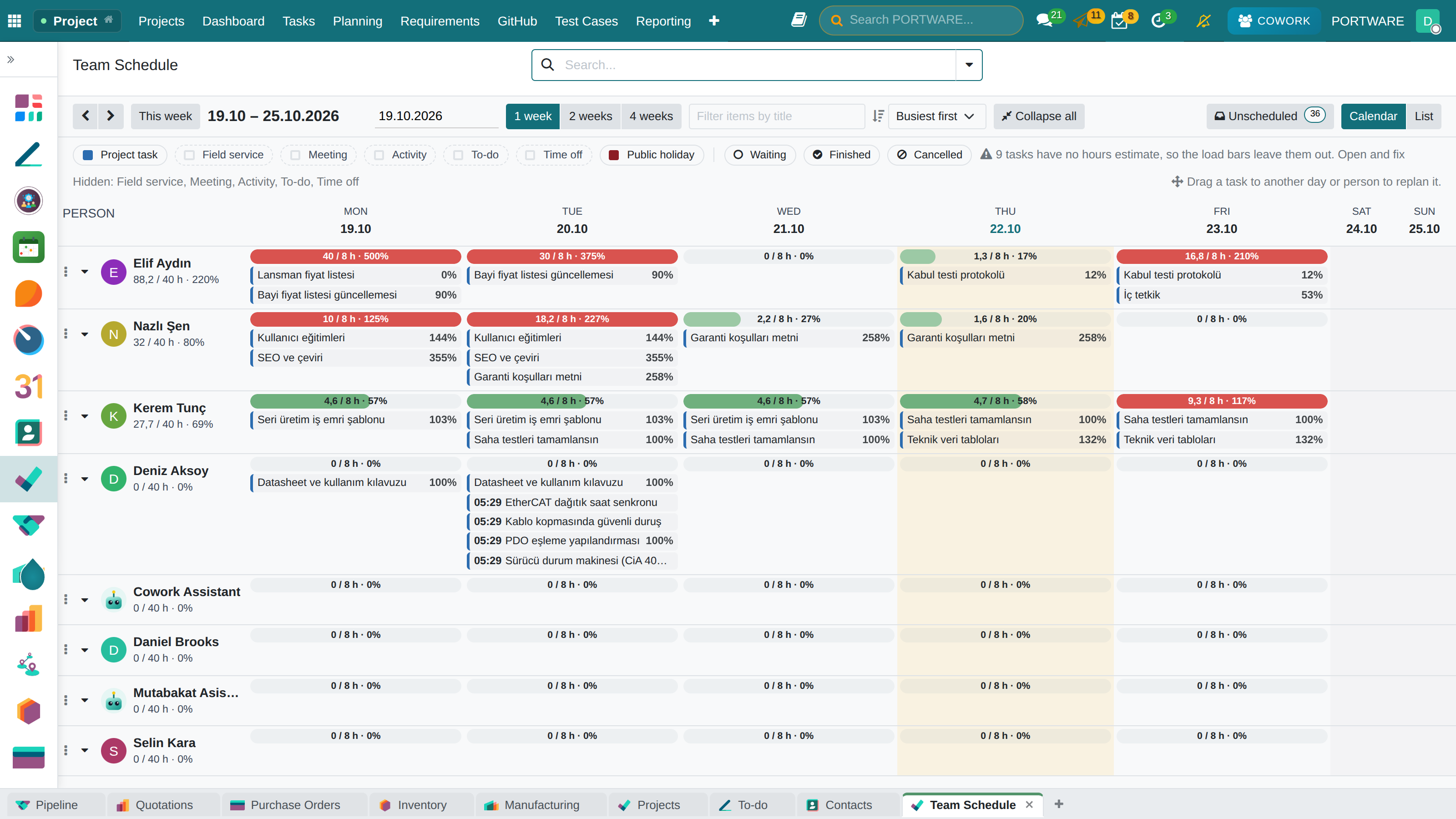
When work is assigned, the person's load for that week is in view. The Gantt view the open-source core lacks was added as a real view type.
What you gain: The decision stays human — but it is made with the numbers in view. The warning never blocks an assignment.
Tasks and planning
THE PORTWARE LAYER
PROJECTS · METHOD
Every project picks its own method
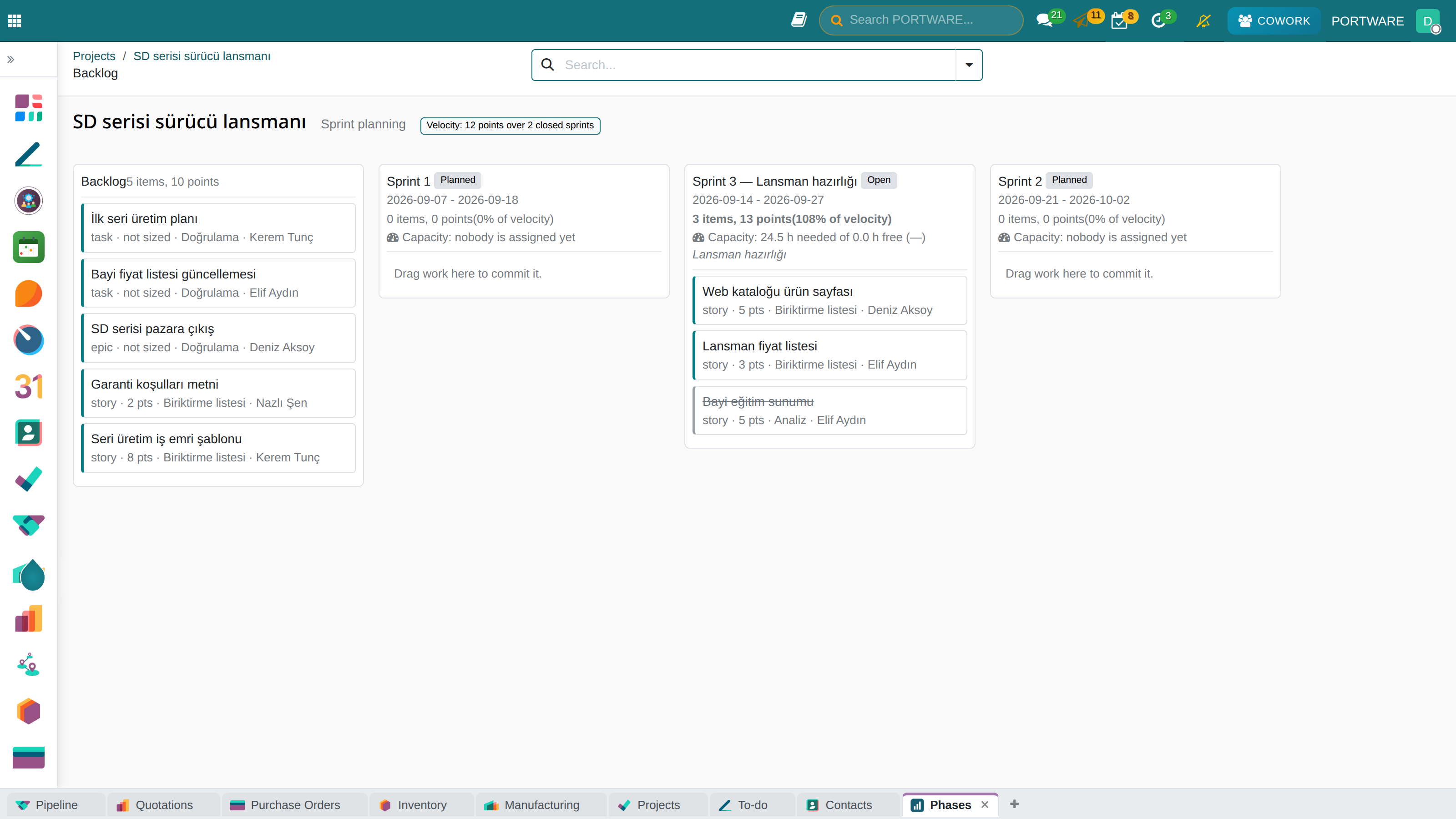
Scrum, Kanban, Waterfall or Stage-Gate. A project that chooses none sees no change at all — a method is a declaration, not an imposition.
What you gain: The Jira way of working, inside the ERP: sprints, releases and links — on the same data as working calendars, leave and timesheets.
Tasks and planning
THE PORTWARE LAYER
PROJECTS · HEALTH
The chart says where the work is stuck
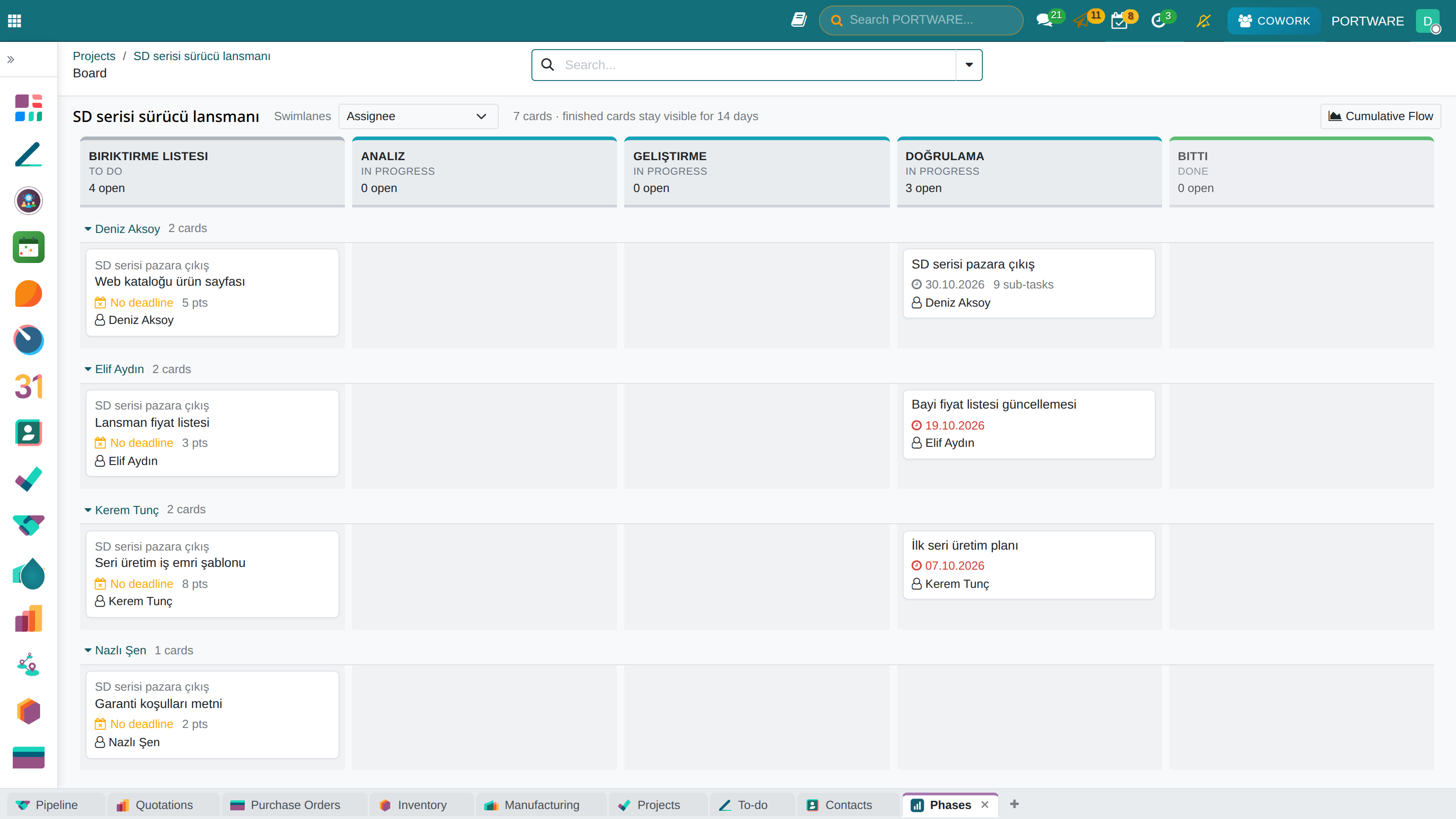
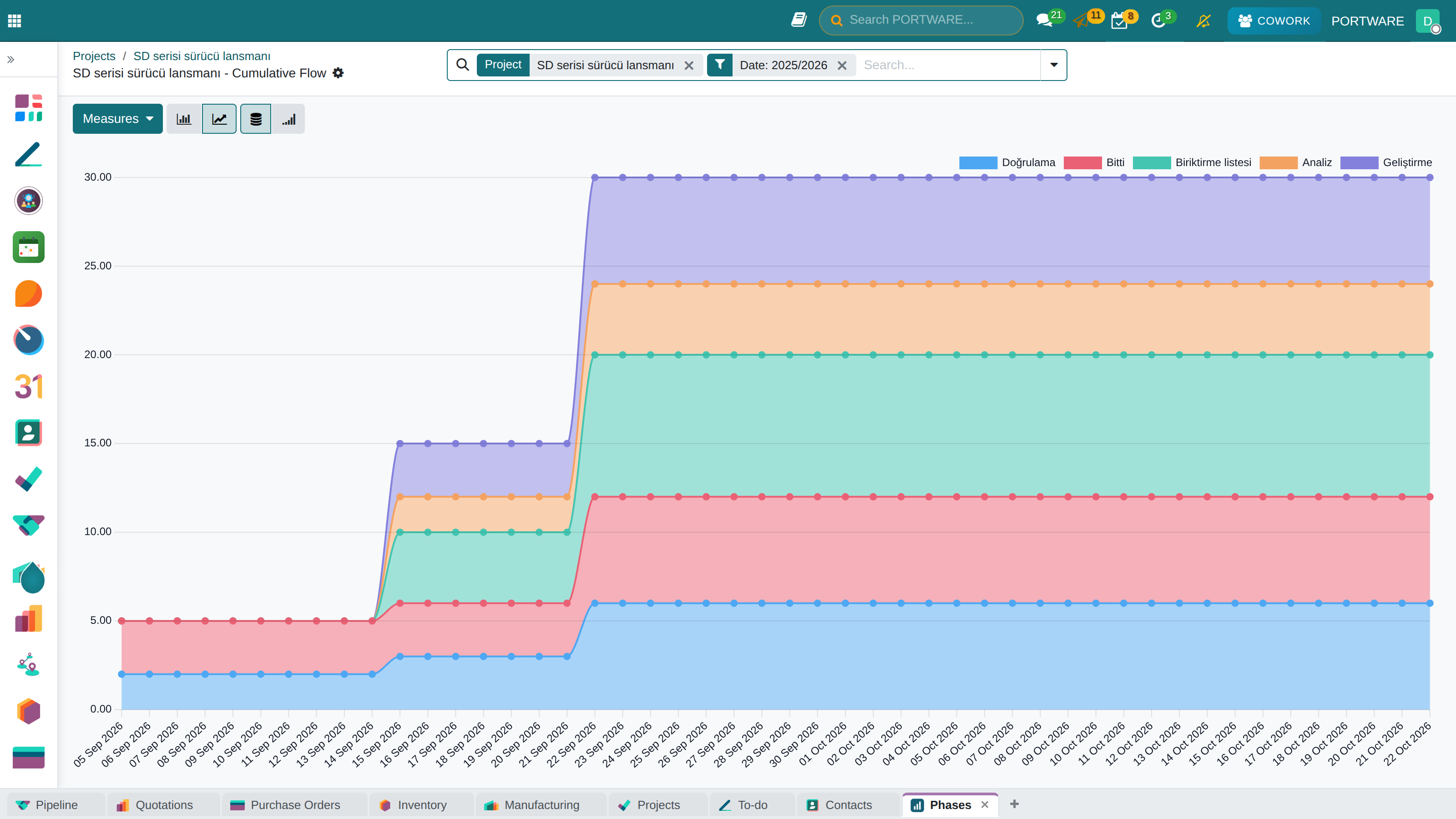
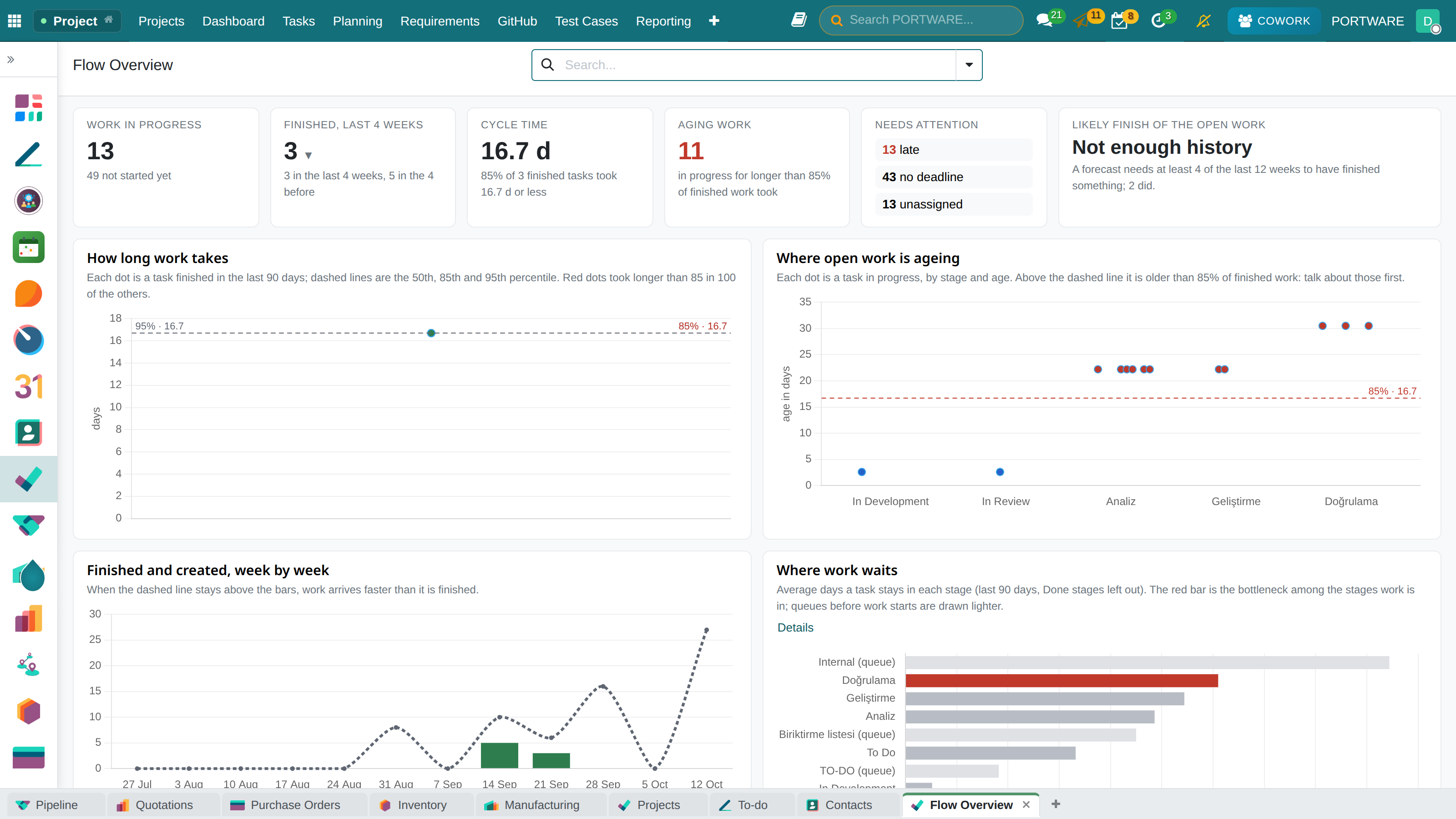
Looking at a board and saying “we are busy” is easy. Swimlanes, flow and burndown make it measurable.
What you gain: A bottleneck is seen rather than guessed: which stage work piles up in, and whether the promised scope is actually finishing.
- Swimlane boardSplit the same board into rows by person, epic or priority.
- Cumulative flowA thickening band shows work piling up in a stage.
- BurndownPromised scope and remaining work on one axis.
- VelocityPast periods put a number on the next period's promise.
- Blocked workA blocker stands out on the board instead of waiting quietly.
Tasks and planning
THE PORTWARE LAYER
PROJECTS · GITHUB AND REQUIREMENTS
Code, work and requirements in one place
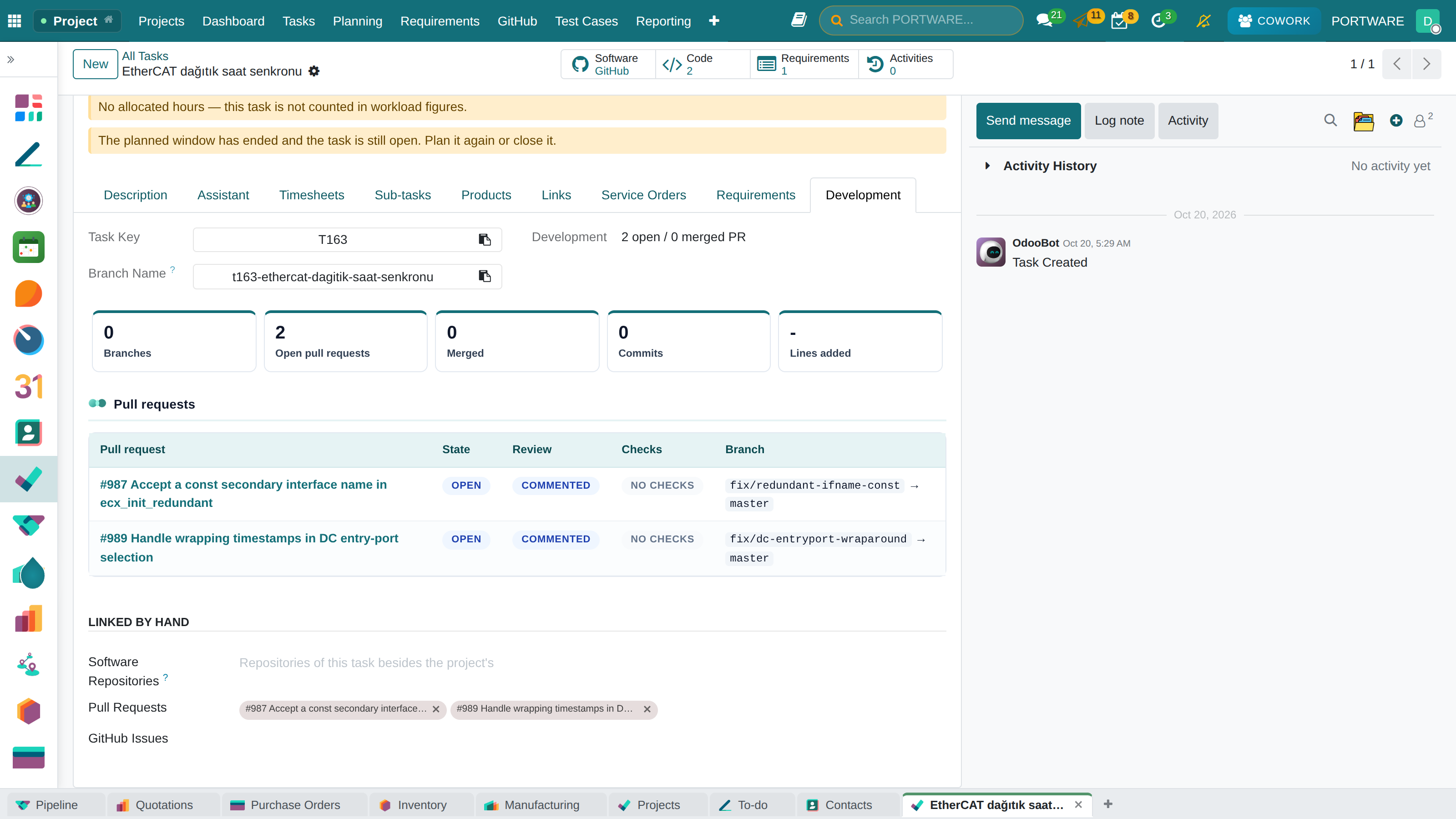
Products and tasks that carry software link to their GitHub source; commits, pull requests, release notes and builds show in PORTWARE, with an unbroken trace from requirement to code.
What you gain: Sales, support and management see where the code is, which work is done and which requirement is met, without opening GitHub.
- A development panel on the taskBranches, commits, pull request state, review and checks; copy the branch name or create it on GitHub.
- Linked by key, by itselfT428 in a branch, commit or PR links it; ‘Fixes T428’ closes the task when merged.
- Tasks move by themselvesIn review when the PR opens, done when it is merged into the default branch; forward only.
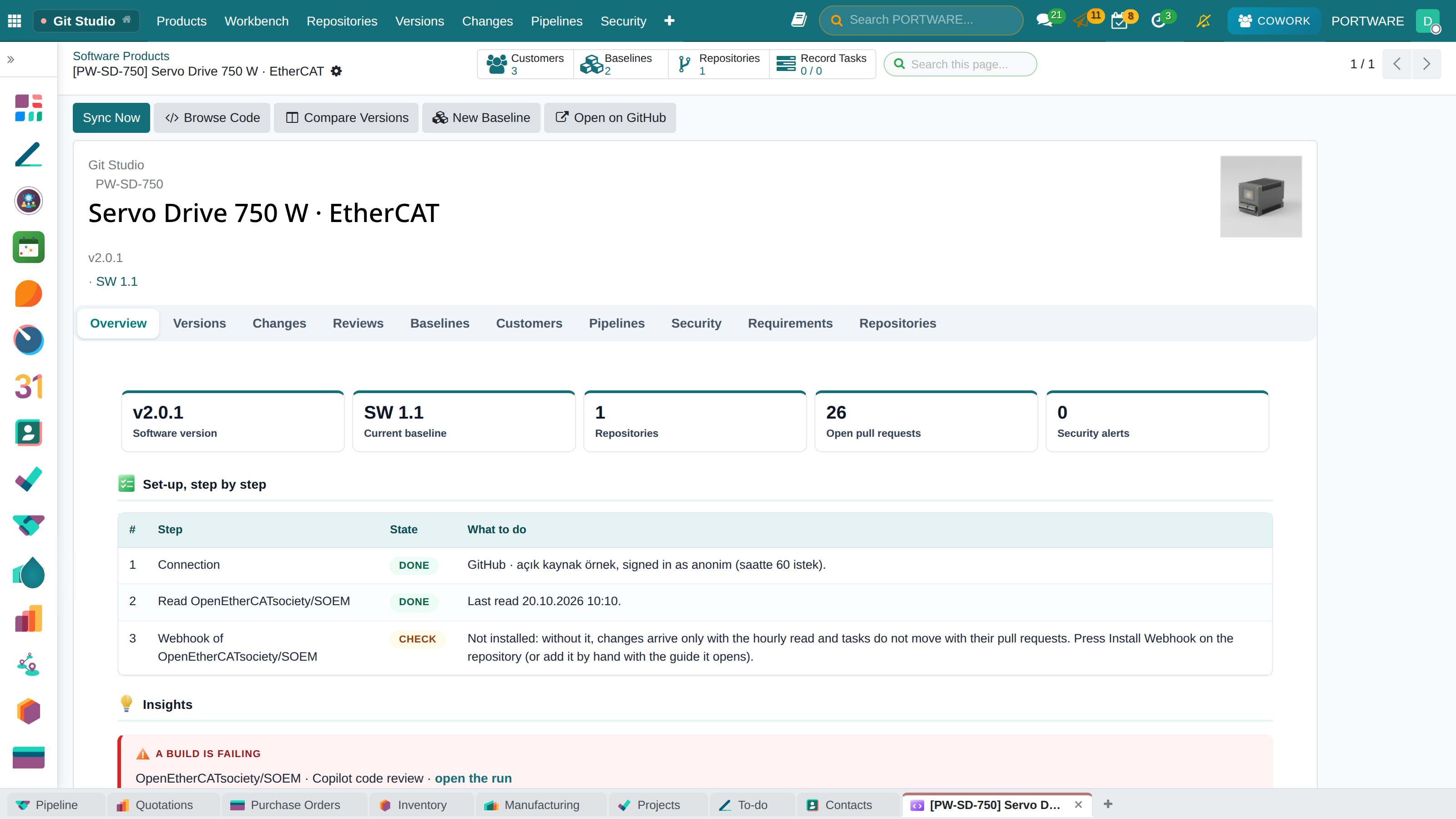
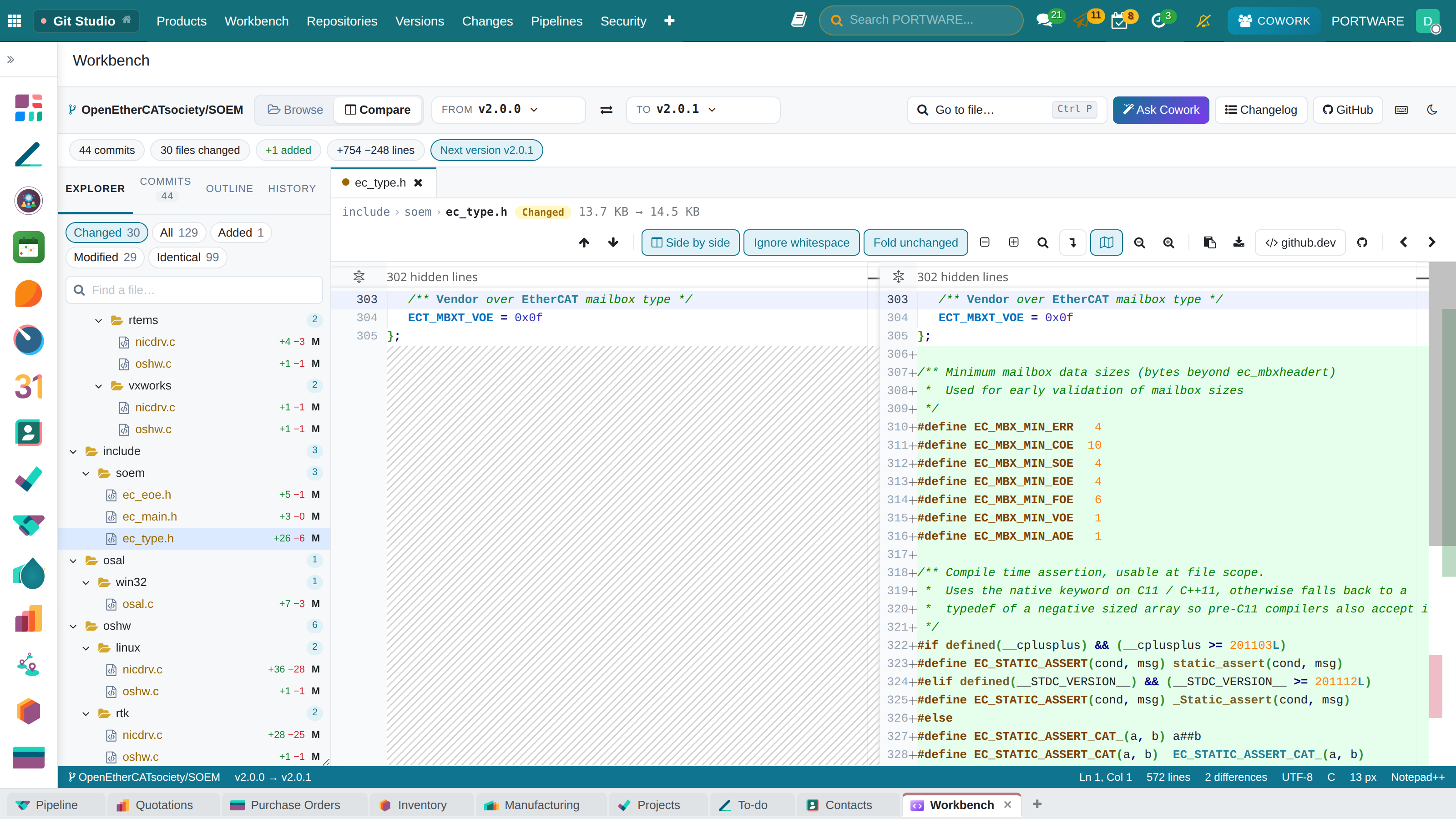
- The product’s software studioOn a software product the GitHub button opens Git Studio: versions, changes and baselines.
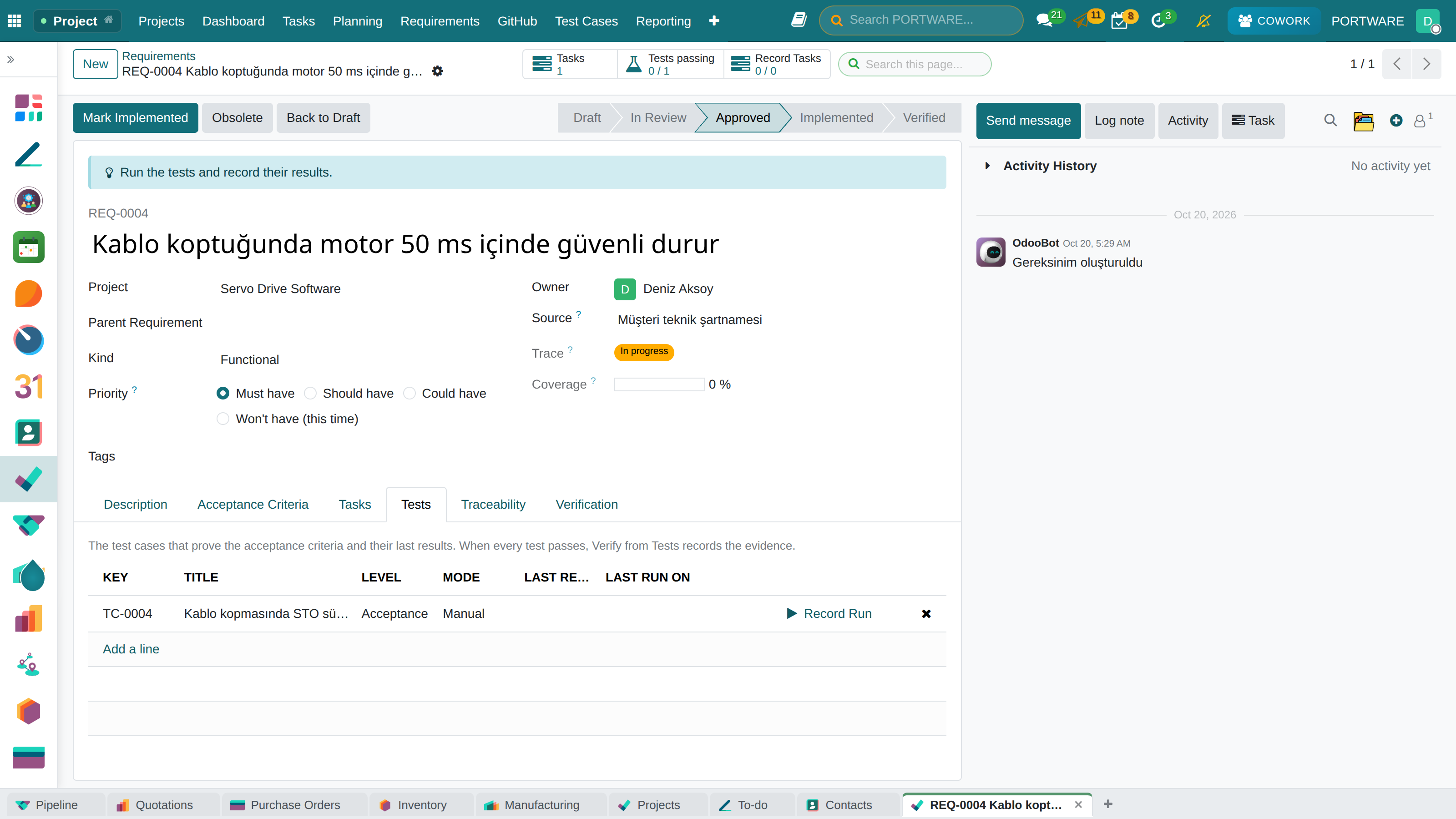
- Traceability matrixREQ-0001 requirements; tasks, coverage, code changes and trace status; a claim without evidence shows as a Gap.
Tasks and planning
THE PORTWARE LAYER
PROJECTS · PORTWARE GIT STUDIO
The product’s software studio
Versions, changes, review and baselines on one screen.
What you gain: Which software runs on every device in the field, and which requirement it meets, in one record.
Strategy and channels
THE PORTWARE LAYER
FINANCE · SCORECARD
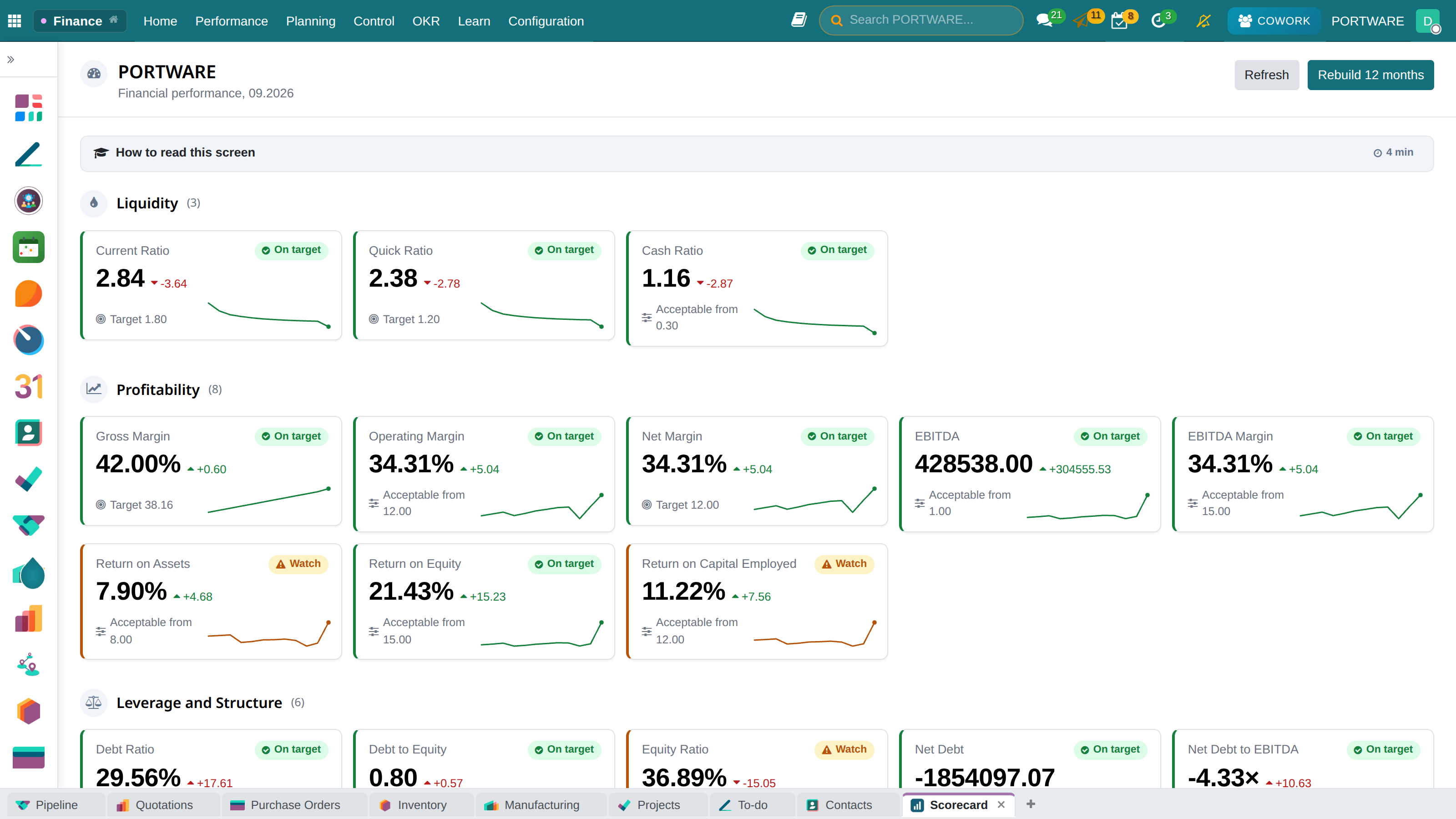
The scorecard: health on one screen
Every indicator with its value, twelve-month trend, target and where it is computed from.
What you gain: How the company is doing on one page: you can tell what is going well and what needs attention by its colour.
- Shared definitionsHow 65 figures are computed is defined once, for everyone.
- Scorecard28 indicators in 6 categories; trend, target and status.
- Financial statementsBalance sheet, income, cash flow, ratios — with a budget column.
- See behind the numberClick a figure and the entries behind it open.
- Undefined is not zeroAn unmeasured ratio shows a dash, never a fake zero.
Strategy and channels
THE PORTWARE LAYER
FINANCE · BUDGET
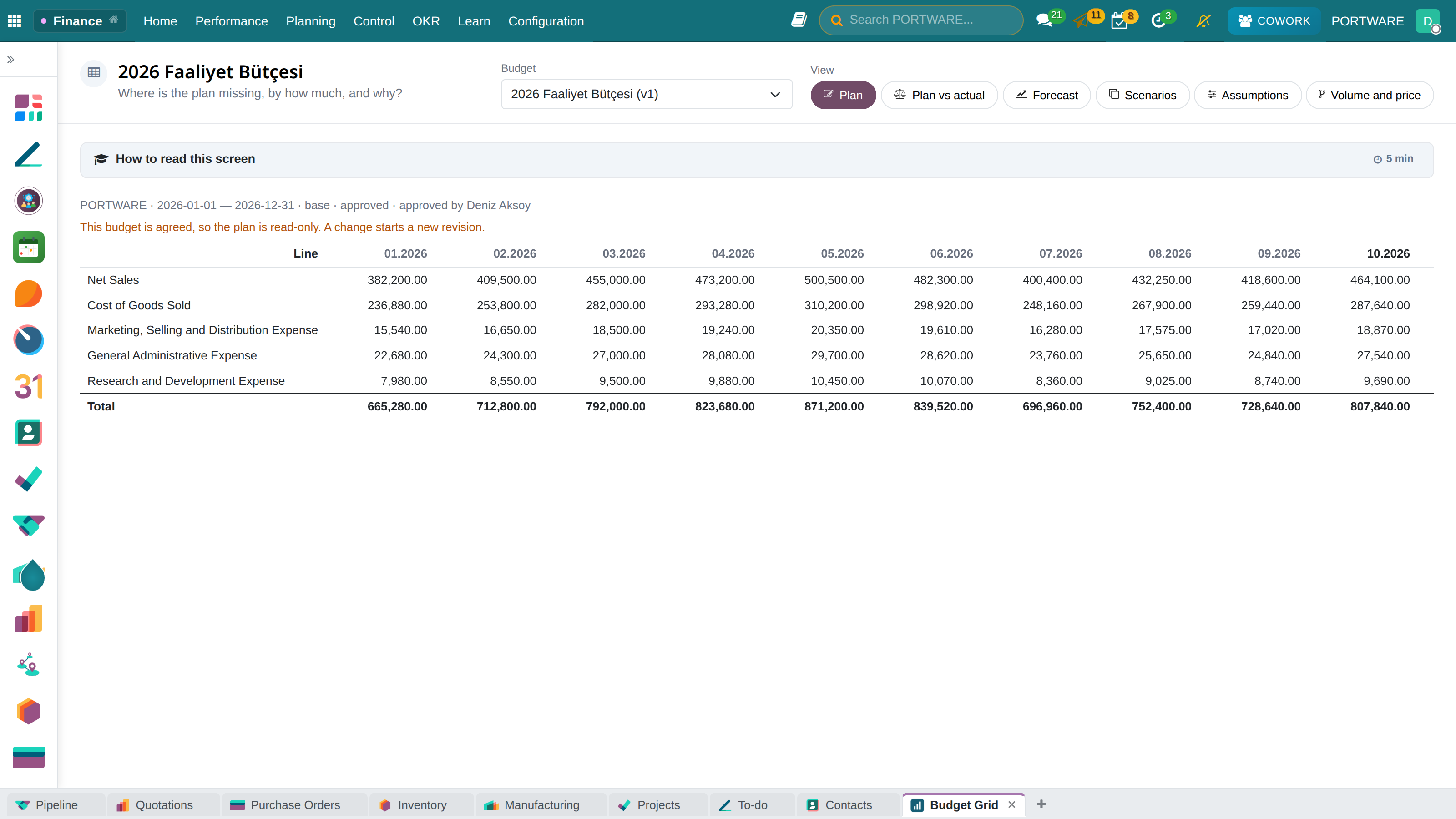
The budget grid
Income and cost lines in rows, months in columns. Plan, actual and “what if?” scenarios in the same table.
What you gain: Plan and actual side by side; you see month by month where the gap comes from.
- PlanPlan income and costs month by month, and try different scenarios.
- Drive itUnits × price, heads × rate — “what if we sell 20% less?” is one cell.
- ApproveAn approved budget is read-only; a change is a new revision.
- ControlIf the budget would be exceeded, it warns or stops the order, bill or expense as it is entered.
- AnalysePlan versus actual, commitments and a 13-week cash projection.
Strategy and channels
THE PORTWARE LAYER
FINANCE · OKR
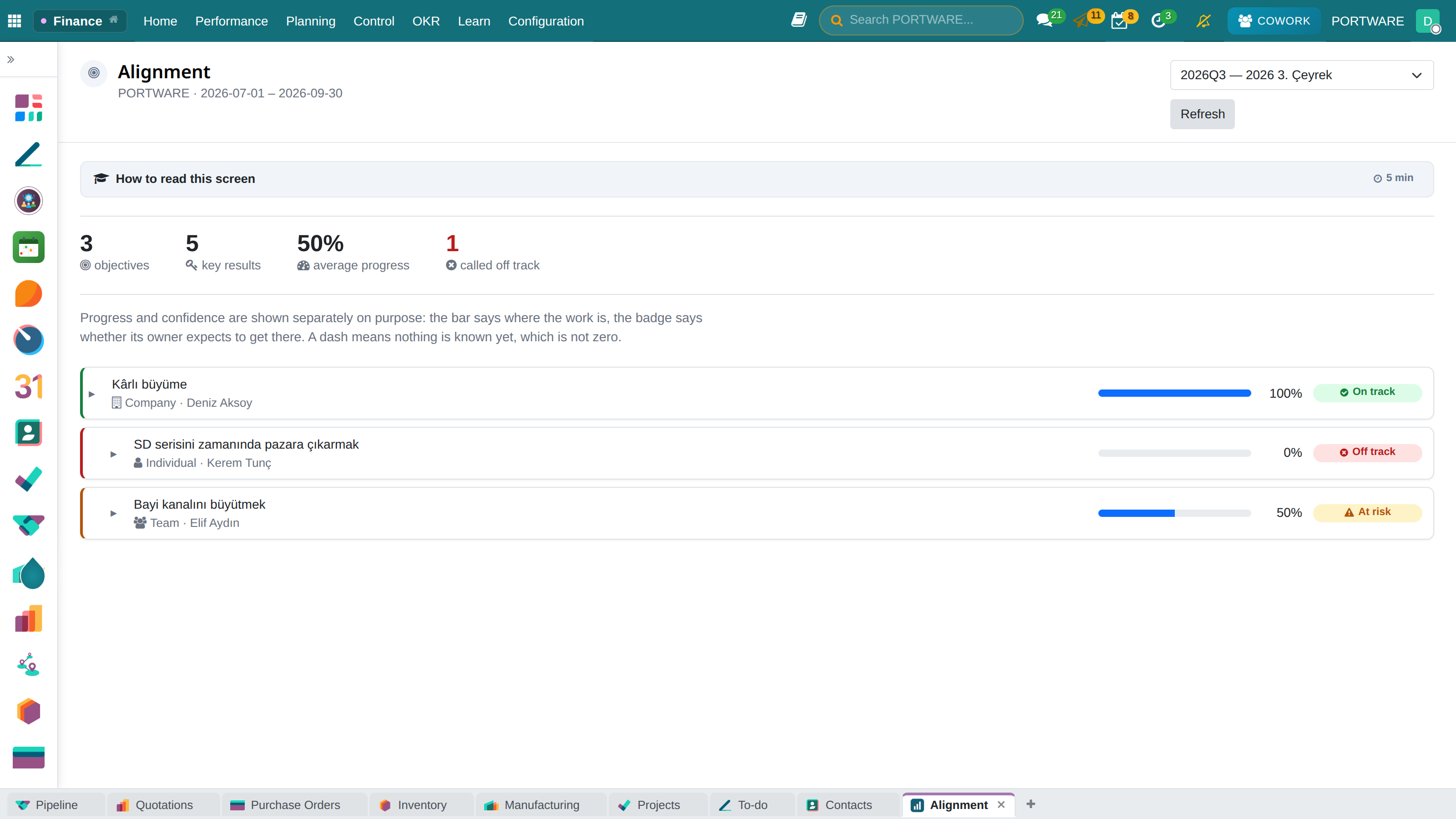
Alignment: who serves what
The bar shows how far along a goal is; the badge shows how confident the team is of reaching it.
What you gain: Which goals are on track and which are at risk shows up early.
- Objective and key resultCompany, team and individual levels, aligned.
- Scorecard KPIThe value is read from the scorecard, not typed in.
- Publish the targetIt becomes the indicator's threshold for the cycle.
- Progress is computedWorked out automatically from the key results.
- Confidence is writtenOn track / At risk / Off track — the only early warning.
Strategy and channels
THE PORTWARE LAYER
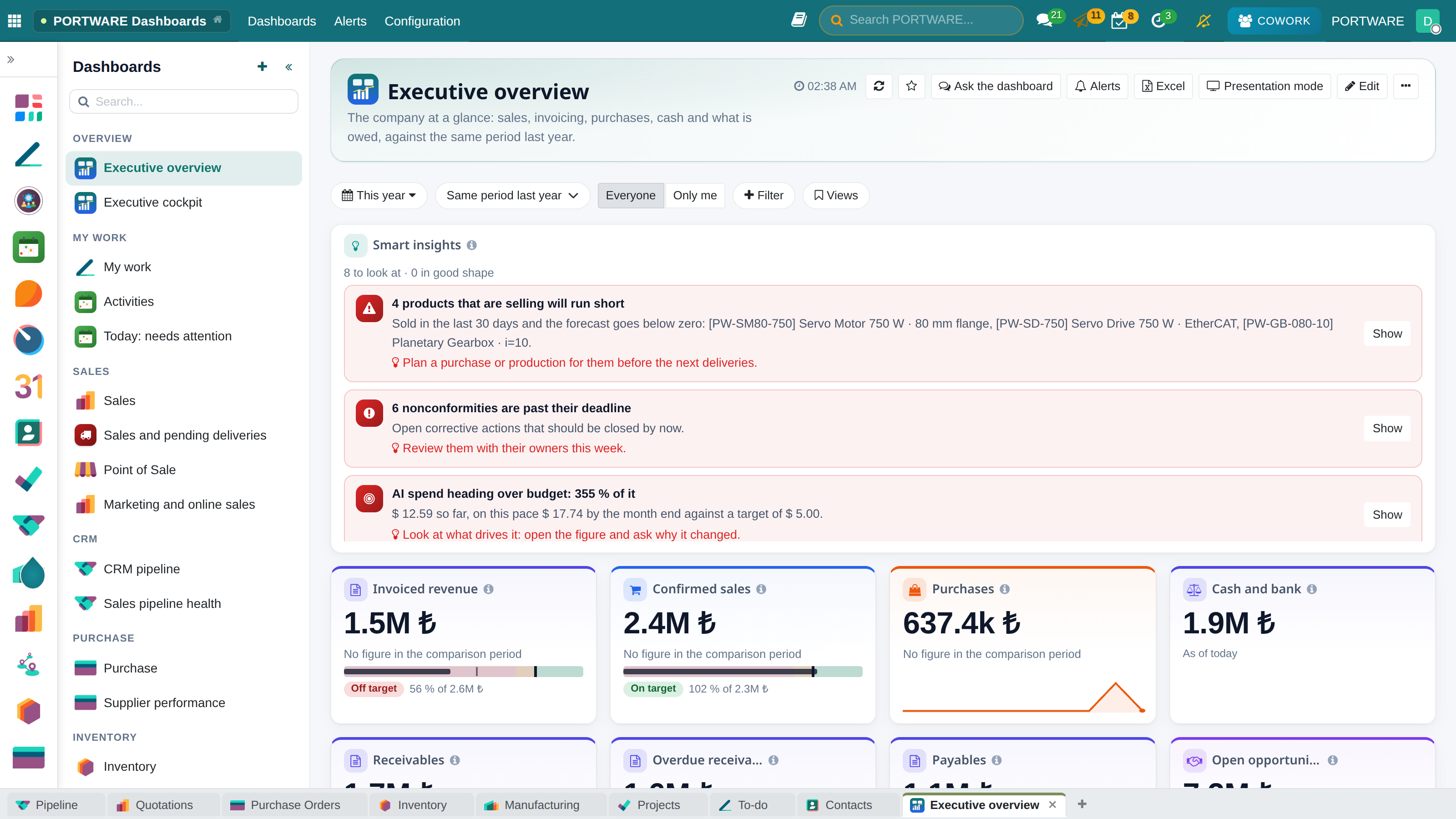
DASHBOARDS
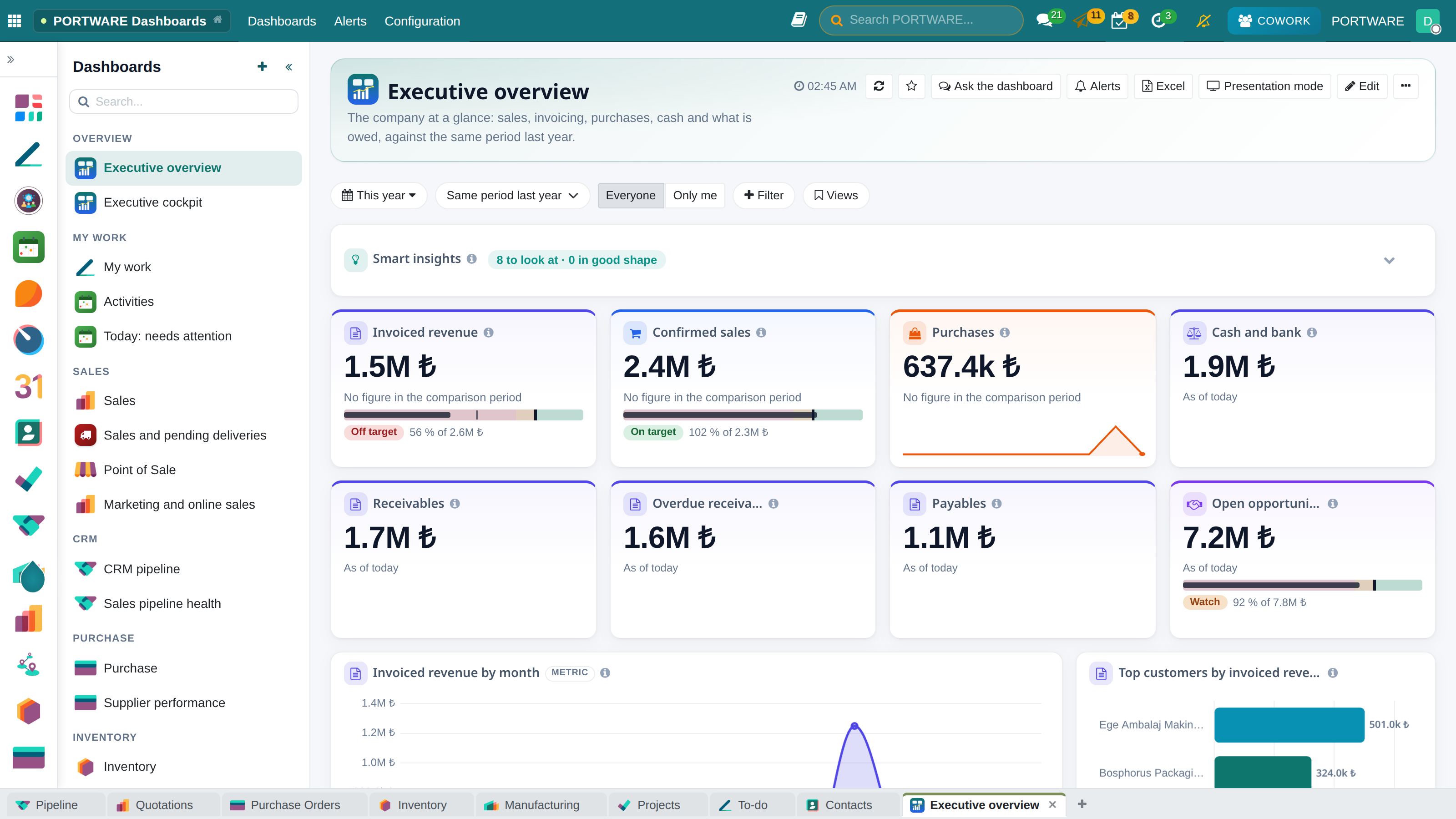
The company’s pulse on one screen
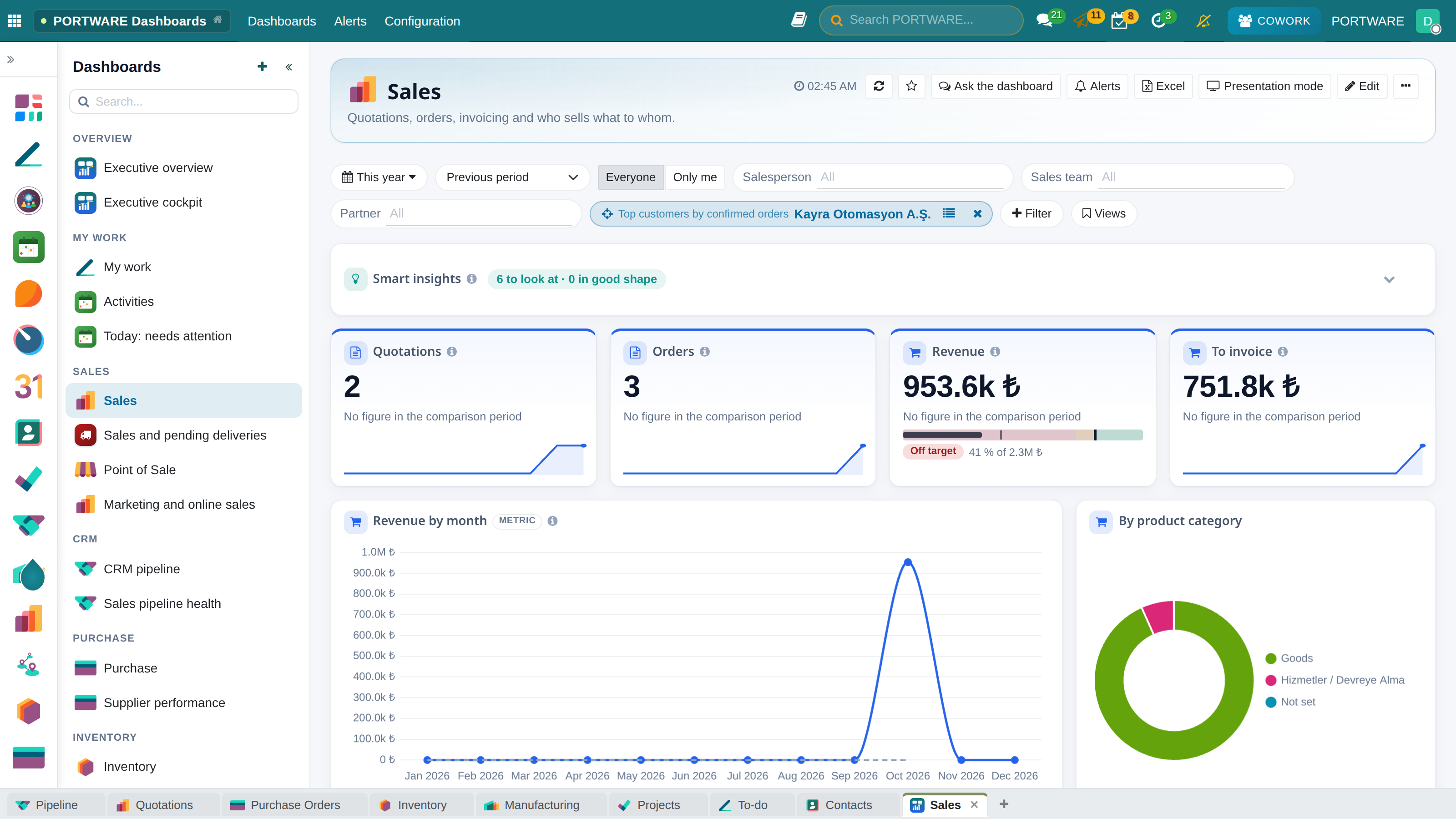
A dashboard is not decoration but management’s common language: sales, invoicing, receivables, cash and pipeline at once, against last year, with the records behind every figure.
What you gain: The weekly meeting is spent deciding, not collecting figures: everyone looks at the same live, defined number.
- One true numberA metric is defined once; sales and finance see the same figure, and “which spreadsheet is right” ends.
- Live, within permissionsEvery widget reads live data with the user’s permissions; sample or invented figures are never drawn.
- Comparison and targetPrevious period or the same period last year; good change in green, a target band and alerts.
- From figure to recordClick a figure, a bar or a row and the records behind it open.
Strategy and channels
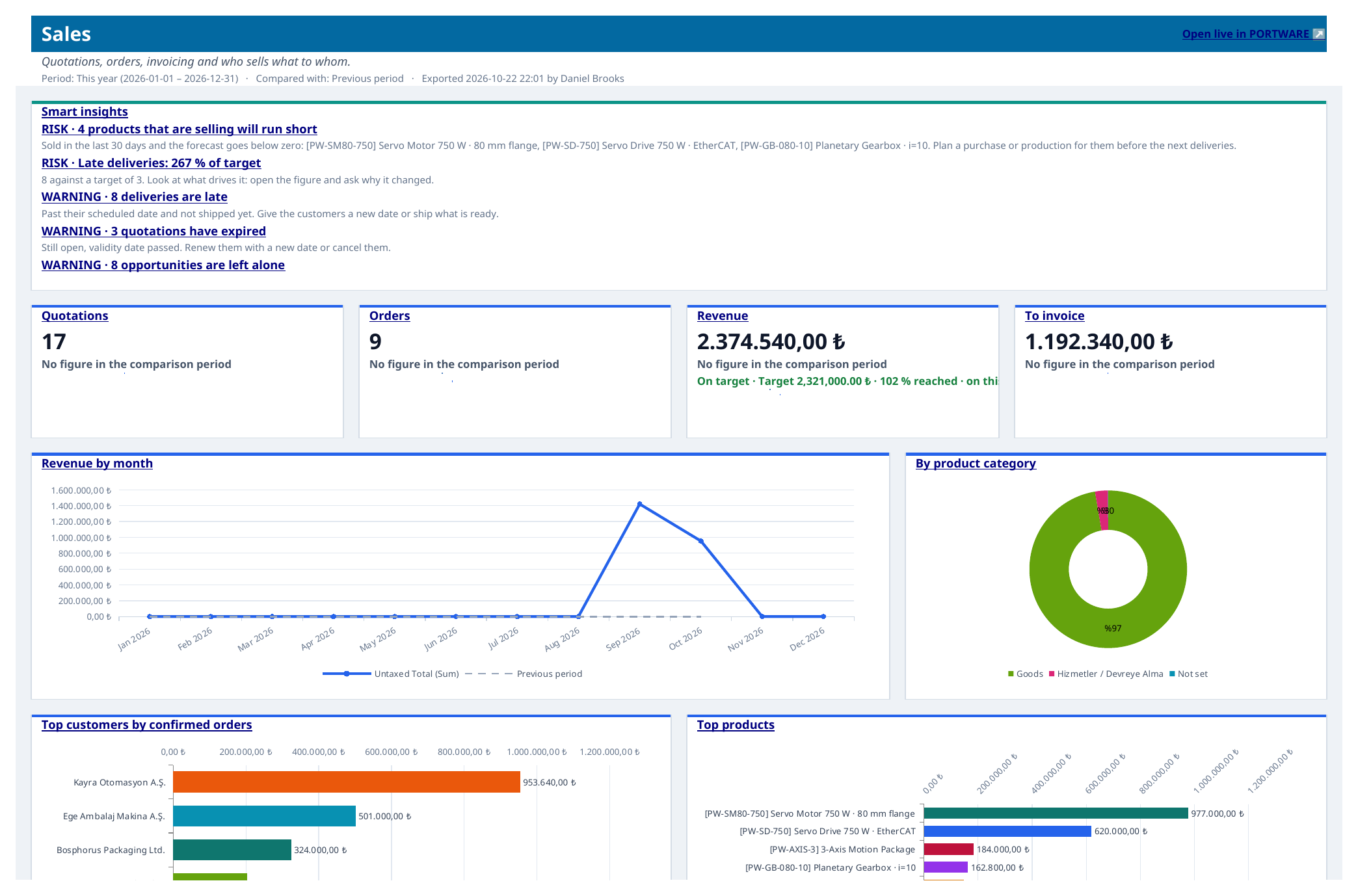
REPORTING
Data for decisions
Every screen carries its own report; there is no separate business-intelligence system to buy.
What you gain: A report comes from the record itself rather than a separate system — you can click through the number you see down to the rows behind it.
Platform and getting started
PERMISSIONS AND SECURITY
Who sees what
Access control is not just hiding a screen: records are protected at the rule level, and every change leaves a trace.
What you gain: Everyone sees only what their job needs, and who changed what is always known.
- Roles and groupsUsers join groups and groups imply one another; access is inherited rather than copied.
- Record rulesOn the same screen different users see different rows — by company, team or ownership.
- Multi-companyCompanies keep separate books, share common records, and are consolidated in reporting.
- Audit trailWho changed what and when — in the record’s chatter, and not erasable.