Activities and agenda
Assigning work, gathering it on one screen, handing it over, prioritising it and recording it permanently.
- Who does what is clearThe Activity Center gathers all work on one screen by time.
- Work is not lostCompleted and cancelled work alike stays in the log; history can always be asked.
- Hand-over and priorityWork is handed over and prioritised; nobody goes looking for idle work.
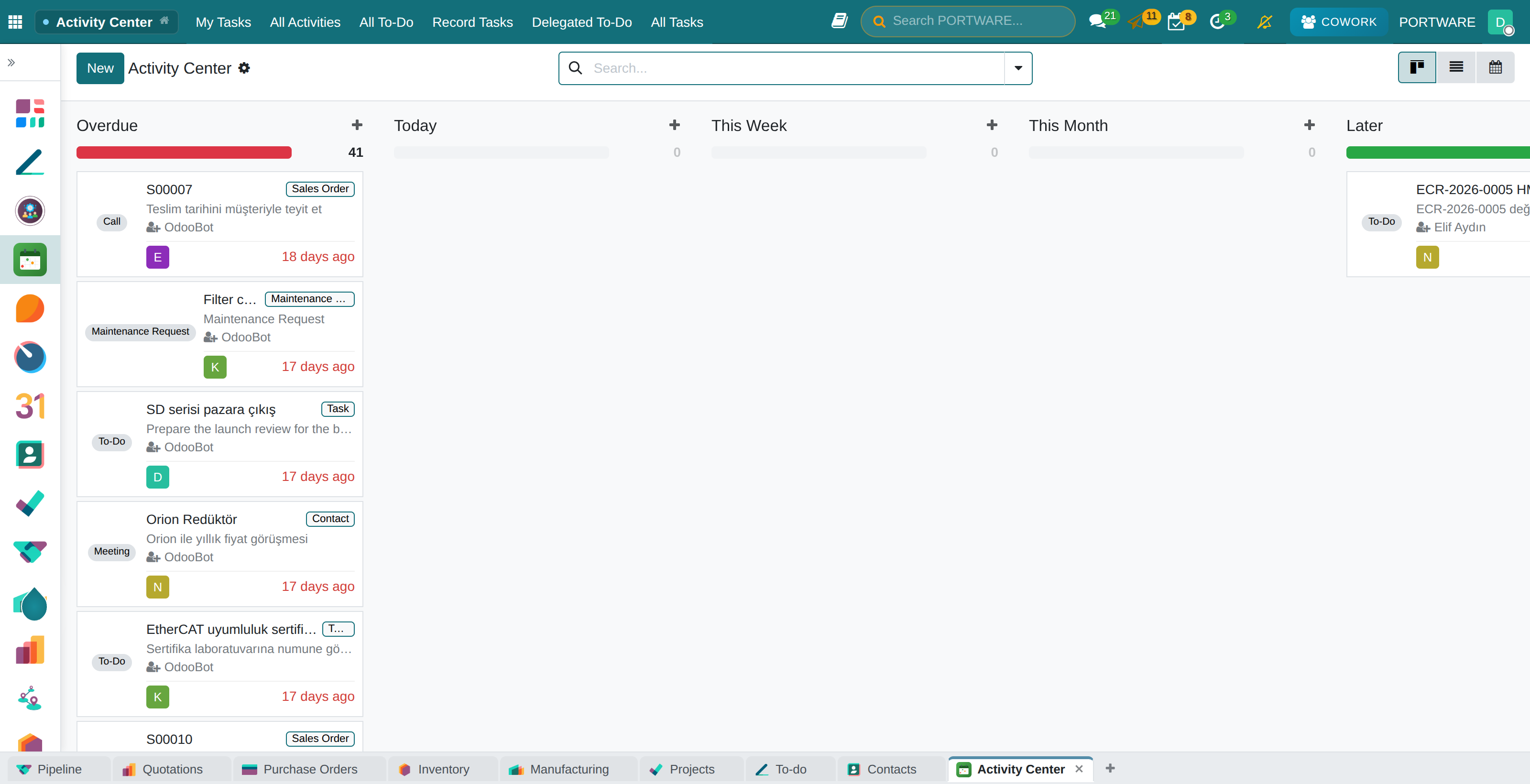
Where it appears: "Schedule activity" under records · the Activity Center application · the agenda in the top bar
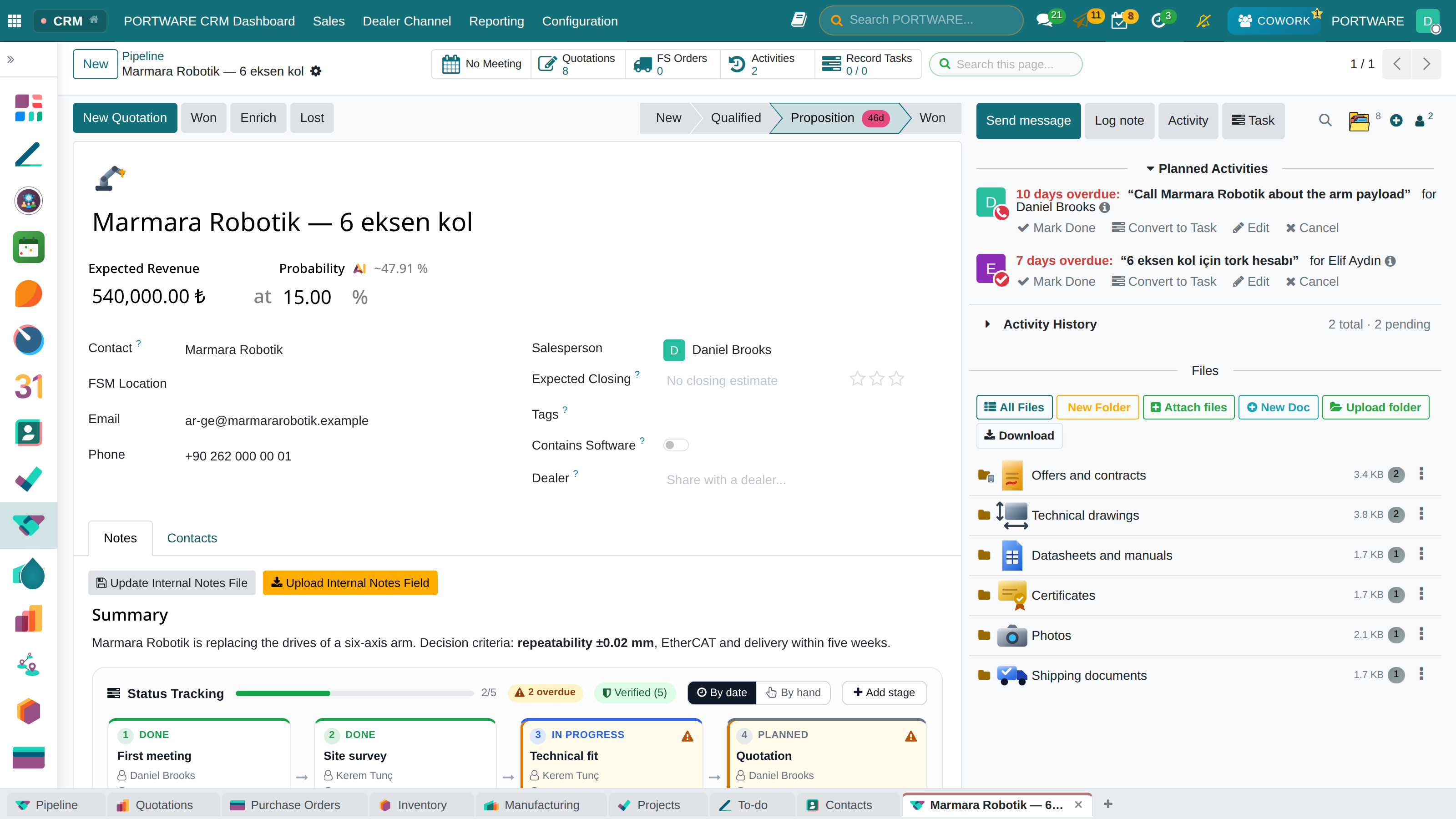
In the system work sits in three forms: activity (tied to a record), task (belongs to a project) and to-do (personal). The most used is the activity, because it is tied to a record: the job "call about this quotation" sits on that quotation and everyone who goes to the record sees the job.
Activity Center
A standalone application that gathers activities scattered across different applications on one screen. Cards are grouped by time automatically: Overdue (the red column), Today, This week, This month, Later, No deadline. Clicking a card opens the record the activity is attached to. There are calendar and list views, and a My Tasks screen showing tasks from all projects.
Priority and hand-over
Activities can be given a priority; they are filtered, grouped and seen at a glance in lists. If there are five jobs for the same day, saying which comes first is better than showing all five as "urgent".
An activity can be handed over directly from its edit box. A hand-over is not silent: it leaves a trace on the record, so later you can see from whom to whom the work passed.
When it is done
When closing an activity you write what you did and, if you like, enter the hours you spent — split over as many days as the work really took. These hours become timesheet lines.
The person who opened the activity is informed when the work is completed, cancelled or handed over. The person who asked for the work does not have to reopen the record again and again to learn the result.
Permanent log
The standard core archives a completed activity and deletes a cancelled one. PORTWARE writes every life-cycle transition to a separate log: the log outlives the activity, and even a cancelled job appears as "scheduled on this date, cancelled for this reason". The answer to "which jobs were planned on this record" is always complete.
Agenda
A single, always-visible surface: upcoming meetings, activities, tasks and to-dos in one list, in order. No separate set-up is needed for reminders. The aim is not to have to open four different applications to see your day.
| Module | What it does | Version |
|---|---|---|
| PORTWARE Agenda | One always-visible surface and zero-config reminders for upcoming meetings, activities, tasks and to-dos | 19.0.1.5.3 live 19.0.1.5.1 |
| PORTWARE Activity Center | Unified activity view from all modules with time-based grouping | 19.0.1.6.0 live 19.0.1.5.0 |
| PORTWARE Activity Ledger | Permanent history of every activity, and time capture on completion | 19.0.1.4.3 live 19.0.1.3.0 |
| PORTWARE Activity Creator Notifications | Tell the person who scheduled an activity when the assignee completes, cancels, reschedules or hands it on | 19.0.1.0.0 live |
| PORTWARE Activity Priority | Give a scheduled activity a priority that can be filtered, grouped and seen at a glance | 19.0.1.0.0 live |
| PORTWARE Activity Reassignment | Hand a scheduled activity to somebody else from the edit dialog, and leave a trace when it moves | 19.0.1.0.0 live |