HTML documents and editor components
The system's own document format: it lives in the chatter, its page is designed, it is drawn on and versioned.
- A document, not a noteA document type with a page, design, versions and PDF output.
- It lives next to the recordIn the chatter of the quotation, project or customer; it does not get lost in a separate folder.
- Drawings and tables insideA SODRAW diagram and an exTable table are editable parts of the document.
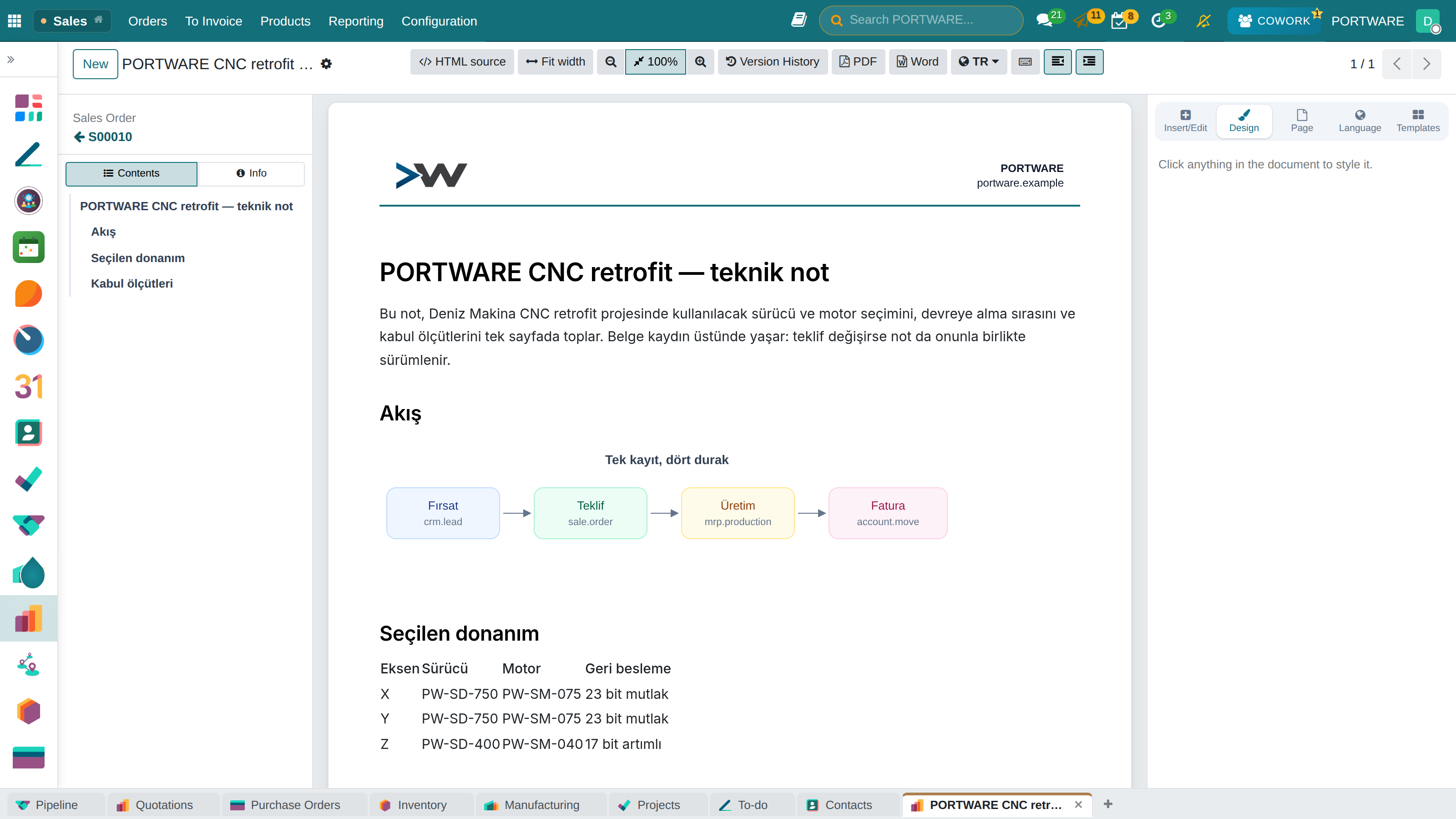
Where it appears: "HTML document" in the record's chatter · / commands in rich-text fields
Word is not right for every job. For a brochure, a quotation attachment, an internal procedure or a report produced by AI, the system has its own format: the HTML document. It needs no office server, opens everywhere, and the system's own components go inside it.
The page itself is designed
Not only the text but the page is designed:
- Background — a plain colour, a gradient, a pattern drawn in pure CSS (dots, grid, blueprint, squared/lined paper) or an uploaded image + a readability tint
- Ink — the general text colour of the page
- Margins and the width the document is measured at
- 12 ready-made backgrounds
A single value gives the same result in four places: the page in the editor, the mirrored file, the download and the PDF. Since the design is kept in a record field, it is not lost when the body is rewritten and cannot be deleted with the backspace key.
Element formatting and position
You can click an element and change its font, colour, border, alignment, padding, minimum height and opacity. There is a separate position group: layout mode, offsets in four directions, stacking order, rotation, scale and fill behaviour for images.
Drawing on the page
Free drawing is done on the document's background: rectangle, ellipse, triangle, star, cloud, line, arrow, polygon, freehand, text and a placed image. Shapes are created by dragging, resized with eight handles, nudged with the arrow keys; ordered, copied, deleted. There are six ready-made pieces.
What is stored is not an SVG string but a list of shapes — so weeks later it is still possible to "pull the circle". The drawing layer is not inside the editable body but behind it; otherwise the handles would leak into the downloaded file.
Editor components
| Command | What it adds |
|---|---|
/status | Staged status tracking — with a sealed log |
/sodraw | A draw.io diagram |
| Table | An Excel-like editable table |
| Badge / banner | Protocol badges and header strips |
Status tracking shows how a job progresses as a timeline: at every stage a title, person, date, state and description. Stages flow in rows of five and are sorted by date. Every addition, edit and deletion is also written to an unchangeable log: if the text is changed from outside (SQL, API, pasting by hand), the element reports it on itself.
Images are not embedded in the field
PORTWARE HTML Image Sanitizer takes pasted images out of the field and stores them as a separate attachment. Otherwise a record grows by megabytes, lists slow down and search bloats.
| Module | What it does | Version |
|---|---|---|
| PORTWARE HTML Documents | PORTWARE-native HTML documents in the chatter, with version history | 19.0.30.2.0 live 19.0.11.0.0 |
| SMB Editor Widgets | Protocol badges and hero banners for HTML editor via / commands | 19.0.1.8.0 live |
| PORTWARE Status Tracking | Timeline element for the rich text editor, with a tamper-evident ledger | 19.0.1.5.1 live 19.0.1.0.0 |
| PORTWARE HTML Image Sanitizer | Move inline base64 images from HTML fields to ir.attachment | 19.0.1.2.0 live |