Dashboards
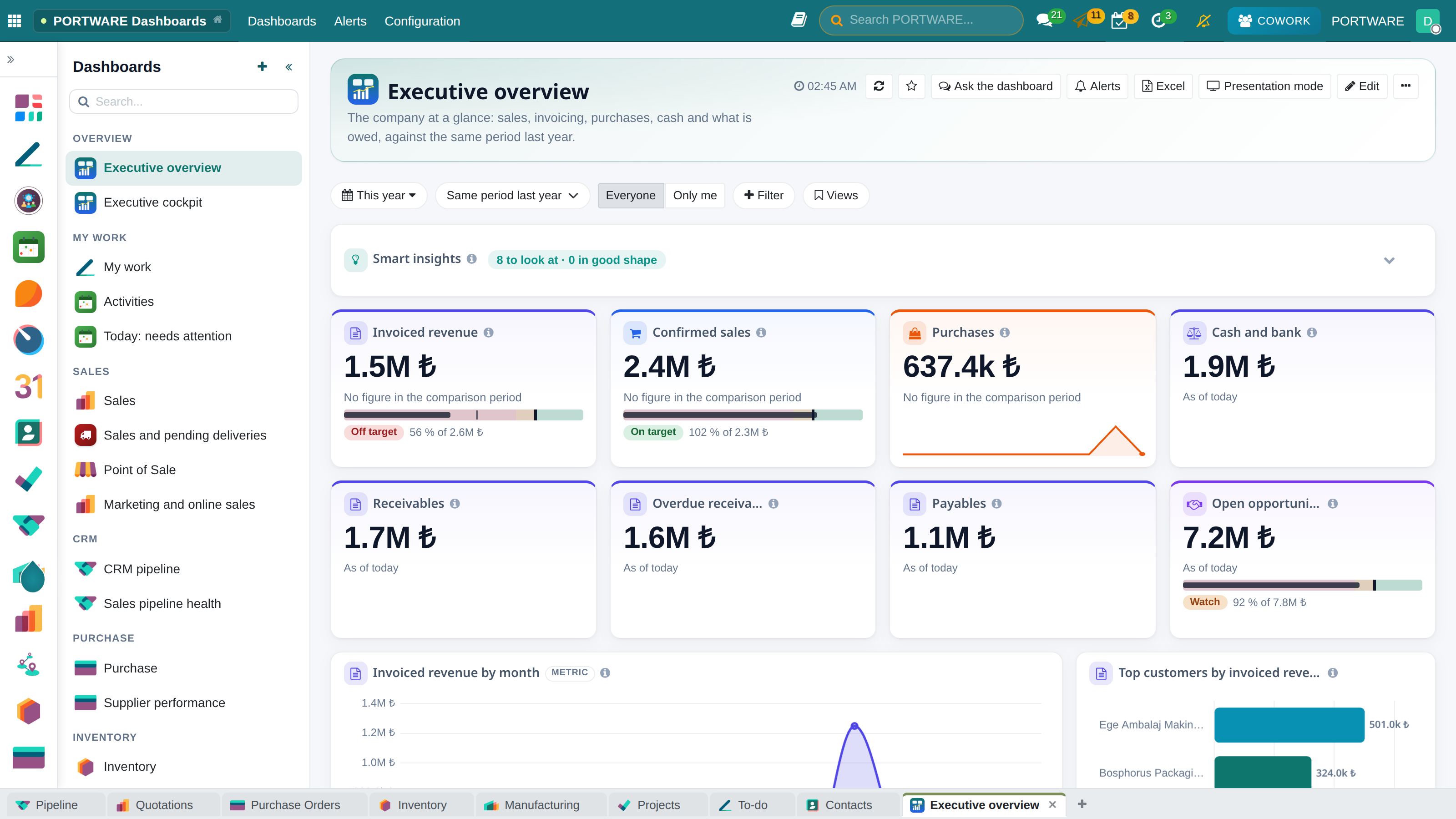
The company's pulse on one screen: live dashboards that respect permissions, compare with last year and open the records behind every figure; Cowork builds one from a sentence.
- One true numberA metric is defined once; sales and finance look at the same figure.
- Live and permittedEvery widget reads live data with the user's own permissions.
- From figure to recordThe records behind any number open in one click.
- A dashboard you can askCowork opens knowing the figures and builds a new dashboard from one sentence.
Where it appears: The PORTWARE Dashboards app · the gear menu of every list, graph and pivot screen · the Cowork panel
Why a dashboard matters
Most of a company's weekly meeting is spent collecting figures: sales bring their spreadsheet, finance its report, and the first argument is about which number is right. A dashboard ends that argument. Everyone looks at the same live, defined number, and the meeting is spent deciding, not collecting.
That is why in PORTWARE a dashboard is not decoration but management's common language:
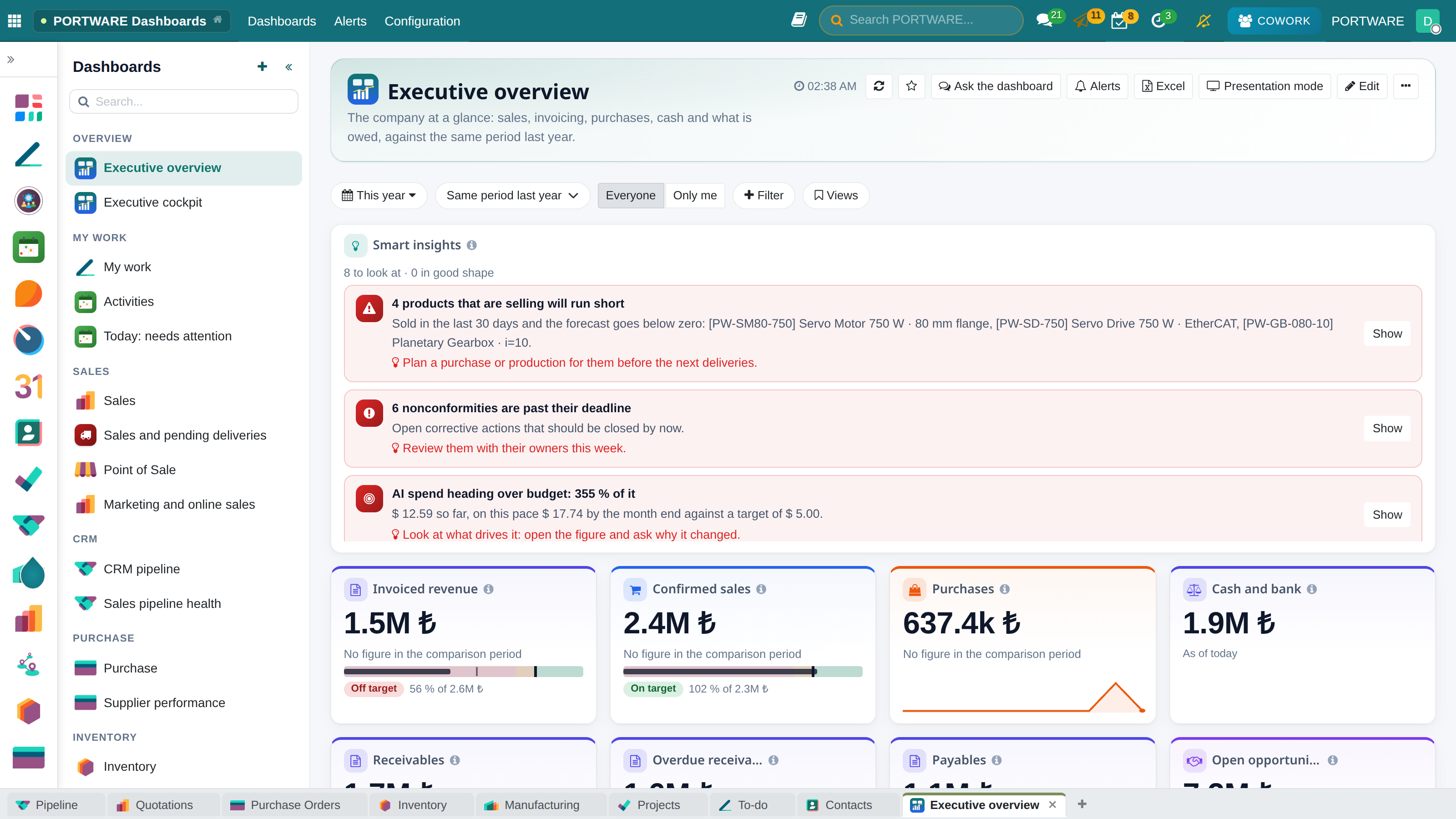
- What is happening? — invoiced revenue, confirmed sales, purchases, cash, receivables, overdue receivables, payables and open pipeline at a glance.
- Is it good or bad? — every figure is compared with the previous period or the same period last year; a change in the good direction is green, and the widget says so in words.
- Why? — a KPI's change is split by its drivers: which customer, which product, which salesperson.
- What now? — click a figure and the records behind it open; the work is done from there.
Widgets
A dashboard is a grid of widgets, and each widget answers one question:
- KPI — the figure, its comparison, a trend line and an optional target.
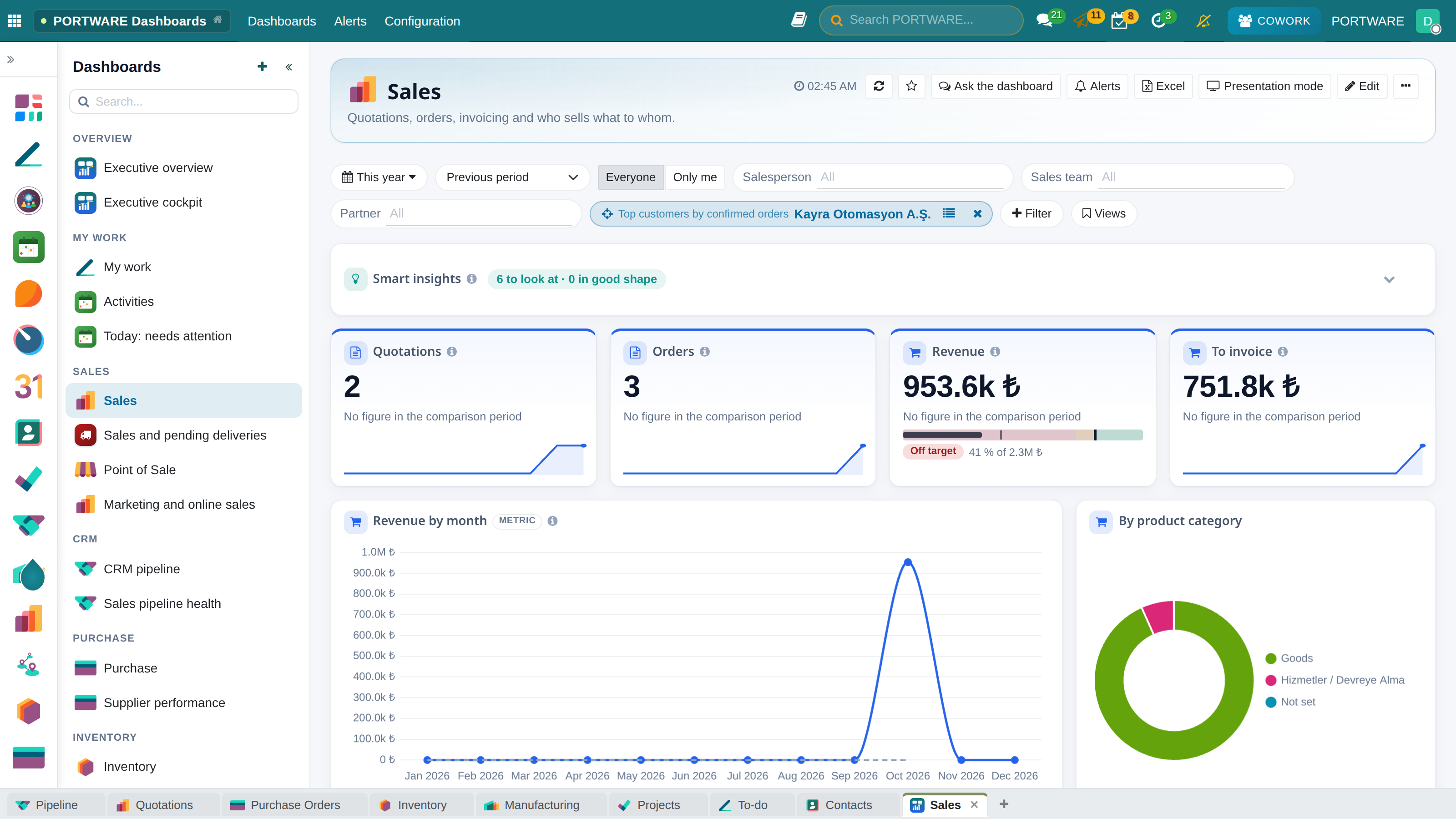
- Chart — bar, horizontal bar, line, area, pie, doughnut, stacked; one or two groupings, top N with "Others", cumulative, a previous-period overlay.
- Table — the records themselves, with chosen columns and order.
- Pivot — rows × columns with totals; the shape of most Excel reports.
- Gauge — progress against a target.
- Text — a heading or a note between sections.
The bar above the grid holds the period, the comparison, "everyone / only me" and the dashboard's own filters (salesperson, team, customer…); every widget follows them.
Every widget respects permissions
Every widget reads through the ORM with the permissions of the person looking: record rules and multi-company separation work on a dashboard exactly as they do on a list. Two people opening the same dashboard with different rights see different figures — which is correct.
From any screen to a dashboard
Add to dashboard sits in the gear menu of every list, kanban, graph and pivot screen, including screens opened from buttons. The search, grouping and measure on screen become a widget as they are.
Sharing, presenting and Excel
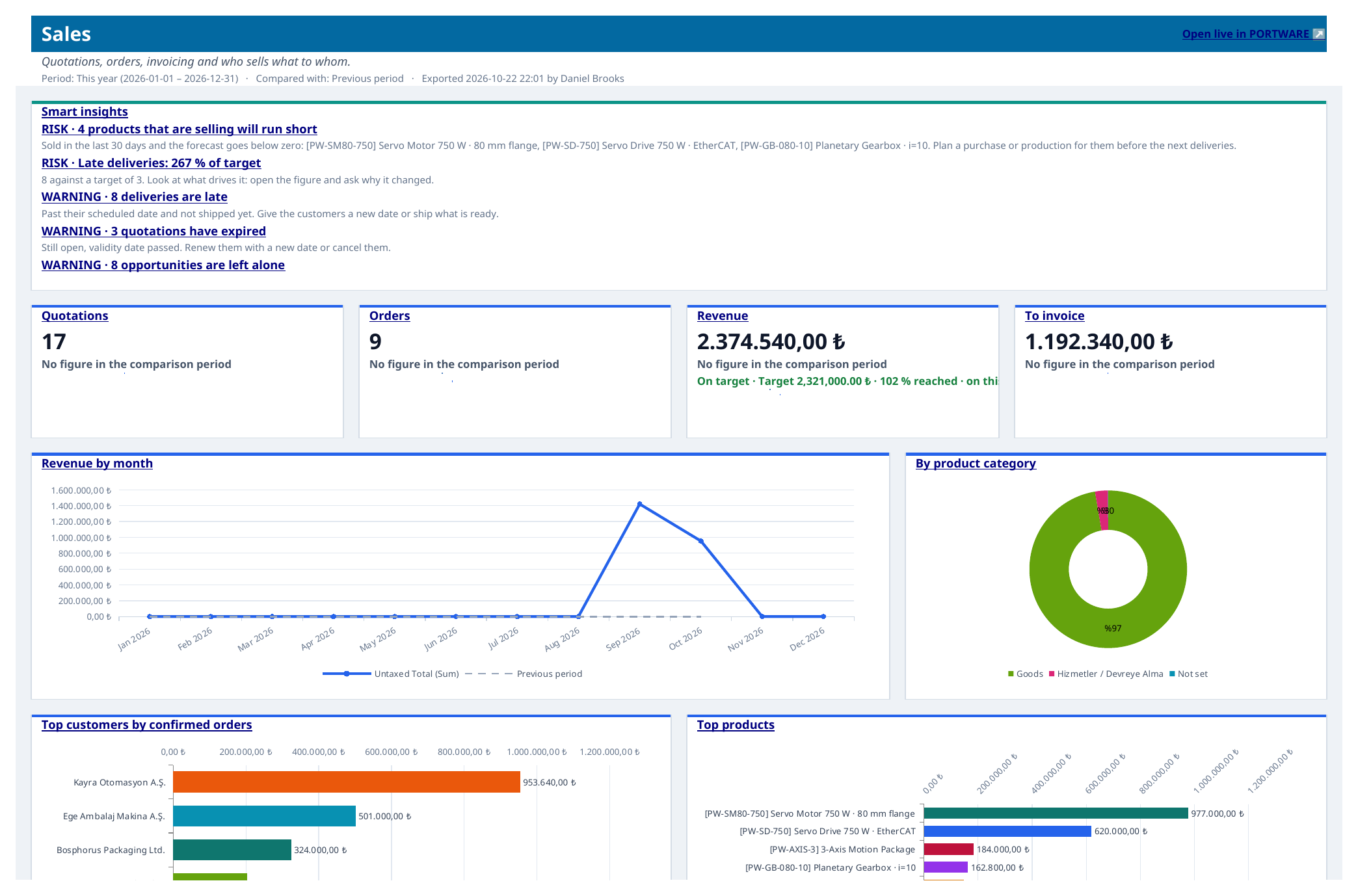
A dashboard is private, shared with users or groups, or public; its owner rearranges it by dragging and resizing. The whole dashboard exports to a formatted Excel workbook (KPI cards, native Excel charts, a data sheet per widget), prints to PDF, runs full-screen in presentation mode and can be mailed as Excel on a schedule.
Dashboards with Cowork
- Ask the dashboard — Cowork opens beside it knowing its figures.
- A dashboard from one sentence — "build a pending deliveries dashboard" is enough. It is built from the same specification the default dashboards are written in; an unknown model or field stops with the reason instead of being invented.
- Why did it change — a KPI's change explained by every driver.
- Metrics and targets — figures defined once, with targets and drivers.
Every write waits for your approval, as every Cowork write does.
| Module | What it does | Version |
|---|---|---|
| PORTWARE Dashboards | Configurable live dashboards: KPIs with comparison, charts, tables and pivots on any model, Excel export, presentation mode, subscriptions, 'Add to dashboard' from every view, Cowork-buildable | 19.0.1.11.4 |
| PORTWARE Dashboards for Cowork | Cowork lists, reads, builds and exports dashboards from a sentence | 19.0.1.5.3 |
| PORTWARE Dashboard Live Data | Never show sample/demo data in spreadsheet dashboards | 19.0.1.0.0 live |