Attachments, folders and versions
Folders for attachments, the history of the texts you write, pointers instead of copies and a truly live chatter.
- What you write is not lostThe history of text fields is kept; you can go back to an old version.
- The pile of attachments gets organisedFolders in record attachments, pointers instead of copies.
- A live chatterMessages and notes arrive without reloading the page.
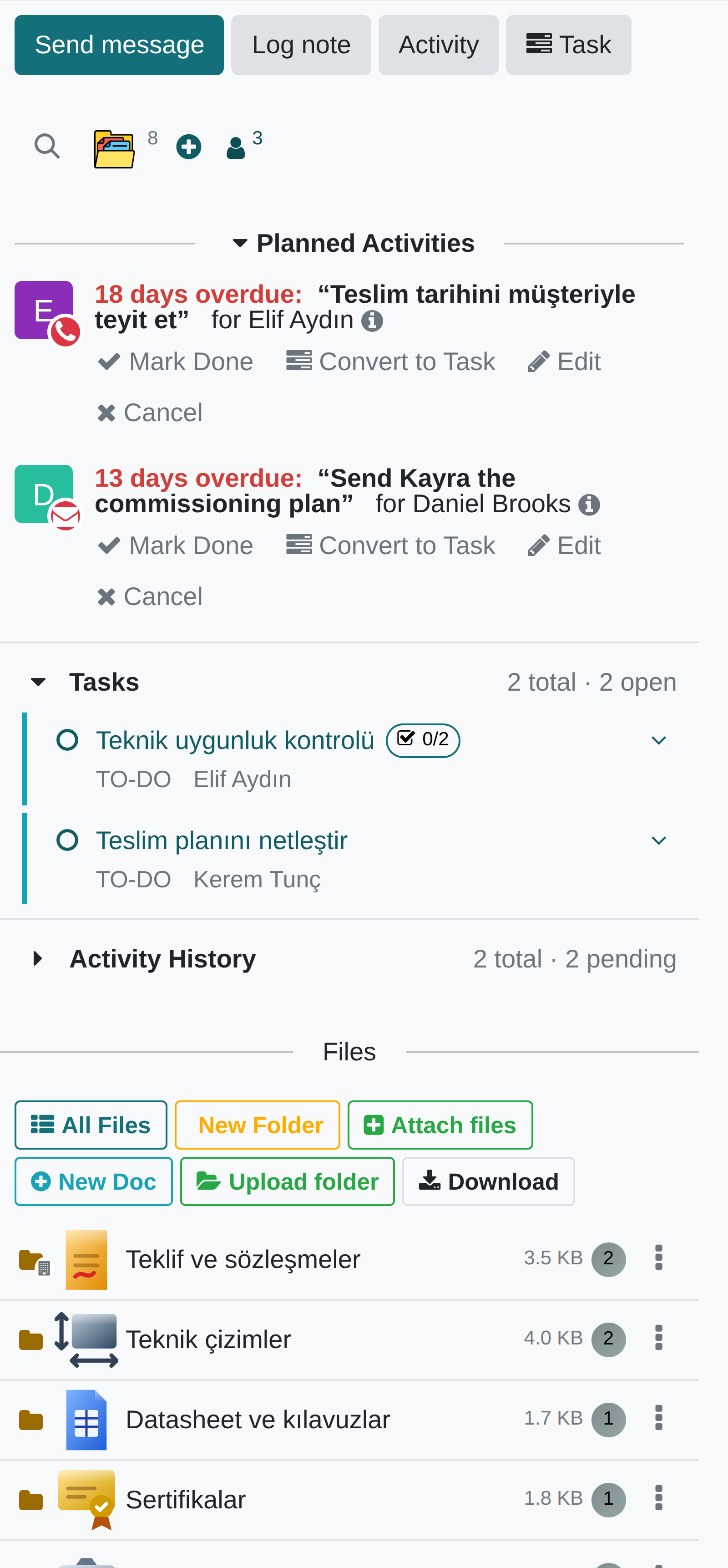
Where it appears: The chatter and attachment list under every record
Folders
Once there are more than a few files, a flat attachment list becomes impractical. Attachments are split into folders; folders can have their own icon (from the shared icon library). Instead of deleting there are archive and trash states, which makes accidental loss harder. The upload limit is 256 MB.
Upload folder uploads a folder from your computer with its sub-folders and files: the folder structure is created automatically with the same names and nesting, and every file lands in its own folder. Dragging a folder onto the chatter, or onto a folder row, does the same. If a folder of that name already exists, the new one becomes "Name (2)"; two versions never get mixed.
The Download menu downloads one folder, several folders you choose, or all of the record's files as a single ZIP with the same folder structure (up to 2 GB per ZIP). In Chrome and Edge, Download as folder writes the same structure straight into a folder you pick, without a ZIP. Files you are not allowed to open are left out, and you are told how many.
Version history of texts
The standard core offers HTML field version history only on project tasks and to-dos. This module brings the same capability everywhere people really write free text: product internal notes, opportunity notes, card notes, quotation and purchase terms, the invoice note, the project description, the transfer note.
Every revision records who wrote what and when; it can be previewed, compared with the current text and restored.
File pointers
You can attach another file to a document not by copying it but by pointing to it. When the source file is updated, the pointer is updated too. This is what stops five copies of the same technical drawing circulating in five documents.
Live chatter
In the standard core, when a message is written on a record, a second person looking at that record does not see it; only the bell counter goes up.
In PORTWARE every record has its own broadcast address: messages, edits, deletions, reactions and attachments coming and going are reflected instantly in every open chatter; there is also a strip showing who has the record open and who is typing. Subscriptions are set up on the server, checking read access on the record itself — a guessed channel name shows nobody anything.
Notification history
In the messages menu the history can be reached even when nothing is unread: the History filter lists the notifications and messages you have already read, in time order.
The standard maintenance job deletes read notifications after 180 days, and instant alerts that appear on the screen are not written anywhere. That is why PORTWARE keeps a permanent, per-user copy of every notification: it stays even if its source is deleted, it can be searched and it leads to the record it came from. Everyone sees only their own history.
| Module | What it does | Version |
|---|---|---|
| PORTWARE Attachment Folders | Organize chatter attachments into folders with archive/trash safety | 19.0.3.5.1 live 19.0.3.3.0 |
| PORTWARE Version History | Version History for HTML fields on products, CRM, partners, sales, purchases, invoices, projects and transfers | 19.0.2.2.0 live 19.0.2.0.0 |
| PORTWARE File Pointer | Dynamic file references in HTML editor that auto-update | 19.0.1.4.1 live 19.0.1.4.0 |
| PORTWARE Live Chatter | Chatter updates in real time for everyone looking at the record, with who-is-here and who-is-typing | 19.0.1.0.0 live |
| PORTWARE Notification History | Keep every notification a person receives -- messages, activities, reminders, system notices -- and reach it from the messages menu and the user menu. | 19.0.2.1.0 live 19.0.1.0.0 |