

PORTWARE Engineering — Product Data on One Record
Brings your mechanical, electronic, software and production data together on one product record. See changes, assess their impact and send the right revision to production.
- One product recordParts, BOMs, CAD and ECAD files, software, requirements and tests stay on the same product.
- Controlled changeA change order runs line by line; the new revision is released and the old baseline stays as it was.
- The right revision in productionA manufacturing order keeps its baseline and a serial number knows its hardware and software state.
Where it appears: PLM · 3D Design · Electronics Design · Git Studio · Requirements
PORTWARE Engineering is not a separate application. It is the name of the applications that work together: PLM, 3D Design, Electronics Design, Git Studio and Requirements. All of them write to the same product record.
Every item on this page has been proven on the real screens. Evidence levels and gaps are kept in the project records; work not yet tried on a real customer project is not counted here.
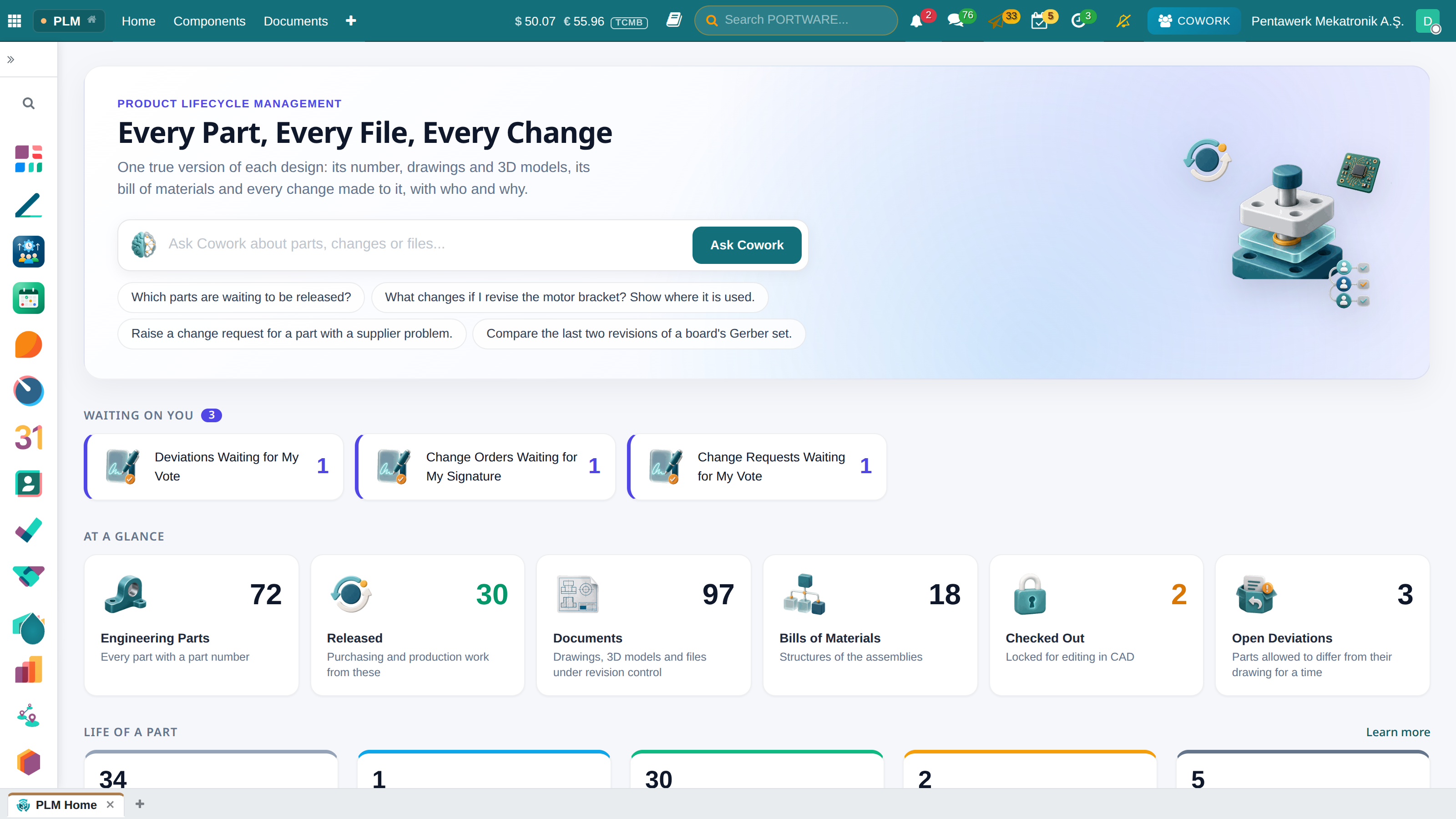
PLM
- Parts and documents. Parts and documents are revisioned: draft, released, obsolete. Every check-in leaves a file version.
- Bills of materials. Engineering and manufacturing BOMs are kept apart. The revision report never mixes them.
- EBOM and MBOM accountability. One row per part: accounted for, quantity, revision.
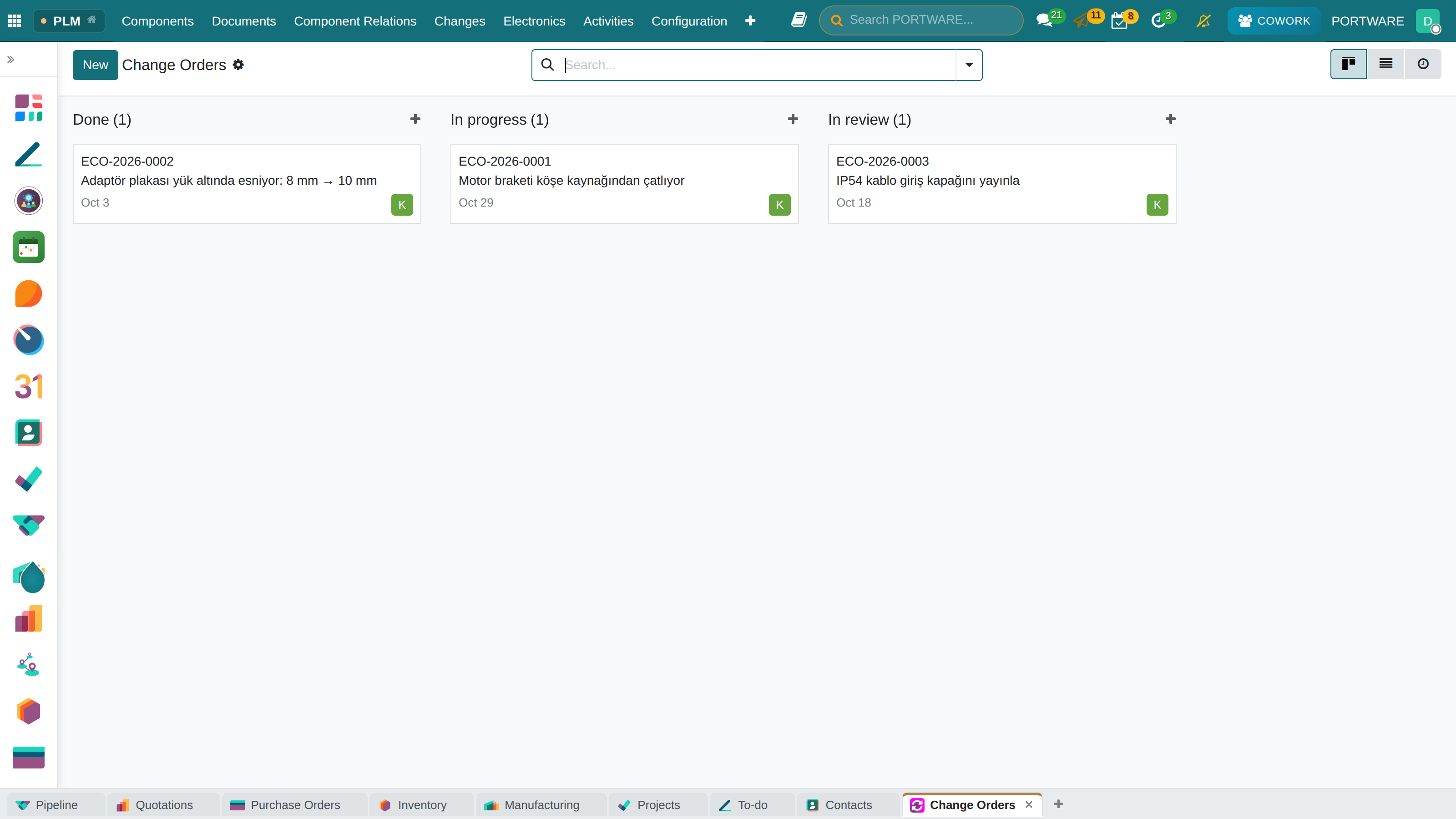
- Change. A change order makes a new revision, release or obsolescence line by line.
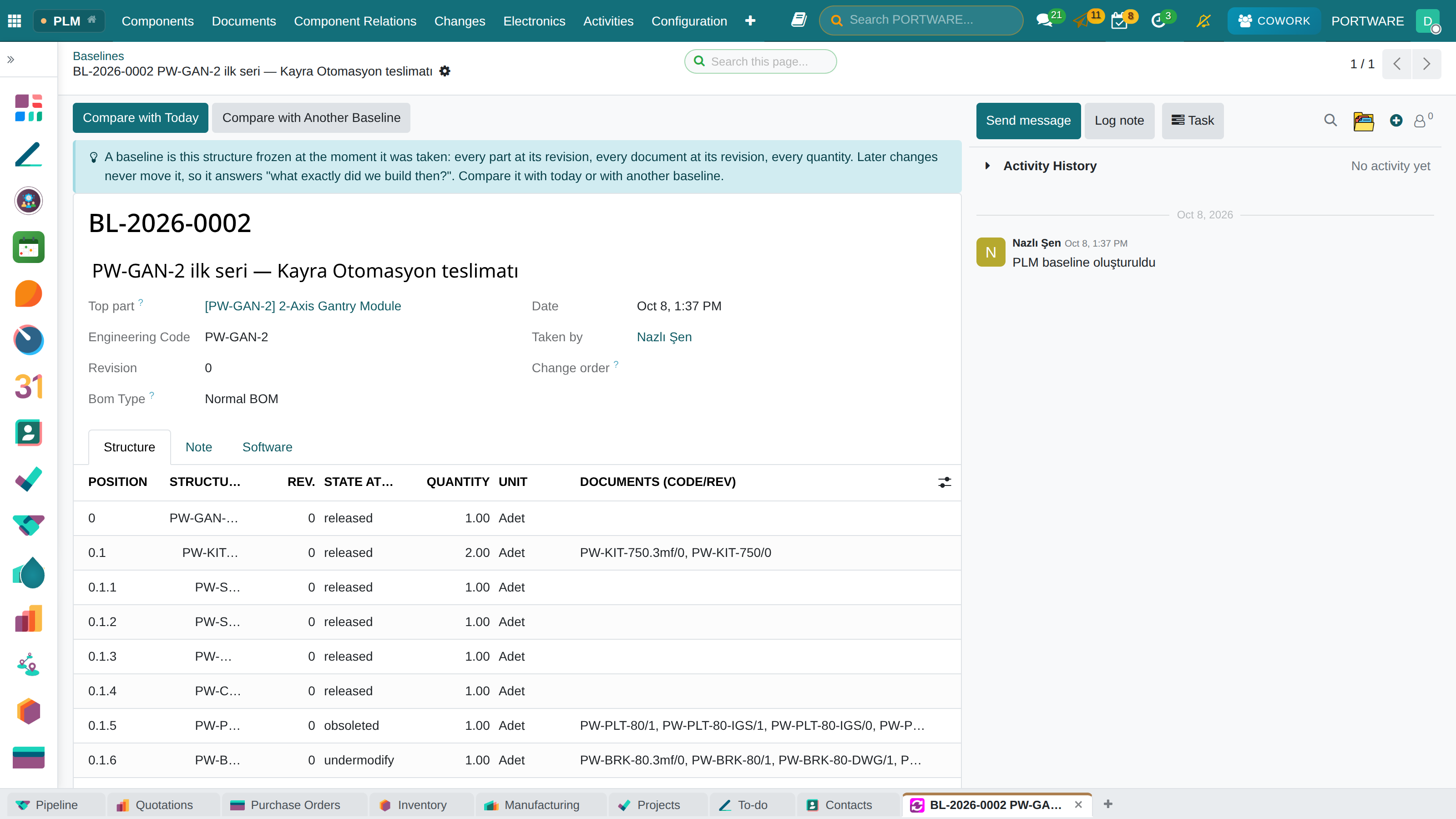
- Baselines. A structure is frozen. A later change does not touch the old baseline, and two baselines can be compared.
- Configuration rules. A conflicting choice is refused and the reason shown.
- Supplier sharing. Documents are shared by link; opening and downloading are logged.
The main screen is PLM › Home; every figure opens its own list.
Mechanical
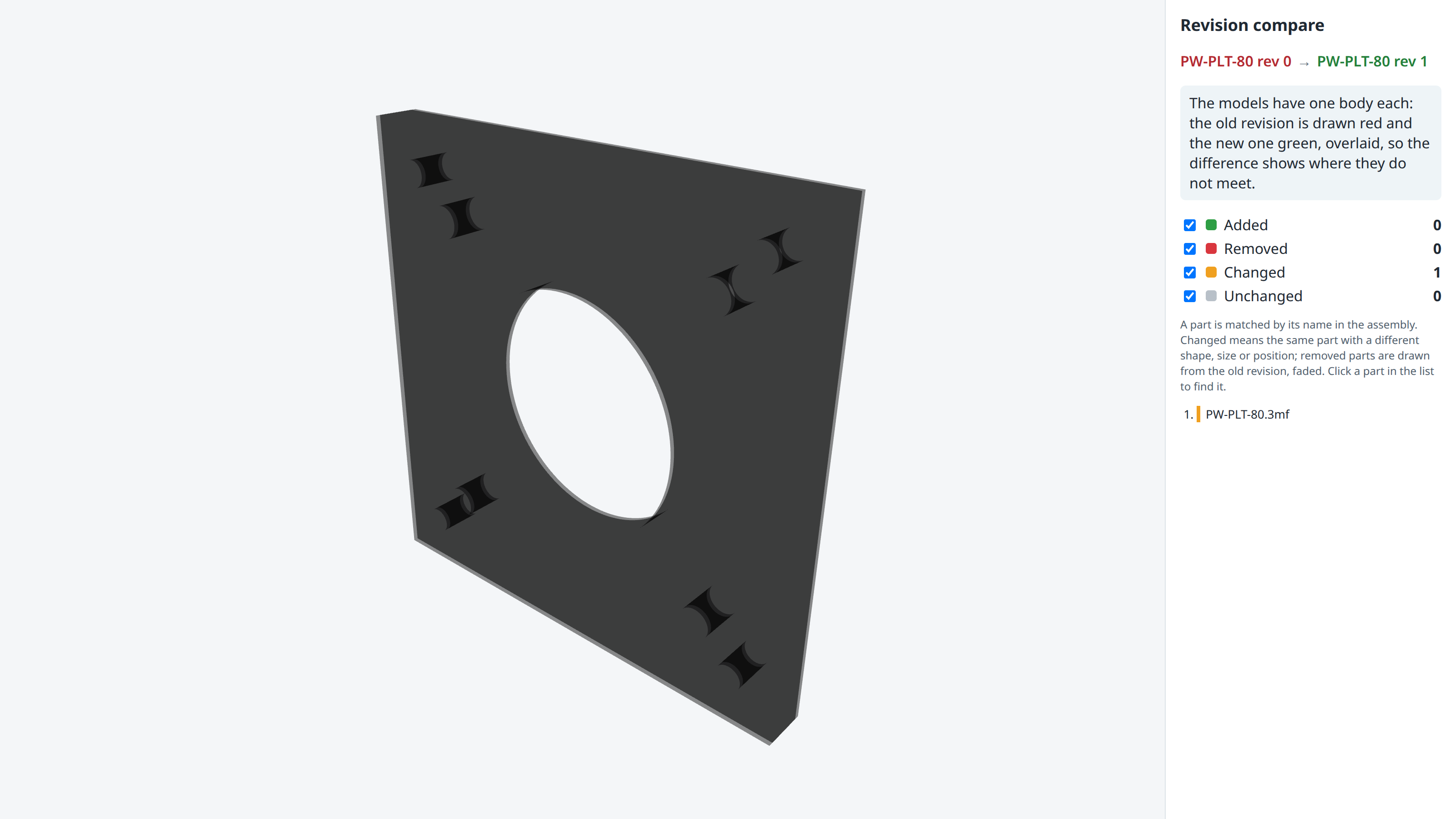
CAD files are tied to PLM revisions and open in 3D Design. Two revisions are compared in 3D, in the BOM and in geometry. Part design, assemblies and technical drawings live in 3D Design.
Electronics
KiCad schematics and boards are viewed and ERC and DRC run. A KiCad project works with PLM in both directions. Altium projects and libraries are read. Schematic, board, net, BOM and Gerber are compared. Board variants and DNP give the right BOM. A fabrication package comes out in one step.
Software and Requirements
The product's Traceability tab lists software per configuration. A requirement goes down from the customer to system and subsystem. A test run records lot, baseline, software and equipment. An applied change makes the related runs suspect.
Traceability
A manufacturing order stores its baseline when it is confirmed. A serial number keeps the baseline, the revision, the order and the software.
What Was Tried
A servo drive example was run end to end: a first release, a controlled change across mechanics, electronics and software at once, then ten failure scenarios. This work was done on demo data.
| Module | What it does |
|---|---|
| PORTWARE PLM | Engineering change management (ECR -> ECO), guided PLM screens and CAD viewing. |
| PORTWARE PLM Process | Change control board with electronic signatures, deviations and waivers, change analysis and supplier document shares |
| PORTWARE PLM Connect | The server side of PORTWARE's own CAD client: check-out, check-in, structure save and file transfer over a token-authenticated JSON API |
| PORTWARE PLM for Cowork | Cowork answers, teaches and acts on the PLM: parts, BOMs, where-used, impact, documents, change requests and orders |
| PORTWARE PLM Quality | Nonconformity to change request or waiver, and PPAP submissions |
| PORTWARE Electronics Design for Cowork | Cowork, MCP clients and RPA assistants work on schematics and boards with the same methods as the ECAD workbench |
| PORTWARE Requirements · PLM | Change orders name the requirements they address and show their verification |
| PORTWARE Git Studio · PLM | Software baselines in the PLM: released by change orders, valid with hardware baselines and revisions |