

CNC Programs — from a part to checked G-code, under PLM revision
Generate a 3-axis milling program from a STEP part in PLM. Before anything is cut, the program passes an independent check, can be followed line by line on screen, and is kept as a revised PLM document.
- Independent checkThe engine that makes a program does not approve it; the check reads the G-code as a machine would.
- Reasons line by lineEvery finding names its program line and the fix.
- Tied to the part revisionWhen the part changes, the old program cannot be saved or downloaded.
- A PLM documentG-code takes revisions; its source, hash and generator stay beside it.
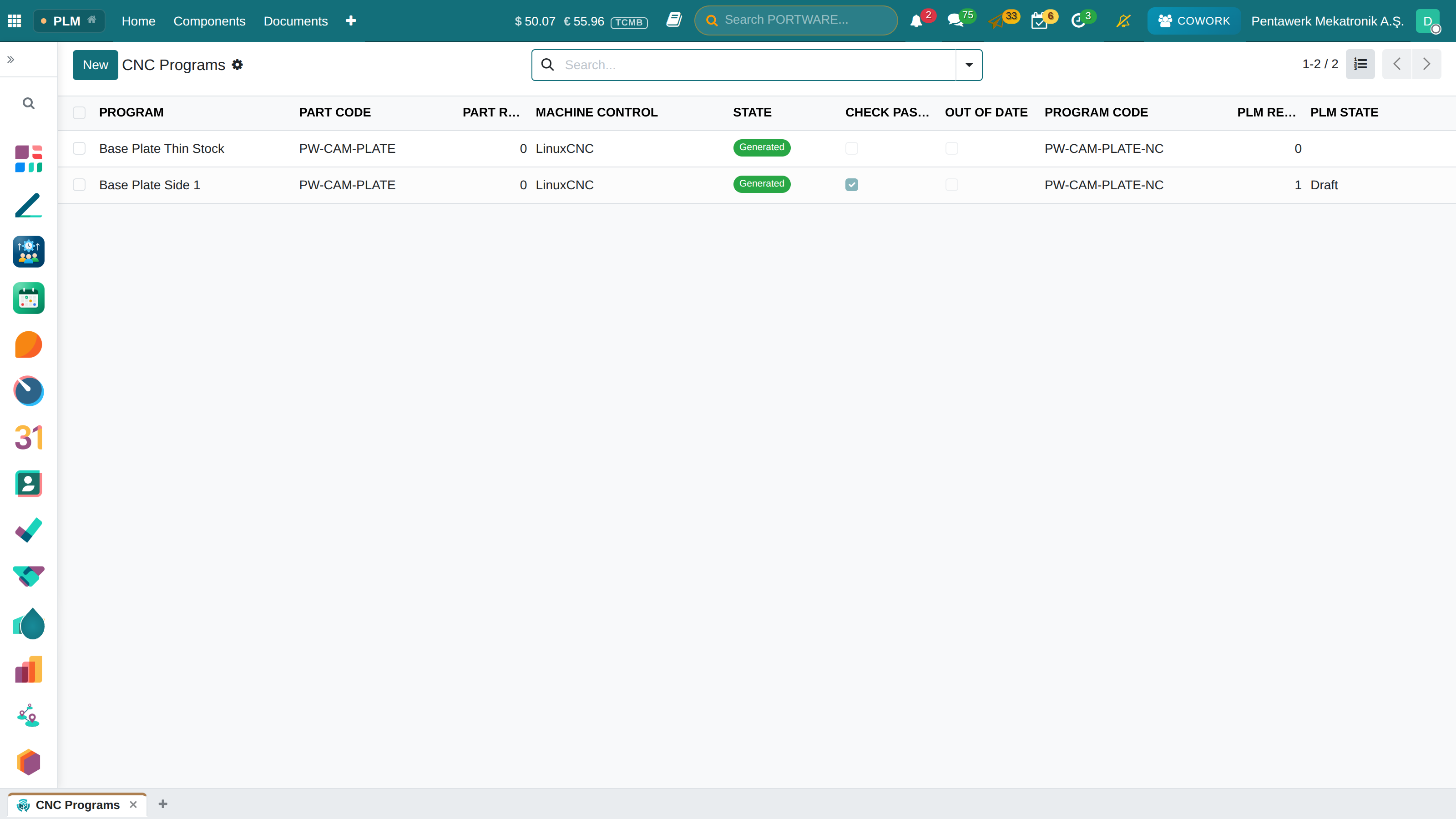
Where it appears: PLM › CNC Programs
A part's CNC program is a controlled document, like its drawing. This screen generates the program on the server from the STEP file in PLM, checks it and saves it to PLM with a revision. A program always knows which revision of which part it came from.
Preparing A Program
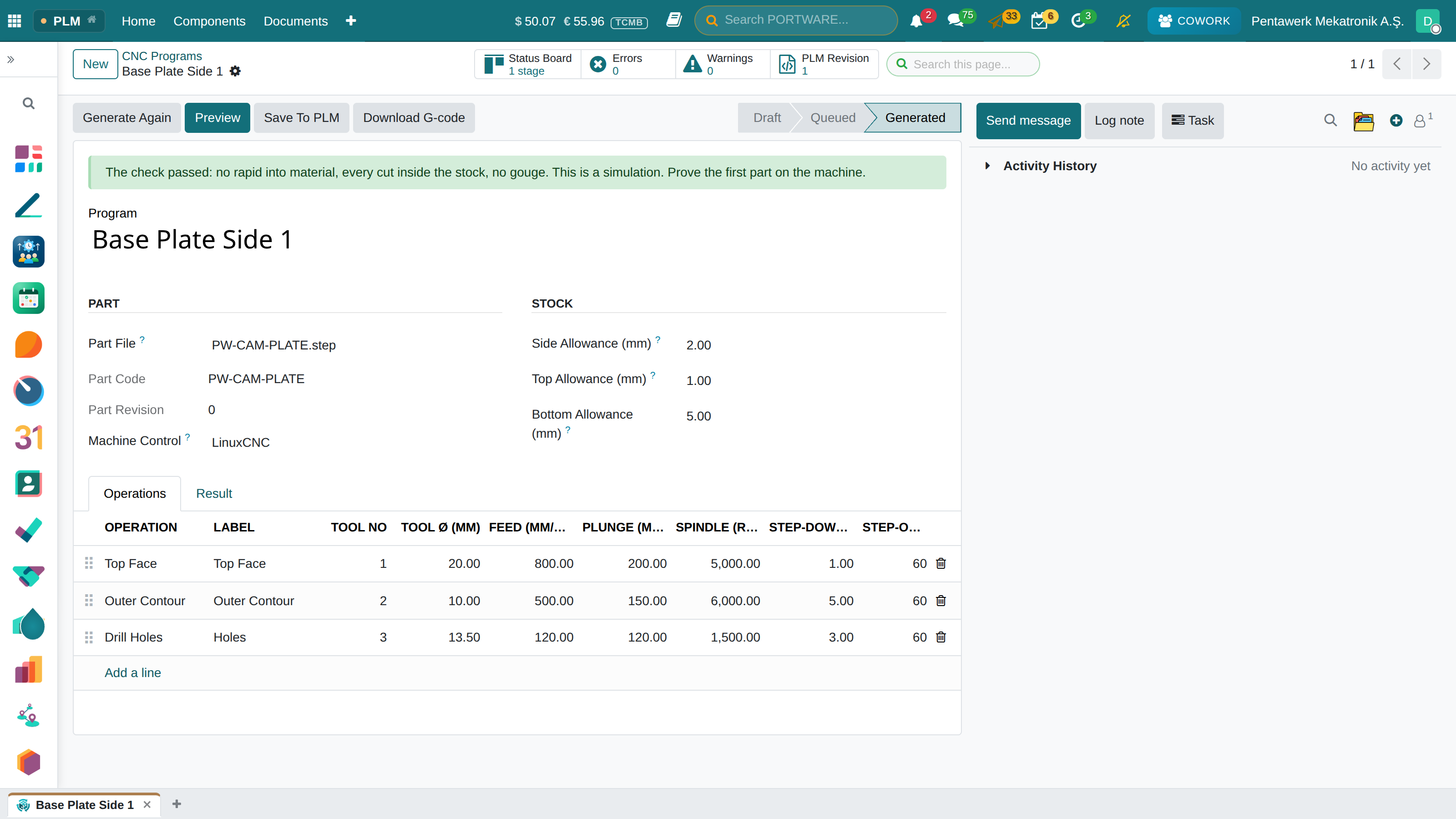
Start with PLM › CNC Programs › New.
- Part File. Choose a STEP document in PLM. The part code and revision are read from it.
- Stock. Enter the allowances left around, above and below the part, in mm. The bottom allowance decides whether drill points stay inside the stock.
- Machine Control. LinuxCNC for now. Another control is added once it has been proven on its real machine.
- Operations. Top Face, Outer Contour and Drill Holes. Each line has a tool number and diameter, feed, plunge, spindle speed and step-down. The programmer enters these values; PORTWARE invents none. Drill Holes drills every hole of exactly that diameter.
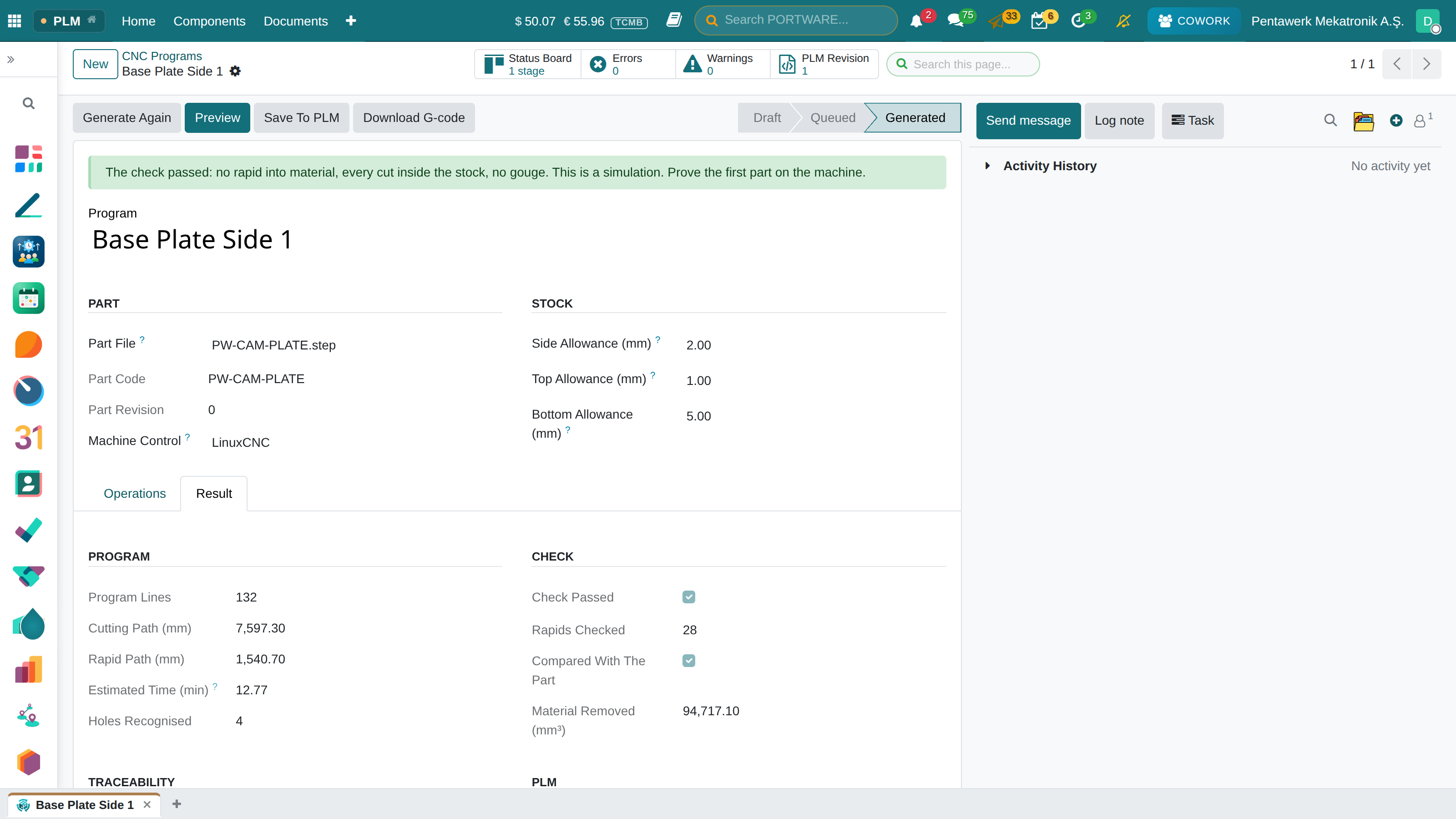
Generate Program queues the work. It runs on the server and does not hold the screen. When it ends the state is Generated and the Result tab is filled.
The Check
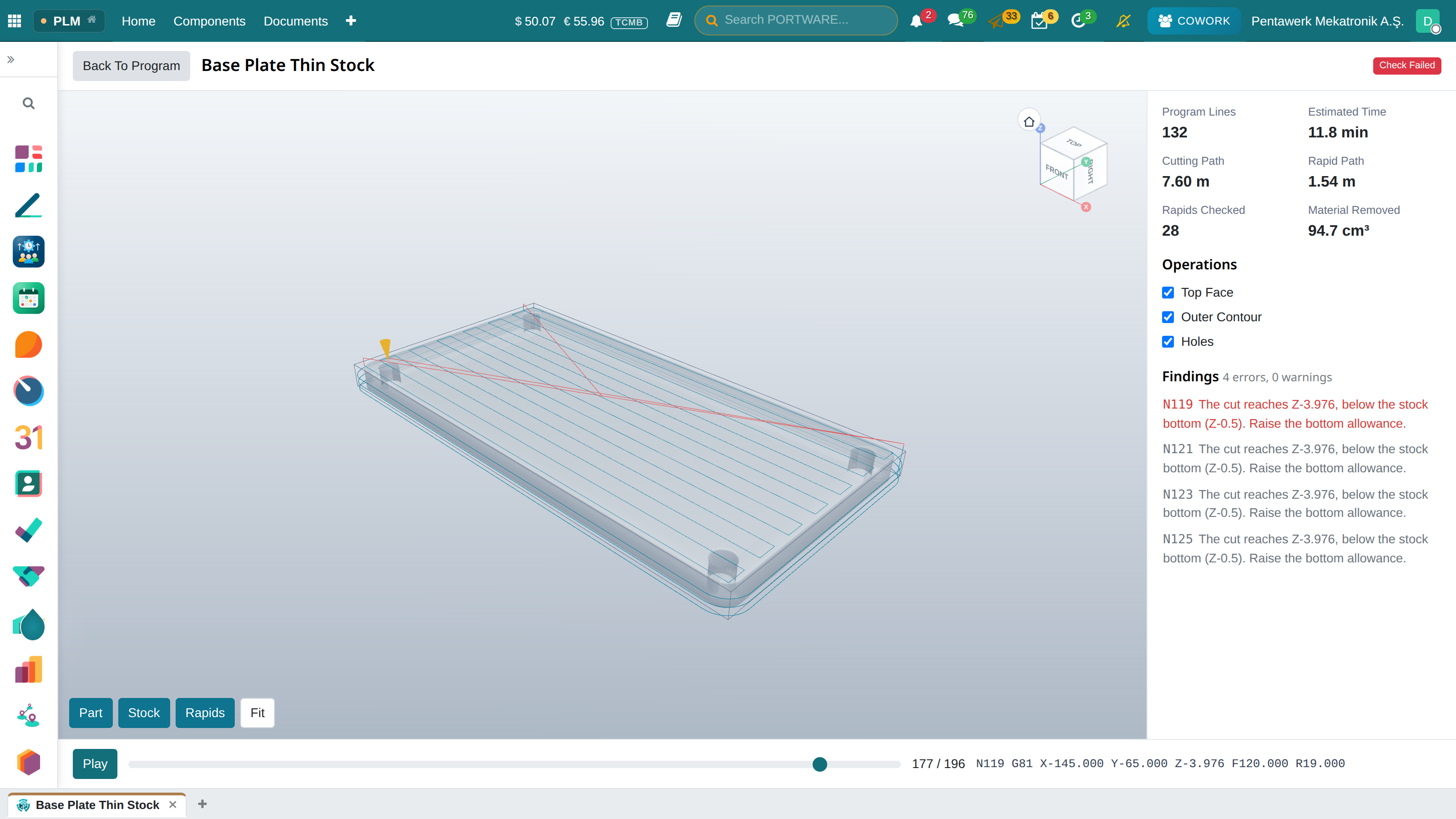
The engine that makes a program does not approve it. The check reads the G-code as a machine would and removes material from the stock as it goes. It refuses:
- A rapid that touches material, along the straight line and along the path where each axis travels on its own, because many controls do not move rapids in a straight line.
- A cut outside or below the stock.
- A cut below the finished surface of the part.
- A feed no operation declared, or a pass deeper than declared.
- Cutting with no tool loaded or the spindle stopped.
- Anything it cannot read. An unknown code is never treated as harmless.
If the check passes, a green banner appears. It is a simulation: prove the first part on the machine. If it fails, a red banner appears. The Errors and Warnings counts at the top open those findings.
Preview
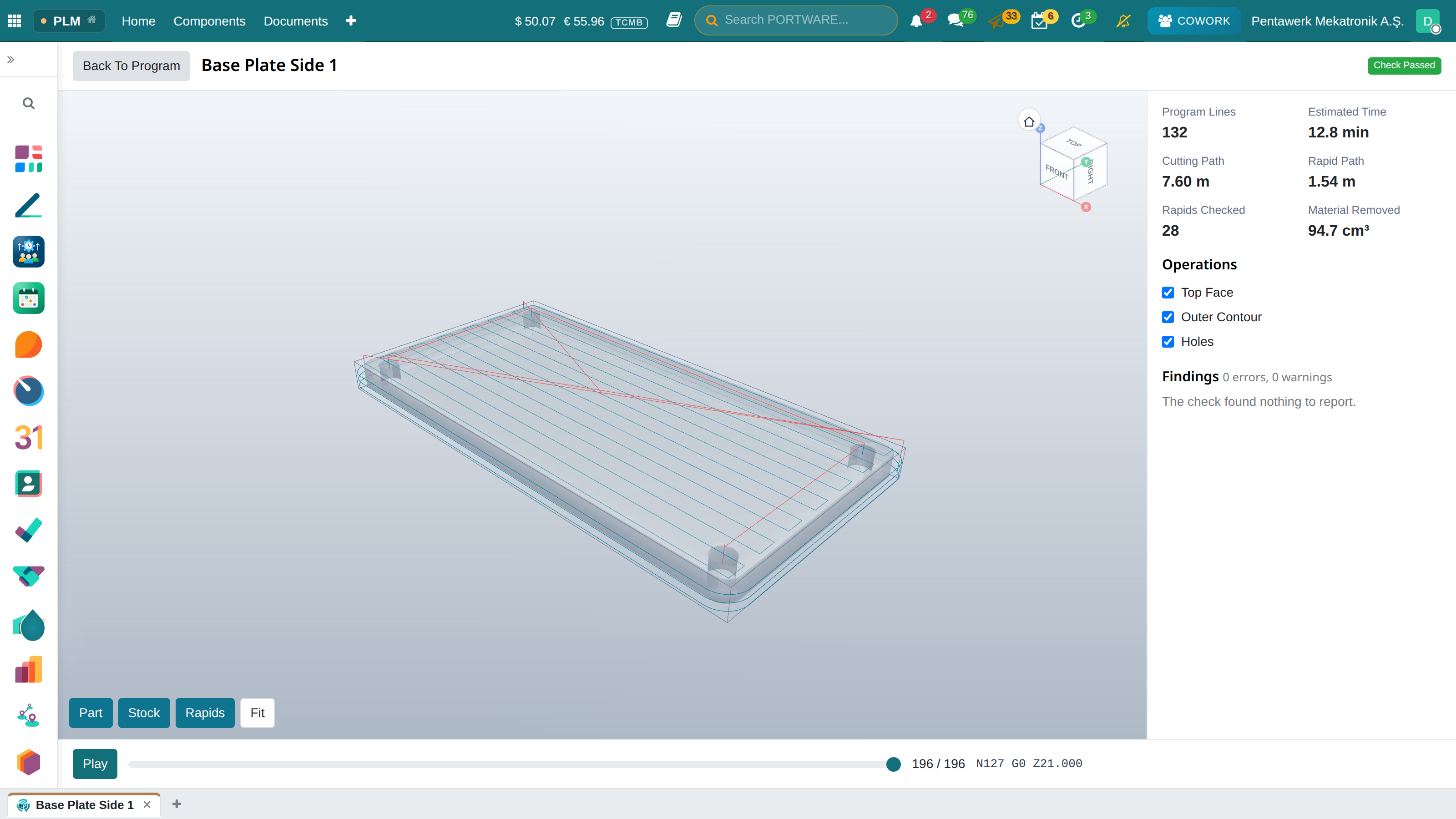
Preview shows the part, the stock and the toolpath in 3D. The cutting path is blue, rapids are red.
- Part, Stock, Rapids switch that layer on and off. Fit frames the view. The cube in the corner turns it.
- The Operations boxes leave only the selected operation's path.
- Play and the slider move the tool, and the program line is written beside them.
- Clicking a line in Findings moves the tool to that line.
Saving To PLM
Save To PLM appears only on a program that passed and is current.
- The first save opens revision 0 under the program code.
- While that revision is not approved, generating again updates it.
- Once approved, a new revision opens and the old one becomes Under Modification.
- The source part, its revision, the file hash, the generator and its version and the check result are kept with the document.
- Each program has its own code. A code another program saved cannot be taken.
Download G-code follows the same rule: a program that failed the check or is out of date is not downloaded.
When The Part Changes
When the part gets a new revision the program becomes Out Of Date, with the reason in the banner. Save and Download go away. Use Latest Part Revision points the program at the new revision; it is then generated and checked again. G-code from an older part cannot be approved in PLM.
With Cowork
You can tell Cowork "make a CNC program for PW-CAM-PLATE". It asks you for tools and feeds rather than inventing them. It lists programs, reads the check result and saves to PLM with your approval.
Scope
Today: 3 axes, prismatic parts, top face, outer contour and hole drilling. 3D surfacing, 4 and 5 axes, machine kinematics, fixture collision and sending a program to a machine are not in this version.
| Module | What it does |
|---|---|
| PORTWARE CAM | CNC programs from PLM parts: toolpaths, an independent check, a preview and the G-code as a revised PLM document |
| PORTWARE CAM for Cowork | Cowork and MCP clients read, make and save CNC programs with the same methods as the CNC Programs screen |