IV · Cowork AI · Chapter 15
AI in the office, the briefing and learning
The assistant inside Word and Excel, the morning briefing and the system learning from its own use.
The assistant inside the document
Cowork also works inside the office editors. Without leaving the document you can have the selected text rewritten, summarised or translated, have tables produced and bring data from the system into the document.
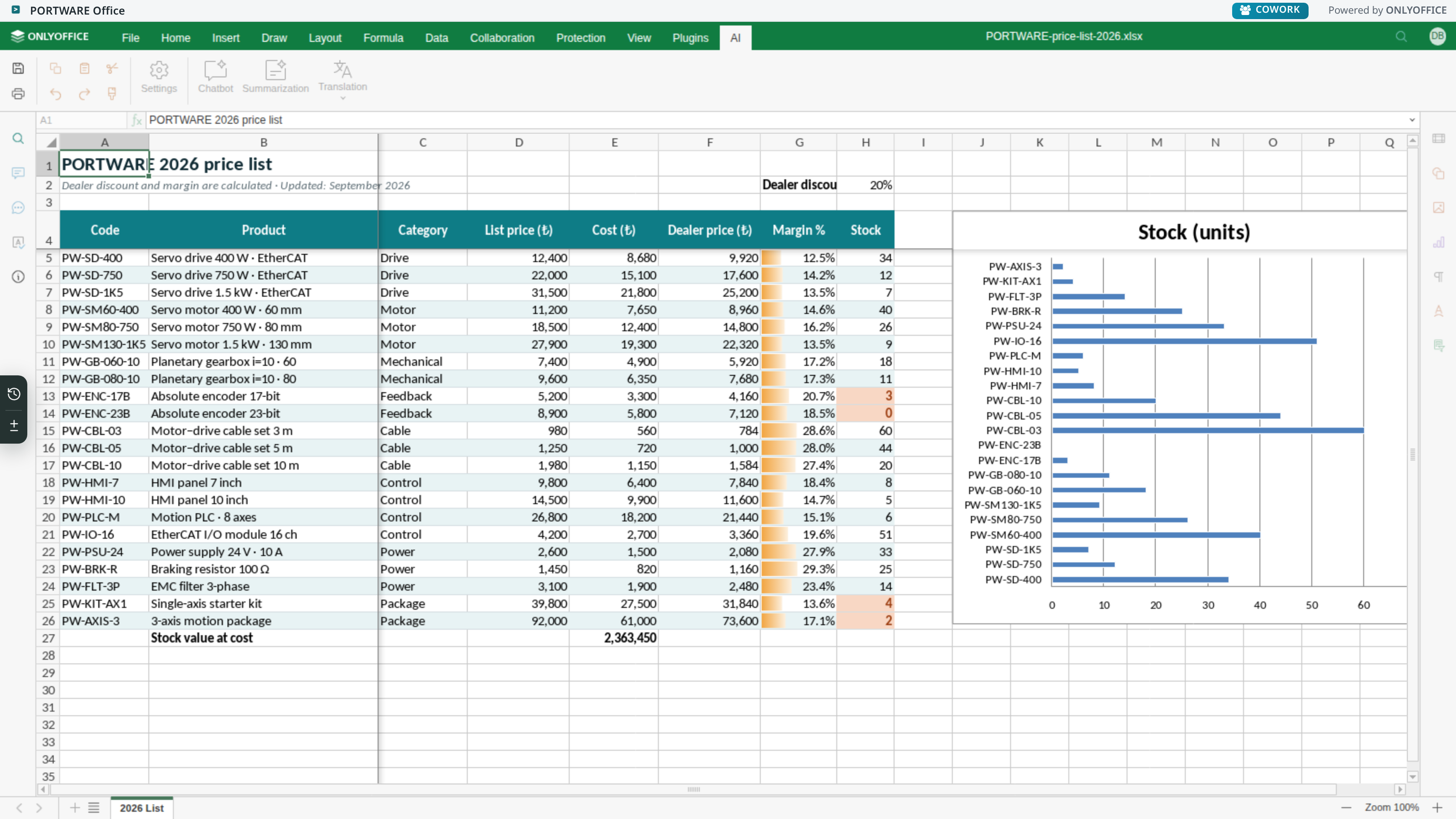
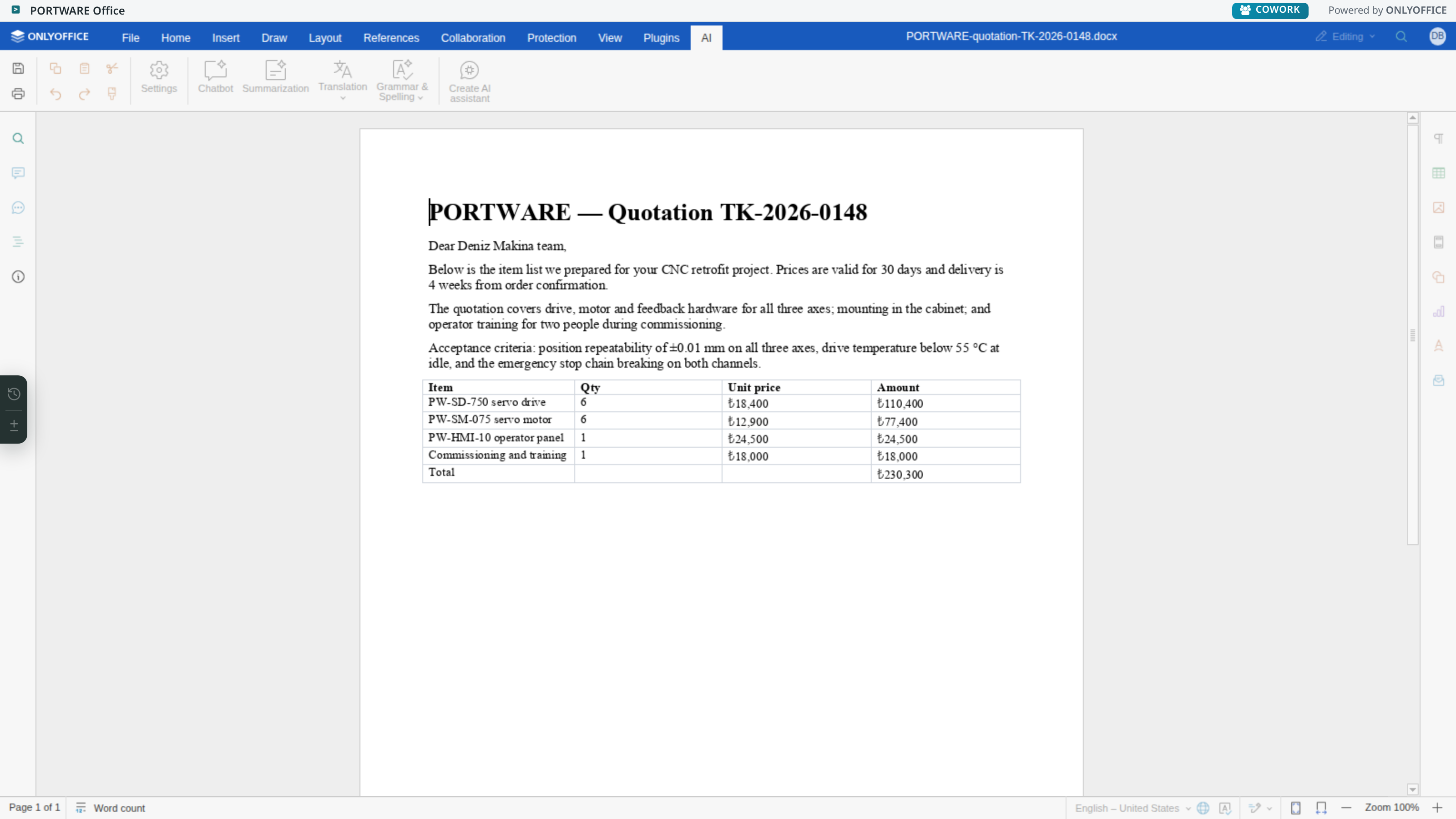
The real gain here is not losing context: when you say "shorten this paragraph" you do not have to say which paragraph.
Pouring an ERP report into Word
- Situation
- A customer assessment report is to be prepared; the data is in the system, the text in Word.
- What was done
- From inside the document, "put this customer's orders of the last year into a table" was asked.
- Result
- The table went into the document with the right figures and the right format. The copy-paste step and the errors that come with it disappeared.
The daily briefing
Everything described so far works when you ask. The briefing is the opposite: on weekdays it runs every morning at 08:00 (Istanbul) without you asking and answers the question "what should I look at in the system today?". It does not run by itself on Saturday and Sunday; days are counted by the user's own calendar day, and the system administrator can change which days it runs. The compass button still produces the briefing on request any day.
When the briefing is ready, the COWORK icon in the top bar carries a star badge; when you open the panel the briefing opens. No briefing is written for a user with no findings — if you see the badge, there really is something to look at.
The places it looks at fall into eight groups, 22 findings in all:
- Opportunities and leads (6) — no next step, stalled, expected revenue not entered, contact details missing, never touched, no owner.
- Activities (1) — past due and closed by nobody.
- Correspondence (2) — an unanswered customer message, a conversation that is not moving.
- Meetings (2) — next step not scheduled, notes not written.
- Quotations and orders (3) — an unanswered quotation, a draft never sent, an order with missing lines.
- Tasks (3) — overdue, never given a date, unassigned.
- Deliveries (2) — transfers past their planned day.
- Product data (3) — products with no sales description, internal reference or sales price.
16 of these belong to the person and 6 to the whole company; the company-wide ones are shown only to authorised users.
The briefing is not a report but a to-do list: next to each item are the addresses of sample records, and they can be clicked.
The system learns from its own use
Every Cowork turn is measured: which model, which tools, how many steps, how long, how much it cost, what the user said. These measurements go to three places:
- Tier assignments — which model sits in which tier.
- Tool selection — which tools are sent for which kind of question.
- Health tracking — seeing when a provider's performance drops.
"The model got dumber" is not a feeling but a measurable event — provider health is checked regularly and a cost ledger is kept, and the cause is usually outside the system's own code.
Company memory and shared knowledge
Frequently asked things, company-specific rules and terms can be written into memory. Since memory affects everyone's answers, every item written can be reviewed and rejected.